Introduction to Waymo One: The Future of Urban Mobility
Welcome to the frontier of autonomous transportation. If you are reading this, you are likely preparing to take your very first ride in a fully driverless commercial robotaxi. Waymo, the autonomous vehicle technology company born out of Google's Self-Driving Car Project, operates the Waymo One service, which is currently the most mature and widely deployed Level 4 autonomous rideshare network in the world. Whether you are in Phoenix, San Francisco, or Los Angeles, hailing a vehicle without a human behind the wheel can feel like stepping into a science fiction novel. However, the experience is designed to be as seamless and intuitive as ordering a coffee. This beginner's complete guide will walk you through the essential Waymo One app features, provide actionable rider tips, and ensure your first autonomous journey is safe, comfortable, and stress-free.
Getting Started: Downloading and Setting Up the App
Before you can summon your first autonomous Jaguar I-PACE or the next-generation Zeekr M-Vision, you need to prepare your digital gateway: the Waymo One app. Available on both iOS and Android, the app serves as your dispatcher, your in-ride remote control, and your direct line to human support.
Account Creation and Verification
Unlike traditional rideshare apps that only require a credit card and a phone number, Waymo places a heavy emphasis on safety and accountability. When you create your account, you will be asked to verify your identity. This is a standard procedure to ensure that all riders are of legal age and to maintain a secure environment inside the driverless cabin. You will also need to link a valid payment method. The app accepts major credit cards, debit cards, and digital wallets.
Setting Your Home and Work Locations
To save time during busy commutes, use the app's "Saved Places" feature. By pre-loading your home, office, and frequent destinations, the app's algorithm can more accurately estimate wait times and suggest optimal pickup spots based on historical traffic and geofencing data.
Key Waymo One App Features Explained
The Waymo One app is packed with features specifically tailored to the unique nature of autonomous rides. Understanding these tools will drastically improve your rider experience.
Pinpoint Precision Pickup and Drop-Off
One of the most powerful features of the app is the interactive map. Because a robotaxi cannot pull over in a bus lane, double-park, or stop in the middle of a busy intersection, Waymo uses designated "virtual stops." When you enter your destination, the app will automatically snap your pickup and drop-off pins to the nearest safe, legal, and accessible curb. You can drag the pin slightly along the green-highlighted route to choose a corner or driveway that is more convenient for you, provided it meets the system's safety parameters.
Real-Time Vehicle Tracking and License Plate Matching
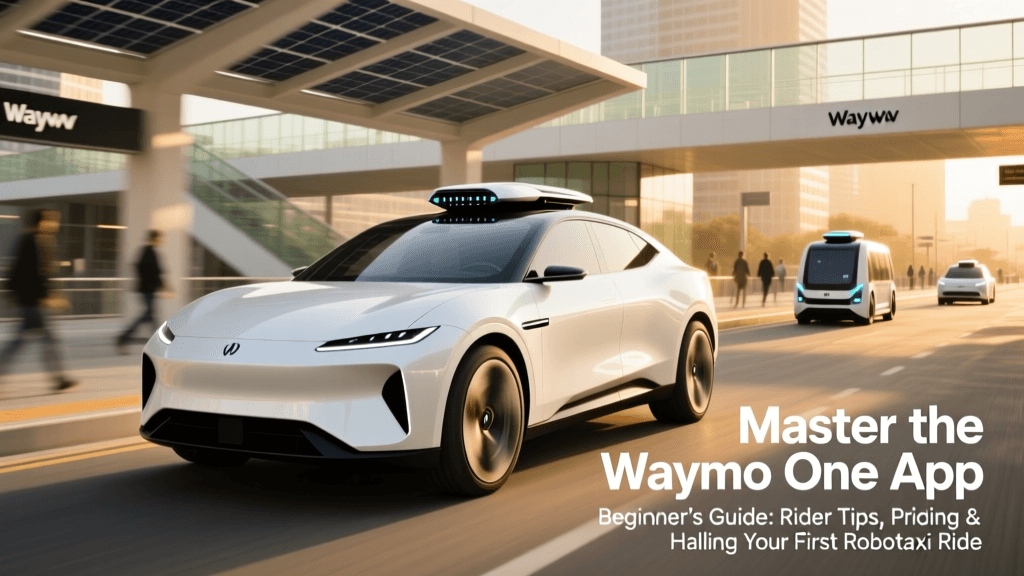
Once your ride is dispatched, the app provides a real-time, high-definition map showing your vehicle's approach. Because the car has no human driver to wave at you, the app provides the exact license plate number and a visual rendering of the vehicle model. Pro Tip: Always verify the license plate and the glowing Waymo logo on the roof before opening the door. The car's exterior cameras will also scan your phone's screen or recognize your profile to unlock the doors automatically when you approach.
In-Ride Controls: The Pull-Tab Interface
Once inside, the app syncs with the dual screens mounted in the back seats. However, your personal phone acts as a secondary remote. Through the app, you can adjust the cabin's climate control, change the music playlist, or add an unexpected stop mid-route (if the system permits based on current traffic conditions). The app also features a prominent "Start Ride" button that you must press once you are buckled in, acting as a digital confirmation that you are ready for departure.
Step-by-Step Guide to Hailing Your First Ride
- Open the App and Enter Destination: Type in your address. The app will display the upfront price, estimated time of arrival (ETA), and the designated pickup spot.
- Walk to the Virtual Stop: Follow the in-app walking directions to the exact curb marked for pickup. The vehicle will not wait in traffic lanes, so being at the exact spot is crucial.
- Locate and Unlock: Match the license plate. Tap "Unlock" in the app or let the vehicle's exterior sensors recognize your arrival. Pull the physical handle to open the door.
- Buckle Up and Confirm: Sit down, fasten your seatbelt, and tap "Start Ride" on the backseat screen or your app. The vehicle will not move until all seatbelts are securely fastened.
- Enjoy the Ride: Watch the LiDAR and camera visualizations on the backseat screens as the car navigates traffic autonomously.
Essential Rider Tips for a Smooth Experience
Riding in a Level 4 autonomous vehicle requires a slight shift in passenger etiquette. Here are the golden rules for Waymo One riders.
Be Ready at the Curb
The Waymo Driver is programmed to be highly efficient and strictly adheres to traffic laws. It will not block bike lanes or bus stops to wait for a delayed passenger. If you are not at the designated virtual stop when the vehicle arrives, it will circle the block or cancel the ride. Have your bags packed and be standing on the sidewalk before the car pulls up.
Seatbelts are Non-Negotiable
The cabin is equipped with weight sensors and seatbelt tension monitors. If a passenger unbuckles their seatbelt while the vehicle is in motion, the car will safely pull over to the side of the road and halt the trip until the belt is refastened. There are no exceptions to this safety protocol.
Utilizing the "Help" Button
If you feel uneasy, if the car stops unexpectedly for an extended period, or if you leave an item behind, the app and the backseat screens feature a 24/7 "Help" button. This connects you instantly to a live Waymo support agent via two-way audio. According to the Waymo Support Center, these agents can remotely assess the vehicle's surroundings, answer questions about the route, or dispatch roadside assistance if necessary.
Waymo One vs. Traditional Rideshare: A Comparison
To help beginners understand how Waymo One stacks up against human-driven services like Uber or Lyft, review the comparison table below.
| Feature | Waymo One (Robotaxi) | Traditional Rideshare (Uber/Lyft) |
|---|---|---|
| Driver Interaction | Zero. Complete privacy, no small talk required. | Varies. Depends on the human driver's personality. |
| Pickup/Drop-off | Strict virtual stops based on geofencing and safety. | Flexible, but often involves illegal or unsafe stops. |
| Vehicle Consistency | High. Always a clean, late-model EV (Jaguar/Zeekr). | Low. Varies wildly by driver and vehicle age. |
| Tipping | Not required or expected (no human driver). | Expected and often prompted in the app. |
| Climate/Music | Rider-controlled via backseat screens or app. | Must verbally ask the human driver. |
Pricing, Availability, and Accessibility
One of the most common questions beginners have is about cost. Waymo One utilizes upfront pricing, much like UberX or Lyft Standard. The price you see in the app is the price you pay, and it is generally competitive with standard human-driven rideshares in the same market. Because there is no driver to tip, your total out-of-pocket cost is often lower than a comparable Uber ride where a 20% gratuity is added.
As of late 2023 and expanding through 2024, Waymo One is fully open to the public in Phoenix and San Francisco, with rapid expansion in Los Angeles. The National Highway Traffic Safety Administration (NHTSA) continues to monitor the safety data of Automated Driving Systems (ADS) like Waymo's, and the company's transparent safety reports show a significant reduction in injury-causing crashes compared to human benchmarks in their operational domains.
For riders with disabilities, the Waymo One app includes accessibility features, such as the ability to request a wheelchair-accessible vehicle (WAV) in supported markets, and audio cues for visually impaired passengers to help them locate the vehicle's door handle.
Conclusion
Taking your first ride with Waymo One is a milestone in personal transportation. By leveraging the app's precision pickup tools, understanding the in-cabin controls, and following basic robotaxi etiquette, you ensure a frictionless experience. The transition from human-driven rideshares to autonomous networks is no longer a distant promise; it is a daily reality on the streets of major American cities. Download the app, verify your account, step up to the virtual curb, and let the Waymo Driver handle the rest.