The Paradigm Shift: From Static Hardware to Evolving Software
In the early days of advanced driver-assistance systems (ADAS), the software bundled into your vehicle at the dealership was the software you would live with for the entire lifecycle of the car. If a lane-keeping assist feature was overly aggressive or a radar calibration was slightly off, your only recourse was a costly and time-consuming trip to the service center for a manual firmware flash. Today, the automotive landscape has fundamentally shifted. Vehicles are now sophisticated computers on wheels, capable of receiving Over-The-Air (OTA) updates that can dramatically alter, improve, and expand ADAS capabilities long after the car has left the showroom floor.
However, not all OTA update architectures are created equal. The frequency, transparency, and scope of these updates vary wildly between automakers. For consumers and automotive enthusiasts, understanding these differences is critical. It dictates not only the long-term value of your vehicle but also the safety and convenience of your daily commute. According to the Insurance Institute for Highway Safety (IIHS), the rapid evolution of partial automation systems requires continuous monitoring and refinement to ensure driver engagement and safety. In this guide, we will compare the OTA update frequencies of major ADAS suites and provide expert best practices for tracking and managing these critical improvements.
Comparing OTA Update Frequencies Across Major Brands
When evaluating an ADAS suite, it is essential to look beyond the initial feature list and examine the manufacturer's historical cadence for software deployment. Below is a comparative breakdown of how major brands handle ADAS OTA updates.
| Automaker / ADAS Suite | Average OTA Cadence | Update Scope | Tracking Transparency |
|---|---|---|---|
| Tesla (Autopilot / FSD) | Bi-weekly to Monthly | Core neural net tweaks, UI, shadow mode data collection, major feature drops | Low (Official notes are vague; relies on community reverse-engineering) |
| GM (Super Cruise) | Bi-Annual to Annual | LiDAR map expansions, driver monitoring calibration, infotainment integration | Medium (Press releases for map expansions; silent fixes via OnStar) |
| Ford (BlueCruise) | Quarterly | Geofenced map updates, lane-change assist refinements, predictive speed assist | High (Detailed release notes via FordPass app and owner portal) |
| Toyota (Safety Sense) | Rare (1-2 years) | Recall-related bug fixes, minor parameter adjustments | Low (Mostly handled via physical dealership service campaigns) |
Tesla: The High-Frequency Pioneer
Tesla remains the undisputed leader in OTA update frequency and scope. Tesla’s Autopilot and Full Self-Driving (FSD) beta software are updated on a rolling basis, often utilizing "shadow mode" to gather real-world driving data from the fleet before deploying neural network improvements. While the frequency is impressive, the transparency is notoriously poor. Tesla’s official release notes often read simply as "general bug fixes and improvements." To truly track Tesla ADAS improvements, owners must rely on third-party telemetry trackers and community forums to discover changes in following distance, phantom braking reduction, and steering weight.
GM and Ford: The Geofenced Heavyweights
General Motors’ Super Cruise and Ford’s BlueCruise take a more conservative, highly validated approach. Because these systems rely on pre-mapped, geofenced highway data, their OTA updates are heavily tied to map expansions and sensor calibration rather than fundamental neural network overhauls. Ford has been particularly proactive with BlueCruise, pushing quarterly updates that have introduced features like Automatic Lane Change and Predictive Speed Assist. GM typically rolls out major Super Cruise map and software updates bi-annually, ensuring rigorous testing before deployment. The National Highway Traffic Safety Administration (NHTSA) closely monitors these automated systems, and both GM and Ford utilize OTA channels to swiftly address any safety mandates or recall resolutions without requiring a dealership visit.
Traditional Automakers: The Dealership Reliance
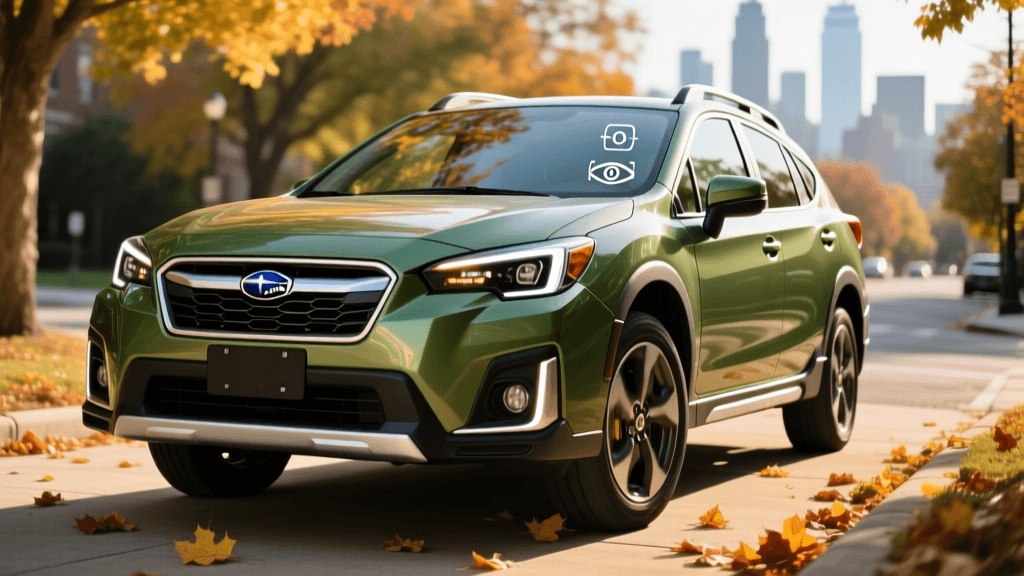
Brands like Toyota (Safety Sense), Honda (Honda Sensing), and Subaru (EyeSight) have historically treated ADAS as static safety equipment rather than evolving software. While these brands are beginning to adopt OTA capabilities for infotainment and telematics, core ADAS firmware updates are still largely reserved for physical dealership visits. If a Subaru EyeSight system requires a software patch for brake light recognition, it is usually bundled into a routine service campaign rather than beamed to the car overnight.
Expert Tips for Tracking ADAS Improvements
As an automotive analyst, I frequently advise buyers on how to look past marketing materials and track the real-world evolution of their vehicle's ADAS. Here are the best practices for monitoring system improvements:
- Leverage Third-Party Telemetry and Forums: For Tesla owners, official release notes are insufficient. Utilize platforms like TeslaFi or Not A Tesla App to track version numbers and read community-sourced changelogs. For Ford and GM, owner forums often reveal undocumented changes to driver monitoring system (DMS) sensitivity before the manufacturer officially acknowledges them.
- Monitor NHTSA Recall Resolutions: Many modern ADAS recalls are resolved via OTA updates. By checking the NHTSA database for your specific VIN, you can track whether a recent OTA update was actually a critical safety patch addressing phantom braking or unintended acceleration, rather than just a cosmetic UI tweak.
- Track IIHS and Consumer Reports Post-Update Testing: Independent testing organizations frequently re-evaluate ADAS suites after major software overhauls. Following the Ford BlueCruise official technology hub and subsequent independent reviews will help you understand if a new update actually improved lane-centering performance or merely altered the dashboard animations.
- Differentiate Between Map Data and Firmware: When your vehicle notifies you of an "ADAS Update," determine if it is a firmware flash (which alters how the car interprets data) or a map data download (which simply adds new roads to a geofenced system). Firmware updates are where the true behavioral improvements lie.
Best Practices for Managing Your Vehicle's OTA Updates
Receiving an OTA update is not always a seamless process. A failed update can result in a "bricked" vehicle, requiring a tow to the service center. To ensure your ADAS software updates install correctly and safely, follow these expert best practices:
1. Optimize Network Connectivity
While cellular networks can handle small telemetry patches, major ADAS firmware updates often exceed 2GB in size. Relying on a weak cellular signal can lead to interrupted downloads and corrupted files. Best Practice: Always connect your vehicle to a stable, high-speed home Wi-Fi network. For Tesla owners, Wi-Fi connectivity is practically mandatory for downloading FSD neural network weights. Ensure your garage router has a strong 5GHz signal reaching the vehicle.
2. Manage Battery and Voltage Requirements
OTA updates require the vehicle's computers to remain active for extended periods, sometimes up to 45 minutes, while the car is stationary. If the 12V auxiliary battery or the high-voltage traction battery drops below a specific threshold during installation, the system will abort the update to prevent bricking. Best Practice: Never schedule an ADAS update if your high-voltage battery is below 20% state of charge. Furthermore, if your vehicle is over three years old, have the 12V battery tested; a weak 12V battery is the number one cause of OTA update failures across all brands.
3. Schedule Updates During Off-Peak Hours
During the installation phase, the vehicle is entirely inoperable. You cannot unlock the doors, start the climate control, or drive the car. Best Practice: Use your vehicle’s companion app to schedule ADAS updates for 2:00 AM or during weekends when the car is guaranteed to be parked in your garage. Avoid initiating an update if you have an early morning commute or if the vehicle is parked on a public street where it might be blocked in during the calibration reboot phase.
4. Perform Post-Update Calibration Drives
Many ADAS updates, particularly those affecting lane-centering, adaptive cruise control, or automatic emergency braking, require a "calibration drive" after installation. The cameras and radars need to gather fresh baseline data. Best Practice: After a major firmware update, take the vehicle on a 15-minute drive on a well-marked highway with clear weather. This allows the system to recalibrate its sensors and ensures that features like Super Cruise or Autopilot are fully operational before you rely on them in heavy traffic.
Conclusion
The ability to improve a vehicle's ADAS capabilities via Over-The-Air updates is one of the most significant advancements in modern automotive technology. However, the frequency and transparency of these updates vary drastically between pioneers like Tesla and traditional stalwarts like Toyota. By understanding your specific brand's update cadence, leveraging third-party tracking tools, and adhering to strict installation best practices, you can ensure your vehicle's smart driving systems remain safe, effective, and continuously evolving. As the industry moves toward higher levels of autonomy, staying informed about your ADAS software is no longer just a tech enthusiast's hobby—it is a fundamental aspect of responsible vehicle ownership.