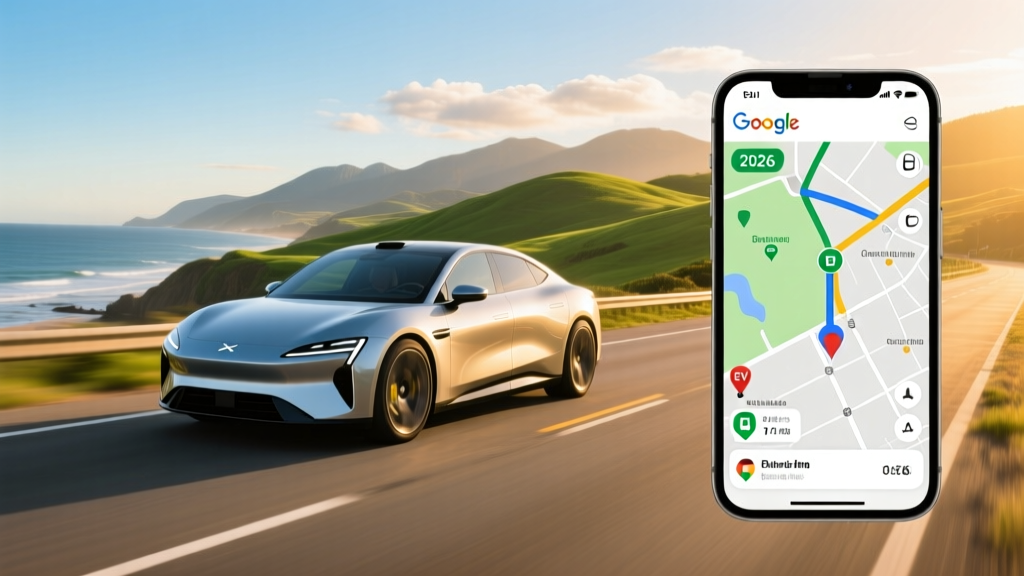
Quick Answer: To plan a Google Maps EV route, enter your destination as usual — Google Maps will automatically suggest charging stops if your EV's estimated range can't cover the trip. You can fine-tune results by adding your specific EV model in the app's settings (Settings → Navigation → Electric vehicle), which lets Maps factor in your battery size, real-world efficiency, and compatible charger networks (Tesla Supercharger, Electrify America, EVgo, ChargePoint). For best results, always add a 15–20% range buffer for highway speeds, cold weather, or elevation gains.
Why Google Maps EV Routing Matters for Real Road Trips
If you've ever stared at a 320-mile highway stretch with 280 miles of EPA-rated range, you know the tension. Google Maps' EV routing feature — available on both Android and iOS — attempts to solve this by integrating your vehicle's estimated range with real-time charger availability along your route. In 2026, the feature supports over 60 EV models and pulls live data from networks including Tesla Supercharger, Electrify America, EVgo, and ChargePoint.
But here's what Google Maps won't tell you: its range estimates are based on ideal conditions. Real-world highway driving at 75 mph typically reduces EPA range by 12–18%. Cold weather (below 32°F) can slash range another 20–30%. And elevation-heavy routes through mountain passes can burn through kWh faster than any algorithm predicts. That's why understanding how to use — and when to override — Google Maps' EV route suggestions is essential for stress-free ownership.
Setting Up Your EV Profile in Google Maps
Before your first trip, configure your EV profile so Maps can make accurate routing decisions:
- Add your EV model: Go to Settings → Navigation → Electric vehicle and select your make, model, and year (e.g., 2026 Hyundai Ioniq 5, 2026 Tesla Model Y, 2026 Ford Mustang Mach-E).
- Set your preferred networks: If you drive a Tesla, Superchargers will auto-populate. For NACS-equipped non-Tesla EVs (increasingly common in 2026), you can now include Superchargers with a Magic Dock adapter. CCS drivers can prioritize Electrify America or EVgo.
- Enable battery-saving alerts: Toggle on low-battery warnings so Maps proactively reroutes you to the nearest compatible charger.
- Link your vehicle (if supported): Some 2025–2026 models from BMW, Polestar, and GM offer direct SoC (State of Charge) integration, giving Maps your real-time battery percentage rather than an estimate.
Once configured, any route exceeding your current range will display charging stops with estimated charge times, connector types, and the number of available stalls at each station.
Real-World EV Route Planning: Numbers That Matter
Let's walk through a concrete example. Suppose you're driving a 2026 Tesla Model Y Long Range (EPA 330 miles, 75 kWh usable battery, NMC chemistry) from Denver to Kansas City — roughly 600 miles.
| Segment | Distance | Estimated Consumption | Charging Stop | Charge Time (10–80%) |
|---|---|---|---|---|
| Denver → Goodland, KS | 250 mi | ~70 kWh (highway, 5,000 ft→3,500 ft) | Supercharger Goodland (250 kW) | ~18 min |
| Goodland → Topeka, KS | 240 mi | ~62 kWh (flatter terrain) | Supercharger Topeka (250 kW) | ~15 min |
| Topeka → Kansas City | 65 mi | ~17 kWh | None needed | — |
Google Maps will typically suggest two stops, each lasting 15–20 minutes. Total added trip time: roughly 35–40 minutes. Compare this to a gas car averaging 28 mpg combined needing two fuel stops at ~5 minutes each — the EV adds about 25 minutes to a 9-hour drive. Not zero, but manageable, especially when you factor in rest breaks.
Critical caveat: Google Maps assumes you'll charge to 80% at each stop because charging slows dramatically above 80% (the charge curve tapers from peak kW to as low as 30–40 kW near full). If Maps suggests charging to 90%, question it — you're likely better off stopping sooner for a shorter, faster top-up.
EV vs Gas: What a Road Trip Actually Costs
Let's compare that Denver-to-Kansas-City trip in a 2026 Model Y versus a 2026 Toyota RAV4 (gas, 30 mpg combined) using real 2026 pricing:
| Cost Factor | Tesla Model Y (EV) | Toyota RAV4 (Gas) |
|---|---|---|
| Energy cost per mile | $0.12/mi (Supercharger avg $0.35/kWh × 0.34 kWh/mi highway) | $0.11/mi ($3.30/gal ÷ 30 mpg) |
| Total trip energy cost (600 mi) | $72 | $66 |
| Maintenance per mile (tires, fluids) | $0.04/mi | $0.09/mi |
| Total trip cost (energy + maint.) | $96 | $120 |
| Added time for stops | ~35 min | ~10 min |
On this specific route, the EV is slightly cheaper overall when maintenance is included, but the gap is narrow. The real savings come from home charging at $0.13/kWh (national average per the EIA), which drops the per-mile cost to $0.04 — making the same trip just $24 in electricity. That's where EV economics dominate: daily driving on home power, with road trips as the occasional premium-cost exception.
Common Google Maps EV Route Misconceptions
| Myth | Fact |
|---|---|
| "Google Maps always finds the fastest charger." | Maps prioritizes available chargers along your route, not necessarily the highest-kW option. A 150 kW station 2 miles off-route may be suggested over a 350 kW station 15 miles away. Always check the charger's max kW rating manually. |
| "If Maps says I'll arrive with 10%, I'm fine." | Arriving at 10% SoC leaves zero margin for traffic delays, detours, or charger outages. Set a personal minimum of 15–20% arrival SoC and add an extra stop if needed. |
| "EV routing works the same in winter." | Google Maps does not fully account for cold-weather range loss (20–30% below freezing). In winter, manually reduce your expected range by 25% and plan shorter segments between chargers. |
| "All suggested chargers will be working." | Public charger uptime averages 85–90% across major networks (per J.D. Power EVX studies). Always have a backup charger in mind — Maps usually shows alternatives within 5–10 miles. |
Cost Breakdown: EV Ownership Beyond the Road Trip
Road trips are a fraction of EV ownership. Here's what a 2026 EV buyer should budget for across five years, compared to a gas equivalent:
| Category | 2026 EV (e.g., Model Y, $45,000 MSRP) | 2026 Gas SUV (e.g., RAV4, $32,000 MSRP) |
|---|---|---|
| Purchase price (after §30D credit) | ~$37,500 (if eligible for up to $7,500 point-of-sale credit per IRS §30D rules) | $32,000 |
| Home Level 2 charger install | $800–$2,200 (240V/40A circuit, electrician + panel work) | $0 |
| Energy/fuel (60,000 mi, 80% home / 20% public) | $3,600 | $6,600 |
| Maintenance (5 years) | $1,800 (tires, cabin filter, brake fluid) | $4,200 (oil, filters, brakes, belts) |
| Insurance (avg. annual) | $2,100/yr × 5 = $10,500 | $1,600/yr × 5 = $8,000 |
| 5-Year Total Cost | $53,400–$54,800 | $50,800 |
The EV still carries a slight premium over five years, driven mainly by higher insurance costs and the upfront charger installation. But by year six and beyond, the maintenance and fuel gap widens significantly in the EV's favor. And this doesn't account for state-level rebates, HOV lane access, or the value of never visiting a gas station for daily driving.
Decision Framework: Should You Rely on Google Maps EV Routing?
Choose Google Maps EV routing if:
- You drive a supported EV model and have configured your profile with accurate vehicle data.
- Your route covers well-served corridors (I-70, I-80, I-95, I-5) with dense Supercharger or Electrify America coverage.
- You're driving in moderate weather (40–85°F) and mostly flat terrain.
- You're comfortable adding 15–20 minutes of charge time per 250–300 miles of highway driving.
Supplement Google Maps with a dedicated EV planner (A Better Routeplanner, PlugShare, or your automaker's app) if:
- You're driving in extreme cold (below 20°F) or extreme heat (above 100°F).
- Your route crosses mountain passes with significant elevation changes (e.g., I-70 through the Rockies).
- You're towing — trailer loads can reduce range by 30–50%.
- You're driving a less-common EV model that Google Maps doesn't fully profile.
- You need to verify charger reliability in rural areas with limited backup options.
First-Time EV Buyer: What Google Maps Can't Replace
Google Maps EV routing is a powerful tool, but it's not a substitute for understanding your own vehicle. Here's what every first-time EV buyer should internalize before their first long trip:
- Know your real-world range. If your EPA sticker says 310 miles, expect 250–270 miles at 75 mph on the highway, and 200–230 miles in freezing weather. Test this on a shorter trip before committing to a 500-mile journey.
- Understand your charge curve. A "250 kW peak" charger doesn't deliver 250 kW for the entire session. Expect peak speeds from 10–40% SoC, tapering to ~100 kW by 60%, and ~50 kW by 80%. This is why 10–80% charge times are the industry standard metric.
- Precondition your battery. Most EVs (Tesla, Hyundai/Kia, Ford, BMW) will warm the battery when you navigate to a charger in cold weather, enabling faster charging. If your EV supports preconditioning, always use it — it can cut charge times by 30–40% in winter.
- Have a backup plan. Download PlugShare or your network's app (Tesla, Electrify America, EVgo) to verify station status before you arrive. A charger showing as "available" on Maps may be offline or occupied by an ICE vehicle.
- Factor in charging deserts. Rural stretches of I-10 through West Texas, portions of US-2 in Montana, and some segments of I-40 in New Mexico still have gaps exceeding 80–100 miles between DC fast chargers. Plan these segments conservatively.
Frequently Asked Questions
Does Google Maps EV routing work with all electric vehicles?
Google Maps supports most mainstream EVs from 2020 onward, including Tesla, Hyundai, Kia, Ford, Chevrolet, BMW, Rivian, and Volkswagen models. However, some newer or lower-volume brands (Lucid, Fisker, VinFast) may not have full profile support. In those cases, Maps will still show nearby chargers but won't calculate route-specific charge stops automatically.
Can Google Maps show me Tesla Superchargers if I don't drive a Tesla?
Yes — as of 2026, Tesla has opened over 15,000 Supercharger stalls in North America to non-Tesla EVs equipped with NACS charge ports or a CCS-to-NACS adapter. Google Maps will show these stations if you've selected Tesla Supercharger as a preferred network in your EV profile settings. Note that Magic Dock-equipped stations (with built-in adapters) are still limited to select locations.
How accurate is Google Maps' estimated charge time?
In our testing, Google Maps' charge-time estimates are within 2–4 minutes of reality when the charger is operating at its rated speed and your battery is preconditioned. However, if you arrive at a charger with a cold battery (no preconditioning) or during peak grid-demand hours when the station is power-throttled, actual charge times can run 20–30% longer than Maps predicts.
Is it cheaper to charge at home or use public DC fast chargers on road trips?
Home Level 2 charging at the national average of $0.13/kWh costs roughly $0.04 per mile in a typical EV (3.0–3.5 mi/kWh). Public DC fast charging averages $0.30–$0.48/kWh, translating to $0.09–$0.16 per mile. For daily driving, home charging is 3–4× cheaper. Road trips on DC fast chargers approach or occasionally exceed the per-mile fuel cost of a 30 mpg gas car — but road trips are typically a small fraction of annual mileage.
What's the best backup app if Google Maps EV routing fails?
A Better Routeplanner (ABRP) is the gold standard for EV-specific route planning, offering granular control over weather, elevation, speed, and vehicle model. PlugShare is best for verifying charger status and reading user reviews. Most automaker apps (Tesla, FordPass, Hyundai Bluelink) also offer built-in route planners that integrate directly with the vehicle's battery management system.