EV Crossovers Head-to-Head: Troubleshooting the Blazer EV and Mustang Mach-E
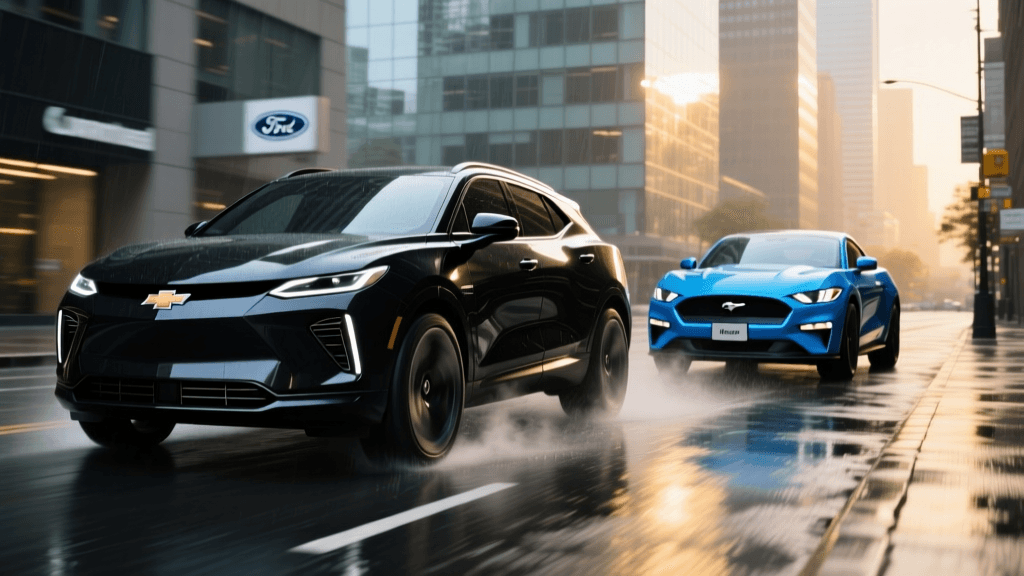
The electric vehicle crossover market is fiercely competitive, with the Chevy Blazer EV and the Ford Mustang Mach-E standing out as two of the most compelling options for American buyers. However, modern EVs are essentially rolling data centers, and with advanced software comes the inevitable need for troubleshooting. While the Consumer Reports EV reliability data shows that EVs can experience unique software and electrical quirks, knowing how to diagnose and solve these issues is a critical part of ownership.
In this head-to-head troubleshooting guide, we break down the most common problems reported by owners of the Chevy Blazer EV and the Ford Mustang Mach-E. From infotainment freezes and DC fast-charging handshake failures to 12V battery drains and LFP battery calibration, here is your practical problem-solving manual for these two electric crossovers.
Chevy Blazer EV: Navigating Software and Charging Growing Pains
The Chevy Blazer EV, built on GM’s Ultium platform, offers striking design and excellent range. However, its early production run was marred by well-documented software bugs. As noted by Car and Driver’s Blazer EV coverage, GM even temporarily halted sales in early 2024 to address infotainment black screens and charging communication errors via Over-The-Air (OTA) updates. While the vehicle is now vastly improved, owners may still encounter occasional Ultifi software hiccups.
Troubleshooting Blazer EV Infotainment Freezes
The Blazer EV relies on a massive 17.7-inch center touchscreen that controls almost every vehicle function, including climate and glovebox release. If the screen freezes, goes black, or becomes unresponsive to touch, follow these steps:
- The Soft Reset: Press and hold the physical volume/power knob located on the center console for 15 to 20 seconds. Ignore the initial mute function; keep holding until the screen goes completely black and the Chevrolet bowtie logo reappears.
- The Steering Wheel Combo: If the center knob is unresponsive, simultaneously press and hold the Voice Command button and the Phone Hang-Up button on the steering wheel for 15 seconds to force a system reboot.
- Network Connectivity Check: Many Ultifi freezes occur when the vehicle struggles to maintain a 4G LTE connection in low-signal areas. Go to Settings > Network and temporarily disable the Wi-Fi hotspot to reduce modem strain on the infotainment processor.
Solving DC Fast Charging 'Handshake' Errors
Some Blazer EV owners report that the vehicle fails to initiate charging at public DC fast chargers, displaying a 'Communication Error' or 'Check Charger' message. This is often a failure in the CCS 'handshake' protocol.
- The Pull-Back Method: Plug the heavy CCS cable fully into the Blazer’s charge port. Before tapping 'Start Charge' on the screen, physically pull back slightly on the charging handle to engage the locking pin inside the port. This ensures the proximity pilot pins make solid contact.
- Preconditioning: Always use the 'Route to Charger' feature in the native navigation system. This preconditions the Ultium battery to accept a high-voltage charge, which can prevent the battery management system (BMS) from rejecting the charger's initial voltage request.
Ford Mustang Mach-E: Addressing Hardware and Calibration Quirks
Having launched in 2021, the Mustang Mach-E benefits from a more mature software ecosystem. According to Electrek’s comprehensive Mach-E guides, Ford’s SYNC 4A system is generally stable. However, the Mach-E has its own set of hardware and battery calibration issues that require specific troubleshooting techniques.
Fixing 12V Battery Drain and Contactor Warnings
The most notorious Mach-E issue involves the 12V auxiliary battery. If the 12V battery voltage drops too low, the high-voltage contactors (which connect the main battery to the drivetrain) will open as a safety measure, triggering a dreaded 'Stop Safely Now' or 'Electrical System Fault' warning.
- Immediate Fix: Keep a portable 12V lithium jump-starter in your frunk. If the car refuses to start, pop the hood, access the 12V battery terminals, and apply the jump pack. This wakes up the DC-DC converter, allowing the high-voltage contactors to close and the car to boot.
- Preventative Maintenance: Avoid leaving the vehicle in 'Accessory Mode' for extended periods without the drivetrain engaged. If storing the Mach-E for more than two weeks, plug it into a Level 2 home charger, which keeps the 12V battery topped up via the DC-DC converter.
LFP Battery Calibration (Standard Range Models)
Mach-E Standard Range models utilize Lithium Iron Phosphate (LFP) batteries. LFP chemistry is incredibly durable but suffers from voltage curves that make it difficult for the BMS to estimate remaining range accurately at the top and bottom ends.
- The 100% Rule: Unlike NMC batteries, Ford requires LFP owners to charge to 100% at least once a week. Set your daily charge limit to 100% in the FordPass app.
- BMS Recalibration Procedure: If your Mach-E is displaying inaccurate range estimates or dropping from 10% to 0% suddenly, you need to recalibrate. Drive the vehicle down to 5% state of charge. Let it sit turned off for 2 hours so the battery cells can balance and cool. Then, plug into a Level 2 charger and charge uninterrupted to 100%. Leave it plugged in for an additional 2 hours after it hits 100% to allow for top-end cell balancing.
Head-to-Head Troubleshooting Comparison
How do these two electric crossovers stack up when things go wrong? Below is a comparison of their most common issues and the difficulty of resolving them.
| Issue Category | Chevy Blazer EV | Ford Mustang Mach-E | Troubleshooting Difficulty |
|---|---|---|---|
| Infotainment Glitches | Occasional Ultifi black screens; requires hard reset via console knob. | Rare SYNC 4A freezes; usually resolved by holding volume knob for 10s. | Blazer: Moderate / Mach-E: Easy |
| Public Charging Faults | CCS handshake failures; requires physical handle manipulation. | Plug-and-charge network errors; requires app restart or RFID card. | Blazer: Moderate / Mach-E: Easy |
| 12V Battery System | Standard 12V; rarely fails to wake DC-DC converter. | Known contactor opens if 12V drops; requires jump-start to reset. | Blazer: Easy / Mach-E: Moderate |
| OTA Update Failures | Wi-Fi connectivity drops during large Ultifi downloads. | Occasional SYNC update stalls; requires 12V battery disconnect. | Blazer: Moderate / Mach-E: Hard |
| Tire Wear & Alignment | Heavy curb weight causes rapid inner-edge wear on front tires. | High instant torque wears out OEM Pirelli tires within 15k miles. | Both: Moderate (Requires EV-specific alignment) |
Home Charging Setup & Ground Fault Troubleshooting
A significant portion of EV troubleshooting happens right in the owner's garage. Both the Blazer EV and Mustang Mach-E require a dedicated 240V NEMA 14-50 outlet for optimal Level 2 home charging. However, GFCI (Ground Fault Circuit Interrupter) tripping is a common headache for both vehicles.
If your home charger repeatedly trips the breaker or displays a 'Ground Fault' red light, the issue is rarely the car itself. EV mobile chargers are highly sensitive to micro-fluctuations in ground voltage. The Fix: Ensure your NEMA 14-50 outlet is wired with a dedicated ground rod or a properly sized ground wire back to the main panel, rather than relying on a neutral-ground bond at the sub-panel. Furthermore, never plug an EV charger into a standard extension cord or a GFCI-protected breaker if the charger itself already possesses internal GFCI protection, as 'nuisance tripping' will occur due to capacitive leakage current.
The Verdict: Which is Easier to Troubleshoot?
When comparing the Chevy Blazer EV vs the Ford Mustang Mach-E from a pure troubleshooting and reliability perspective, the Ford Mustang Mach-E currently holds the advantage. Because it has been on the market longer, its software ecosystem is more mature, and the diagnostic pathways for issues like the 12V contactor fault and LFP calibration are well-documented and easily managed by the owner.
The Chevy Blazer EV offers a more modern hardware architecture and superior charging speeds, but the Ultifi software platform is still maturing. Blazer owners must be more proactive about managing OTA updates, ensuring strong Wi-Fi connections, and utilizing physical workarounds for DC fast-charging handshake issues. Ultimately, both vehicles are excellent crossovers, but keeping a portable 12V jump pack, an OBD2 EV scanner, and a basic understanding of BMS recalibration will ensure your electric crossover spends more time on the road and less time in the service bay.