Introduction to the Tesla Supercharger Network Expansion
The Tesla Supercharger network has long been considered the gold standard for electric vehicle (EV) fast charging. What began as an exclusive perk for Tesla owners has rapidly evolved into a near-universal charging ecosystem. With the industry-wide shift toward the North American Charging Standard (NACS) and the deployment of next-generation V4 hardware, understanding how to read, analyze, and utilize the Tesla Supercharger expansion map is now a critical skill for all EV drivers. Whether you are piloting a Rivian, a Ford F-150 Lightning, or a Tesla Model Y, mastering the network's coverage map ensures you can plan efficient, stress-free cross-country road trips.
In this comprehensive how-to guide, we will break down exactly how to access the most up-to-date expansion maps, decode the hardware tiers, leverage the Magic Dock for non-Tesla vehicles, and strategically plan your routes around coverage gaps.
How to Access and Read the Official Expansion Map
To effectively plan your journeys, you must first know where to find the most accurate, real-time data regarding station availability and future expansion. While third-party apps are useful, Tesla's proprietary tools offer the most granular detail on their own network.
Step 1: Utilize the Official Tesla 'Find Us' Portal
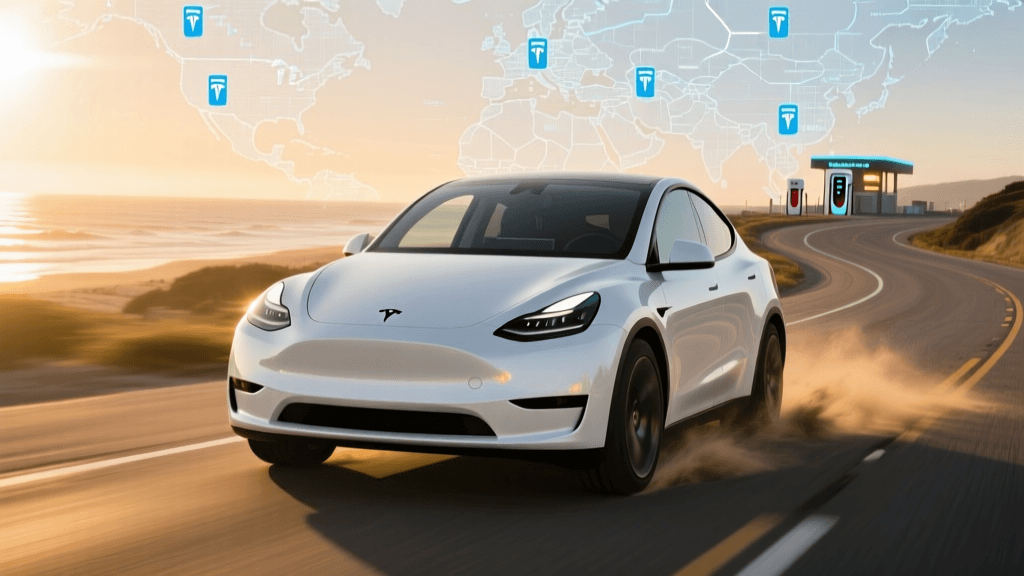
The most authoritative source for network coverage is the official Tesla Find Us map. This web-based portal allows you to zoom into specific regions, filter by charging type (Superchargers vs. Destination Chargers), and view stations that are currently under construction. The 'Under Construction' pins are vital for long-term road trip planning, as they indicate where coverage gaps will be filled in the coming months.
Step 2: Decoding the Map Pins and Icons
When analyzing the map, you will encounter several different pin types. Understanding these at a glance is crucial for route optimization:
- Red Pins: Active Supercharger stations available for use.
- Gray Pins: Stations currently under construction or in the permitting phase.
- NACS / Open to Non-Tesla Icon: A relatively new indicator showing that a specific station is equipped with the Magic Dock or software integration to accept CCS-equipped non-Tesla EVs.
- Stall Count Indicators: Clicking on a pin reveals the number of stalls. Stations with 8 stalls or fewer are high-risk for wait times during peak holiday travel; always aim for hubs with 16 to 40+ stalls.
Analyzing Coverage: Hardware Generations and Speeds
Not all Superchargers are created equal. The expansion map does not just show you where chargers are; by digging into the station details, you can determine how fast you will charge. Tesla is currently operating four distinct hardware tiers across its network. Knowing the difference will dictate how long your pit stops will take.
| Feature | V2 Supercharger | V3 Supercharger | V4 Supercharger | Urban Supercharger |
|---|---|---|---|---|
| Max Power | 150 kW | 250 kW | 350+ kW (Cabinet) | 72-150 kW |
| Architecture | Shared Power (A/B stalls) | Unshared | Unshared + CCS2/NACS native | Unshared |
| Cable Length | Standard | Standard | Extended (for non-Tesla ports) | Standard |
| Typical Location | Legacy highway corridors | Major transit hubs | High-volume corridors, Europe/US | City centers, malls |
Why V4 Expansion Matters for Your Route
When analyzing the map for upcoming stations, look for press releases or community forums confirming V4 deployments. The V4 architecture introduces a centralized power cabinet that can deliver significantly higher amperage. More importantly for non-Tesla drivers, V4 posts feature much longer cables. This is a massive leap forward for coverage analysis, as it means vehicles with charge ports on the front, rear, or passenger side can reach the charger without awkwardly stretching cables or blocking adjacent stalls.
The NACS Shift and Magic Dock Integration
The most significant change to the Tesla Supercharger map in recent years is the integration of non-Tesla vehicles. Following Tesla's move to open the North American Charging Standard (NACS) to the broader industry, the map is no longer just for Tesla owners.
Identifying Magic Dock Locations
If you drive a Ford, Rivian, or any EV with a CCS port, you must filter the map for 'Open to Non-Tesla' stations. These locations are equipped with the 'Magic Dock'—a built-in adapter housed directly within the V3 charging cable. When a Tesla vehicle approaches, the dock locks into the NACS configuration. When a non-Tesla vehicle approaches and initiates the charge via the Tesla app, the dock releases a CCS2 adapter sleeve, allowing universal charging.
Actionable Tip: Always check the station details in the app before arriving. If a station is marked as 'Open to Non-Tesla' but the Magic Dock is vandalized or broken, you will be stranded. Always have a backup charging plan within a 20-mile radius.
Step-by-Step Guide to Planning a Cross-Country Trip
Using the expansion map and real-time network data, here is how to plan a bulletproof cross-country EV road trip.
Step 1: Map the Primary Corridor and Identify Gaps
Start by plotting your route on the Alternative Fuels Data Center (AFDC) Station Locator alongside the Tesla map. The AFDC is an invaluable government resource that shows all DC Fast Charging networks. If you spot a 150-mile gap between Tesla Superchargers on a rural highway, use the AFDC map to see if an Electrify America or EVgo hub exists in that blind spot.
Step 2: Filter for High-Stall, V3+ Hubs
Once your route is drafted, audit every planned Supercharger stop. Click on the map pins and verify two things: the stall count and the max kW output. Avoid legacy V2 stations with shared A/B power stalls whenever possible, as they will double your charging time if the adjacent stall is occupied.
Step 3: Factor in Battery Preconditioning
The map is integrated directly into Tesla's native navigation for a reason. When you route to a Supercharger using the in-car nav, the vehicle's thermal management system begins preconditioning the battery. In cold weather, this can be the difference between charging at 250 kW and being bottlenecked at 50 kW. If you are using a third-party map to plan, manually add the Supercharger as a 'next stop' in your car's system 30 minutes before arrival to trigger preconditioning.
Step 4: Analyze Amenity Proximity
A 30-minute fast-charging stop is only enjoyable if there are amenities. The Tesla map provides basic photos and addresses, but cross-reference the exact coordinates with Google Maps or Apple Maps to verify the presence of 24-hour restaurants, clean restrooms, and safe lighting, especially for overnight driving segments.
Identifying and Navigating Coverage Gaps
Despite aggressive expansion, the Supercharger network still has geographic vulnerabilities. Rural stretches of the American Midwest, the Deep South, and remote mountain passes in the West may show sparse red pins on the map.
How to Handle 'Gray Pin' Delays
It is common to see a gray 'Under Construction' pin on the map in a location you desperately need for a road trip. Tesla's permitting and utility interconnection processes can delay these stations by months. Never rely on a gray pin for an imminent trip. Always treat gray pins as non-existent until you receive a push notification or see community confirmation that the station has gone live.
The 20% Buffer Rule
When traversing areas with sparse map coverage, apply the 20% buffer rule. If the map shows a Supercharger is 120 miles away, and your vehicle's estimated range at highway speeds is 140 miles, do not attempt the stretch. Headwinds, elevation changes, and cold temperatures can easily consume that 20-mile margin. Plan an intermediate stop at a Level 2 destination charger or a competing DC fast-charger network to bridge the gap safely.
Conclusion
The Tesla Supercharger network is a living, breathing infrastructure project that expands weekly. By moving beyond a casual glance at the map and actively analyzing hardware generations, NACS availability, and real-time stall counts, you transform from a passive EV driver into a master of electric logistics. Whether you are utilizing the Magic Dock in a Ford or routing a Model 3 through the Rockies, leveraging the full depth of the Tesla expansion map and supplementary tools like the AFDC locator guarantees that your next journey will be defined by open roads, not out-of-order chargers.