Introduction to the Rivian Adventure Network
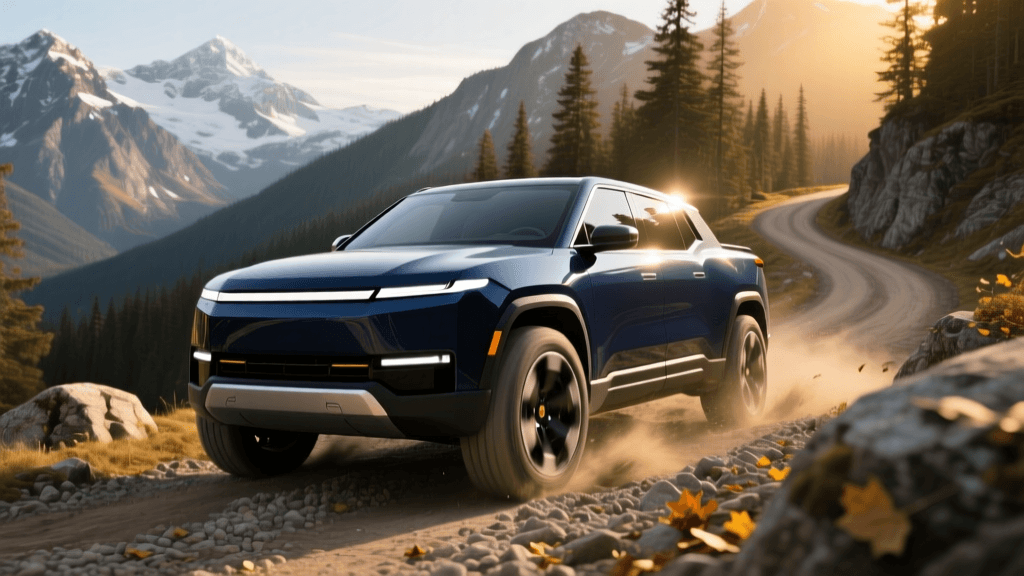
Owning a Rivian R1T or R1S is about more than just driving an electric vehicle; it is about embracing a lifestyle of outdoor exploration and sustainable travel. To support this ethos, Rivian has developed the Rivian Adventure Network (RAN), a proprietary and curated charging ecosystem designed specifically with the adventurer in mind. For beginners transitioning from internal combustion engines to electric vehicles, understanding how to navigate, utilize, and supplement this network is crucial for stress-free road trips. According to Rivian's official charging portal, the network is built to seamlessly integrate with your vehicle's navigation system, taking the guesswork out of route planning. This comprehensive guide will break down the components of the Rivian Adventure Network, explain compatibility nuances, and teach you how to master cross-country EV travel.
Understanding Rivian Waypoints (Level 2 Destination Charging)
The backbone of the current Rivian Adventure Network consists of Rivian Waypoints. These are Level 2 AC charging stations strategically placed in locations where adventure seekers naturally congregate. Unlike highway fast chargers designed for quick 20-minute pit stops, Waypoints are intended for destination charging. You will find them at trailheads, national parks, ski resorts, outdoor retail stores, and boutique hotels in scenic areas.
Speed and Capabilities
Rivian Waypoints typically deliver between 11.5 kW and 20 kW of AC power. While this is significantly slower than a DC Fast Charger, it is perfectly suited for scenarios where your vehicle will be parked for several hours. For example, plugging in at a Waypoint near a hiking trail in Moab, Utah, allows you to add roughly 30 to 50 miles of range per hour while you explore the outdoors. By the time you return to your R1T or R1S, your battery will be replenished for the drive back to camp or the next destination.
Exclusivity and Access
Currently, Rivian Waypoints are software-locked and exclusive to Rivian vehicles. They feature a tethered cable with a CCS/J1772 style connector that communicates directly with the Rivian's onboard computer for automatic Plug and Charge authentication. This means you do not need to swipe a credit card or open an app to start a session; simply plug in, and the charging begins, billing your Rivian account automatically.
The Future: Rivian DC Fast Chargers
While Waypoints handle destination charging, Rivian is actively rolling out its proprietary DC Fast Charging network to handle highway travel and rapid replenishment. These stations are designed with a modular architecture, allowing Rivian to scale power output based on local grid capacity and site requirements. The chargers feature a unique, ruggedized design with integrated cable management systems to keep heavy charging cables off the ground and out of the mud or snow.
Initially, these DC Fast Chargers are prioritized for Rivian owners to ensure a premium, reliable experience on popular adventure corridors. However, Rivian has indicated that to comply with federal infrastructure guidelines and maximize grid utilization, these stations will eventually open to non-Rivian EVs. For now, as a Rivian owner, you can rely on the U.S. Department of Energy's Alternative Fuels Data Center (AFDC) to track the rapid expansion of both Rivian's proprietary DC chargers and the broader national fast-charging infrastructure.
Expanding Your Horizons: NACS and Tesla Supercharger Compatibility
The most significant development in Rivian's charging compatibility is the adoption of the North American Charging Standard (NACS). Rivian has officially transitioned to the NACS port for future vehicles and provides a specialized NACS adapter for existing R1T and R1S owners. This adapter unlocks access to the Tesla Supercharger network, which is widely regarded as the most reliable and expansive DC fast-charging network in North America.
How to Use the NACS Adapter
Using the adapter is straightforward but requires a few setup steps in your Rivian app. Once you have linked your Rivian account to the Tesla app (or enabled Supercharger access within the Rivian ecosystem), you can route to Tesla Superchargers directly through your vehicle's navigation. Upon arrival, attach the NACS adapter to the Tesla cable, plug it into your Rivian's CCS port, and initiate the session via the app. This integration effectively doubles the usable fast-charging network available to Rivian adventurers, making remote road trips significantly more viable.
Third-Party CCS Networks: Electrify America, EVgo, and ChargePoint
Beyond the Adventure Network and Tesla Superchargers, your Rivian is equipped with a standard CCS (Combined Charging System) port, making it compatible with virtually every third-party public charging network in North America. Networks like Electrify America, EVgo, and ChargePoint are essential for filling gaps in your route planning, especially in urban centers or along interstate highways where Rivian Waypoints or Tesla Superchargers might not be present.
For beginners, it is highly recommended to download third-party mapping tools like PlugShare. PlugShare aggregates all charging networks into a single map, allowing you to filter by connector type (CCS or NACS), charging speed, and user reviews. Reading recent user comments on PlugShare can save you from driving to a broken or offline charger, a common hurdle in the early days of EV adoption.
Comparison Chart: Rivian Charging Options
| Network Type | Connector / Adapter | Typical Speed | Access & Compatibility | Best Use Case |
|---|---|---|---|---|
| Rivian Waypoints | Tethered CCS/J1772 | 11.5 kW - 20 kW (AC) | Rivian Exclusive (Plug & Charge) | Destination charging (hiking, shopping, lodging) |
| Rivian DC Fast Chargers | Tethered CCS | 150 kW - 200+ kW (DC) | Currently Rivian Priority | Highway travel and rapid battery replenishment |
| Tesla Superchargers | NACS (via Rivian Adapter) | 150 kW - 250 kW (DC) | Rivian (via NACS Adapter & App) | Long-distance cross-country road trips |
| Third-Party CCS (EA, EVgo) | Native CCS Port | 50 kW - 350 kW (DC) | Open to all CCS-equipped EVs | Urban charging and interstate gap-filling |
Mastering the Rivian App for Trip Planning
The Rivian app and in-vehicle navigation system are remarkably sophisticated tools for EV trip planning. Unlike traditional GPS systems that simply calculate the shortest distance, Rivian's route planner accounts for a multitude of variables that affect battery consumption. When you input a destination, the system analyzes elevation changes, current weather conditions, wind speed, and even your vehicle's payload or towing status.
If you are towing a trailer or carrying a heavy roof tent, the system will automatically adjust your estimated range and insert necessary charging stops into your itinerary. As a beginner, always trust the in-vehicle navigation for long trips. It will pre-condition the battery as you approach a DC Fast Charger, ensuring that the battery is at the optimal temperature to accept the maximum charging speed upon arrival. Failing to navigate to the charger via the car's system can result in significantly slower charging times, especially in cold weather.
Charging Etiquette on the Adventure Network
As the EV community grows, maintaining good charging etiquette is vital, particularly at remote Rivian Waypoints where chargers may be limited to just two or four stalls. First, never unplug another vehicle, even if they appear to be finished charging. Second, if you are at a destination Waypoint and your vehicle has reached its charge limit or you are ready to leave, move your vehicle promptly to free up the stall for other adventurers. Finally, be mindful of 'ICEing' (Internal Combustion Engine vehicles blocking EV spots) and report blocked chargers through the Rivian app or local authorities so the network remains reliable for everyone.
Conclusion
The Rivian Adventure Network, combined with NACS compatibility and third-party CCS infrastructure, provides a robust and versatile charging ecosystem for EV beginners and seasoned road-trippers alike. By understanding the distinction between destination Waypoints and highway DC Fast Chargers, utilizing the NACS adapter for Tesla Supercharger access, and leveraging the intelligent route planning built into your Rivian, you can confidently explore the great outdoors without range anxiety. The future of electric exploration is here, and the open road is waiting.