The Beginner's Complete Guide to DC Fast Charging Network Speeds
If you are transitioning to an electric vehicle (EV), understanding how to charge on the go is just as important as knowing where to plug in at home. While Level 2 charging is perfect for overnight replenishment, cross-country road trips and quick top-ups require DC Fast Charging (DCFC). But not all fast-charging networks are created equal, and advertised speeds can be misleading for beginners.
In this comprehensive guide, we will break down exactly how DC fast charging works, compare the peak speeds and real-world reliability of major networks like Tesla, Electrify America, EVgo, and ChargePoint, and teach you how to maximize your charging rate.
Understanding DC Fast Charging: kW vs. kWh
Before comparing networks, beginners must understand the terminology. According to the U.S. Department of Energy, EV charging levels are categorized by their power delivery methods. Level 1 and Level 2 use Alternating Current (AC), which requires the car's onboard charger to convert it to Direct Current (DC) for the battery. DC Fast Chargers (Level 3) bypass the onboard charger and feed DC power directly into the battery, allowing for massive power transfers.
- kWh (Kilowatt-hour): This is your battery's capacity, akin to the size of a gas tank.
- kW (Kilowatt): This is the charging speed, akin to the flow rate of a gas pump nozzle.
A 350 kW charger can theoretically deliver energy much faster than a 50 kW charger. However, your EV's maximum acceptance rate dictates the actual speed. If your car can only accept 150 kW, plugging into a 350 kW stall will still only yield a maximum of 150 kW.
The Charging Curve: Why Peak Speed Doesn't Tell the Whole Story
As Car and Driver notes in their EV technology breakdowns, lithium-ion batteries cannot accept peak power continuously. DC fast charging follows a 'charging curve.' When your battery's State of Charge (SoC) is low (typically between 10% and 20%), it can accept the maximum kW rating. As the battery fills up, the vehicle's Battery Management System (BMS) throttles the speed to prevent overheating and degradation. Charging from 80% to 100% on a DC fast charger can take as long as charging from 10% to 80%. Therefore, road-trip strategy involves charging to 80% and getting back on the road.
DC Fast Charging Network Speed Comparison
Here is how the major public charging networks stack up regarding hardware capabilities, standard connectors, and real-world availability.
| Network | Max Advertised Speed | Common Speeds Available | Primary Connector Type | Reliability & Notes |
|---|---|---|---|---|
| Tesla Supercharger | 250 kW (V3) / 350+ kW (V4) | 150 kW, 250 kW | NACS (North American Charging Standard) | Industry-leading uptime; seamless plug-and-charge payment. |
| Electrify America | 350 kW | 50 kW, 150 kW, 350 kW | CCS (Combined Charging System) | Fastest peak speeds for non-Teslas; occasional software glitches. |
| EVgo | 350 kW (eXtend) | 50 kW, 100 kW, 350 kW | CCS / CHAdeMO / NACS (via adapter) | Strong urban footprint; excellent subscription plans for daily drivers. |
| ChargePoint | 400 kW (Express Plus) | 50 kW, 62.5 kW, 125 kW | CCS / CHAdeMO | Massive network, but DCFC speeds vary wildly depending on the host. |
Tesla Supercharger Network
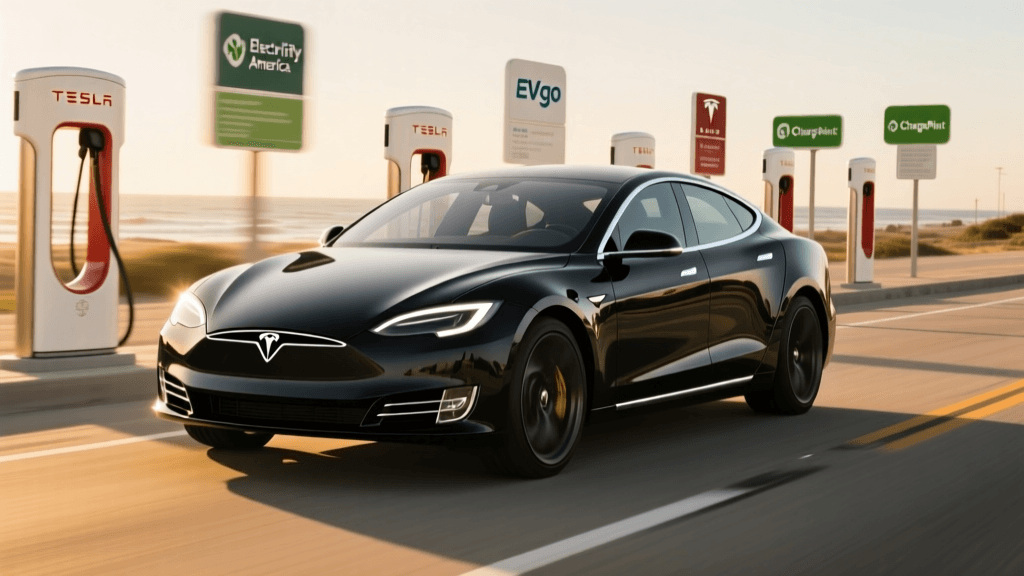
The Tesla Supercharger network remains the gold standard for EV road trips. While most existing stalls are V3 (250 kW), Tesla is actively rolling out V4 architecture capable of exceeding 350 kW. The true advantage of Tesla isn't just raw speed; it is the network's unparalleled reliability and the 'Plug and Charge' ecosystem. You simply plug in, and the car handles the billing. With the industry shifting toward the NACS connector, legacy automakers like Ford, Rivian, and GM are now gaining access to Superchargers via adapters, fundamentally changing the DCFC landscape.
Electrify America (EA)
Born from the Volkswagen diesel emissions settlement, Electrify America boasts some of the highest peak speeds available to the general public, with 350 kW chargers widely deployed along major highway corridors. If you drive an EV capable of 800-volt architecture (like the Hyundai Ioniq 5, Kia EV6, or Porsche Taycan), EA is where you will see your fastest 10-80% charging times. However, beginners should be prepared for occasional out-of-order screens or payment processing errors. Downloading the EA app and setting up an account before your trip is highly recommended to bypass credit card reader failures.
EVgo
EVgo focuses heavily on metropolitan areas, shopping centers, and secondary highways. While they have historically relied on 50 kW and 100 kW hardware, their new 'eXtend' stations feature 350 kW dispensers. EVgo is unique in its partnership with automakers for free or discounted charging credits and offers a monthly subscription model that lowers your per-kWh cost, making it a favorite for urban dwellers who lack home charging and rely on DCFC for weekly top-ups.
ChargePoint
ChargePoint operates primarily as a software and hardware provider for third-party hosts (like hotels, malls, and dealerships). While they do offer ultra-fast Express Plus liquid-cooled chargers, the vast majority of their DC fast chargers are older 50 kW or 62.5 kW units. ChargePoint is excellent for destination charging where you plan to stay for an hour or two, but it is generally not the best choice for quick highway pit stops unless you verify the station's specific kW output on their app beforehand.
Variables That Affect Your Actual Charging Speed
Even if you pull up to a 350 kW Electrify America stall, you might only see 90 kW on the screen. Why? Several environmental and vehicular factors dictate your real-world speed:
- Battery Temperature: Lithium-ion batteries prefer to be warm (around 70°F to 90°F). If you arrive at a charger with a cold battery, the BMS will restrict power to protect the cells. Always use your car's navigation system to route to the charger; this triggers 'battery preconditioning,' which warms the pack before you arrive.
- Station Splitting: Many older DCFC plazas share power between two stalls (e.g., Stall 1A and 1B). If another car plugs into 1B while you are using 1A, the available power is split, sometimes cutting your speed in half.
- Ambient Weather: Extreme cold forces the vehicle to use incoming power to heat the battery and cabin, while extreme heat can cause the charger's cables to throttle down to prevent overheating.
- Charger Cable Thermal Limits: If you are using a non-liquid-cooled CCS cable at an older station, the physical cable may overheat and automatically throttle the charge rate to prevent melting or fire hazards, regardless of what the stall advertises.
Actionable Tips for Beginners
- Never wait until 0%: Arriving at a DCFC with a nearly empty battery can actually result in slower initial charging speeds as the BMS carefully ramps up the current. Aim to arrive between 10% and 15% SoC.
- Use Route Planners: Apps like A Better Routeplanner (ABRP) or PlugShare allow you to filter stations by minimum kW output. Filter out anything below 100 kW for highway travel to save time.
- Unplug at 80%: The charging curve drops off a cliff after 80%. It is vastly more time-efficient to unplug at 80%, drive to your next destination, and top up again than to sit at a stall waiting for that final 20%.
- Check Adapter Compatibility: If you drive a vehicle with a CCS port but are traveling through rural areas where only Tesla Superchargers exist, ensure you have a certified NACS-to-CCS adapter (like the Lectron or A2Z adapter) and verify the specific Supercharger stall supports non-Tesla vehicles via the Tesla app.
Conclusion
Mastering DC fast charging is the key to unlocking the true freedom of EV ownership. By understanding the differences between networks like Tesla, Electrify America, EVgo, and ChargePoint, and by respecting the physics of the lithium-ion charging curve, you can drastically reduce your road-trip downtime. Always precondition your battery, utilize network-specific apps for seamless payment, and remember that on a road trip, time spent charging is more valuable than the total percentage gained.