The Rise of the Tesla Wall Connector: Why Installation Details Matter
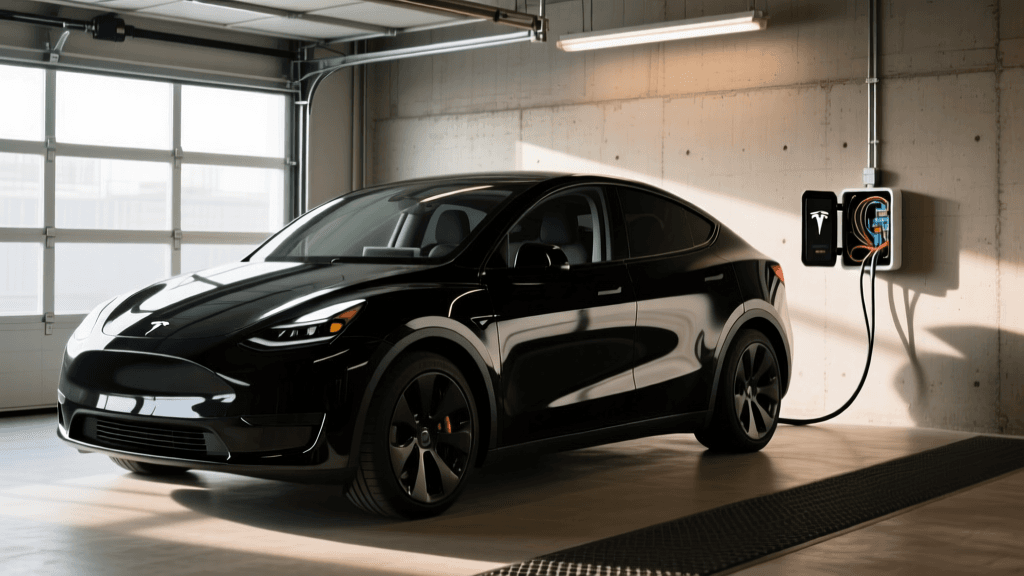
The Tesla Wall Connector (Gen 3) is widely regarded as one of the most sleek, capable, and reliable Level 2 home EV chargers on the market. Capable of delivering up to 48 amps of continuous current, it can add up to 44 miles of range per hour of charging to compatible vehicles like the Model S, Model X, and Model 3 Long Range. However, the electrical demands of this device are substantial. According to the Department of Energy's Alternative Fuels Data Center, proper installation of high-amperage EV supply equipment (EVSE) is critical not just for charging speed, but for the long-term safety of your home's electrical system.
Unfortunately, the internet is rife with outdated advice, forum rumors, and dangerous shortcuts regarding EV charger wiring. In this guide, we are busting the most pervasive myths surrounding Tesla Wall Connector installations and highlighting the costly mistakes that DIYers and even some licensed electricians make when setting up this specific unit.
Myth 1: You Can Use Any Breaker Size for the Gen 3 Wall Connector
The Myth: "I want to charge at 48 amps, so I just need a 48-amp breaker, or I can put a 60-amp breaker on a 40-amp circuit to be safe."
The Reality: The National Electrical Code (NEC) Article 625 classifies EV charging as a continuous load, meaning it operates for three hours or more. For continuous loads, the NEC mandates the 80% rule: the circuit breaker must be rated for at least 125% of the continuous load.
If you configure your Tesla Wall Connector to output 48 amps, you must use a 60-amp breaker. If your electrical panel only has room for a 50-amp breaker, you must configure the Wall Connector (via its internal software) to limit output to 40 amps. Oversizing a breaker relative to the wire gauge is a severe fire hazard, while undersizing it will cause nuisance tripping. Always match the breaker, the wire gauge, and the software-configured output limit perfectly.
Myth 2: A NEMA 14-50 Outlet is Always Better Than Hardwiring
The Myth: "I should always install a NEMA 14-50 receptacle so I can take my charger with me if I move or swap it out easily."
The Reality: While a plug-in setup offers portability, hardwiring is vastly superior for safety and performance when it comes to the Tesla Wall Connector. High-draw continuous loads (like 40 amps continuous on a 50-amp circuit) generate significant heat at connection points. Many residential-grade NEMA 14-50 receptacles sold at big-box stores are not designed for continuous EV charging and have been known to melt or catch fire over time.
Hardwiring eliminates the receptacle, removing a primary point of failure and thermal resistance. Furthermore, hardwiring allows you to utilize the full 48-amp capability of the Gen 3 Wall Connector on a 60-amp circuit, whereas a standard NEMA 14-50 outlet limits you to a 50-amp breaker (and consequently, 40 amps of continuous charging). If you absolutely must use a plug, the National Fire Protection Association (NFPA) and EV safety experts strongly recommend using industrial-grade receptacles (such as Hubbell or Bryant) specifically rated for high continuous loads, rather than standard residential brands.
Myth 3: You Don't Need a Permit for a Simple Garage Swap
The Myth: "I'm just swapping an existing dryer outlet or adding a breaker in my own garage; the city doesn't need to know."
The Reality: Skipping permits is a massive financial and safety risk. Most local jurisdictions require electrical permits for new 240-volt circuits or panel modifications. If an unpermitted EV charger installation causes an electrical fire, your homeowner's insurance company can—and likely will—deny your claim due to unpermitted, non-code-compliant work. A permit ensures a licensed inspector verifies that your wire gauge, breaker sizing, and torque specifications meet local codes.
Comparison: Hardwired vs. NEMA 14-50 for Tesla Wall Connector
| Feature | Hardwired Installation | NEMA 14-50 Plug-In |
|---|---|---|
| Max Continuous Output | 48 Amps (Requires 60A Breaker) | 40 Amps (Requires 50A Breaker) |
| Safety & Thermal Risk | Lowest (No receptacle to melt) | Moderate (Requires industrial-grade receptacle) |
| Portability | Low (Must be unwired to move) | High (Unplug and go) |
| Installation Cost | Slightly Lower (No receptacle cost) | Slightly Higher (Quality receptacle costs $80+) |
| GFCI Breaker Requirement | Not Required by NEC | Required by NEC 2017/2020 in many areas |
Common Installation Mistakes to Avoid
Even when the myths are debunked, subtle mistakes during the physical installation can compromise the system. Avoid these frequent errors:
1. Using the Wrong Wire Gauge or Type
For a 60-amp hardwired circuit, you generally need 4 AWG copper wire if using THHN/THWN-2 in conduit. If you are using NM-B (Romex) cable, the NEC requires you to use the 60°C column for ampacity derating, meaning 6 AWG NM-B is only rated for 55 amps. To safely and legally use a 60-amp breaker with NM-B, you must step up to 3 AWG copper. Using 6 AWG Romex on a 60-amp breaker is a dangerous code violation that inspectors will immediately flag.
2. Ignoring Torque Specifications
The Tesla official Wall Connector support documentation provides specific torque requirements for the terminal block screws. Failing to use a calibrated torque screwdriver can result in loose connections. A loose connection increases electrical resistance, which generates intense heat under a 48-amp continuous load, eventually melting the terminal block and destroying the unit. Conversely, over-torquing can strip the screws or snap the wire strands.
3. Skipping the 120% Busbar Rule Calculation
Before installing a 60-amp breaker, you must perform a load calculation on your electrical panel. NEC Article 220 and the 120% busbar rule dictate that the sum of your main breaker and your solar/EV backfeed breaker cannot exceed 120% of the panel's busbar rating. For a standard 200-amp panel with a 200-amp busbar, the maximum allowable solar/EV breaker is 40 amps. If you want to install a 60-amp breaker for a 48-amp charge, you may need a main breaker downgrade or a panel upgrade.
Tesla Wall Connector Gen 3: Step-by-Step Walkthrough
For those overseeing the installation, here is the proper workflow to ensure a seamless and code-compliant setup.
- Step 1: Commissioning via Wi-Fi (Crucial First Step)
Unlike Gen 2, the Gen 3 Wall Connector has no physical DIP switches. Before mounting and wiring, you must power it up temporarily or use a mobile hotspot to connect to the charger's internal Wi-Fi access point. Use the Tesla app or a web browser to configure the maximum output current (e.g., 48A or 40A) and connect it to your home's 2.4GHz Wi-Fi network for firmware updates. - Step 2: Mounting the Bracket
Use the included template to drill pilot holes into your wall studs or masonry. Ensure the bracket is mounted at a height where the cable will not rest on the floor, typically around 48 to 60 inches from the ground to the center of the unit. - Step 3: Routing and Stripping Wire
Run your 4 AWG THHN wires (Line 1, Line 2, and Ground) through the conduit and into the Wall Connector's wiring compartment. Strip exactly 1/2 inch of insulation from the ends of the wires. Do not leave exposed copper outside the terminal block. - Step 4: Terminating and Torquing
Insert the wires into the terminal block. Line 1 and Line 2 are interchangeable for 240V split-phase systems; there is no neutral required. Tighten the terminal screws using a torque screwdriver set to the exact specification listed in the Gen 3 installation manual (typically 45 in-lbs). - Step 5: Final Mounting and Power-On
Secure the glass fascia faceplate onto the bracket. Turn on the 60-amp (or 50-amp) breaker at the main panel. The LED light ring will pulse green, indicating it is ready to charge. Test the unit with your vehicle and verify the amperage draw on your Tesla's touchscreen to ensure it matches your configured limit.
Conclusion
Installing a Tesla Wall Connector is one of the best upgrades you can make for your EV ownership experience, but it is not a project where corners can be cut. By ignoring the myths surrounding breaker sizing, receptacle safety, and permits, and by strictly adhering to NEC wire gauge and torque specifications, you ensure that your home charging setup is as safe as it is fast. When in doubt, always hire a licensed electrician who specializes in EVSE installations and understands the unique software and hardware requirements of the Gen 3 Wall Connector.