The Hidden Complexity of Smart EV Charger Connectivity
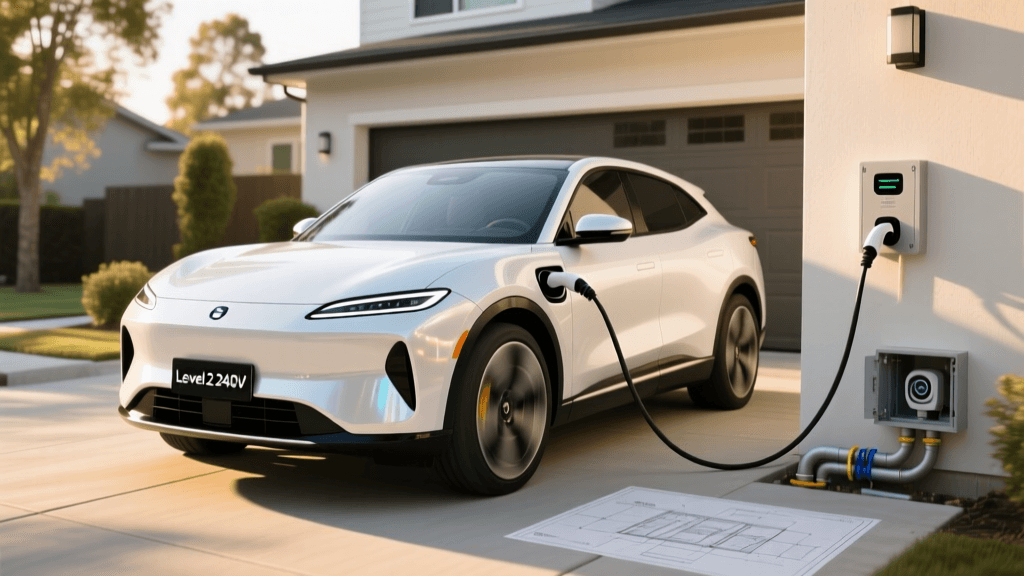
When upgrading from a standard Level 1 trickle charger to a networked Level 2 smart EV charger like the ChargePoint Home Flex, Wallbox Pulsar Plus, or Emporia EV Charger, the electrical installation is only half the battle. The true power of these devices lies in their connectivity. Smart chargers rely on a persistent internet connection to facilitate Over-The-Air (OTA) firmware updates, dynamic load balancing, solar integration, and off-peak utility scheduling. However, treating an EV charger like a standard smartphone or laptop on your home network is a fundamental architectural mistake. This technology deep dive explores the intricate network configuration, RF physics, and IoT security protocols required to deploy a smart EV charger reliably and securely.
The Physics of RF: Why 2.4GHz is Non-Negotiable
Almost all consumer smart EV chargers are equipped exclusively with 2.4GHz 802.11n/b/g WiFi radios. While modern home networks heavily favor the 5GHz and 6GHz bands for their superior bandwidth and lower interference, the 2.4GHz band remains the undisputed king of IoT penetration. The physics of radio frequency (RF) attenuation dictates that lower frequencies penetrate solid obstacles far more effectively than higher frequencies. Garages are typically constructed with dense materials: concrete block, brick, metal siding, and fire-rated drywall. A 5GHz signal will experience catastrophic attenuation passing through an exterior wall, often dropping to unusable levels. Furthermore, the data payload required by an EV charger is minuscule. Telemetry packets, OCPP JSON payloads, and MQTT keep-alive pings require less than 10 Kbps of bandwidth. Therefore, the high throughput of 5GHz is entirely unnecessary, while its poor range would be detrimental. When configuring your network, you must ensure that your 2.4GHz SSID is either distinct from your 5GHz network or that your router's band-steering algorithm does not aggressively push the charger's IoT radio to a 5GHz handshake, which will inevitably fail and leave the charger offline.
RSSI Targets and Overcoming Garage Dead Zones
Received Signal Strength Indicator (RSSI) is the primary metric for evaluating WiFi link quality. Measured in decibel-milliwatts (dBm), RSSI values are negative; thus, a value of -50 dBm is significantly stronger than -80 dBm. For reliable smart EV charger operation, the target RSSI at the charger's internal antenna should be -65 dBm or better. If the RSSI drops below -75 dBm, the charger will begin to experience packet loss, leading to WebSocket timeouts, failed OTA updates, and intermittent app connectivity. To overcome garage dead zones, avoid using cheap WiFi repeaters, which halve bandwidth and introduce latency. Instead, deploy a dedicated mesh node or a hardwired wireless access point (WAP) inside the garage. If running Cat6 to the garage is impossible, consider Powerline adapters (HomePlug AV2) to bridge the network to a dedicated 2.4GHz access point near the charger panel.
Network Architecture: VLANs and IoT Isolation
Security is paramount when deploying IoT devices. According to the National Institute of Standards and Technology (NIST), IoT devices should be strictly segmented from primary local area networks (LANs) to prevent lateral movement in the event of a device compromise. Smart EV chargers run embedded RTOS (Real-Time Operating Systems) that rarely receive the same frequency of security patches as a smartphone or PC. Therefore, you must create a dedicated IoT Virtual Local Area Network (VLAN). By assigning the EV charger to an isolated VLAN, you ensure that even if a malicious actor exploits a vulnerability in the charger's WiFi stack or web server, they cannot pivot to access your personal computers, NAS drives, or smart home hubs. Configure your router or firewall (such as pfSense, UniFi, or OPNsense) to block all traffic from the IoT VLAN to your primary LAN subnet, allowing only outbound WAN access.
Firewall Rules, DNS Sinkholes, and Telemetry
Once the VLAN is established, strict egress filtering must be applied. Smart chargers require outbound access to specific OEM cloud servers and utility APIs. However, network administrators utilizing DNS sinkholes like Pi-hole or AdGuard Home frequently encounter issues where the charger is flagged as a tracking device and blocked. If your charger shows as offline in the mobile app despite having a strong WiFi signal, inspect your DNS query logs. You must whitelist the specific telemetry and API domains for your charger manufacturer (e.g., *.chargepoint.com, *.wallbox.com). Additionally, ensure that outbound traffic on TCP port 443 (HTTPS) and TCP port 8883 (MQTT over TLS) is permitted. Blocking these ports will sever the charger's connection to the cloud, disabling smart scheduling and remote start/stop capabilities.
Protocol Deep Dive: OCPP and MQTT
To understand how your charger communicates, we must look at the application layer protocols. The Open Charge Alliance maintains the Open Charge Point Protocol (OCPP), specifically version 1.6J for JSON-based web implementations. OCPP relies on persistent WebSocket connections (wss://) to maintain a continuous, bi-directional handshake between the charger and the central management system. If your network employs aggressive idle-timeout rules on the firewall, the WebSocket connection will silently drop, causing the charger to enter an offline state until the next scheduled heartbeat ping. To prevent this, configure your firewall's TCP state table to allow extended idle timeouts for the charger's IP address. Alternatively, many modern chargers utilize MQTT (Message Queuing Telemetry Transport) for lightweight, publish-subscribe telemetry. MQTT is highly resilient to unstable networks, but it requires a stable TLS handshake. Ensuring your network's NTP (Network Time Protocol) is accurately synced is critical, as a drifted system clock on the charger will cause TLS certificate validation to fail, instantly breaking the MQTT connection.
Local Integrations: Home Assistant and mDNS
For advanced users integrating their EV charger with home automation platforms like Home Assistant, local network polling is preferred over cloud-dependent APIs to reduce latency and reliance on external servers. However, this creates a conflict with strict IoT VLAN isolation. Local discovery protocols like mDNS (Multicast DNS) rely on broadcast traffic, which is inherently blocked by VLAN boundaries. To resolve this, you must configure an mDNS reflector or repeater on your router (such as Avahi or the UniFi mDNS repeater service) to bridge discovery packets between your primary LAN and the IoT VLAN. Alternatively, bypass mDNS entirely by assigning a static IP reservation to the EV charger's MAC address and configuring your home automation software to poll the charger's local REST API or Modbus TCP endpoint directly via its static IP.
Troubleshooting Common Network Handshake Failures
When a smart EV charger fails to connect, the issue is rarely the hardware itself, but rather a misconfiguration in the network environment. Below is a structured troubleshooting matrix for common connectivity anomalies.
| Error Symptom | Underlying Network Cause | Technical Resolution |
|---|---|---|
| Charger shows 'Offline' in app | DNS sinkhole blocking OEM telemetry domains or WAN firewall block on port 443/8883 | Whitelist OEM domains in Pi-hole/AdGuard; allow outbound TLS on WAN |
| Intermittent charging drops | RSSI below -75dBm causing WebSocket (OCPP) timeout and heartbeat failure | Deploy dedicated 2.4GHz mesh node in garage; adjust TX power |
| Local API polling fails | mDNS blocked by IoT VLAN multicast filtering | Enable mDNS reflector on router or assign static IP to charger |
| App setup fails at 99% | WPA3-SAE compatibility issue with older IoT WiFi chipsets | Enable WPA2/WPA3 transition mode or create legacy 2.4GHz SSID |
Security Best Practices and Firmware Maintenance
Finally, maintaining the security posture of your smart charging ecosystem requires ongoing vigilance. The U.S. Department of Energy highlights that smart charging capabilities are essential for grid stability and consumer cost savings, but these features must be balanced with robust cybersecurity. Always utilize WPA2-AES or WPA3-SAE encryption for your WiFi network; never use WEP or WPA-TKIP, which are trivially compromised. Disable WPS (WiFi Protected Setup) on your router, as it introduces a well-documented brute-force vulnerability. Furthermore, enable automatic OTA firmware updates on the charger. Manufacturers frequently release patches to address newly discovered CVEs (Common Vulnerabilities and Exposures) in the embedded TCP/IP stacks or OpenSSL libraries used by the device. By combining rigorous RF planning, strict VLAN segmentation, and an understanding of IoT communication protocols, you can ensure your smart EV charger remains a reliable, secure, and highly integrated component of your modern energy ecosystem.