The Anatomy of a Smart EV Charger Network Connection
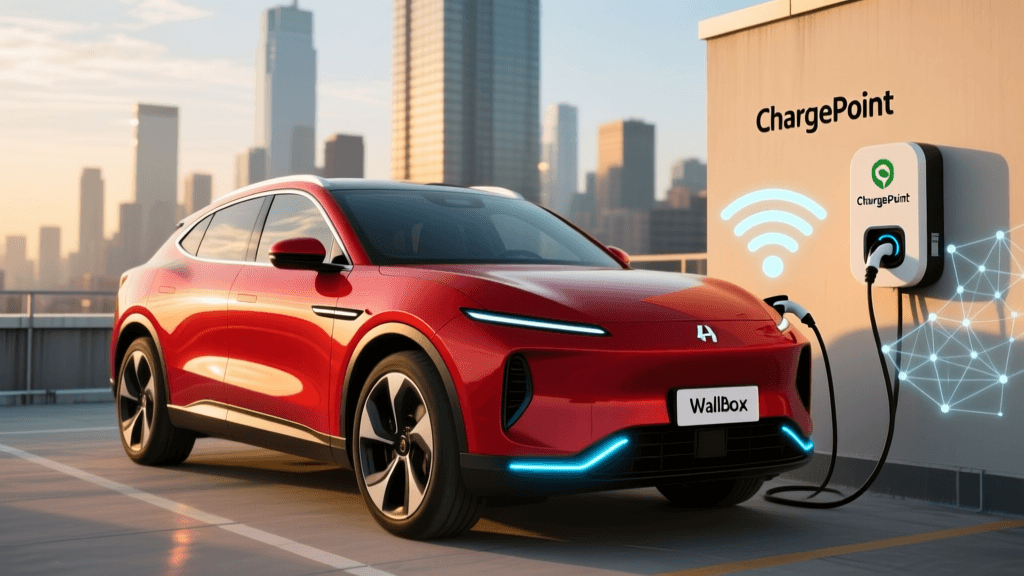
Smart EV chargers are no longer simple relays; they are sophisticated IoT (Internet of Things) endpoints. According to the U.S. Department of Energy, smart charging enables dynamic load management, time-of-use (TOU) optimization, and solar integration. To achieve this, your ChargePoint Home Flex, Wallbox Pulsar Plus, or Enel X JuiceBox requires a stable, low-latency network connection. But unlike your smartphone or laptop, EV chargers possess highly specific, often rigid networking requirements that frequently clash with modern home router defaults. This deep dive explores the technical realities of provisioning, securing, and maintaining a robust Wi-Fi connection for your Level 2 charging hardware.
2.4GHz vs. 5GHz: The IoT Frequency Dilemma
Almost all residential Level 2 smart chargers rely exclusively on the 2.4GHz Wi-Fi band (802.11b/g/n). The 2.4GHz band offers superior range and wall penetration compared to 5GHz or 6GHz bands, which is critical for reaching detached garages or exterior walls where chargers are typically installed. However, this creates a massive headache for users with modern mesh Wi-Fi systems like Eero, Netgear Orbi, or TP-Link Deco.
The Band-Steering Problem
Modern mesh networks use a single SSID (network name) for both 2.4GHz and 5GHz bands, relying on a feature called "band-steering" to push capable devices to the faster 5GHz frequency. EV chargers lack the sophisticated network interface cards (NICs) found in modern laptops. When a charger attempts to connect to a merged SSID, the router often attempts to steer it to 5GHz, or the charger's inexpensive IoT Wi-Fi chip simply times out during the handshake process.
Actionable Fix: You must create a dedicated 2.4GHz IoT SSID in your router's admin panel. Disable band-steering for this specific SSID, ensure it is set to WPA2-PSK (AES) security—many IoT chips do not yet fully support WPA3 handshake protocols—and keep the channel width at 20MHz to minimize co-channel interference in crowded suburban environments.
Signal Penetration and RSSI Thresholds in the Garage
Garages are essentially Faraday cages. Concrete foundations, metal garage doors, and foil-backed insulation severely degrade RF (Radio Frequency) signals. To ensure your charger can download Over-The-Air (OTA) firmware updates without corrupting its logic board, you must monitor the RSSI (Received Signal Strength Indicator). A weak signal will cause packet loss during MQTT telemetry transmissions, leading to "offline" status in your mobile app.
| RSSI Value (dBm) | Signal Quality | Charger Behavior & Impact |
|---|---|---|
| -30 to -50 dBm | Excellent | Flawless OTA updates, instant app response, stable Power Boost telemetry. |
| -51 to -65 dBm | Good / Stable | Reliable daily operation. Occasional minor latency in app wake-up. |
| -66 to -75 dBm | Fair / Marginal | Frequent MQTT timeouts. OTA updates may fail or pause. App shows "Offline" intermittently. |
| -76 to -90 dBm | Poor / Unusable | Complete connection failure. Charger defaults to dumb-mode (static amperage). |
Mesh Extenders vs. Hardwired Access Points
When your RSSI drops below -70 dBm, you must extend your network to the garage. Avoid wireless repeaters; they halve your bandwidth and introduce latency spikes that cause IoT timeouts. Instead, the gold standard for EV charger networking is running a Cat6 Ethernet line to the garage and terminating it into a dedicated IoT Access Point (AP), such as the Ubiquiti U6-Lite or TP-Link EAP225. Configure this AP to broadcast only the 2.4GHz IoT SSID. This provides a pristine, uncongested signal directly to the charger's antenna, bypassing the structural interference of the home's exterior walls.
Network Security: VLANs and IoT Isolation
Placing an EV charger on your primary home network is a cybersecurity risk. As highlighted by NIST's IoT cybersecurity guidelines, IoT devices often lack robust local security features, receive infrequent security patches, and can serve as entry points for lateral network attacks if compromised.
Configuring a VLAN for Your Charger
If you use prosumer networking gear like Ubiquiti UniFi, pfSense, or ASUS Merlin firmware, you should isolate your EV charger on a dedicated VLAN (Virtual Local Area Network).
- Step 1: Create a new VLAN (e.g., VLAN 40 for IoT) in your router or switch management interface.
- Step 2: Map your dedicated 2.4GHz IoT SSID exclusively to this VLAN.
- Step 3: Apply strict firewall rules. Allow outbound traffic on ports 443 (HTTPS) and 8883 (MQTT over SSL) to the internet. Block all inbound traffic from the WAN, and drop all traffic destined for your primary LAN (VLAN 1).
This ensures your charger can communicate with the manufacturer's cloud servers for home charging optimization and utility API integrations without being able to ping your personal NAS, smart locks, or home computers.
Troubleshooting Specific Brands: ChargePoint, Wallbox, and Enel X
ChargePoint Home Flex
ChargePoint uses Bluetooth Low Energy (BLE) for the initial provisioning handshake. If your Wi-Fi setup fails during installation, ensure your phone's Bluetooth is active and you are standing within 3 feet of the unit. The ChargePoint app acts as a bridge, passing your Wi-Fi credentials to the charger via BLE. Note: If your router uses a captive portal (common in apartments or condos), the Home Flex will fail to connect, as it lacks a web browser for portal authentication. You must use a MAC-address whitelisting bypass on the router.
Wallbox Pulsar Plus and Power Boost
The Wallbox Pulsar Plus relies on a stable Wi-Fi connection not just for app control, but for its "Power Boost" feature. This feature communicates with an external energy meter to dynamically throttle charging speeds based on real-time household load, preventing main breaker trips. If your Wi-Fi drops, the charger will default to a safe, static amperage, negating the benefit of Power Boost. Ensure your router's DHCP lease time is set to at least 24 hours to prevent IP renewal dropouts that interrupt this telemetry.
Enel X JuiceBox
JuiceBox units are known to drop connections on crowded 2.4GHz channels, particularly in dense urban environments. Use a Wi-Fi analyzer app on your smartphone to identify the least congested channel (usually 1, 6, or 11) and hardcode your router's 2.4GHz channel rather than leaving it on "Auto." Furthermore, ensure your router's beacon interval is set to the default 100ms; altering this to save power on mobile devices often causes IoT chips to miss the beacon and drop the connection.
Conclusion
Configuring a smart EV charger requires moving beyond the "plug and play" mentality of consumer electronics. By understanding the limitations of 2.4GHz IoT chips, mitigating garage RF interference, and implementing VLAN isolation, you ensure that your charging infrastructure remains secure, responsive, and ready for the next generation of smart grid integrations.