The Evolution of Cruise Control: Entering the Stop-and-Go Era
For decades, traditional cruise control was a simple convenience feature designed for empty, straight highways. You set a speed, and the car maintained it until you tapped the brakes. However, the moment traffic slowed down, the system was useless. Today, Adaptive Cruise Control (ACC) with Stop-and-Go functionality—often referred to as Full-Speed Range ACC—has fundamentally changed the daily commute. According to the National Highway Traffic Safety Administration (NHTSA), advanced driver assistance systems (ADAS) like ACC are critical stepping stones in reducing rear-end collisions and easing driver fatigue in congested environments.
Unlike legacy ACC systems that disengaged when the vehicle dropped below 20 mph, Stop-and-Go ACC can bring your car to a complete halt behind a stopped vehicle, hold the brakes, and automatically resume speed when traffic moves again. But how exactly does it work, and how can you configure it for maximum safety and comfort? This comprehensive how-to guide breaks down the technology, setup, and real-world limitations of Stop-and-Go ACC.
The Hardware: How Radar and Cameras Master Traffic
To understand how to use the system, you must first understand the hardware monitoring the road ahead. Stop-and-Go ACC relies on a concept called sensor fusion, combining two primary technologies:
- Millimeter-Wave Radar (Typically 77 GHz): Mounted behind the front grille or emblem, this radar emits radio waves that bounce off the vehicle ahead. It excels at measuring the exact distance and relative speed of the car in front of you, and it performs reliably in heavy rain, fog, and darkness.
- Forward-Facing Cameras: Mounted near the rearview mirror, cameras read lane markings, identify vehicle types, and detect brake lights. While radar tells the car how far the object is, the camera tells the car what the object is.
By fusing these data streams, the vehicle's central computer calculates a safe following distance and modulates the throttle and brakes seamlessly. As outlined in the SAE International J3016 standard for driving automation levels, this combination of longitudinal (speed/distance) and lateral (steering) control places these systems firmly in Level 2 partial automation. The human driver remains fully responsible for the vehicle at all times.
Step-by-Step Guide: Engaging and Configuring Your System
While every automaker has slight variations in their user interface, the fundamental operation of Stop-and-Go ACC is nearly universal. Here is how to set it up correctly.
Step 1: Locate and Activate the System
Look for the ACC controls on your steering wheel or on a dedicated stalk behind the wheel. You will typically see a button featuring a speedometer icon with a car and radar waves. Press this button to put the system in "Standby" mode. A white or gray icon will appear on your digital instrument cluster, indicating the system is ready but not yet active.
Step 2: Set Your Speed and Following Distance
Accelerate to your desired speed (usually above 15-20 mph, depending on the brand). Press the "SET" or "SET-" button. The instrument cluster icon will turn green or blue, and the car will take over throttle control. Next, locate the "Distance" or "Gap" button. This adjusts the following distance between you and the car ahead, usually represented by bars or car icons on the dashboard.
Step 3: Mastering the Time-Gap Settings
ACC does not measure following distance in feet; it measures it in time gaps. A 1.5-second gap means your car will travel the same physical space as the car ahead of you, 1.5 seconds later. Most systems offer 3 to 4 settings:
- Long Gap (approx. 2.0 seconds): Best for high-speed highway driving or wet weather. It provides maximum reaction time but leaves a large physical gap, making you highly susceptible to being cut off by other drivers.
- Medium Gap (approx. 1.5 seconds): The ideal daily commuting setting. It balances safety with a natural driving rhythm.
- Short Gap (approx. 1.0 to 1.2 seconds): Best for heavy, slow-moving stop-and-go traffic. It prevents aggressive drivers from cutting into your lane but requires high driver alertness.
The Mechanics of Stop-and-Go: Creep, Hold, and Resume
The true magic of this technology happens in gridlock. When the lead vehicle stops, your radar detects the relative speed dropping to zero and applies the brakes smoothly to a complete halt. Here is what happens next:
- The Hold Phase: The vehicle automatically engages the electronic parking brake or holds the hydraulic brake pressure. You can take your foot off the brake pedal. The dashboard will display a message like "ACC Stopped" or "Standby."
- The Auto-Resume Window: If the lead vehicle moves again within a specific time frame (usually 3 seconds), your car will automatically accelerate to match the traffic flow without any input from you.
- The Manual Resume Requirement: If the stop lasts longer than 3 seconds (e.g., waiting at a long red light or a paused construction zone), the auto-resume window closes for safety reasons. To resume, you must either lightly tap the accelerator pedal or press the "RES" (Resume) button on the steering wheel.
Brand Implementation Comparison Chart
Not all Stop-and-Go systems are created equal. The Insurance Institute for Highway Safety (IIHS) frequently notes that system tuning, brake harshness, and driver monitoring requirements vary wildly between manufacturers. Below is a comparison of top-tier implementations:
| Brand / System | Primary Sensors | Stop-and-Go Auto-Resume | Driver Monitoring |
|---|---|---|---|
| Toyota (TSS 3.0) | 77 GHz Radar + Mono Camera | Auto-resumes within 3 seconds | Steering wheel torque |
| Subaru (EyeSight 4.0) | Stereo Cameras + Radar | Auto-resumes within 3 seconds | Steering wheel torque |
| GM (Super Cruise) | Lidar Map + Radar + Camera + DMS | Hands-free auto-resume on mapped roads | Infrared eye-tracking camera |
| Tesla (Autopilot) | Vision-only (8 Cameras) | Requires steering input or tap to resume | Steering wheel torque / cabin camera |
| Honda (Honda Sensing) | Radar + Mono Camera | Auto-resumes within 3 seconds | Steering wheel torque |
Navigating Limitations: Phantom Braking and Weather Interference
Despite rapid advancements, Stop-and-Go ACC is not infallible. Understanding its limitations is crucial for safe operation.
Phantom Braking
Phantom braking occurs when the system incorrectly identifies a stationary object as a threat and slams on the brakes at highway speeds. This is often triggered by overhead bridges, large roadside signs, or sharp curves where the radar beam catches a vehicle in an adjacent lane. Always keep your foot hovering over the brake pedal when approaching complex highway interchanges.
The "Cut-In" Scenario
When a vehicle from an adjacent lane abruptly merges into your lane, the radar must process the new target, calculate the new distance, and apply the brakes. Most systems have a reaction delay of 0.5 to 1.0 seconds. In aggressive traffic, this delay requires the human driver to intervene immediately to avoid a collision.
Weather and Sensor Blindness
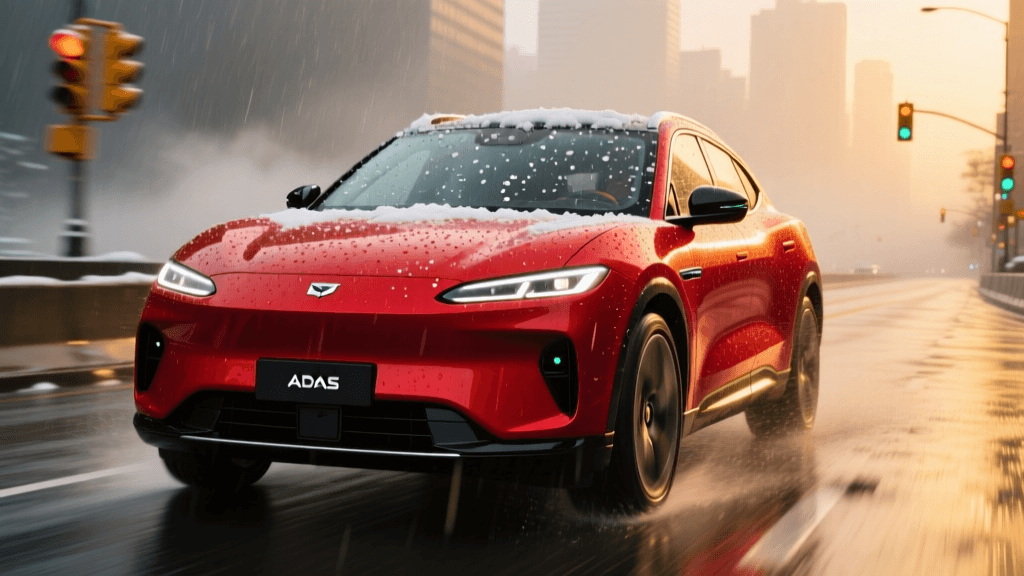
Millimeter-wave radar can see through fog, but it cannot see through solid ice or packed snow. If snow builds up on your front grille emblem, the system will disable itself and throw a "Sensor Blocked" warning. Similarly, heavy rain or direct sun glare can blind the forward-facing camera, causing the system to disengage abruptly. Always keep your windshield and front grille clean.
Best Practices for the Daily Commuter
To get the most out of your Adaptive Cruise Control with Stop-and-Go, adopt these actionable habits:
- Use the Short Gap in Gridlock: In bumper-to-bumper traffic under 25 mph, switch to the shortest following distance. This mimics natural human driving behavior and prevents other cars from constantly merging into your gap.
- Disable in Construction Zones: Stop-and-Go ACC struggles with shifted lanes, temporary concrete barriers, and stationary construction vehicles. Take full manual control in these areas.
- Keep the Radar Dome Clean: Make it a habit to wipe off the front emblem or lower grille sensor area every time you wash your car or clear off snow.
- Never Trust the System Blindly: Remember that this is a Level 2 assistance feature, not an autonomous chauffeur. You are the ultimate failsafe. Keep your eyes on the road and your hands ready to take over the steering wheel at a moment's notice.
By understanding the hardware, mastering the time-gap settings, and respecting the system's limitations, you can transform your daily commute from a stressful chore into a significantly more relaxed and safer experience.