Why Tesla's USB Drive Requirements Actually Matter
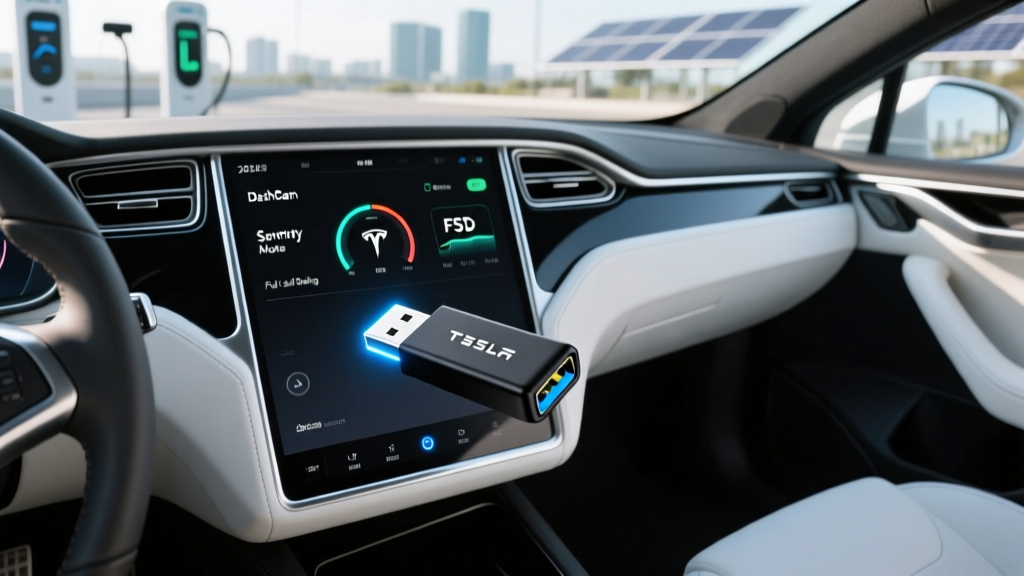
If you own a Tesla in 2026, a properly configured USB drive is non-negotiable for unlocking Dashcam, Sentry Mode clips, and Full Self-Driving (Supervised) recording. Yet Tesla's in-car formatting tool and owner's manual leave gaps that trip up new owners: wrong file systems, insufficient write endurance, and confusion over which port actually records. This guide consolidates the exact Tesla USB drive requirements across the current Model 3 Highland, refreshed Model Y, Model S, and Model X lineup, with tested recommendations that survive Arizona summers and Minnesota winters alike.
The USB requirements below apply to all 2025–2026 Tesla vehicles running software v12.x or newer. We'll reference the 2026 Model 3 Long Range AWD as our baseline spec vehicle, with notes where Model Y, S, and X differ.
2026 Tesla Model 3 Long Range AWD: Baseline Specs
Before diving into storage setup, here's the vehicle we're using as the reference platform. These are the numbers that matter for daily ownership.
| Spec | 2026 Model 3 Long Range AWD |
|---|---|
| EPA-estimated range | 363 miles |
| Battery (usable) | ~79 kWh, NMC (LG M50 cells) |
| Drivetrain | Dual-motor AWD |
| Horsepower | ~384 hp combined |
| 0–60 mph | 4.2 seconds |
| Max DC fast charge | 250 kW peak (V3 Supercharger) |
| 10–80% DCFC time | ~25 minutes |
| Level 2 home charge (11.5 kW) | ~44 miles per hour |
| Efficiency | 132 MPGe combined / 25 kWh/100 mi |
| Cargo (trunk + frunk) | 23 cu ft trunk, 3.1 cu ft frunk |
| Rear legroom | 35.3 inches |
| Battery warranty | 8 years / 120,000 miles (70% retention) |
| Base MSRP | $47,740 (before destination) |
EPA 363 miles is measured on a mixed cycle. Expect ~300–320 miles at sustained 75 mph highway speeds, and ~240–270 miles in sub-30°F winter conditions without preconditioning. The heat pump on the 2026 Model 3 helps, but cold still bites any NMC pack. City/regen-heavy driving can actually exceed the EPA number — I've seen 380+ miles on low-speed suburban loops.
The Exact Tesla USB Drive Requirements (2026 Software)
Tesla's infotainment system is Linux-based and picky in specific ways. Here is the authoritative checklist for a drive that works on day one and survives long-term Sentry Mode duty.
- File system: exFAT (preferred), FAT32 (works, but 4 GB file-size cap), or ext4 (Linux users). NTFS is not reliably supported — avoid it.
- Minimum capacity: 64 GB. Sentry Mode clips can consume 1–2 GB per hour of triggered events; 128 GB or 256 GB is the practical sweet spot.
- Write endurance: This is the hidden killer. Sentry Mode writes continuously while parked in high-traffic areas. Use a high-endurance or industrial-grade drive rated for surveillance/dashcam duty (Samsung PRO Endurance, SanDisk High Endurance, Western Digital Purple).
- USB standard: USB 3.0 or later. USB 2.0 drives will bottleneck clip-saving and cause timeout errors on v12+ software.
- Folder structure: Create a top-level folder named
TeslaCam(case-sensitive) at the root of the drive. Tesla's software expects this exact string. - Form factor: Low-profile thumb drives (SanDisk Ultra Fit style) sit flush in the glovebox USB-C port and resist accidental bumps. Full-size sticks protrude and get knocked loose.
Why Endurance Rating Beats Capacity
A 512 GB consumer drive with low TBW (terabytes written) will fail faster than a 128 GB high-endurance drive. Sentry Mode on a busy street can write 20–40 GB per day. Consumer TLC drives typically survive 100–300 TBW; endurance-rated drives push 1,000+ TBW. For a car parked outdoors daily, endurance is the spec that matters.
Which USB Port to Use — and the USB-C Migration
Starting with the 2024 Model 3 Highland refresh and carrying into 2025–2026 Model Y Juniper, Tesla moved the data-capable port to USB-C in the glovebox. The center-console and rear-seat USB-C ports are charge-only on most 2026 builds.
- Model 3 (2024+ Highland) & Model Y (2025+ Juniper): Glovebox USB-C is the data port. Use a USB-C drive or a USB-A-to-C cable.
- Model S & Model X (2026): Front center-console USB-A ports remain data-capable; glovebox USB-C also works on refreshed builds.
- Older Model 3/Y (pre-refresh): One of the front USB-A ports (typically the one labeled with a battery icon or the lower port) handles data.
If you plug in a correctly formatted drive and Tesla's Dashcam icon doesn't appear within 10 seconds, you're in a charge-only port. Swap to the glovebox.
Step-by-Step: Formatting the Drive in Your Tesla
Tesla's built-in formatter is the most reliable path — it creates the TeslaCam folder automatically and sets the correct partition table.
- Insert the USB drive into the data-capable port (glovebox USB-C on 2026 models).
- On the touchscreen, go to Controls → Safety → Dashcam.
- Tap Format USB Drive. Confirm the prompt.
- Wait 30–60 seconds. A green checkmark and the Dashcam icon in the status bar confirm success.
- Enable Sentry Mode under Controls → Safety → Sentry Mode, and set exclusions (Home, Work) to avoid filling the drive overnight in your garage.
If you prefer to format on a PC: use Windows Disk Management or macOS Disk Utility to format as exFAT, then manually create the TeslaCam folder at root. Skip the subfolder rabbit hole — Tesla's software auto-creates SavedClips, RecentClips, and SentryClips subdirectories on first use.
Tesla Tax Credit, Pricing, and Ownership Cost (2026)
USB drives aside, the purchase decision hinges on price and incentives. Here's where the 2026 Model 3 Long Range AWD lands under current IRS §30D rules.
| Item | Amount |
|---|---|
| Base MSRP (Long Range AWD) | $47,740 |
| Destination fee | $1,390 |
| FSD (Supervised) add-on | $8,000 (or $99/mo) |
| As-tested with FSD + red paint | $59,130 |
| Federal §30D credit (if eligible) | Up to $7,500 |
| Effective price after credit | From ~$40,240 |
- MSRP cap: Sedans (Model 3) must be under $55,000; SUVs/trucks (Model Y, Cybertruck) under $80,000.
- Buyer income cap: AGI ≤ $150,000 single / $300,000 joint filers.
- Battery sourcing: Critical minerals and battery components must meet phased-in domestic/free-trade thresholds — Tesla's Fremont and Austin builds generally qualify, but confirm per-VIN on IRS.gov.
- Point-of-sale transfer: As of 2024+, you can transfer the credit to the dealer at purchase, reducing your out-of-pocket immediately rather than waiting for tax filing.
Pros, Cons, and How It Stacks Against Rivals
Pros
- Class-leading efficiency (25 kWh/100 mi)
- Supercharger network remains the most reliable DCFC ecosystem
- Over-the-air updates continuously add features (v12 FSD improvements)
- Strong resale value relative to EV segment averages
- Glovebox USB-C with PIN-locked Sentry storage is theft-resistant
Cons
- USB port layout varies by build month — confusing for used buyers
- No native Apple CarPlay / Android Auto
- Minimalist interior lacks physical buttons for climate/mirrors
- FSD (Supervised) remains SAE Level 2 — full attention required
- Insurance premiums run 15–30% above segment average in most states
Against the Hyundai Ioniq 6 (EPA 361 mi, $42,950) and BMW i4 eDrive40 (EPA 307 mi, $57,900), the Model 3 Long Range wins on Supercharger access and software cadence, while the Ioniq 6 offers a quieter cabin and the i4 delivers more traditional build quality. For buyers who prioritize Sentry Mode and Dashcam as daily tools, Tesla's integrated recording workflow is still more seamless than third-party dashcam rigs in competitors.
Frequently Asked Questions
What is the best USB drive for Tesla Sentry Mode in 2026?
A 128 GB or 256 GB high-endurance drive — specifically the Samsung PRO Endurance USB-C or SanDisk High Endurance — is the most reliable choice. These are rated for continuous rewrite cycles that Sentry Mode demands. Consumer drives like the standard SanDisk Ultra tend to fail within 6–12 months of heavy Sentry use.
Does Tesla still support USB-A drives in 2026 models?
Yes, but only in specific ports. The 2026 Model S and Model X retain data-capable USB-A ports in the center console. The refreshed Model 3 and Model Y have moved data duties to the glovebox USB-C port. A cheap USB-A-to-C adapter works fine if you already own a quality USB-A drive.
Why does my Tesla say 'USB drive too slow' or 'not detected'?
Two common causes: (1) you're plugged into a charge-only port — move to the glovebox; (2) the drive is USB 2.0 or a low-quality controller that can't sustain the write throughput Tesla's v12+ software demands. Switch to a USB 3.1+ high-endurance drive and reformat via the car's built-in tool.
How much Sentry Mode footage can a 128 GB drive hold?
Roughly 60–100 hours of triggered Sentry clips, depending on camera activity and compression. The system auto-deletes oldest files when full, so you won't get a "drive full" error — but if you want to preserve a specific incident, tap Save on the Dashcam viewer or use the Tesla app to download it before it rotates out.
Can I use an SSD instead of a thumb drive?
Technically yes — a portable SSD in an exFAT enclosure works and offers far higher endurance. But it's overkill for most owners, and the cable clutter in the glovebox is annoying. Reserve SSDs for fleet vehicles or taxis running Sentry Mode 24/7.
Does the 2026 Model 3 qualify for the full $7,500 federal tax credit?
The base Long Range AWD at $47,740 MSRP clears the $55,000 sedan cap, and Tesla's current battery sourcing generally meets the 2026 critical-minerals thresholds. However, buyer AGI limits ($150k single / $300k joint) and per-VIN component verification apply. Always confirm your specific vehicle on fueleconomy.gov and consult a tax professional before relying on the credit.
What's the real-world range of the 2026 Model 3 Long Range?
EPA rates it at 363 miles. In mixed real-world use — 70% highway at 72 mph, 30% city — expect 310–330 miles in mild weather. Sub-freezing temperatures drop that to 240–280 miles unless you precondition the battery via the Tesla app before departure.
Final Setup Checklist Before Your First Drive
- Buy a 128 GB+ high-endurance USB-C drive (Samsung PRO Endurance or equivalent).
- Insert into the glovebox USB-C port on 2026 Model 3/Y.
- Format in-car via Controls → Safety → Dashcam.
- Confirm Dashcam icon appears in the top status bar.
- Set Sentry Mode exclusions for Home and Work to preserve drive life.
- Bookmark the TeslaCam viewer in the car and the mobile app for quick clip retrieval.
Get these Tesla USB drive requirements right once, and the system runs invisibly for years — quietly capturing the hit-and-run in the grocery lot or the deer that crossed I-70 at dawn. That's the real ROI of a $25 high-endurance thumb drive.