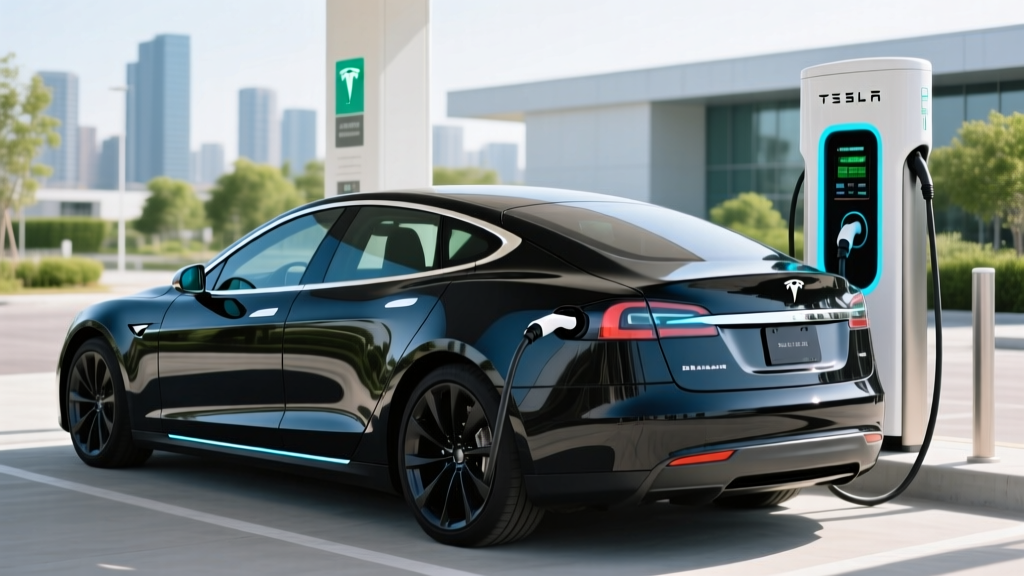
If you've ever left your Tesla plugged in at a Supercharger after it finished charging, you may have returned to a surprise on your Tesla app: an idle fee. Tesla's idle fee is designed to keep high-demand Supercharger stalls available for the next driver, but the costs can escalate fast if you're not paying attention. In this guide, we break down exactly how Tesla's idle fees work in 2026, what they cost by station occupancy, and practical strategies to avoid them entirely.
What Is the Tesla Idle Fee and Why Does It Exist?
The Tesla idle fee is a per-minute charge applied when a vehicle remains plugged into a Supercharger after reaching its charge limit. Tesla introduced this policy to discourage drivers from treating Supercharger stalls as parking spots — a problem that grew acute as the Supercharger network expanded and non-Tesla EVs gained access via the NACS standard and built-in adapters.
Unlike a parking fee, the idle fee is triggered only by an active charging connection after the session is complete. If you unplug your vehicle promptly, you pay nothing extra. The fee structure is tiered based on station occupancy:
| Station Occupancy | Idle Fee Rate (2026) | Grace Period |
|---|---|---|
| 50% or more stalls occupied | $0.50 per minute | 5 minutes after charge completes |
| 100% of stalls occupied | $1.00 per minute | 5 minutes after charge completes |
| Under 50% occupancy | No idle fee charged | N/A |
The 5-minute grace period begins the moment your vehicle reaches its configured charge limit (or the station's enforced cap, often 80% at busy locations). After that window closes, the meter runs until you unplug. At $1.00 per minute, a 30-minute delay can add $30 to your charging cost — more than the electricity itself in many cases.
How Tesla's Supercharger Network Operates in 2026
As of early 2026, Tesla operates over 6,500 Supercharger stations and 60,000+ individual stalls across North America, according to Tesla's public Supercharger page. The network now serves not only Tesla vehicles but also an expanding roster of NACS-equipped EVs from Ford, GM, Rivian, and other automakers that adopted the North American Charging Standard.
This increased demand makes idle fees more relevant than ever. Stations along major corridors (I-5, I-95, I-80) and in urban centers frequently hit 50%+ occupancy during peak travel hours, triggering the $0.50/min tier. Holiday travel weekends can push popular stations to 100%, activating the $1.00/min rate.
Tesla Supercharger Charging Speeds: How Long Until You Need to Move
Understanding your vehicle's charging curve is essential to avoiding idle fees. Most Teslas charge fastest between 10-50% State of Charge (SoC), then taper significantly above 80%. Here's what that looks like across the current Tesla lineup:
| Model | Battery (kWh) | Chemistry | Peak DC kW | 10-80% Time | Level 2 Rate |
|---|---|---|---|---|---|
| Model 3 RWD | 60 (usable) | LFP | 170 kW | ~30 min | 11.5 kW (~44 mi/hr) |
| Model 3 Long Range AWD | 75 (usable) | NMC | 250 kW | ~27 min | 11.5 kW (~44 mi/hr) |
| Model Y Long Range AWD | 75 (usable) | NMC | 250 kW | ~27 min | 11.5 kW (~44 mi/hr) |
| Model S Long Range | 95 (usable) | NMC | 250 kW | ~32 min | 11.5 kW (~41 mi/hr) |
| Model X Long Range | 95 (usable) | NMC | 250 kW | ~34 min | 11.5 kW (~38 mi/hr) |
| Cybertruck AWD | 123 (usable) | NMC | 350 kW* | ~25 min | 11.5 kW (~34 mi/hr) |
*Cybertruck 350 kW peak requires V4 Supercharger stalls with integrated CCS adapter support; most V3 stalls cap at 250 kW.
The practical takeaway: if your car reaches its charge limit in 27 minutes, you have roughly 32 minutes total (charge time + 5-minute grace period) before idle fees begin. Set a phone alarm, or rely on Tesla's app notifications — but don't assume you'll hear them over a noisy rest stop.
Real-World Range Context: Why Charge Limits Matter for Idle Fees
Tesla frequently enforces an 80% charge limit at busy Superchargers during peak hours. This policy, combined with idle fees, is designed to maximize throughput. If you need a full charge for a long leg, check the Tesla app before arriving — the station listing will show any active charge-limit restrictions.
6 Practical Strategies to Avoid Tesla Idle Fees
- Set your charge limit before plugging in. Use the Tesla app or in-car controls to set your target SoC. If you only need to reach 70%, don't let it charge to 100% — you'll hit the limit sooner and risk forgetting.
- Enable push notifications. The Tesla app sends a notification when charging is nearly complete and again when it finishes. Keep your phone on you and notifications enabled.
- Stay within walking distance. If you're eating or shopping, choose a spot where you can return to your car within 5 minutes of the notification. A 10-minute walk each way eats your entire grace period.
- Use the in-car timer. Some Tesla models display an estimated time-to-charge-complete on the touchscreen. Set a phone alarm to match.
- Charge at off-peak hours. Late-night and early-morning sessions at most Superchargers operate under 50% occupancy, meaning no idle fees apply regardless of how long you stay plugged in.
- Monitor occupancy in the Tesla app. Before you plug in, check the station's live occupancy. If it's already at 80%+, expect the $0.50/min tier and plan accordingly.
How Idle Fees Are Billed and Disputed
Idle fees appear on your Tesla account as a separate line item from the charging session cost. They are billed automatically to the payment method on file. Tesla does not currently offer a formal dispute process for idle fees, though drivers have reported occasional courtesy refunds for first-time offenses by contacting Tesla Support through the app.
For fleet operators and rideshare drivers using Teslas on platforms like Uber or Lyft, idle fees can become a recurring cost if drivers habitually leave vehicles plugged in while waiting for ride requests. Budgeting $5-15/month in potential idle fees is prudent for high-frequency Supercharger users.
Idle Fees vs. Competitor Networks: How Others Compare
Tesla isn't the only network penalizing overstays. Here's how the major DC fast-charging networks handle idle or overstay situations in 2026:
| Network | Idle/Overstay Policy | Rate |
|---|---|---|
| Tesla Supercharger | Per-minute idle fee after 5-min grace | $0.50-$1.00/min |
| Electrify America | Overstay fee after 10-min grace (select stations) | $0.25/min (up to $25 max) |
| EVgo | No formal idle fee; session auto-ends | N/A |
| ChargePoint (DCFC) | Varies by site host; some enforce parking time limits | Site-dependent |
Tesla's idle fee is the steepest in the industry, but it's also the most consistently enforced. Electrify America's overstay fees are lower but less predictable — not all stations enforce them. The lesson: regardless of network, unplugging promptly is the cheapest strategy.
Frequently Asked Questions About Tesla Idle Fees
Does the Tesla idle fee apply if my car is still charging?
No. The idle fee only triggers after your vehicle has reached its charge limit (the configured SoC or a station-imposed cap) and the 5-minute grace period has elapsed. While actively charging, you pay only the per-kWh electricity rate.
Can I be charged idle fees overnight at a Supercharger hotel stop?
Yes, if the station is at 50%+ occupancy. Many travelers have been surprised by overnight idle fees after leaving their Tesla plugged in while sleeping. Check station occupancy before turning in, or set your charge limit to a value your car will reach before morning — and set an alarm to unplug.
Do non-Tesla EVs using Superchargers face idle fees?
Yes. Non-Tesla vehicles charging at Supercharger stations with NACS connectors or via the Magic Dock adapter are subject to the same idle fee structure. The fee is billed through the Tesla app account associated with the charging session.
Is there a cap on how much Tesla can charge in idle fees?
Tesla does not publish a hard cap on idle fees. At $1.00/min, a vehicle left plugged in for 2 hours at a full station could theoretically accrue $120 in idle fees. In practice, Tesla has been known to cap individual incidents, but this is not guaranteed or published policy.
How do I know if a Supercharger station is busy before I arrive?
The Tesla app and in-car navigation display real-time stall availability for every Supercharger station. Stations with 50%+ occupancy will show fewer available stalls. Plan your stop timing around this data, especially on holiday weekends and along major interstate corridors.