What Are Tesla Congestion Fees and Why Do They Matter?
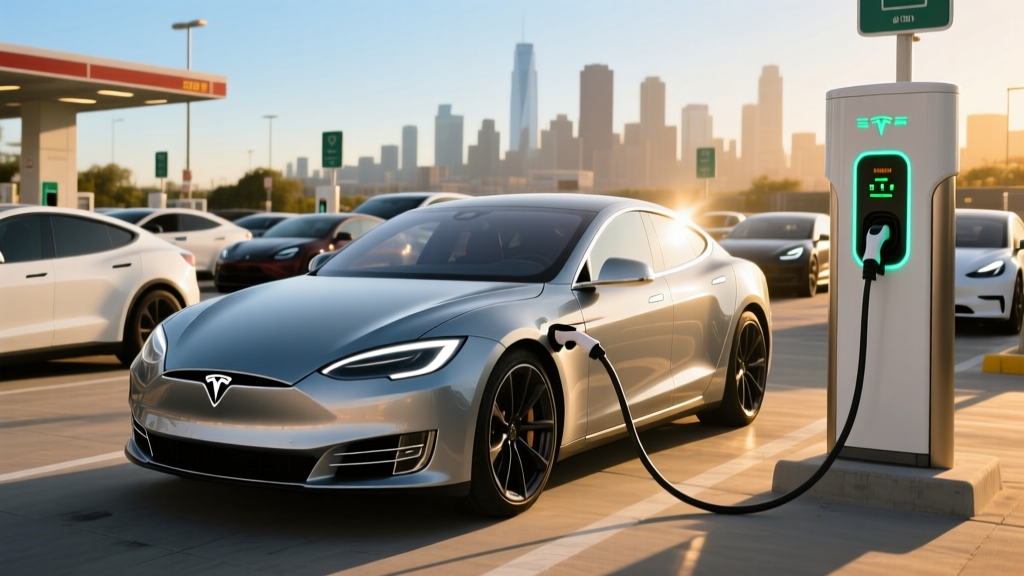
If you've pulled into a busy Tesla Supercharger station only to find every stall occupied, you may have encountered one of Tesla's less-discussed ownership costs: congestion-related fees. While Tesla doesn't brand a single charge as a "congestion fee" the way a city toll road does, the company layers several mechanisms—idle fees, peak-hour pricing, and station-occupancy surcharges—that collectively function as congestion pricing for its charging network.
For 2026, as Tesla's Supercharger network continues expanding and opens further to non-Tesla EVs via NACS adoption, understanding these fees is essential for budgeting your charging costs and planning efficient road trips. This guide breaks down every congestion-related charge Tesla applies, shows you real-world numbers, and explains how to avoid paying a penny extra.
Breaking Down Tesla's Congestion-Related Charges
Tesla applies congestion management through three distinct mechanisms. Understanding each one is the first step to avoiding them.
1. Idle Fees
Idle fees are Tesla's longest-standing congestion tool. When a Supercharger station is at or near capacity (typically defined as ≥50% of stalls occupied) and your vehicle finishes charging but remains plugged in, Tesla charges a per-minute penalty:
- $0.50/minute if the station is at ≥50% occupancy
- $1.00/minute if the station is at 100% occupancy
These fees are waived if you move your vehicle within 5 minutes of charging completion. Tesla sends push notifications to your phone and in-car display at approximately 80%, 90%, and 100% state of charge (SoC).
2. Peak-Hour / Time-of-Use Pricing
Many urban Supercharger stations—particularly in California, New York, and other high-cost electricity markets—now operate on time-of-use (TOU) pricing. During peak demand windows (typically 4:00 PM–9:00 PM on weekdays), per-kWh rates can jump 30–80% above off-peak rates.
For example, a California Supercharger that charges $0.38/kWh at 10:00 AM might charge $0.58–$0.65/kWh at 6:00 PM. This isn't labeled a "congestion fee" in the Tesla app, but it functions identically: you pay more when grid and station demand are highest.
3. Station-Specific Occupancy Surcharges
In select high-traffic metropolitan areas, Tesla has introduced dynamic pricing that increases the per-kWh rate in real time when a station approaches full capacity. These surcharges, piloted in markets like San Francisco, Los Angeles, and Miami, can add $0.10–$0.25/kWh above the posted base rate when more than 80% of stalls are in use.
| Fee Type | Trigger Condition | Cost | Grace Period |
|---|---|---|---|
| Idle Fee (50%+ occupancy) | Vehicle remains plugged in after charging completes | $0.50/minute | 5 minutes |
| Idle Fee (100% occupancy) | Same, station fully occupied | $1.00/minute | 5 minutes |
| Peak-Hour TOU Surcharge | Charging during peak grid hours (varies by station) | +$0.15–$0.30/kWh above base | N/A |
| Dynamic Occupancy Surcharge | Station ≥80% full (select urban markets) | +$0.10–$0.25/kWh above base | N/A |
Real-World Cost Impact: What Congestion Fees Mean for Your Wallet
Let's put these fees in context with a practical scenario. Suppose you own a 2026 Tesla Model Y Long Range with its 75 kWh (usable) battery and you need a 10–80% charge (approximately 52.5 kWh) at a busy urban Supercharger.
Scenario A: Off-Peak, Low Occupancy (Best Case)
- Base rate: $0.36/kWh
- Energy added: 52.5 kWh
- Total cost: ~$18.90
- No idle fees, no surcharges
Scenario B: Peak Hours, High Occupancy (Worst Case)
- Base rate: $0.36/kWh + $0.22 peak surcharge + $0.15 occupancy surcharge = $0.73/kWh
- Energy added: 52.5 kWh
- Charging time: ~28 minutes (10–80% on V3/V4 Supercharger)
- You linger 8 minutes past completion (3 minutes over grace): 3 × $1.00 = $3.00 idle fee
- Total cost: ~$41.33 ($38.33 energy + $3.00 idle)
That's a 118% cost increase between best-case and worst-case scenarios for the same amount of energy. The lesson is clear: timing and station selection matter enormously.
How to Check Tesla Supercharger Congestion Before You Arrive
Tesla provides several tools to help you avoid congestion fees:
- In-car navigation: When you navigate to a Supercharger, the car displays real-time stall availability (e.g., "8/12 stalls available") and current pricing including any TOU or occupancy surcharges.
- Tesla app: The charging tab shows nearby Supercharger status, pricing, and occupancy before you leave home.
- Third-party tools: Apps like PlugShare and A Better Routeplanner (ABRP) often include user-reported congestion data and historical busy-time patterns for specific stations.
Pro tip: If you see a station listed as "limited availability" in the Tesla app, check whether a nearby station (even 5–10 minutes off your route) shows lower occupancy. The detour time is almost always worth the per-kWh savings.
7 Strategies to Avoid Tesla Congestion Fees
- Charge during off-peak hours. Early morning (before 8 AM) and late evening (after 10 PM) sessions almost always carry the lowest rates and the least station congestion.
- Set a charge limit and move promptly. Use the Tesla app to set your desired SoC limit (80% for road-trip efficiency) and set a phone alarm for your estimated completion time. Never rely solely on the push notification.
- Precondition your battery. Navigate to the Supercharger using the car's built-in navigation—even if you don't need directions. This triggers battery preconditioning, which optimizes the pack temperature for maximum charge speed, reducing your time at the stall.
- Choose stations with more stalls. A 20-stall station is far less likely to trigger high-occupancy surcharges than a 4-stall station, even if both show similar "available" counts.
- Use V4 Superchargers where available. Tesla's newer V4 cabinets support faster charge rates (up to 350 kW on compatible vehicles), meaning shorter sessions and less time exposed to occupancy surcharges.
- Consider non-Tesla DC fast chargers for top-ups. With NACS adapters widely available and networks like Electrify America improving reliability, a 15-minute top-up at a nearby non-Tesla charger can sometimes beat a congested Supercharger's total cost.
- Charge at home when possible. At the national average residential electricity rate of ~$0.17/kWh (per the U.S. Energy Information Administration), a full home charge costs roughly $12.75—far below even the best-case Supercharger rate.
Tesla's Model Lineup and Supercharger Compatibility in 2026
Regardless of which Tesla you drive, congestion fees apply identically across the fleet. However, your vehicle's charge speed and battery size directly affect how much time you spend at the stall—and therefore your exposure to idle fees. Here's a quick reference for current 2026 models:
| Model | Battery (usable kWh) | EPA Range | Peak DC Charge Rate | 10–80% Time | Starting MSRP |
|---|---|---|---|---|---|
| Model 3 RWD | 57.5 kWh (LFP) | 272 mi | 170 kW | ~30 min | $38,990 |
| Model 3 Long Range AWD | 75 kWh (NMC) | 341 mi | 250 kW | ~25 min | $42,990 |
| Model Y Long Range AWD | 75 kWh (NMC) | 320 mi | 250 kW | ~27 min | $44,990 |
| Model S Long Range | 95 kWh (NMC) | 402 mi | 250 kW | ~32 min | $74,990 |
| Model X Long Range | 95 kWh (NMC) | 348 mi | 250 kW | ~34 min | $79,990 |
| Cybertruck AWD | 112 kWh (NMC) | 340 mi | 250 kW | ~38 min | $79,990 |
Federal Tax Credit and Total Charging Budget Context
If you're considering a Tesla purchase, the IRS §30D Clean Vehicle Credit remains a major factor. As of 2026, the credit offers up to $7,500, split into two halves:
- $3,750 for meeting critical minerals sourcing requirements
- $3,750 for meeting battery component manufacturing requirements
Key eligibility constraints that change frequently:
- MSRP caps: Sedans (Model 3) must be ≤$55,000; SUVs/trucks (Model Y, Cybertruck) must be ≤$80,000
- Buyer income caps: AGI ≤$150,000 (single), ≤$300,000 (joint), ≤$225,000 (head of household)
- Battery sourcing: Specific critical mineral and component percentages must be met; Tesla's eligibility has fluctuated as supply chains shift
- Point-of-sale transfer: You can transfer the credit to the dealer at purchase for an immediate price reduction
Always verify current eligibility on the IRS website or with a tax professional before assuming the full $7,500. Your effective charging budget—home electricity + Supercharger costs minus any credit—should factor into your total cost of ownership calculation.
| Model | Base MSRP | Max §30D Credit | Effective Price (est.) |
|---|---|---|---|
| Model 3 RWD | $38,990 | $7,500* | ~$31,490 |
| Model 3 Long Range | $42,990 | $7,500* | ~$35,490 |
| Model Y Long Range | $44,990 | $7,500* | ~$37,490 |
| Model S Long Range | $74,990 | $0 (over MSRP cap for sedans) | $74,990 |
| Cybertruck AWD | $79,990 | $7,500* | ~$72,490 |
*Subject to income, sourcing, and MSRP eligibility. Verify at irs.gov before purchase.
Comparing Tesla Supercharger Costs to Competitor Networks
Tesla congestion fees look different in context when compared to other major DC fast-charging networks. Here's how typical urban rates stack up in 2026:
| Network | Typical Off-Peak $/kWh | Typical Peak $/kWh | Idle/Session Fees | Max Charge Speed |
|---|---|---|---|---|
| Tesla Supercharger (Tesla vehicles) | $0.30–$0.40 | $0.50–$0.73 | $0.50–$1.00/min idle | 250–350 kW |
| Electrify America | $0.36–$0.48 | $0.48–$0.58 | $0.40/min after 10 min post-charge | 350 kW |
| EVgo | $0.34–$0.45 | $0.45–$0.55 | Varies by location | 350 kW |
| ChargePoint (DC fast) | $0.35–$0.50 | $0.50–$0.65 | Location-dependent | 240–400 kW |
Tesla's network remains among the most reliable in terms of uptime and plug-and-charge simplicity, but its congestion pricing can push peak-session costs above competitors in dense urban markets. The trade-off is consistency: Tesla stalls rarely arrive broken, and authentication is seamless.
Frequently Asked Questions About Tesla Congestion Fees
Does Tesla charge extra when a Supercharger station is full?
Yes, indirectly. Tesla applies idle fees ($0.50–$1.00/minute) when vehicles remain plugged in after charging completes at busy stations. Some urban stations also apply dynamic occupancy surcharges ($0.10–$0.25/kWh) when the station is ≥80% full, and most metro stations use peak-hour time-of-use pricing that raises the per-kWh rate during high-demand windows.
How do I know if a Tesla Supercharger has congestion pricing active?
Check the Tesla app or your in-car navigation before heading to a station. The app shows real-time stall availability and the current per-kWh rate, which reflects any active surcharges. If the displayed rate is significantly higher than the station's usual base rate, congestion or peak pricing is in effect.
Can I get a refund if I'm charged an idle fee by mistake?
Tesla's policy allows one-time courtesy refunds for idle fees if you contact support promptly. Repeated idle fee charges are generally not refunded. The 5-minute grace period after charge completion is designed to give you time to return to your vehicle.
Do non-Tesla EVs pay congestion fees at Superchargers?
Non-Tesla vehicles using Superchargers via the Tesla app or NACS connector are subject to the same per-kWh pricing, including TOU and occupancy surcharges. Idle fee enforcement for non-Tesla vehicles varies by station, as some locations have dedicated non-Tesla stalls with separate policies.
Is it cheaper to charge a Tesla at home vs. Superchargers with congestion fees?
Almost always. At the 2026 national average residential rate of ~$0.17/kWh, a full 75 kWh charge costs about $12.75 at home. The same charge at a congested urban Supercharger during peak hours can cost $38–$55. Home Level 2 charging (11.5 kW / 48A) adds roughly 35–44 miles of range per hour for a Model Y, making overnight charging sufficient for most daily needs.
What's the best way to minimize my Tesla charging costs on road trips?
Plan stops at larger Supercharger stations (12+ stalls) during off-peak hours, set your charge limit to 80% before arriving, navigate via the car's built-in system to enable battery preconditioning, and move your vehicle promptly when charging completes. For multi-day trips at hotels, prioritize lodging with Level 2 destination chargers to avoid Superchargers entirely for overnight needs.
Pros of Tesla's Congestion Management
- Effectively keeps stalls available—idle fees work
- Real-time pricing transparency in app and car
- Push notifications at 80%, 90%, 100% SoC help you time your return
- Off-peak rates remain competitive with or below other networks
- Network reliability and uptime still lead the industry
Cons to Watch For
- Peak-hour urban rates can exceed $0.70/kWh—approaching gas-car fuel cost per mile
- Dynamic occupancy surcharges aren't always clearly labeled before arrival
- Idle fee grace period is only 5 minutes—tight if you're in a restaurant or store
- Non-Tesla EV drivers may face inconsistent idle-fee enforcement
- TOU peak windows vary by station with no single published schedule
The Bottom Line: Are Tesla Congestion Fees a Dealbreaker?
Tesla's congestion fees are not a single line item but a layered system of idle penalties, peak-hour surcharges, and dynamic pricing that collectively manage demand across the Supercharger network. For owners who charge primarily at home and use Superchargers strategically on road trips, these fees are a minor footnote. For urban apartment dwellers who rely on public charging daily, they can add $50–$100 per month to your operating costs if you're consistently hitting peak hours.
The fix is behavioral, not technical: charge off-peak, set limits, move promptly, and use Tesla's own tools to scout station conditions before you drive. Do that, and Tesla congestion fees become a non-issue—something other people pay, not you.