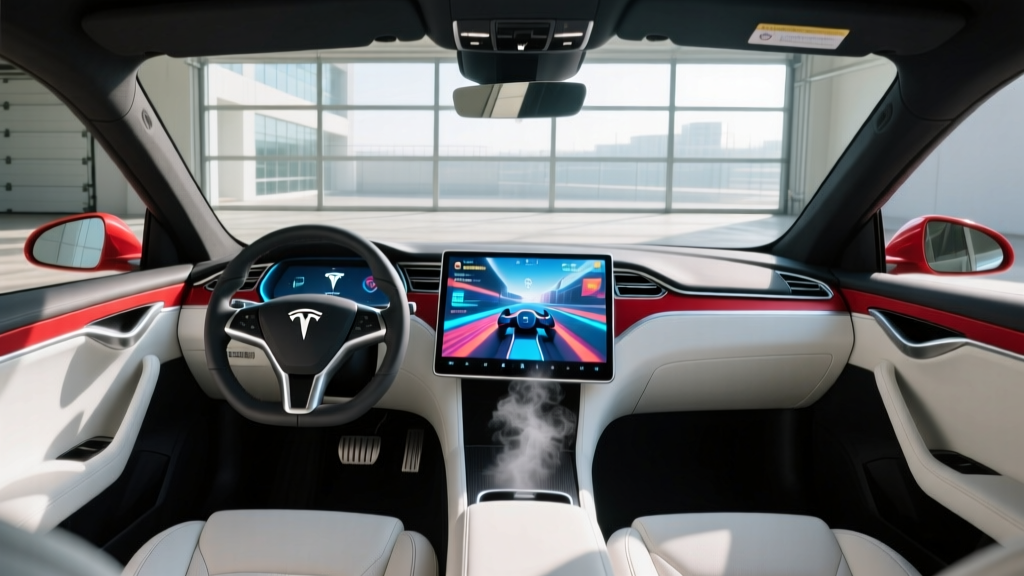
If you've spent any time in a Tesla while it charges, you've probably noticed the gaming menu on the center display. Among the built-in titles, Tesla has integrated a curated version of the Steam gaming platform, allowing owners to play a selection of PC games directly on the vehicle's infotainment screen. This guide breaks down exactly what Steam on Tesla can (and can't) do, which models support it, and how it fits into the broader EV ownership experience.
What Is Steam on Tesla and How Does It Work?
Steam on Tesla is not the full Steam desktop client. It's a curated, sandboxed integration that runs on Tesla's infotainment hardware — specifically the AMD Ryzen-based MCU (Media Control Unit) found in vehicles produced from late 2021 onward. The platform renders select Steam titles optimized for the touchscreen or a connected Bluetooth/USB controller.
Tesla first teased Steam integration during the 2022 Model S Plaid delivery event, and the feature rolled out broadly via OTA updates through 2023 and 2024. As of the 2025 and 2026 model years, the Steam library available in Tesla vehicles includes dozens of titles, though it remains a subset of the full Steam catalog.
Which Tesla Models Support Steam Gaming?
Steam integration requires Tesla's AMD Ryzen infotainment processor paired with the RDNA 2 GPU (up to 10 TFLOPS of graphics performance in the latest hardware). This rules out older vehicles still running the Intel Atom-based MCU.
| Model | Model Year | MCU Hardware | Steam Support |
|---|---|---|---|
| Model S | 2022–2026 | AMD Ryzen + RDNA 2 | ✅ Full library |
| Model X | 2022–2026 | AMD Ryzen + RDNA 2 | ✅ Full library |
| Model 3 (Highland) | 2024–2026 | AMD Ryzen + RDNA 2 | ✅ Full library |
| Model Y (Juniper) | 2025–2026 | AMD Ryzen + RDNA 2 | ✅ Full library |
| Cybertruck | 2024–2026 | AMD Ryzen + RDNA 2 | ✅ Full library |
| Model 3 (pre-Highland) | 2018–2023 | Intel Atom (MCU2) | ❌ Limited built-in games only |
| Model Y (pre-Juniper) | 2020–2024 | Intel Atom (MCU2) | ❌ Limited built-in games only |
If you own a 2022+ Model S or Model X, a Highland-refresh Model 3, a Juniper Model Y, or any Cybertruck, you have access to the Steam catalog. Owners of older Model 3 and Model Y vehicles are limited to Tesla's built-in games like Stardew Valley, Cuphead, and Beach Buggy Racing, which run on the older hardware but do not use the Steam backend.
Game Library: What Can You Actually Play?
The Tesla Steam catalog is curated for the car's hardware and input methods. You won't find the entire Steam store — instead, Tesla selects titles that perform well on the AMD Ryzen chip and work with touchscreen controls or a standard Bluetooth/USB gamepad.
Popular Titles Available on Tesla Steam (2026)
- Cyberpunk 2077 — Runs at reduced settings (~30 fps, medium detail) on the 15.4" Model 3/Y display. Best experienced with a connected controller.
- Stardew Valley — Touchscreen-friendly; a favorite for Supercharger stop sessions.
- Hades — Smooth 60 fps, controller recommended.
- Cuphead — Touch or controller; performs flawlessly.
- Disco Elysium — Text-heavy RPG, ideal for touchscreen.
- Baldur's Gate 3 — Added in late 2024; runs at lower settings, controller or touch.
- Slay the Spire — Turn-based card game, perfect for touch.
- Portal 2 — Controller required; runs well at native resolution.
Tesla updates the available library periodically via OTA. You cannot sideload arbitrary Steam titles or access the full Steam store from the car. Think of it as a hand-picked selection, similar to how a console has a curated storefront.
Hardware Performance: How Well Do Games Run?
Tesla's AMD Ryzen APU paired with the RDNA 2 GPU delivers roughly the performance of a mid-range gaming laptop or a PlayStation 4 Pro. That's impressive for an infotainment system, but it sets realistic expectations:
- Indie and 2D games (Stardew Valley, Slay the Spire, Cuphead): Flawless at native resolution, 60 fps.
- Older AAA titles (Portal 2, Skyrim): 30–60 fps at medium-to-high settings.
- Modern AAA titles (Cyberpunk 2077, Baldur's Gate 3): 25–35 fps at low-to-medium settings. Playable, but not a replacement for a gaming PC.
The Model S and Model X offer a secondary 8" rear-seat display (2022+ models) that can stream games independently, which is useful for passengers during charging stops. The Cybertruck's 18.5" front display provides the largest gaming canvas in the Tesla lineup.
How Steam on Tesla Enhances the Charging Experience
The practical value of Steam on Tesla becomes clear during DC fast-charging sessions. A 10–80% charge on a V3 Supercharger takes roughly 15–25 minutes depending on the model and battery state. That's enough time for a few rounds of a card game or a chunk of an RPG.
For road-trippers who regularly hit Supercharger stations, Steam on Tesla transforms a 20-minute wait into genuine downtime entertainment. It's one of the more underrated quality-of-life features in the Tesla ecosystem.
Controller Support and Input Options
While many games in the Tesla Steam catalog support touchscreen input, action titles require a gamepad. Tesla supports:
- USB wired controllers — Xbox Series X|S, PlayStation DualSense, and generic USB gamepads.
- Bluetooth controllers — Xbox Wireless Controller, DualSense (paired via Bluetooth settings).
- Tesla yoke/steering wheel — Some racing titles (like Grid or Asphalt 9) can use the vehicle's steering wheel as input while in Park. This is a novelty, not a precision racing setup.
Keep a compact Bluetooth controller in the glovebox if you plan to game regularly at Superchargers. The DualSense is a popular choice due to its USB-C charging and broad compatibility.
Limitations and Drawbacks
Pros
- Turns charging stops into entertainment time
- No subscription fee — games you own on Steam carry over (for supported titles)
- AMD Ryzen hardware handles indie games flawlessly
- Rear-seat display on Model S/X enables passenger gaming
- OTA updates expand the library over time
Cons
- Curated library — you can't install arbitrary Steam games
- Modern AAA titles run at reduced settings (25–35 fps)
- Older Intel Atom MCU vehicles are excluded entirely
- No keyboard/mouse support for strategy or FPS titles
- Game saves sync via Tesla account, not native Steam Cloud — some progress may not transfer to your home PC
- Audio routes through car speakers; no dedicated headphone jack (use Bluetooth headphones)
Is Steam on Tesla Worth It as a Buying Factor?
Let's be direct: Steam on Tesla should not be the reason you choose a Tesla over a competing EV. It's a quality-of-life feature, not a core vehicle capability. Range, charging speed, price, and driver-assist features should drive your purchase decision.
That said, if you're already choosing between a 2026 Model 3 Highland and a Hyundai Ioniq 6 — both excellent EVs — the Tesla infotainment ecosystem (including Steam, Netflix, YouTube, and Arcade) is measurably more robust than most competitors' offerings. Hyundai, BMW, and Rivian offer some built-in games and streaming apps, but none match Tesla's breadth or the AMD Ryzen hardware's capability.
Frequently Asked Questions
Can I access my full Steam library on Tesla?
No. Tesla offers a curated subset of the Steam store. You log in with your Steam account, and any supported title you own becomes available. Unsupported titles won't appear, and you cannot purchase new games directly through the car's interface — use the Steam store on a PC or phone for that.
Does gaming drain the Tesla's main battery?
Minimally. The infotainment system draws roughly 50–80 watts during gameplay. Over a 30-minute session, that's approximately 0.025–0.04 kWh — negligible against a 60–100 kWh traction battery. However, Tesla recommends gaming while plugged in to avoid unnecessary low-voltage battery drain.
Why doesn't my 2022 Model 3 support Steam?
Pre-Highland Model 3 vehicles (produced before late 2023) use the Intel Atom-based MCU2, which lacks the GPU performance to run Steam titles. Only the Highland refresh (2024+) includes the AMD Ryzen + RDNA 2 hardware required for Steam integration.
Can I use a keyboard and mouse?
No. Tesla's Steam integration supports touchscreen and gamepad input only. There is no USB keyboard/mouse passthrough for gaming, though a USB keyboard can be used for text input in the browser.
Do I need an internet connection to play?
Some titles require an initial download and license verification via Tesla's Wi-Fi or cellular connection. Once downloaded, many single-player games can be played offline, though multiplayer titles require an active connection.
Will Tesla add more Steam games over time?
Yes. Tesla has expanded the Steam catalog via OTA updates since the feature launched. The pace of additions depends on Tesla's curation process and optimization work for the car's hardware.