Quick Answer: Can You Cancel a Tesla Software Update?
Tesla's over-the-air (OTA) software updates are a core part of ownership — delivering everything from UI tweaks to improved range algorithms. But if an update is scheduled at an inconvenient time, or you simply want to delay it, you can cancel or reschedule it before installation begins. Once the installation progress bar starts, however, cancellation is no longer possible.
Here's exactly how to manage your Tesla's update schedule, followed by a full 2026 spec breakdown for every current Tesla model so you know what you're working with.
How to Cancel or Reschedule a Tesla Software Update
Tesla gives owners control over when updates install, but the interface has changed slightly across software versions (v11 through v12.x). The core workflow remains consistent:
Step-by-Step: Canceling a Scheduled Update
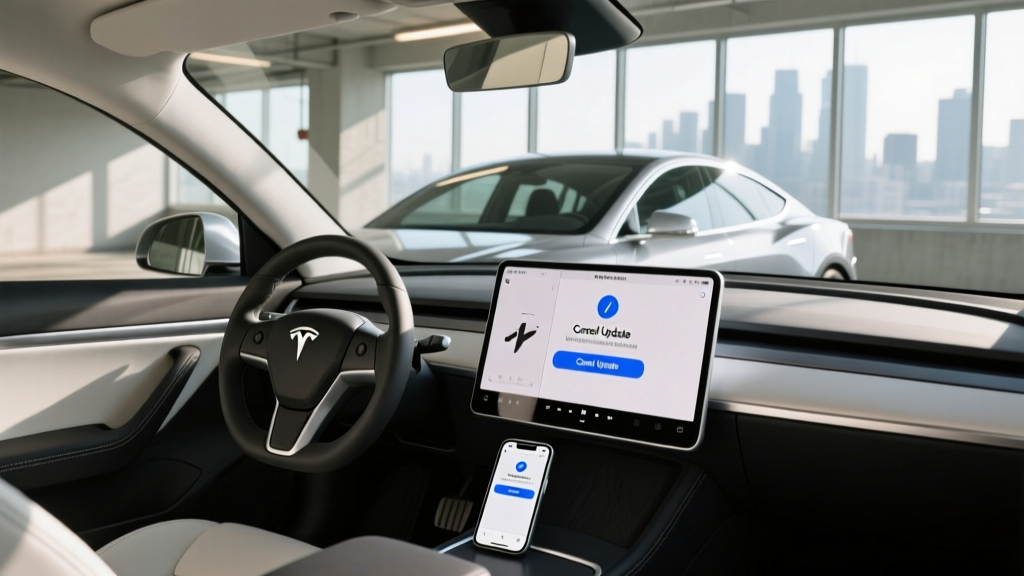
- Open Controls: Tap the car icon on your touchscreen (or go to Controls > Software).
- Check Update Status: If an update is downloaded and scheduled, you'll see a 'Scheduled' or 'Ready to Install' banner.
- Tap 'Schedule' or the Clock Icon: This opens the scheduling panel where you can adjust the install time.
- Select 'Cancel' or Reschedule: In most 2025–2026 software builds, a 'Cancel' button appears next to the scheduled time. Tap it to remove the pending installation. Alternatively, push the install time to a later date.
- Confirm: The system will return to 'Update Available' status, meaning the package is still on your car but won't install until you trigger it again.
Using the Tesla App to Manage Updates
You can also manage update scheduling remotely via the Tesla mobile app (v4.x+):
- Open the app and tap Software on your vehicle's dashboard.
- If an update is scheduled, tap Reschedule or Cancel.
- The app mirrors the in-car controls and is useful if you're away from the vehicle.
Why You Might Want to Cancel or Delay
- Timing: The update may be scheduled during a time you need the car. Installation can take 25–90 minutes depending on the package size.
- Stability concerns: Some owners prefer to wait a few days after a new version drops to see community feedback on forums like Tesla Motors Club or the r/TeslaLounge subreddit.
- Travel: If you're about to take a road trip, it's wise to delay — you don't want to discover changed regen behavior or UI differences mid-journey.
- Advanced Update preference: If you're on the 'Standard' update preference (Settings > Software > Software Update Preference), switching to 'Advanced' means you'll receive updates sooner. Staying on Standard gives you more buffer time before mandatory installs.
What Happens to Your Car During an Update
Understanding what occurs during installation helps explain why Tesla locks you out of cancellation mid-process:
- The vehicle is non-drivable during installation. You cannot shift into Drive or Reverse.
- Climate control shuts off. Don't schedule an update if someone (or a pet) is inside the vehicle.
- The 12V auxiliary system stays active, but the high-voltage traction battery is isolated from the drivetrain.
- Charging pauses. If you're plugged in, charging will suspend and resume after the update completes.
- Sentry Mode and Dashcam are inactive during the process.
Most minor updates (security patches, small UI changes) complete in 20–30 minutes. Major version bumps (e.g., v11 to v12, or FSD model revisions) can take 45–90 minutes.
2026 Tesla Lineup: Full Specs at a Glance
Since software update management applies across the fleet, here's a comprehensive spec reference for every current Tesla model. These figures reflect 2026 model-year specifications.
| Spec | Model 3 Long Range AWD | Model Y Long Range AWD | Model S Long Range | Model X Long Range |
|---|---|---|---|---|
| EPA Range | 363 mi | 320 mi | 402 mi | 335 mi |
| Battery (usable) | ~79 kWh (NMC) | ~79 kWh (NMC) | ~95 kWh (NMC) | ~95 kWh (NMC) |
| MPGe (combined) | 131 MPGe | 122 MPGe | 120 MPGe | 109 MPGe |
| Efficiency | 25 kWh/100mi | 28 kWh/100mi | 28 kWh/100mi | 31 kWh/100mi |
| 0-60 mph | 4.2 sec | 4.8 sec | 3.1 sec | 3.8 sec |
| Horsepower | 384 hp | 384 hp | 670 hp | 670 hp |
| Drivetrain | Dual Motor AWD | Dual Motor AWD | Dual Motor AWD | Dual Motor AWD |
| Peak DC Charge | 250 kW | 250 kW | 250 kW | 250 kW |
| 10-80% DC Time | ~28 min | ~28 min | ~36 min | ~36 min |
| Level 2 Rate | 11.5 kW (~44 mi/hr) | 11.5 kW (~44 mi/hr) | 11.5 kW (~34 mi/hr) | 11.5 kW (~34 mi/hr) |
| Cargo (rear seats up) | 23 cu ft | 30 cu ft | 28 cu ft | 15 cu ft (+ frunk) |
| Rear Legroom | 35.3 in | 41.6 in | 35.4 in | 37.1 in |
| Base MSRP | $47,740 | $48,990 | $79,990 | $84,990 |
Source: fueleconomy.gov and Tesla's official specifications. Prices before destination fees and incentives.
Real-World Range: What to Actually Expect
The EPA numbers above assume a mix of city and highway driving at moderate temperatures. Here's what to expect in practice:
- Highway (70-80 mph, 75°F): Expect ~85-90% of EPA range. A Model 3 LR delivers roughly 305-325 miles on a full charge at sustained highway speeds.
- Cold weather (20-30°F): Range drops 20-30% depending on cabin heating use. A Model Y LR may deliver 225-260 miles in freezing conditions. Tesla's heat pump (standard on all 2026 models) mitigates this compared to older resistive-heating EVs, but physics still applies.
- City/commute (stop-and-go, moderate climate): You'll often match or slightly exceed EPA thanks to regenerative braking recapturing energy.
Preconditioning the battery (via the Tesla app or scheduled departure) before a DC fast charge or a cold-weather drive is essential for optimal efficiency and charge speed.
Charging Speed and Home Setup
All current Teslas use the NACS (North American Charging Standard) connector — the same connector Tesla has used for years, now adopted industry-wide. Here's how charging breaks down:
| Level | Power | Miles Added/Hour | Notes |
|---|---|---|---|
| Level 1 (120V) | ~1.4 kW | ~4-5 mi/hr | Emergency/trickle only; Mobile Connector included |
| Level 2 (240V, 48A) | 11.5 kW | ~34-44 mi/hr | Tesla Wall Connector or J1772 adapter; overnight full charge |
| DC Fast (Supercharger V3/V4) | Up to 250 kW | ~1,000 mi/hr (peak) | 10-80% in ~28 min (Model 3/Y); tapers significantly above 80% |
Understanding the Charge Curve
Tesla's advertised 250 kW peak rate is not sustained across the entire session. The charge curve typically looks like this:
- 10-30% SoC: Near-peak rate (~220-250 kW) — fastest portion of the charge.
- 30-60% SoC: Gradually tapers to ~150-180 kW.
- 60-80% SoC: Further reduction to ~80-120 kW.
- Above 80%: Drops sharply to ~30-50 kW. Tesla's battery management system (BMS) protects cell longevity by throttling charge rate at high SoC.
This is why Tesla (and most EV analysts) quote 10-80% times rather than 0-100%. Charging from 80-100% at a DC fast charger can take as long as the 10-80% portion. For road trips, plan stops around the 10-80% window for the best time efficiency.
Federal Tax Credit Eligibility (§30D)
Under current IRS §30D rules, Tesla's eligibility is model- and trim-dependent. Here's where each model stands for 2026:
| Model | Base MSRP | Under $55K SUV Cap? | Credit Potential | Key Caveat |
|---|---|---|---|---|
| Model 3 RWD | $38,990 | N/A (sedan, $55K cap) | Up to $7,500 | Must meet battery sourcing + income limits |
| Model 3 LR AWD | $47,740 | N/A (sedan, $55K cap) | Up to $7,500 | Critical minerals + battery component rules apply |
| Model Y LR AWD | $48,990 | Yes (SUV, $80K cap) | Up to $7,500 | Qualifies as SUV; sourcing rules still apply |
| Model S | $79,990 | Over $55K sedan cap | $0 | Exceeds MSRP cap for sedans |
| Model X | $84,990 | Over $80K SUV cap | $0 | Exceeds MSRP cap for SUVs |
Income caps (2026): Modified AGI must not exceed $300,000 (joint filers), $225,000 (head of household), or $150,000 (single). The credit can be applied at point of sale as a discount, or claimed on your tax return. Always verify current eligibility on irs.gov and consult a tax professional — battery-sourcing requirements change periodically and can affect which trims qualify in a given quarter.
Warranty, Reliability, and Ownership Costs
Tesla's warranty structure is consistent across the lineup:
- Basic Vehicle: 4 years / 50,000 miles (bumper-to-bumper)
- Battery & Drive Unit: 8 years / 120,000 miles (Model 3/Y) or 8 years / 150,000 miles (Model S/X), with a guaranteed minimum 70% capacity retention over the warranty period.
- Roadside Assistance: 4 years / 50,000 miles
The battery chemistry across the current LR/AWD lineup is NMC (nickel manganese cobalt), which offers higher energy density than LFP (lithium iron phosphate). The base Model 3 RWD uses an LFP pack — slightly heavier but with longer cycle life and no cobalt. LFP packs can be charged to 100% daily without the degradation concerns that apply to NMC, where Tesla recommends a daily limit of 80%.
Total Cost of Ownership Considerations
- Insurance: Teslas tend to carry higher premiums than comparable EVs due to repair costs and parts pricing. Expect 10-25% higher rates vs. a Hyundai Ioniq 5 or Ford Mustang Mach-E, depending on your state and driving record.
- Supercharger costs: Average $0.28-$0.36/kWh at V3/V4 stations (varies by location and time of day). A full Model 3 LR charge from 10-80% costs roughly $15-$22 on the road.
- Home charging: At the US average of ~$0.16/kWh, a full overnight charge costs ~$10-$13 — roughly 60-70% cheaper per mile than a 25 MPG gas car at $3.50/gallon.
- Maintenance: No oil changes, minimal brake wear (regen does most of the work). Budget for cabin air filter replacement (~$50-80/yr) and tire rotation.
Who Should Buy a Tesla in 2026?
Choose Tesla if:
- You want access to the Supercharger network — still the most reliable DC fast-charging infrastructure in North America, with 6,000+ V3/V4 stalls in the US alone.
- OTA updates and software-driven feature improvements matter to you. Tesla's update cadence is unmatched.
- You value the minimalist interior and large central touchscreen as a control hub.
- FSD (Supervised) or Autopilot highway assist is a priority — Tesla's vision-based system has the most training miles, though it remains a SAE Level 2 driver-assist system requiring active supervision.
Look elsewhere if:
- You prefer physical buttons and knobs for climate and volume (Tesla routes everything through the screen).
- Build quality consistency is a top priority — Tesla's panel-gap and paint variability has improved but still trails legacy automakers like BMW or Hyundai.
- You need a sub-$35,000 EV — the base Model 3 RWD starts at $38,990 before credits.
- Industry-leading Supercharger network access
- Best-in-class software and OTA update cadence
- Strong real-world efficiency (kWh/100mi)
- Expanding NACS ecosystem (non-Tesla EVs can now use Superchargers with adapter)
- Over-the-air improvements can add features post-purchase
- No physical controls — everything via touchscreen
- Higher insurance premiums than many competitors
- Panel gap and paint consistency still variable
- FSD (Supervised) is expensive ($8,000 one-time or $99/mo) and remains Level 2
- 250 kW peak charge rate trails Hyundai/Kia's 800V architecture (~240 kW sustained)
Competitor Comparison: Tesla vs. the Field
| Spec | Tesla Model Y LR | Hyundai Ioniq 5 LR AWD | Ford Mustang Mach-E ER AWD |
|---|---|---|---|
| EPA Range | 320 mi | 290 mi | 312 mi |
| Battery | 79 kWh (NMC) | 84 kWh (NMC) | 91 kWh (NMC) |
| Peak DC Charge | 250 kW | 240 kW (800V) | 150 kW |
| 10-80% Time | ~28 min | ~18 min | ~45 min |
| Base MSRP | $48,990 | $49,500 | $50,995 |
| §30D Credit | Up to $7,500 | Up to $7,500 | Up to $7,500 |
| Charging Network | Supercharger (native) | NACS adapter needed | NACS adapter needed |
The Ioniq 5's 800V architecture gives it a notable 10-80% advantage, but Tesla's Supercharger reliability and route-integrated battery preconditioning remain strong differentiators for road-trip-heavy owners.
Frequently Asked Questions
Can I pause a Tesla update that's already installing?
No. Once the installation progress bar appears on the touchscreen, the process cannot be interrupted. Forcing a power-off risks bricking the MCU. If an emergency arises, you can exit the vehicle and lock it — the update will continue in the background — but do not attempt to reboot or disconnect power.
Will canceling an update void my warranty?
No. Canceling or rescheduling a pending update has no effect on your Tesla warranty. However, Tesla may eventually require you to install critical safety-related updates (similar to a recall campaign). Non-critical feature updates can typically be deferred indefinitely.
How do I know if an update is a major version or minor patch?
Tesla's version numbering follows a Year.Week.Build format (e.g., 2025.44.25). Major version changes (new first number or significant second number jumps) typically include UI overhauls, FSD model updates, or new features. Minor builds are usually bug fixes and optimizations. Community forums are the best resource for pre-install feedback.
Does the Model 3 RWD qualify for the full $7,500 tax credit?
It depends on current battery-sourcing compliance and your income. The Model 3 RWD (LFP battery) has historically had partial credit eligibility due to critical-mineral sourcing rules. Always check the latest fueleconomy.gov tax credit database for the specific trim and build quarter you're purchasing, and consult a tax professional.
What's the real-world range of the Model Y in winter?
In sustained 20-30°F highway driving, expect approximately 225-260 miles from the Model Y LR AWD — a 20-30% reduction from the 320-mile EPA figure. Using seat heaters instead of cabin air heating, and preconditioning while plugged in, can recover 10-15 miles of that loss. Tesla's standard heat pump is significantly more efficient than the resistive heaters used in pre-2021 models.
Is Autopilot or FSD actually self-driving?
No. Both Autopilot and FSD (Supervised) are SAE Level 2 driver-assistance systems. The driver must remain fully attentive, keep hands on the wheel (or demonstrate engagement via the cabin camera), and be prepared to take over at any moment. True driverless operation (SAE Level 4) is currently only available through commercial robotaxi services like Waymo in select metro areas.