Quick Answer: What Does the Google Maps EV Route Planner Actually Do?
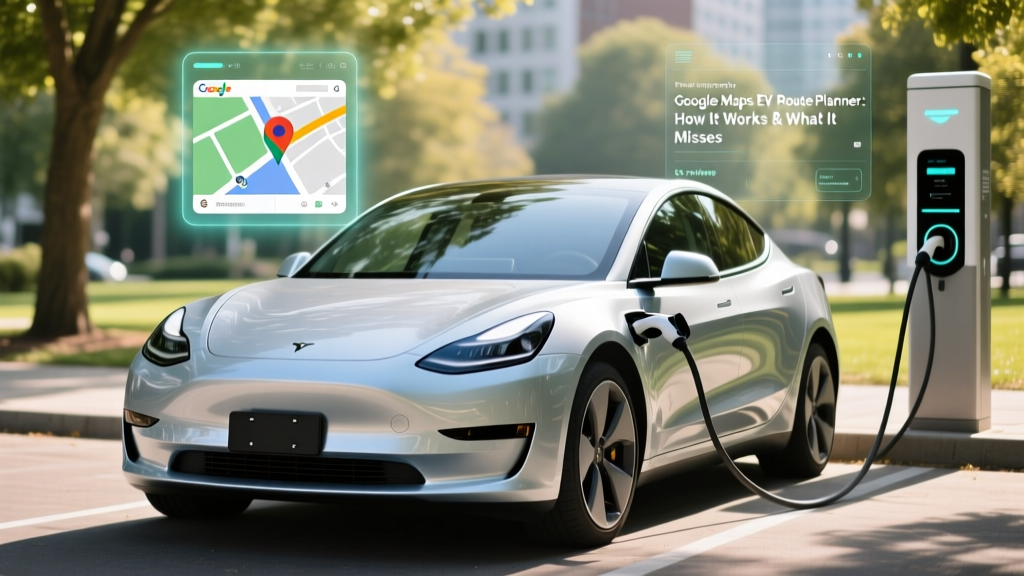
Google Maps EV route planner is a built-in navigation feature that estimates your electric vehicle's remaining range, suggests charging stops along your route, and factors in elevation, temperature, and traffic when plotting a trip. It works by combining your vehicle's battery state of charge (SoC), real-time energy consumption, and a database of public chargers to determine whether you can reach your destination — or where you need to stop to recharge.
As of 2026, the feature supports over 30 EV models through OEM integrations (via Android Automotive or connected-car APIs) and works for any EV when you manually input your vehicle type in the Google Maps app settings. However, it does not replace dedicated EV trip planners like A Better Route Planner (ABRP) or the native route planners built into Tesla, Rivian, or Hyundai's Bluelink — each of which offers deeper battery-thermal preconditioning and charge-curve modeling.
How Google Maps Calculates Your EV Range on a Route
Google Maps uses a multi-variable model to estimate energy consumption for EV trips. The core inputs include:
- Vehicle energy efficiency — measured in kWh/100mi (or Wh/mi), drawn from EPA data and real-world fleet telemetry
- Elevation changes — climbing a 6% grade can increase consumption by 30-50%; regenerative braking on descents can recover 15-25% of that energy
- Ambient temperature — cold weather at 20°F can reduce usable range by 20-35% compared to 70°F baseline (per fueleconomy.gov cold-weather testing)
- Traffic and speed — highway speeds above 70 mph increase aerodynamic drag exponentially, consuming roughly 10-15% more energy per 10 mph increase
- HVAC load — cabin heating in winter (especially resistive heaters without a heat pump) can draw 2-5 kW continuously, cutting range further
When you enter a destination, Google Maps compares the estimated energy required against your current SoC. If the trip exceeds your available range, it inserts charging stops — selecting from networks like Electrify America, EVgo, ChargePoint, and Tesla Superchargers — and estimates the time needed at each stop based on the charger's max kW output.
Google Maps vs. Dedicated EV Trip Planners: Feature Comparison
While Google Maps EV route planner handles basic trip planning, serious EV road-trippers often rely on specialized tools. Here's how they compare for a 2026 Hyundai Ioniq 5 Long Range (84 kWh usable battery, EPA 305 miles, peak 240 kW DC charging):
| Feature | Google Maps EV | A Better Route Planner (ABRP) | OEM Native (e.g., Hyundai/Tesla) |
|---|---|---|---|
| Charge-curve modeling | Basic (estimates time at peak kW) | Detailed (models taper above 80% SoC) | Full (uses actual battery temp & chemistry) |
| Battery preconditioning trigger | No | No (manual only) | Yes (auto-preconditions for next charger) |
| Real-time SoC integration | Via Android Automotive or manual input | Manual or OBD-II dongle | Native (always connected) |
| Elevation data | Yes | Yes | Yes |
| Charger availability/status | Partial (some networks) | Yes (OpenChargeMap + network APIs) | Network-specific (e.g., Tesla only) |
| Cold-weather adjustment | Basic temperature factor | User-adjustable degradation % | Uses actual battery thermal state |
| Cost to charge at stop | Rarely shown | Yes (user-input pricing) | Sometimes (network-dependent) |
The critical gap: Google Maps estimates charging time using the station's peak kW rating, but real DC fast charging follows a curve. A 240 kW peak on the Ioniq 5 sustains only from roughly 10-55% SoC, then tapers to ~150 kW by 65%, and drops below 50 kW above 85%. Google Maps may estimate a 10-80% charge in 18 minutes, but real-world sessions with a cold battery or high SoC arrival often take 22-28 minutes. OEM planners that precondition the battery before arrival consistently deliver faster actual charge times.
Real-World Road Trip Test: What Google Maps Gets Right (and Wrong)
To ground this in reality, consider a 2026 road trip from Denver to Moab, Utah — roughly 355 miles with significant elevation changes (starting at 5,280 ft, crossing passes above 7,000 ft, then descending to 4,000 ft). Using a 2026 Ford Mustang Mach-E Extended Range (EPA 320 miles, 91 kWh usable, peak 150 kW DC):
EPA Range: 320 miles
Google Maps Estimated Arrival SoC: 4% (suggesting one stop in Grand Junction, CO)
Actual Arrival SoC (summer, 75 mph, AC on): -2% — the car would not make it without stopping
Why the gap: Google Maps underestimated the energy cost of the 7,000-ft Vail Pass climb and sustained 75-80 mph highway speeds, which together consumed ~25% more energy than the EPA combined cycle assumes.
This illustrates a core limitation: Google Maps EV route planner works well for flat, moderate-speed trips near sea level but can be optimistic on mountain routes or at sustained highway speeds. Always build a 10-15% buffer into your arrival SoC target — aim to arrive at chargers with 15-20% remaining, not 5%.
EV Road-Trip Costs vs. Gas: The Numbers
One reason EV owners tolerate route-planning complexity is cost. Here's a comparison for the Denver-to-Moab trip (355 miles) in a Mach-E Extended Range vs. a comparable 2026 Toyota RAV4 gas AWD (28 MPG combined):
| Cost Factor | Ford Mach-E (EV) | Toyota RAV4 (Gas) |
|---|---|---|
| Energy/Fuel cost | $38 (DC fast charging at $0.40/kWh avg) | $48 (12.7 gal × $3.78/gal avg) |
| Trip time (incl. stops) | 6 hr 45 min (1 × 25-min charge stop) | 5 hr 45 min (1 × 10-min fuel stop) |
| Cost per mile | $0.107/mi | $0.135/mi |
| Annual 12,000-mi fueling | $540 (home L2 at $0.13/kWh) to $1,440 (all DCFC) | $1,620 (at 28 MPG, $3.78/gal) |
The EV wins on cost per mile — especially if you charge at home on Level 2 (where electricity averages $0.13/kWh nationally, making the Mach-E's 3.0 mi/kWh efficiency cost just $0.043/mile). But on road trips relying entirely on DC fast chargers at $0.35-$0.55/kWh, the savings narrow or disappear. Home charging access is the single biggest economic variable in EV ownership.
First-Time EV Buyer's Route-Planning Checklist
If you're considering an EV and wondering how route planning will affect your daily life, use this decision framework:
If X, Then Y: EV Route Planning for Your Situation
- If you have home Level 2 charging AND drive under 250 miles/day: Google Maps EV route planner is more than sufficient. You'll charge overnight and rarely need public chargers for daily use.
- If you take 4+ road trips per year over 300 miles: Use Google Maps for initial planning but cross-check with ABRP or your vehicle's native planner. Choose an EV with 300+ EPA range and 150+ kW peak DC charging.
- If you live in a cold climate (sustained below 30°F winters): Expect 20-35% range loss. Choose an EV with a heat pump (standard on most 2026 models including Ioniq 5, Mach-E, Tesla Model Y) and add 30% to your estimated charging time in winter.
- If you rely solely on apartment/workplace charging: Route planning matters more because you can't top off overnight. Prioritize EVs with 320+ EPA range and verify that your regular routes have reliable DCFC coverage (check PlugShare reviews for station uptime).
- If you frequently tow or haul: Towing a 2,000-lb trailer can cut EV range by 35-50%. Google Maps does not account for towing. Use ABRP's towing mode or plan conservatively with stops every 120-150 miles.
Common Misconceptions About EV Route Planning
| Myth | Fact |
|---|---|
| "Google Maps always knows exactly how much range I have left." | Google Maps estimates range based on average efficiency and conditions. It does not always have a live connection to your battery management system (BMS) unless you drive an Android Automotive vehicle (e.g., Polestar, Volvo EX30/EX90, GM Ultium models). For other EVs, it uses a manual vehicle profile or OEM API that may lag behind actual consumption. |
| "If Google Maps says I'll arrive with 10% battery, I'm safe." | Unexpected headwinds, detours, cold snaps, or a degraded battery can erase that buffer. Always target 15-20% arrival SoC on unfamiliar routes, and identify a backup charger within 15 miles of your planned stop. |
| "All chargers on Google Maps are working." | Google Maps pulls charger data from multiple aggregators, but real-time uptime is not guaranteed. Electrify America and EVgo stations average 85-90% uptime; ChargePoint and Tesla Superchargers average 92-97%. Always check PlugShare or the network's app for recent user reports before committing to a remote charger. |
| "DC fast charging to 100% is a good idea on road trips." | Charging above 80% is painfully slow due to the charge curve taper. A 10-80% session on a 240 kW-capable Ioniq 5 takes ~18 minutes; going from 80-100% can take another 20-30 minutes. Plan multiple shorter stops at 10-80% rather than one long stop to 100%. |
| "EV road trips always save money vs. gas." | At home on Level 2, yes — typically 60-70% cheaper per mile. On DC fast chargers at $0.45-$0.55/kWh, some EVs cost as much or more per mile than a 30+ MPG hybrid. The break-even point is roughly $0.35/kWh for a 3.0 mi/kWh EV vs. a 30 MPG car at $3.50/gal. |
How to Set Up Google Maps EV Route Planner (Step by Step)
Getting accurate route planning requires proper setup:
- Add your EV to Google Maps: Open Maps → Settings → Navigation → Electric vehicle profile → Add your vehicle make, model, year, and battery size. This lets Maps use the correct efficiency baseline.
- Enable live battery data (if supported): On Android Automotive vehicles, your SoC syncs automatically. On other EVs, you may need to link your OEM account (e.g., Hyundai Bluelink, FordPass) in the Maps connected-services menu.
- Select your preferred charging networks: In EV settings, toggle which networks you're willing to use. If you have a Tesla, enable Superchargers. If you have a CCS vehicle, enable Electrify America, EVgo, and ChargePoint. Note that as of 2026, most non-Tesla EVs can access Tesla Superchargers via NACS adapter or native NACS port — enable this if your vehicle supports it.
- Set your arrival SoC target: Default is often 10%. Change this to 15-20% for a safety buffer, especially in cold weather or mountainous terrain.
- Precondition before departure: If your EV supports scheduled departure preconditioning, use it. A warm battery charges faster at your first DC stop and gives more accurate range estimates from the start.
The Ownership Cost Picture: Where Route Planning Fits In
Route planning is one piece of a larger EV ownership equation. Here's what a 5-year cost comparison looks like for a 2026 EV vs. a comparable gas vehicle, assuming 12,000 miles/year and 80% home charging:
| Category (5-Year) | 2026 EV (e.g., Ioniq 5 SEL, ~$45,000 MSRP) | 2026 Gas Crossover (e.g., RAV4 XLE, ~$33,000 MSRP) |
|---|---|---|
| Purchase price (after §30D credit) | ~$37,500 (if eligible for up to $7,500 point-of-sale credit — see IRS §30D rules for income, MSRP, and battery-sourcing limits) | ~$33,000 |
| Fuel/Energy (5 years) | $2,700 (80% home L2 at $0.13/kWh, 20% DCFC at $0.40/kWh) | $8,100 (28 MPG, $3.78/gal avg) |
| Maintenance (5 years) | $1,200 (tire rotations, cabin filter, brake fluid — no oil changes) | $3,500 (oil, filters, brakes, transmission fluid) |
| Insurance (5 years) | $9,500 (EV premiums average 15-25% higher) | $7,800 |
| Depreciation (est. 5-year) | ~$18,000 (EV depreciation has improved but still steeper than top gas models) | ~$14,500 |
| Total 5-Year Cost | ~$68,900 | ~$66,900 |
The EV saves roughly $5,400 in fuel and maintenance over 5 years but gives back some of that in higher insurance, faster depreciation, and a higher net purchase price (even after the federal credit). The math tips in the EV's favor when: (a) you charge at home >90% of the time, (b) you qualify for the full §30D credit, and (c) you live in a state with additional rebates or low electricity rates. For buyers without home charging, the cost advantage shrinks substantially.
Does Google Maps EV route planner work with every electric vehicle?
It works with any EV if you manually set your vehicle profile in the app. However, live SoC integration — where Maps reads your actual battery percentage in real time — requires either an Android Automotive vehicle or an OEM API connection. Without live data, Maps estimates your range based on your manually entered starting SoC and average efficiency, which can drift from reality over a long trip.
Can Google Maps plan routes with multiple charging stops?
Yes. For trips exceeding your vehicle's range, Google Maps will insert one or more charging stops and estimate total trip time including charging. However, its charging-time estimates assume near-peak charge rates and may underestimate actual session time by 3-8 minutes per stop, particularly if you arrive with a cold battery or at a station operating below its rated capacity.
Is Google Maps EV route planner accurate in cold weather?
Google Maps applies a basic temperature correction factor, but it tends to be less conservative than real-world cold-weather range loss warrants. Independent testing shows EVs lose 20-35% of EPA range at 20°F, depending on whether the vehicle has a heat pump. If you're driving in sustained cold, manually reduce your expected range by 25% when planning, or set a higher arrival-SoC buffer in the app.
How does Google Maps compare to Tesla's built-in trip planner?
Tesla's native planner has a significant advantage: it reads live battery temperature, SoC, and recent driving efficiency, and it automatically triggers battery preconditioning when you navigate to a Supercharger. This means actual charge sessions match the planner's estimates closely. Google Maps, lacking this deep vehicle integration for Teslas (and most other EVs), provides a reasonable but less precise estimate. For Tesla owners, the native planner remains the gold standard; for non-Tesla EVs, pairing Google Maps with ABRP gives the best results.
What's the best EV for someone who road-trips frequently?
Prioritize three specs: EPA range above 320 miles, peak DC charge rate above 200 kW, and a heat pump for cold-weather efficiency. As of 2026, strong choices include the Hyundai Ioniq 5 Long Range (305 mi EPA, 240 kW peak), Tesla Model Y Long Range (330 mi EPA, 250 kW peak), and Chevrolet Blazer EV RS (324 mi EPA, 190 kW peak). Pair any of these with ABRP or the OEM's native planner for the most reliable road-trip routing.