The CarPlay Question Every Tesla Buyer Asks
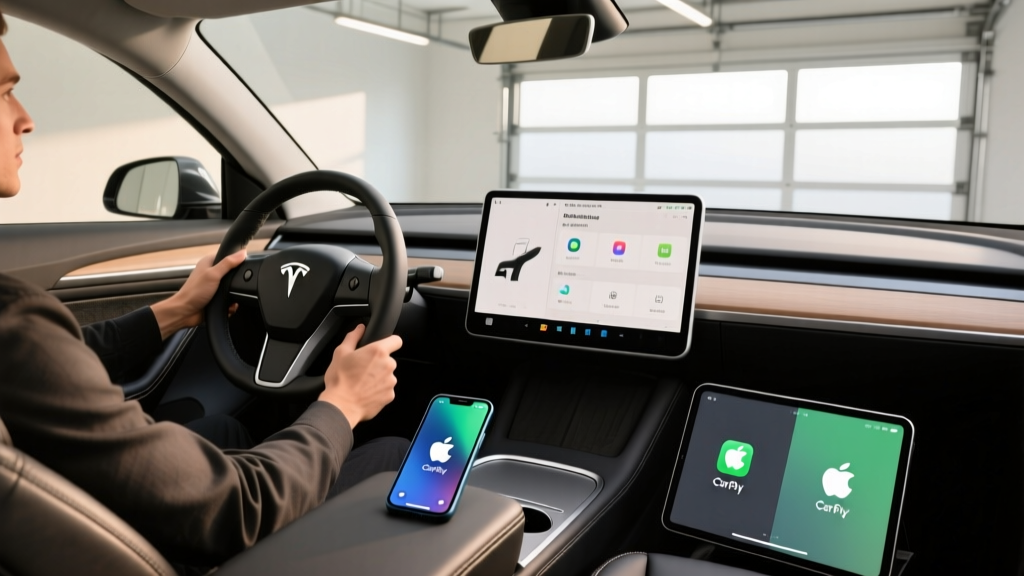
If you're shopping for a Tesla and you're deep in the Apple ecosystem, you've almost certainly searched for Apple CarPlay on Tesla — and come up empty. As of the 2026 model year, Tesla does not support Apple CarPlay or Android Auto on any vehicle in its lineup: Model 3, Model Y, Model S, or Model X. This isn't an oversight or a delayed rollout. It's a deliberate, long-standing platform decision rooted in Tesla's vertical integration strategy.
For most buyers, this isn't a dealbreaker. Tesla's native infotainment system is genuinely capable — arguably the most responsive in the industry. But for iPhone users who rely on CarPlay for familiar navigation, Siri integration, and a curated app interface, the absence creates real friction. This guide explains exactly what Tesla's system offers instead, the workarounds that actually work in 2026, and whether the lack of CarPlay should factor into your purchase decision.
We'll use the 2026 Tesla Model Y Long Range AWD — Tesla's best-selling vehicle and the most common cross-shopping scenario — as our reference platform for specs, pricing, and tech evaluation.
2026 Tesla Model Y: Core EV Specs at a Glance
Before diving into the infotainment debate, here's the full spec profile for the vehicle most buyers are evaluating:
| Spec | Value |
|---|---|
| EPA Estimated Range | 320 miles |
| Battery Capacity (usable) | ~75 kWh, NMC chemistry |
| Drivetrain | Dual-Motor AWD |
| Horsepower | 384 hp (combined) |
| 0–60 mph | 4.8 seconds |
| DC Fast Charge (peak) | 250 kW |
| 10–80% DC Charge Time | ~27 minutes |
| Level 2 Home Charge Rate | 11.5 kW (~44 mi/hr) |
| MPGe (combined) | 122 MPGe |
| Efficiency | 27 kWh/100 mi |
| Cargo Volume (rear seats up) | 30.2 cu ft |
| Cargo Volume (rear seats folded) | 72.0 cu ft |
| Rear Legroom | 38.4 inches |
| Base MSRP | $44,990 |
| Battery Warranty | 8 years / 120,000 miles |
| Basic Vehicle Warranty | 4 years / 50,000 miles |
Why Tesla Refuses to Support Apple CarPlay
Tesla's position on CarPlay is consistent and hasn't wavered since the company's founding: Tesla views its infotainment system as a core differentiator, not a commodity layer to be handed off to a third-party OS. There are several concrete reasons for this stance:
- Deep vehicle integration: Tesla's touchscreen controls virtually every vehicle function — climate, suspension, regenerative braking, mirror adjustment, glovebox, and even the windshield wipers. CarPlay's sandboxed interface can't replicate this level of integration.
- Over-the-air updates: Tesla pushes software updates that add features, improve efficiency, and modify driving dynamics. A third-party OS layer complicates this update pipeline.
- Data ownership: Tesla collects driving, navigation, and usage data to train its Autopilot/FSD neural networks. Routing the infotainment experience through Apple's ecosystem creates a data-sharing boundary Tesla is unwilling to accept.
- Revenue streams: Tesla's Premium Connectivity subscription ($9.99/month) includes satellite maps, music streaming, and video. CarPlay would displace some of this proprietary content.
The result is an infotainment system that is fast, feature-rich, and deeply integrated — but also one that forces iPhone users to adapt rather than plug in.
What Tesla's Native System Offers Instead
The 2026 Model Y runs Tesla's latest software (v12.x as of early 2026) on a 15.4-inch center touchscreen. Here's what you get natively that overlaps with or exceeds CarPlay functionality:
Navigation
Tesla's built-in navigation uses map data from Mapbox and includes real-time traffic, Supercharger routing with automatic battery preconditioning, and elevation-aware range estimation. The system automatically calculates whether you'll reach your destination with charge to spare and suggests charging stops. This is a genuine advantage over CarPlay's Apple Maps, which does not integrate with vehicle state of charge.
Phone Integration
Tesla supports Bluetooth phone connectivity for calls, contacts, and SMS. You can use the car's microphone and speakers for phone calls and invoke Siri via a long-press of the right steering-wheel scroll button (configurable in settings). However, this is hands-free Siri only — there is no visual Siri interface on the touchscreen the way CarPlay provides.
Music and Media
Native apps include Spotify, Apple Music (added in 2023), Tidal, YouTube, Netflix, and Disney+. Apple Music integration allows you to log in with your Apple ID and browse your library directly on the touchscreen. Bluetooth audio streaming also works as a fallback for any app not natively supported.
Voice Commands
Tesla's native voice assistant handles navigation, media, climate, and vehicle controls ("Set temperature to 70," "Navigate to home," "Play my Discovery Weekly"). It's responsive but narrower in capability than Siri for general queries, messaging, and smart-home control.
Workarounds: Getting CarPlay-Like Functionality in a Tesla
If native CarPlay is a hard requirement, you have a few options — none of them perfect, but all functional to varying degrees:
1. Phone Mirroring via Browser (Limited)
Tesla's built-in web browser can load certain web-based apps, but this is impractical for real-time navigation or messaging while driving.
2. Third-Party CarPlay Adapters
Devices like the Carlinkit T2C Plus and similar products create a Wi-Fi bridge between your iPhone and the Tesla browser, rendering a CarPlay-like interface on the touchscreen. As of 2026, these adapters cost $60–$120 and deliver a functional but imperfect experience:
- Resolution and touch responsiveness are lower than native CarPlay
- Audio routing can be inconsistent — sometimes playing through Bluetooth, sometimes cutting out
- Navigation audio does not duck the car's native media the way true CarPlay does
- Tesla software updates occasionally break compatibility, requiring adapter firmware updates
These adapters are the closest thing to CarPlay on Tesla, but they are hacks, not first-party integrations. Treat them as a convenience, not a reliable daily-driver solution.
3. Phone Mount + CarPlay on Your Phone Screen
The simplest workaround: mount your iPhone on the dashboard or windshield and run CarPlay directly on the phone's own screen. This gives you full CarPlay functionality but sacrifices the large-screen experience and requires you to look away from the center display. It also means two navigation systems running simultaneously if you use Tesla's nav for Supercharger routing.
4. Lean Into Tesla's Ecosystem
Most Tesla owners who initially miss CarPlay adapt within a few weeks. Set up Apple Music natively, configure your phone's Bluetooth for calls, and use the right scroll-wheel long-press for Siri voice commands. For most daily driving scenarios, this covers 90% of what CarPlay provides.
Charging, Range, and Ownership Economics
| Charging Level | Power | Speed |
|---|---|---|
| Level 1 (120V household) | ~1.4 kW | ~4–5 miles per hour |
| Level 2 (240V home, 48A) | 11.5 kW | ~44 miles per hour |
| DC Fast Charge (Supercharger V3) | 250 kW peak | 10–80% in ~27 min |
| DC Fast Charge (Supercharger V4) | Up to 350 kW (compatible vehicles) | Model Y capped at 250 kW by vehicle hardware |
The Model Y's 250 kW peak DC charge rate is competitive but no longer class-leading. The Hyundai Ioniq 5 peaks at 350 kW and charges 10–80% in roughly 18 minutes on an 800V architecture. Tesla's advantage is the Supercharger network — over 20,000 stalls in North America with industry-leading uptime and seamless plug-and-charge billing. If you road-trip frequently, the reliability of the Supercharger network offsets the slightly slower charge speed.
Charging curve reality: The Model Y peaks at 250 kW only at low state of charge (roughly 5–15% SoC) and tapers progressively. From 50–80%, expect sustained rates closer to 80–120 kW. This is why the 10–80% time is 27 minutes rather than the theoretical minimum a constant 250 kW would deliver. Always precondition the battery via navigation to a Supercharger for optimal charge speed.
Federal Tax Credit Eligibility
The 2026 Model Y qualifies for the IRS §30D federal tax credit, but eligibility depends on several factors that change frequently:
- MSRP cap: SUVs must be under $80,000. The Model Y Long Range at $44,990 clears this easily.
- Buyer income cap: AGI must not exceed $150,000 (single), $225,000 (head of household), or $300,000 (joint).
- Battery sourcing: Critical minerals and battery components must meet escalating domestic-content thresholds. Tesla's Fremont and Austin-built vehicles have generally met these requirements, but the specific percentage shifts annually. Verify current eligibility on fueleconomy.gov before purchasing.
- Point-of-sale transfer: As of 2024, you can transfer the credit to the dealer at purchase, reducing your out-of-pocket cost by up to $7,500 at the time of sale rather than waiting to claim it on your tax return.
If eligible, the effective price of a Model Y Long Range drops from $44,990 to approximately $37,490. Consult a tax professional to confirm your personal eligibility — rules change and individual circumstances vary.
Driver Assistance: Autopilot and FSD Supervised
Standard Autopilot includes Traffic-Aware Cruise Control and Autosteer (lane-keeping on marked highways). The optional FSD (Supervised) package ($8,000 one-time or $99/month as of 2026) adds Navigate on Autopilot, Auto Lane Change, Autopark, Summon, and traffic light/stop sign recognition.
FSD (Supervised) has improved substantially through Tesla's end-to-end neural network approach (v12+), but it remains a supervised system. Expect occasional disengagements, conservative merging in heavy traffic, and inconsistent behavior in construction zones. It is not a Level 4 robotaxi system like Waymo, which operates without a driver in geofenced areas.
Pros, Cons, and the Verdict
Pros
- Supercharger network — best public charging reliability in North America
- Class-leading software integration and OTA updates
- Spacious cargo area (72 cu ft with seats folded)
- Strong efficiency: 27 kWh/100 mi / 122 MPGe
- Apple Music native integration eliminates the biggest CarPlay use case for many
- Qualifies for up to $7,500 federal tax credit (if eligible)
Cons
- No Apple CarPlay or Android Auto — not available, not planned
- DC fast charge capped at 250 kW (competitors offer 350 kW)
- FSD (Supervised) is expensive and still requires full driver attention
- Minimalist interior lacks physical controls for climate, wipers, mirrors
- Ride quality is firm; road noise is noticeable at highway speed
- No Siri visual interface on the touchscreen
Who Should Buy the Model Y (and Who Should Look Elsewhere)
Decision Framework
Choose the Tesla Model Y if: You prioritize Supercharger access for road trips, value OTA software improvements, want the most integrated EV tech platform, and can adapt to Tesla's native infotainment without CarPlay.
Look at competitors (Ioniq 5, EV6, Ford Mustang Mach-E) if: Apple CarPlay is a non-negotiable requirement, you prefer physical buttons and traditional gauge clusters, or you want faster DC charging on 800V architecture.
The Model Y remains the default recommendation for most EV buyers — its combination of range, efficiency, Supercharger access, cargo space, and price (especially after the tax credit) is difficult to match. The lack of Apple CarPlay is a genuine limitation, but one that most owners adapt to within weeks. If CarPlay is truly non-negotiable for your household, the Hyundai Ioniq 5 and Kia EV6 offer it natively with 350 kW charging — but you'll trade Supercharger convenience for Electrify America's improving but less reliable network.
Frequently Asked Questions
Will Tesla ever add Apple CarPlay support?
There is no indication that Tesla plans to support CarPlay in any future software update. Tesla's strategy has consistently favored proprietary software integration. If CarPlay is a must-have feature, plan your purchase around a different manufacturer.
Can I use Apple Maps on the Tesla touchscreen?
Not directly. Tesla uses its own navigation system powered by Mapbox. You can run Apple Maps on your phone and stream turn-by-turn audio through Bluetooth, but the visual map on the touchscreen will always be Tesla's native navigation.
Does the third-party CarPlay adapter actually work well?
Adapters like the Carlinkit T2C provide a functional CarPlay-like experience through Tesla's browser, but they are not seamless. Expect occasional connection drops, lower resolution, and audio routing quirks. They work well enough for music and basic navigation but aren't a replacement for native CarPlay.
How does Tesla's Apple Music integration compare to CarPlay?
Tesla's native Apple Music app lets you log in with your Apple ID, browse playlists, search, and play directly on the touchscreen. It's comparable to the CarPlay Apple Music experience, though the interface is Tesla's design rather than Apple's. For most music-listening use cases, the native app eliminates the need for CarPlay.
What's the real-world range of the 2026 Model Y Long Range?
The EPA rates it at 320 miles. In mixed real-world driving, expect 270–295 miles. Sustained highway driving at 75 mph reduces this to roughly 260–285 miles. Cold weather (below freezing) can drop range to 220–250 miles. Preconditioning and seat heaters help mitigate cold-weather losses.
Does the 2026 Model Y qualify for the $7,500 federal tax credit?
It can, but eligibility depends on your income (AGI caps apply), the vehicle's battery sourcing compliance, and MSRP limits. The Model Y's $44,990 base price clears the $80,000 SUV cap. Verify current eligibility on fueleconomy.gov and consult a tax professional before relying on the credit.