If you're shopping for a Tesla and coming from a BMW, Ford, or Hyundai, one question surfaces quickly: does Tesla support Apple CarPlay? The short answer is no — and that hasn't changed in 2026. Tesla remains the only major automaker selling new vehicles in the U.S. without Apple CarPlay or Android Auto integration of any kind. For many iPhone users, this is either a minor annoyance or a dealbreaker.
But before you walk away from a Model Y or Model 3, it's worth understanding why Tesla refuses to adopt CarPlay, what the native infotainment system actually offers, and which workarounds close the gap. This guide covers it all — along with a full ownership profile of the Tesla vehicles most affected by the CarPlay debate.
Why Tesla Doesn't Offer Apple CarPlay
Tesla's position on CarPlay is philosophical, not technical. CEO Elon Musk has stated publicly that Tesla's native software is designed to be a fully integrated experience — navigation, media, vehicle controls, and over-the-air updates all run on a single proprietary operating system. Allowing CarPlay to overlay a third-party interface would, in Tesla's view, fragment that experience and limit the company's ability to push software innovations.
There's also a data argument. Tesla's navigation system feeds real-time driving data back into its fleet-learning algorithms for Autopilot and Full Self-Driving (Supervised). CarPlay's Apple Maps doesn't share that telemetry loop. From Tesla's perspective, ceding the screen to Apple would mean losing a data pipeline that powers its ADAS development.
The result: every new Tesla — the 2026 Model 3, Model Y, Model S, Model X, and Cybertruck — ships with Tesla's native infotainment only. No CarPlay. No Android Auto. No mirror-link protocol of any kind.
Tesla's Native Infotainment: What iPhone Users Actually Get
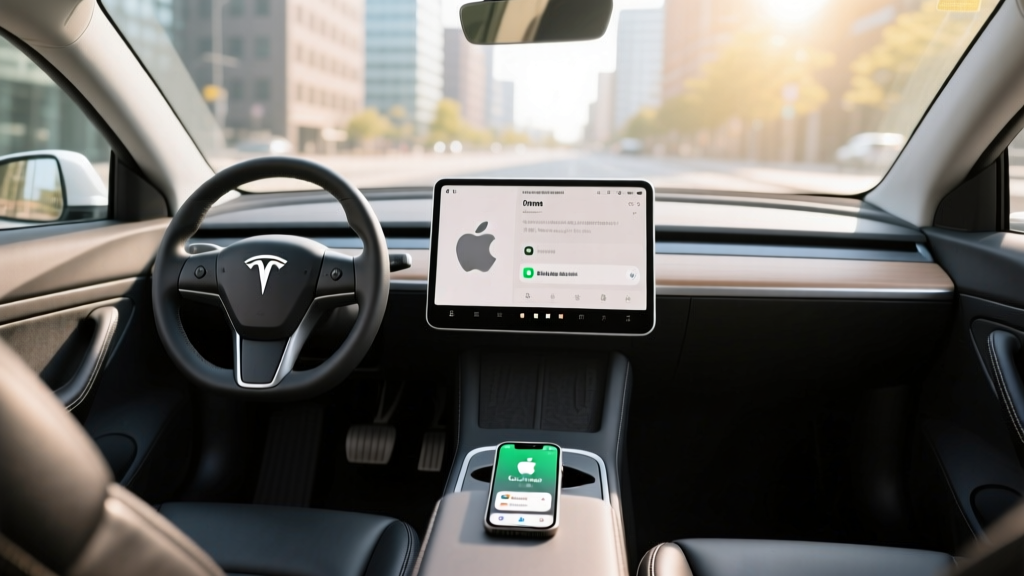
Tesla's 15.4-inch center touchscreen (in Model 3 and Model Y) and 17-inch display (Model S/X) run a Linux-based OS that handles everything from navigation to climate to media. Here's what it does well — and where iPhone users feel the gap.
Where Tesla's System Excels
- Native navigation with real-time Supercharger routing: The system automatically plans charging stops, preconditions the battery for fast charging, and shows stall availability — something CarPlay's Apple Maps cannot replicate for the Supercharger network.
- Spotify, Apple Music, Tidal, and TuneIn integration: These apps run natively, with album art, playlists, and voice search. Apple Music users log in with their Apple ID directly.
- Over-the-air updates: Tesla regularly adds features — new games, UI improvements, dashcam updates — without a dealer visit.
- Sentry Mode, dashcam, and theater: The screen doubles as a security monitor and entertainment display while parked.
- Phone integration: Bluetooth calling, contact sync, and text message display all work with iPhones via standard Bluetooth pairing.
Where iPhone Users Notice the Gap
- Apple Maps: If you've built years of saved locations, curated guides, and Look Around familiarity, Tesla Maps feels like starting over. Tesla's map data (sourced from Mapbox) is functional but occasionally lags behind Apple or Google in POI accuracy.
- Siri: Tesla has a basic voice assistant, but it doesn't match Siri's natural language processing or integration with your iPhone calendar, reminders, and smart home.
- Messages: Tesla displays incoming texts but doesn't support dictation replies as seamlessly as CarPlay's Siri integration.
- App ecosystem: CarPlay gives you Waze, Google Maps, Podcasts, Audible, and dozens of third-party apps in a familiar interface. Tesla's app selection is curated and limited by comparison.
2026 Tesla Model Y: The Vehicle Most Affected by the CarPlay Debate
The Tesla Model Y is the best-selling EV in America and the vehicle where the CarPlay question comes up most often — because its buyers are cross-shopping the Hyundai Ioniq 5, Ford Mustang Mach-E, and Kia EV6, all of which offer wireless CarPlay. Here's the full ownership profile of the refreshed 2026 Model Y.
| Spec | Long Range AWD | Performance |
|---|---|---|
| EPA Range | 320 miles | 298 miles |
| Battery (usable) | ~78 kWh, NMC | ~78 kWh, NMC |
| Max DC Fast Charge | 250 kW (peak) | 250 kW (peak) |
| 10–80% DCFC Time | ~25 minutes | ~25 minutes |
| Level 2 Home Charging | 11.5 kW (~44 mi/hr) | 11.5 kW (~44 mi/hr) |
| 0–60 mph | 4.8 seconds | 3.5 seconds |
| Horsepower | 384 hp | 456 hp |
| Drivetrain | Dual-motor AWD | Dual-motor AWD |
| Efficiency | 123 MPGe / 27 kWh/100mi | 117 MPGe / 29 kWh/100mi |
| Cargo Volume | 72 cu ft (rear seats folded) | 72 cu ft (rear seats folded) |
| Rear Legroom | 39.4 inches | 39.4 inches |
| Base MSRP | $46,990 | $51,490 |
| Battery Warranty | 8 yr / 120,000 mi | 8 yr / 120,000 mi |
Source: EPA fueleconomy.gov, Tesla.com
Real-World Range: What the EPA Number Doesn't Tell You
EPA sticker: 320 miles
Highway driving (70–75 mph, 65°F): ~270–285 miles
Cold weather (30°F, highway): ~220–245 miles
City/regenerative driving (mild weather): ~300–320 miles (near EPA)
Tesla's efficiency is among the best in the EV segment — the Model Y's heat pump and strong regenerative braking help it recapture energy effectively in stop-and-go driving. But highway speeds above 70 mph and cold temperatures below freezing cut into range noticeably, as they do for all EVs. On a 300-mile road trip at 75 mph in winter conditions, plan for at least one Supercharger stop.
The NMC (nickel manganese cobalt) battery chemistry in the Long Range and Performance trims offers higher energy density than the LFP (lithium iron phosphate) packs in the base RWD Model Y, but Tesla recommends daily charging to 80% for NMC longevity — reserving 100% for road trips. LFP packs, by contrast, can be charged to 100% daily without degradation concerns, which partially offsets their smaller usable capacity.
Charging Speed: DC Fast Charging and Home Setup
| Charging Level | Power | Speed | Time |
|---|---|---|---|
| Level 1 (120V outlet) | 1.4 kW | ~4 mi/hr | ~80 hrs (0–100%) |
| Level 2 (240V, 48A) | 11.5 kW | ~44 mi/hr | ~7.5 hrs (0–100%) |
| DC Fast Charge (V3 Supercharger) | 250 kW peak | ~1,000 mi/hr (peak) | ~25 min (10–80%) |
| DC Fast Charge (CCS adapter, third-party) | ~150–200 kW typical | ~600–800 mi/hr | ~30–40 min (10–80%) |
Charging curve reality check: The Model Y peaks at 250 kW only between roughly 10–30% state of charge. Above 50%, the rate tapers significantly — by 80%, you're pulling around 60–70 kW. This is normal for NMC batteries but means the last 20% of a charging session takes nearly as long as the first 70%. Tesla's navigation system accounts for this by routing you to charge only to the SoC needed to reach your next stop or destination.
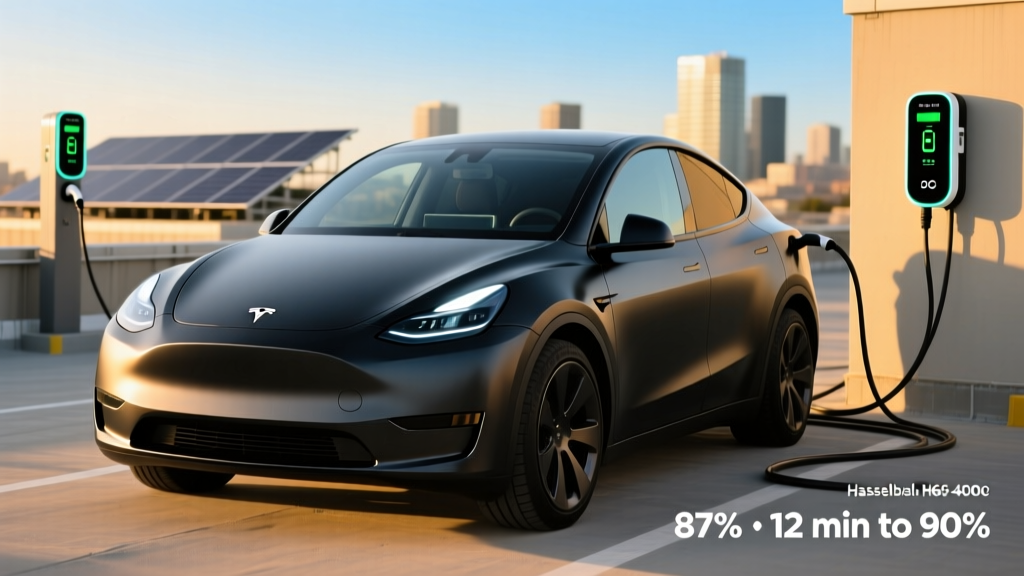
All 2026 Teslas use the NACS (North American Charging Standard) connector natively, which is now the dominant fast-charging standard in North America. Ford, GM, Rivian, Hyundai, and most other automakers have adopted NACS, meaning Supercharger access is no longer a Tesla-exclusive advantage — though Tesla's network remains the most reliable and geographically comprehensive. A CCS adapter (sold separately by Tesla for ~$175) allows charging at Electrify America and other CCS-only stations.
Pricing, Trims, and Federal Tax Credit Eligibility
| Trim | Base MSRP | Est. Federal Credit (§30D) | Effective Price |
|---|---|---|---|
| Long Range AWD | $46,990 | Up to $7,500* | ~$39,490* |
| Performance AWD | $51,490 | Up to $7,500* | ~$43,990* |
* Federal tax credit eligibility under IRS §30D depends on multiple factors that change periodically:
- MSRP cap: SUVs must be ≤ $80,000 (Model Y qualifies).
- Buyer income cap: Modified AGI ≤ $150,000 (single) / $300,000 (joint).
- Battery sourcing: Critical minerals and battery components must meet phased-in domestic-content thresholds that tighten each year through 2029. As of 2026, Tesla's Fremont and Austin-built Model Y batteries generally meet these requirements, but always verify at the point of sale.
- Point-of-sale transfer: Eligible buyers can apply the credit as an instant rebate at purchase rather than waiting to claim it on their tax return.
- FEOC restriction: Vehicles with battery components from a "foreign entity of concern" (primarily Chinese-sourced) are disqualified. Tesla's supply chain has shifted to comply, but specific build dates and component sourcing can vary.
Bottom line: Confirm eligibility with your tax professional and check the IRS's current clean vehicle credit list before purchasing. Do not assume the full $7,500 applies to every VIN.
Apple CarPlay Workarounds for Tesla Owners
If you've decided to buy a Tesla despite the CarPlay absence, here are the most practical solutions ranked by effectiveness:
1. Phone Mount + Apple Maps/Waze (Most Popular)
A magnetic or clip-style phone mount positioned near the left edge of the Tesla screen lets you run Apple Maps, Waze, or Google Maps on your phone while keeping Tesla's native system for media and vehicle data. Cost: $15–$30. Downside: a phone on the dash isn't as integrated as CarPlay, and you lose steering-wheel voice control for the phone app.
2. Tesla's Native Apple Music App
Apple Music runs natively on Tesla's infotainment with full playlist, library, and "Listen Now" support. For music, you won't miss CarPlay. Log in once with your Apple ID and the experience is comparable to CarPlay's Apple Music interface.
3. Bluetooth for Calls and Messages
iPhone pairing via Bluetooth handles phone calls, contact display, and incoming text notifications. You can't dictate replies as naturally as with CarPlay's Siri, but hands-free calling works well.
4. Aftermarket CarPlay Adapters (Use with Caution)
Several third-party products claim to inject CarPlay into Tesla's display via the browser or a hardware passthrough. As of 2026, these solutions remain unofficial, often buggy, and may violate Tesla's terms of service. They can break after over-the-air updates. We don't recommend relying on them as a primary interface.
Should the Lack of CarPlay Be a Dealbreaker?
- You value the Supercharger network and native charging integration above all else
- You primarily use Spotify or are willing to switch to Tesla's native Apple Music app
- You want best-in-class efficiency (123 MPGe) and the lowest cost-per-mile in the segment
- You can adapt to Tesla Maps or use a phone mount for Apple Maps/Waze
- You want over-the-air updates that continuously add features
- Wireless Apple CarPlay is non-negotiable for your daily workflow
- You rely heavily on Waze for real-time traffic and road hazard alerts
- You want Apple Maps' Look Around and curated Guides integrated into your dashboard
- You prefer a more traditional dealership service experience
Pros and Cons: The Full Picture
- Best-in-class Supercharger network with native battery preconditioning
- Industry-leading efficiency: 123 MPGe, 27 kWh/100mi
- Spacious cargo area (72 cu ft) with usable frunk
- Strong performance: 4.8s 0–60 in Long Range, 3.5s in Performance
- Continuous OTA software updates add real features over time
- Apple Music, Spotify, and Tidal run natively
- 8-year/120,000-mile battery warranty
- No Apple CarPlay or Android Auto — period
- Tesla Maps POI data sometimes lags behind Apple/Google
- No Siri integration; Tesla voice assistant is more limited
- Service center availability varies by region — mobile service can't fix everything
- NMC battery requires 80% daily charge limit for longevity
- No physical buttons — all climate/media controls are touchscreen-only
- Insurance costs run 15–25% higher than comparable ICE crossovers
Frequently Asked Questions
Will Tesla ever add Apple CarPlay?
There is no indication that Tesla plans to add CarPlay in 2026 or beyond. Tesla's software strategy is built around a fully proprietary, vertically integrated system. Elon Musk has explicitly stated that the company has no plans to support CarPlay. If CarPlay is a hard requirement, plan your purchase around a different brand.
Can I use Apple Maps in a Tesla?
Not on the Tesla screen. Apple Maps is only available on your iPhone. You can run it on a mounted phone, but it won't integrate with Tesla's navigation, range estimation, or Supercharger routing. Tesla's native navigation uses Mapbox data and is the only mapping system that communicates with the vehicle's battery management for charge-stop planning.
Does Apple Music work in Tesla without CarPlay?
Yes. Tesla has a native Apple Music app built into the infotainment system. You sign in with your Apple ID and get access to your full library, playlists, and Apple Music's catalog — all through the Tesla touchscreen and steering-wheel controls. This is one area where Tesla's native system matches the CarPlay experience.
What's the real-world range of the 2026 Model Y?
The EPA rates the Long Range AWD at 320 miles. In real-world highway driving at 70–75 mph in moderate temperatures, expect 270–285 miles. In cold weather (below 35°F), plan for 220–245 miles. City driving with regenerative braking can match or approach the EPA figure.
How fast does the Model Y charge at home?
On a 240V Level 2 home charger (48-amp circuit), the Model Y charges at up to 11.5 kW, adding roughly 44 miles of range per hour. A full overnight charge (8 hours) restores approximately 350 miles — more than enough for any daily driving scenario. Expect a professional Level 2 installation to cost $800–$2,000 depending on your electrical panel and run length.
Is the Model Y worth buying over the Ioniq 5 or EV6?
It depends on your priorities. The Model Y wins on Supercharger access, efficiency, software integration, and cargo space. The Ioniq 5 and EV6 win on CarPlay/Android Auto, 800V ultra-fast charging (10–80% in ~18 minutes at compatible stations), and a more traditional dealership service model. If CarPlay is essential, the Korean competitors have a clear advantage. If charging infrastructure and efficiency matter most, the Model Y holds the edge.