Introduction to the Multi-EV Household Challenge
As electric vehicle adoption accelerates, the single-EV household is quickly becoming a relic of the past. Today, many families are transitioning to two or even three electric vehicles. While this is a massive win for personal carbon footprints, it introduces a significant logistical and electrical challenge at home. According to the Alternative Fuels Data Center, over 80% of EV charging occurs at home, making residential infrastructure the critical bottleneck for multi-vehicle families. If you simply plug two 40-amp Level 2 chargers into a standard 200-amp residential electrical panel, you risk tripping the main breaker or, worse, causing an electrical fire.
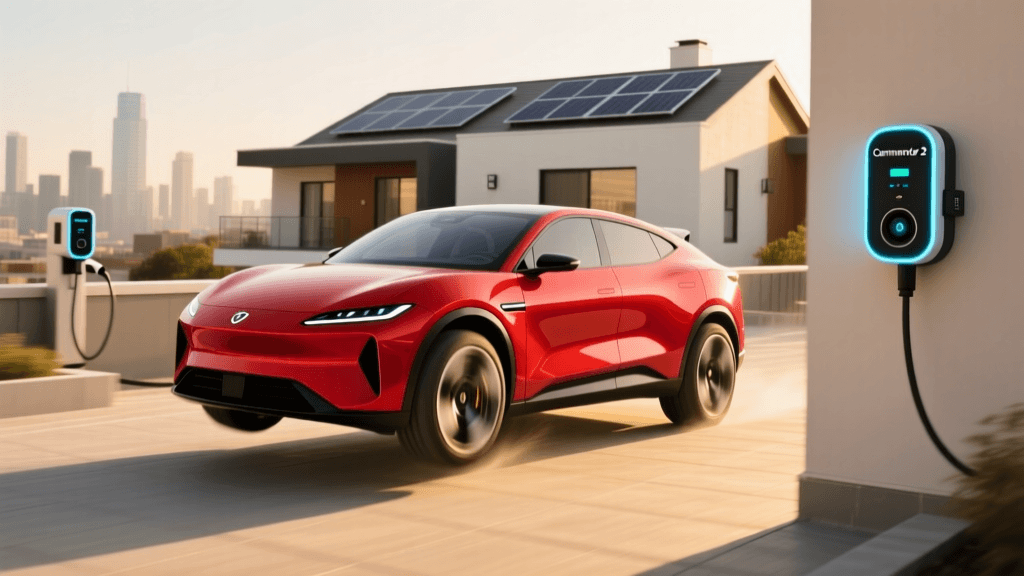
This is where the Wallbox Commander 2 shines. Designed with advanced smart-home integration and dynamic load management, the Commander 2 is arguably the most versatile Level 2 charger on the market for multi-EV households. In this comprehensive how-to guide, we will review the hardware, walk you through the installation process, and explain exactly how to configure Wallbox’s proprietary 'Power Sharing' feature to safely charge multiple vehicles simultaneously without upgrading your home's electrical panel.
Wallbox Commander 2: Core Specifications and Hardware
Before diving into the setup, it is essential to understand the hardware you are working with. The Wallbox Commander 2 is a premium, smart Level 2 charger that balances sleek aesthetics with heavy-duty performance. Here is a quick breakdown of its core specifications:
- Max Amperage: 48 amps (requires a 60-amp dedicated circuit)
- Max Power Output: 11.5 kW (at 240V)
- Cable Length: 25 feet (Type 1 / J1772 connector)
- Connectivity: Wi-Fi, Ethernet, and Bluetooth
- Interface: 7-inch touchscreen display
- Weather Resistance: NEMA 4 (suitable for indoor and outdoor use)
The standout physical feature is the 7-inch touchscreen. Unlike competitors that rely entirely on smartphone apps, the Commander 2 allows users to view charging stats, manage user profiles via RFID cards, and adjust settings directly on the wall. This is incredibly useful in a multi-driver household where family members might not want to open an app just to start a charging session.
Step-by-Step Installation Guide for Multi-EV Homes
Installing a single EV charger is straightforward, but setting up a multi-charger ecosystem requires careful planning. Here is your step-by-step guide to installing the Wallbox Commander 2 for a multi-vehicle home.
Step 1: Electrical Panel Assessment and Load Calculation
The National Electrical Code (NEC) requires that continuous loads (like EV charging, which lasts for 3+ hours) must not exceed 80% of a circuit's rated capacity. Therefore, a 48-amp Commander 2 requires a 60-amp breaker. If you are installing two units, you would traditionally need two 60-amp breakers, consuming 120 amps of your panel's capacity. For a standard 200-amp home, this leaves very little room for HVAC, ovens, and dryers. Your electrician must perform an Article 220 load calculation to determine if your panel can handle dual standalone chargers.
Step 2: Hardwiring vs. NEMA 14-50
While the Commander 2 can be fitted with a NEMA 14-50 plug, this limits the charger to 40 amps (9.6 kW) due to NEC plug limitations. For multi-EV households where charging speed and efficiency are paramount, hardwiring is mandatory. Hardwiring allows the full 48-amp output and eliminates the risk of a loose plug connection melting under continuous high-amperage draw.
Step 3: Mounting and Routing
Mount the primary Commander 2 unit closest to the electrical panel to minimize copper wire runs. If you are installing a second unit, plan the conduit routing so that both chargers can be daisy-chained via a communication cable, which is required for the Power Sharing feature discussed below.
Configuring Power Sharing: The Multi-EV Secret Weapon
Power Sharing is Wallbox’s proprietary solution to the multi-EV electrical bottleneck. Instead of requiring two separate 60-amp circuits, Power Sharing allows you to connect up to three Commander 2 units to a single electrical circuit. The chargers communicate with one another and dynamically distribute the available amperage based on which vehicles are plugged in and their current state of charge.
How to configure Power Sharing:
- Wire the Circuit: Have your electrician run a single heavy-gauge wire (e.g., 2 AWG copper for 100 amps) to the primary Commander 2, and then daisy-chain the power to the secondary unit.
- Connect the Data Cable: Run the included shielded communication cable between the primary and secondary units. This is how the chargers 'talk' to each other.
- Software Setup: Open the myWallbox app. Navigate to the 'Chargers' menu and select 'Power Sharing'. The app will detect both units on the network.
- Set the Circuit Limit: Input the maximum amperage of your shared breaker (e.g., 100 amps). The system will now automatically ensure the combined draw of both chargers never exceeds 80 amps (80% of 100A).
If only Car A is plugged in, it receives the full 48 amps. If Car B is plugged in, the system splits the available power, delivering roughly 40 amps to each vehicle. As soon as Car A finishes charging, the secondary unit redirects the full amperage back to Car B. This dynamic load balancing saves multi-EV households thousands of dollars in electrical panel upgrade costs.
Wallbox Commander 2 vs. Competitors for Multi-EV Homes
How does the Commander 2 stack up against other premium Level 2 chargers when managing multiple vehicles? Below is a comparison chart focusing on multi-EV capabilities.
| Feature | Wallbox Commander 2 | ChargePoint Home Flex | EnelX JuiceBox Pro 48 |
|---|---|---|---|
| Max Amperage | 48A (11.5 kW) | 50A (12 kW) | 48A (11.5 kW) |
| Multi-Charger Load Balancing | Yes (Power Sharing via daisy-chain) | Yes (Share2 feature via Wi-Fi) | Yes (via Wi-Fi network) |
| On-Device Interface | 7-inch Touchscreen | LED Status Lights Only | LED Status Lights Only |
| RFID Access Control | Yes (Built-in reader) | No | No |
| Wired Ethernet Support | Yes | No (Wi-Fi only) | Yes |
While ChargePoint’s Share2 and JuiceBox’s Wi-Fi sharing are effective, they rely heavily on local Wi-Fi stability. If your garage router drops, the chargers may fail to balance the load, potentially tripping the breaker. The Wallbox Commander 2 uses a hardwired communication cable between units for Power Sharing, ensuring 100% reliability regardless of your home's Wi-Fi status. Furthermore, the built-in RFID reader is a game-changer for households with shared driveways or rental units, allowing you to restrict charging access to authorized family members only.
Optimizing Schedules and TOU Rates via the myWallbox App
Managing the charging schedules of two or three EVs manually is a recipe for high electricity bills. According to the National Renewable Energy Laboratory (NREL), smart charging aligned with Time-of-Use (TOU) rates is essential for maximizing the financial benefits of EV ownership. The myWallbox app makes this seamless.
In the app, you can create distinct user profiles for each driver. By assigning specific RFID cards or app accounts to each family member, you can track exactly how much energy each vehicle is consuming. More importantly, you can set 'Eco-Smart' charging schedules. For example, you can instruct the primary Commander 2 to only charge the family SUV between 12:00 AM and 5:00 AM when utility rates drop to $0.08 per kWh, while allowing the secondary unit to provide immediate, on-demand charging for the commuter car that needs to be driven early in the morning.
Cost Analysis and ROI for Multi-Vehicle Setups
Setting up a dual Wallbox Commander 2 system is a premium investment. Here is a realistic cost breakdown for a multi-EV household:
- Hardware: ~$650 per unit x 2 = $1,300
- Standard Installation (Hardwired, 60A circuit): ~$800 - $1,200
- Power Sharing Installation (100A circuit, dual mount): ~$1,200 - $1,800
- Electrical Panel Upgrade (If required without Power Sharing): $2,500 - $4,000
By utilizing the Power Sharing feature, most homeowners can avoid a costly electrical panel upgrade, instantly saving $2,500 or more. Additionally, many local utilities offer rebates for installing smart, load-managing EV chargers, which can offset the hardware costs by $200 to $500 per unit. When combined with off-peak TOU scheduling, the ROI of a dual Commander 2 setup typically breaks even within 18 to 24 months compared to relying on public DC fast-charging networks.
Final Verdict
For multi-vehicle households, the Wallbox Commander 2 is not just a charger; it is a comprehensive energy management system. Its robust build quality, hardwired Power Sharing reliability, and intuitive touchscreen interface solve the exact pain points that families face when transitioning to a multi-EV garage. While the upfront hardware cost is higher than budget alternatives, the ability to safely daisy-chain units without overloading your home's electrical panel makes it the undisputed champion for multi-EV residential setups. If you are adding a second or third EV to your driveway, the Commander 2 should be at the very top of your shopping list.