The Rise of the Multi-EV Household
As electric vehicle adoption accelerates across the globe, a new logistical challenge has emerged for modern families: the multi-EV household. When a home transitions from a single electric vehicle to two or more, the electrical infrastructure and charging logistics can quickly become a bottleneck. According to the U.S. Department of Energy, home charging accounts for over 80% of all EV charging events, making a robust residential setup an absolute necessity rather than a luxury.
Enter the Wallbox Commander 2. While many Level 2 chargers on the market are designed with a single-car garage in mind, the Commander 2 is engineered with advanced load management and multi-user capabilities. In this comprehensive how-to guide, we will walk you through exactly how to install, configure, and optimize the Wallbox Commander 2 to seamlessly manage a multi-vehicle household without tripping your main circuit breaker.
Why the Wallbox Commander 2 Stands Out for Multiple EVs
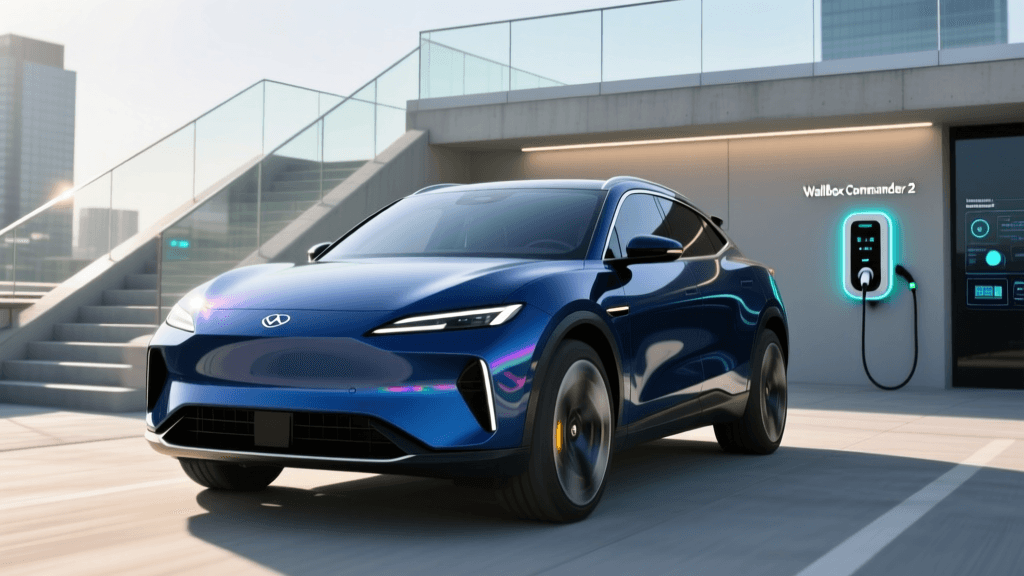
Before diving into the setup, it is crucial to understand why this specific unit is a top contender for homes with multiple electric cars. The Wallbox Commander 2 offers up to 48 amps of continuous current (delivering up to 11.5 kW of power when hardwired), a built-in 7-inch touchscreen, RFID access control, and Wi-Fi/Ethernet connectivity. However, its killer feature for multi-EV homes is Power Sharing. This proprietary technology allows multiple Wallbox units to communicate with one another, dynamically distributing the available electrical current based on how many vehicles are actively charging. This ensures you can charge two EVs simultaneously on a single circuit without overloading your electrical panel.
Step 1: Choosing Your Installation Method (Hardwired vs. NEMA 14-50)
The first step in your multi-EV setup is determining how the Commander 2 will connect to your home's electrical system. The National Electrical Code (NEC) mandates that continuous loads (like EV charging, which runs for more than 3 hours) must not exceed 80% of a circuit breaker's rated capacity.
Option A: Hardwired Installation (Recommended for Multi-EV Homes)
- Max Output: 48 Amps (11.5 kW on a 240V circuit).
- Breaker Requirement: 60 Amp breaker.
- Wire Gauge: 6 AWG copper wire (or 4 AWG aluminum).
- Why choose this: Hardwiring eliminates the point of failure associated with plugs and receptacles, reduces heat buildup, and is generally required by local codes for circuits above 50 amps. For a two-car garage drawing heavy simultaneous loads, hardwiring is the safest and most efficient route.
Option B: NEMA 14-50 Plug-in
- Max Output: 40 Amps (9.6 kW on a 240V circuit).
- Breaker Requirement: 50 Amp breaker.
- Wire Gauge: 6 AWG copper wire.
- Why choose this: If you rent your home, plan to move soon, or want the flexibility to unplug the charger and take it with you. Note that the Environmental Protection Agency (EPA) recommends ensuring your NEMA 14-50 receptacle is installed by a licensed electrician using a commercial-grade outlet to prevent melting under continuous high-amp loads.
Step 2: Configuring Power Sharing for Two or More EVs
If your home's electrical panel cannot support two separate 60-amp breakers (which is common in older homes with 100A or 150A total service), Power Sharing is your solution. Here is how to set it up:
- Install on a Shared Circuit: Have your electrician wire two Wallbox Commander 2 units to the same 60-amp breaker using a proper junction box and split wiring, ensuring the total continuous draw will not exceed 48 amps combined.
- Connect to Wi-Fi: Power on both units and connect them to your home's 2.4GHz Wi-Fi network using the Wallbox app or the built-in touchscreen.
- Enable Power Sharing in the App: Open the Wallbox app, navigate to the settings menu of the primary charger, and select 'Power Sharing'. The app will scan your local network for the secondary Commander 2 unit.
- Assign Roles: Designate one unit as the 'Master' and the other as the 'Slave'. The Master unit will monitor the total current draw and dynamically allocate amperage. If only Car A is plugged in, it gets the full 48 amps. If Car B plugs in, the Master instantly splits the current (e.g., 24 amps each) to prevent the breaker from tripping.
Step 3: Managing Access and User Profiles
In a multi-vehicle household, or a multi-family dwelling, tracking who is using how much electricity is vital. The Commander 2 excels here with three distinct access methods:
- RFID Cards: Each driver can be assigned an RFID fob. Tapping the fob not only unlocks the charger but logs the session to that specific user in the app, making it easy to split utility costs.
- The 7-Inch Touchscreen: Unlike most competitors that rely solely on a smartphone app, the Commander 2's screen allows users to enter a PIN code, view real-time charging speeds, and adjust amperage limits directly on the wall. This is incredibly useful if a driver's phone is dead or left inside the house.
- App-Based Unlocking: For primary homeowners, simply opening the Wallbox app and tapping 'Unlock' via Bluetooth or Wi-Fi provides seamless access.
Step 4: Optimizing Off-Peak Charging Schedules
Charging two EVs simultaneously during peak evening hours can result in massive utility bills. To mitigate this, use the Wallbox app's 'Eco-Smart' or scheduled charging features. By inputting your utility's Time-of-Use (TOU) rate plan, the charger will automatically delay charging until off-peak hours (typically between 11:00 PM and 6:00 AM). Because the Commander 2 supports Power Sharing, both vehicles will intelligently queue up and share the available off-peak amperage, ensuring both cars reach 80% state-of-charge by morning without incurring peak demand charges.
Wallbox Commander 2 vs. Competitors for Multi-EV Homes
How does the Commander 2 stack up against other premium Level 2 chargers when managing a multi-car garage? Below is a structured comparison based on features critical to multi-EV households.
| Feature | Wallbox Commander 2 | ChargePoint Home Flex | Emporia Level 2 Charger |
|---|---|---|---|
| Max Amperage (Hardwired) | 48 Amps (11.5 kW) | 50 Amps (12 kW) | 48 Amps (11.5 kW) |
| Multi-Charger Load Balancing | Yes (Power Sharing) | Yes (Share2) | No (Requires Emporia Panel) |
| Built-in Display Screen | 7-inch Touchscreen | LED Indicator Ring Only | LED Indicator Only |
| RFID Access Control | Yes (Included) | No | No |
| Cable Length | 25 Feet | 23 Feet | 24 Feet |
| Estimated Hardware Cost | ~$650 per unit | ~$699 per unit | ~$399 per unit |
While the Emporia offers excellent value and integrates with whole-home energy monitors, it lacks native charger-to-charger load balancing without expensive panel upgrades. The ChargePoint Home Flex is a formidable rival with its Share2 feature, but it lacks the onboard touchscreen and RFID security that make the Commander 2 so user-friendly for multi-driver households.
Maintenance and Firmware Updates
For a system managing thousands of dollars worth of vehicle batteries, reliability is paramount. The Wallbox Commander 2 receives Over-The-Air (OTA) firmware updates via Wi-Fi. These updates frequently improve Power Sharing algorithms, patch security vulnerabilities, and add new integrations with solar inverters. To ensure uninterrupted multi-EV charging, ensure your garage Wi-Fi signal is strong; consider installing a Wi-Fi mesh node in the garage if the signal drops below -70 dBm.
Final Verdict: Is It Worth the Investment?
Equipping a multi-vehicle household with Level 2 charging requires careful planning, electrical foresight, and the right hardware. The Wallbox Commander 2 proves to be an exceptional investment for homes with two or more EVs. Its robust Power Sharing technology eliminates the need for costly main electrical panel upgrades, while the 7-inch touchscreen and RFID access provide a premium, user-friendly experience that smartphone-only chargers simply cannot match.
By following this guide—opting for a hardwired 60-amp installation, properly configuring the Master/Slave Power Sharing nodes, and leveraging off-peak scheduling—you can transform your garage into a high-efficiency, multi-EV charging hub. For the most accurate and up-to-date technical specifications and wiring diagrams, always consult the official Wallbox Commander 2 documentation and hire a certified electrician to ensure your setup is safe, code-compliant, and ready for the future of electric mobility.