The Paradigm Shift: NACS and the Non-Tesla Ecosystem
When Tesla opened its proprietary charging connector to the world, it triggered a seismic shift in the electric vehicle industry. Today, the North American Charging Standard (NACS) is rapidly becoming the default for EV charging, leaving the legacy J1772 and CCS1 connectors in its wake. For non-Tesla EV owners, this transition presents a unique opportunity: access to Tesla’s highly regarded home charging hardware. But how does the Tesla Wall Connector Gen 3 perform when tasked with charging a Ford Mustang Mach-E, a Rivian R1T, or a Hyundai Ioniq 5?
In this technology deep dive, we strip away the marketing gloss to examine the electrical engineering, software architecture, and physical limitations of using the Tesla Gen 3 Wall Connector for non-Tesla vehicles. Whether you are using a third-party J1772 adapter or plugging into a native NACS port on a next-generation EV, understanding the underlying tech is critical for optimizing your home charging setup.
Hardware Deep Dive: NACS Pin Architecture and Power Delivery
To understand how the Gen 3 Wall Connector interacts with non-Tesla EVs, we must first look at the NACS connector itself. Unlike the bulky CCS1 standard, which requires separate pins for AC and DC charging, NACS utilizes a unified pin architecture. According to the SAE International J3400 standard, the same two power pins handle both Level 2 AC charging and high-voltage DC fast charging.
For Level 2 home charging, the Gen 3 Wall Connector relies on the Control Pilot (CP) and Proximity Pilot (PP) pins to communicate with the vehicle's onboard charger. The CP pin uses Pulse Width Modulation (PWM) to signal the maximum available amperage, while the PP pin confirms the physical connection and cable capacity. Because NACS retained the exact same PWM communication protocol defined by the SAE J1772 standard, non-Tesla EVs can seamlessly interpret the charging signals sent by the Gen 3 Wall Connector, provided the physical connection is bridged.
The Gen 3 unit itself is a marvel of compact thermal engineering. Capable of delivering up to 48 amps (11.5 kW) on a 60-amp circuit, it utilizes a custom-designed contactor and heavy-gauge internal wiring to minimize resistive heating. However, when introducing a non-Tesla EV into the equation, the weakest link in the electrical chain often shifts from the Wall Connector to the adapter or the vehicle's inlet.
The Adapter Dilemma: J1772 vs. Native NACS Non-Tesla EVs
For non-Tesla EVs equipped with legacy J1772 charge ports, utilizing the Gen 3 Wall Connector requires a Tesla-to-J1772 adapter (such as those from Lectron or Taptes). While these adapters are electrically functional, they introduce distinct physical and thermal challenges.
Thermal Resistance and Voltage Drop
Any adapter introduces additional contact points into the electrical circuit. At 48 amps of continuous draw, even a few milliohms of extra resistance can generate significant heat. High-quality adapters use gold-plated copper contacts to mitigate this, but thermal expansion and contraction over hundreds of charge cycles can degrade the connection. The Gen 3 Wall Connector features internal temperature sensors that monitor the NACS plug head; however, it cannot monitor the temperature of the J1772 adapter's vehicle-side connection. If the adapter overheats, the vehicle's onboard charger will independently throttle the amperage to prevent melting, resulting in slower charge times.
Native NACS: The Ford and Rivian Experience
The landscape changes dramatically for newer non-Tesla EVs shipping with native NACS ports, such as the latest Ford F-150 Lightning or Rivian R1S. Here, no adapter is required, eliminating the thermal bottleneck. The electrical connection is direct, efficient, and capable of sustaining the full 48-amp output indefinitely without thermal throttling. According to the Alternative Fuels Data Center, the industry-wide adoption of NACS ensures that future EVs will natively support this high-efficiency home charging paradigm without the need for cumbersome dongles.
Wi-Fi, Firmware, and the Tesla App Ecosystem
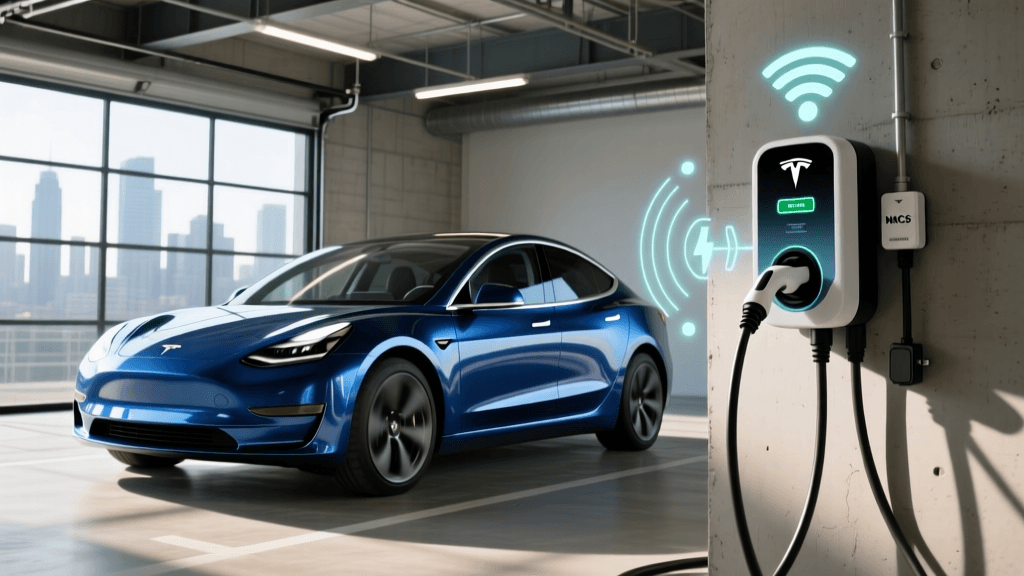
The Gen 3 Wall Connector is fundamentally a smart device, powered by an internal ESP32-based Wi-Fi microcontroller. This allows for Over-The-Air (OTA) firmware updates, energy monitoring, and integration with the Tesla app. However, the software experience differs vastly depending on the vehicle plugged into it.
The Auto-Authenticate Limitation
When a Tesla vehicle plugs into a Gen 3 Wall Connector, the car and the charger perform a digital handshake via CAN bus communication over the CP pin. The charger reads the vehicle's VIN, verifies it against the owner's Tesla account, and automatically initiates the charge. This allows owners to enable "Auto-Authenticate," effectively locking the charger so neighbors cannot steal electricity.
For non-Tesla EVs, this proprietary handshake does not occur. The Gen 3 Wall Connector recognizes that a vehicle is connected via the Proximity Pilot pin, but it cannot verify the VIN. Consequently, non-Tesla owners must either:
- Use the App: Manually open the Tesla app and press "Start Charge" every time they plug in.
- Disable Authentication: Set the Wall Connector to "No Authentication Required," which leaves the charger open to anyone with physical access to your driveway.
- Use the Universal Wall Connector: Tesla's alternative product, which features a built-in Magic Dock adapter, though it still suffers from the same software authentication limitations for non-Tesla VINs.
Wireless Load Sharing: A Masterclass in Circuit Management
One of the most impressive technological features of the Gen 3 Wall Connector is its proprietary Wireless Load Sharing protocol. For EV enthusiasts with multiple non-Tesla EVs (e.g., a Rivian R1T and a Ford Mach-E), upgrading the home electrical panel to support multiple 60-amp circuits is prohibitively expensive.
The Gen 3 solves this by allowing up to six Wall Connectors to share a single electrical circuit. The units form a local 2.4GHz Wi-Fi mesh network, designating one unit as the primary node and the others as secondary nodes. The primary unit constantly monitors the total current draw. If both a Rivian and a Ford are plugged in and charging at 48 amps, the system detects the impending overload and dynamically throttles the amperage to both vehicles (e.g., 24 amps each) to keep the total draw safely under the breaker's limit. Once one vehicle finishes charging or unplugs, the remaining vehicle instantly ramps back up to the full 48 amps. This dynamic load balancing occurs in milliseconds, entirely independent of the vehicles' onboard software.
Data Table: Charging Non-Tesla EVs on the Gen 3 Ecosystem
Below is a technical comparison of how the Gen 3 setup compares to the broader market when charging non-Tesla vehicles.
| Feature / Metric | Tesla Gen 3 + J1772 Adapter | Tesla Universal Wall Connector | ChargePoint Home Flex (J1772) |
|---|---|---|---|
| Max Amperage | 48A (11.5 kW) | 48A (11.5 kW) | 50A (12 kW) |
| Breaker Requirement | 60 Amp | 60 Amp | 65 Amp |
| Adapter Required for J1772? | Yes (Third-Party) | No (Built-in Magic Dock) | No (Native Cable) |
| Thermal Risk at Max Load | Moderate (Adapter dependent) | Low (Integrated cooling) | Low (Native connection) |
| Non-Tesla Auto-Authenticate | No | No | No (Requires app start) |
| Wireless Load Sharing | Yes (Up to 6 units) | Yes (Up to 6 units) | No (Requires hardwired CT clamps) |
Final Verdict: Is It Worth It for Non-Tesla Owners?
From a pure hardware perspective, the Tesla Wall Connector Gen 3 is an exceptional piece of engineering. Its sleek design, robust internal contactors, and industry-leading wireless load-sharing capabilities make it a top-tier choice for home charging. The U.S. Department of Energy consistently highlights the importance of reliable, high-amperage Level 2 charging for preserving long-term battery health, and the Gen 3 delivers stable, clean power.
However, for non-Tesla EV owners, the experience is slightly fragmented. If you drive a legacy J1772 vehicle, relying on a third-party adapter introduces a point of failure and potential thermal throttling that slightly diminishes the Gen 3's premium appeal. Conversely, if you are upgrading to a native NACS vehicle like the newest Ford or Rivian models, the Gen 3 Wall Connector becomes an unparalleled home charging solution, offering faster speeds and cleaner aesthetics than almost any competitor on the market. Just be prepared to manually hit "Start" in the Tesla app every time you plug in.