The NACS Paradigm Shift and Non-Tesla Adoption
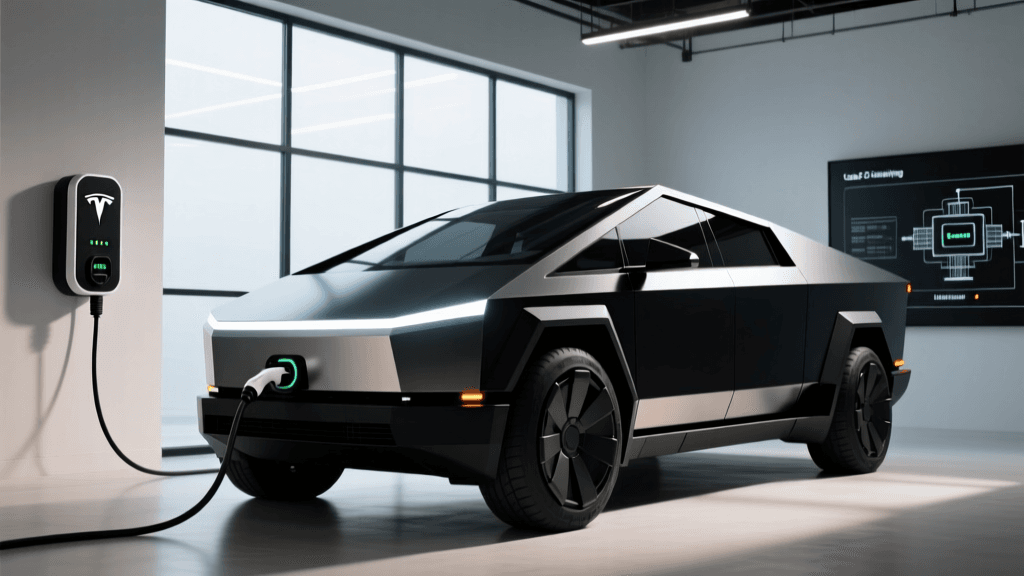
The electric vehicle charging landscape has undergone a seismic shift over the last two years, primarily driven by the widespread industry adoption of the North American Charging Standard (NACS). Originally proprietary to Tesla, this connector has now been formalized under the SAE International J3400 standard. For non-Tesla EV owners, this transition presents a unique opportunity: access to Tesla's highly regarded home charging hardware. The Tesla Wall Connector Gen 3, renowned for its sleek aesthetics, robust build quality, and competitive pricing, is natively terminated with a NACS plug. However, millions of non-Tesla EVs on the road today still utilize the J1772 standard for Level 2 AC charging. This technology deep dive explores the internal architecture of the Gen 3 Wall Connector, the engineering realities of using NACS-to-J1772 adapters, and the firmware protocols that allow this hardware to seamlessly charge non-Tesla vehicles.
Inside the Gen 3: Silicon, Contactors, and GFCI Logic
To understand how the Gen 3 Wall Connector interacts with a non-Tesla EV via an adapter, we must first look at its internal architecture. Unlike older 'dumb' chargers that rely entirely on the vehicle's onboard charger to dictate the flow of electricity, the Gen 3 is a highly intelligent piece of networked equipment. At its core sits an Espressif ESP32 microcontroller, which manages Wi-Fi and Bluetooth Low Energy (BLE) connectivity. This chip handles local network provisioning, over-the-air (OTA) firmware updates, and the complex logic required for Tesla's Power Sharing protocol.
From a safety and electrical standpoint, the Gen 3 features heavy-duty internal contactors that physically connect and disconnect the AC mains to the charging cable. Crucially, the Gen 3 integrates Ground Fault Circuit Interrupter (GFCI) protection directly into its logic board. It continuously monitors the delta between the current flowing through the hot and neutral lines. If it detects a ground fault leakage as small as 5 milliamps, it trips the internal software relay in milliseconds. This integrated GFCI is a massive technical advantage for non-Tesla EV owners, as it eliminates the need for a GFCI circuit breaker in the main electrical panel—a component notorious for 'nuisance tripping' when paired with the sensitive power electronics found in some non-Tesla onboard chargers.
The Adapter Equation: Translating NACS to J1772
Because the Gen 3 Wall Connector terminates in a NACS plug, non-Tesla EV owners must use a NACS-to-J1772 adapter. According to the Department of Energy's Alternative Fuels Data Center, the J1772 standard has been the baseline for AC charging in North America for over a decade. Bridging these two physical and digital standards requires more than just reshaping plastic; it requires precise electrical translation.
Control Pilot and Proximity Pilot Handshakes
Level 2 AC charging relies on two critical signaling circuits: the Control Pilot (CP) and the Proximity Pilot (PP). The CP is a 1kHz square wave signal that communicates the maximum available amperage from the charger to the EV. The PP is a resistance-based circuit that tells the EV the physical ampacity rating of the cable itself, preventing the vehicle from drawing more current than the cable can safely handle.
When you plug a NACS-to-J1772 adapter into the Gen 3 Wall Connector, the adapter's internal resistor network must flawlessly translate the NACS pinout to the J1772 pinout. High-quality adapters (such as those from Lectron, A2Z, or Tesla's official adapter) contain precision resistors that correctly signal a 48-amp continuous draw to the non-Tesla EV. If a cheap, poorly engineered adapter uses substandard resistors, the EV's onboard charger may misinterpret the cable's capacity, leading to either artificially throttled charging speeds or, worse, thermal overload.
Thermal Management and Safety Protocols
One of the most critical aspects of using an adapter with the Gen 3 Wall Connector is thermal management. The Gen 3 features embedded thermistors in the plug handle and the internal PCB. When charging a native Tesla vehicle, the car and the charger communicate via CAN bus (over the CP line) to negotiate thermal throttling if the plug gets too hot. However, the J1772 standard does not support this same high-speed digital thermal negotiation.
If the adapter joint experiences increased electrical resistance—perhaps due to a loose connection or environmental debris—it will generate heat. Because the Gen 3 cannot digitally query the J1772 adapter's temperature, it relies on its internal thermal sensors and the vehicle's own thermal management systems. Users must ensure that the adapter is fully seated and that the connection point is protected from direct, prolonged sunlight or moisture ingress to prevent resistance-induced heating.
Firmware, OTA Updates, and Power Sharing
The Gen 3 Wall Connector's ability to 'Power Share' (daisy-chain up to six units on a single electrical circuit) is a marvel of local networking. Using the ESP32's Wi-Fi capabilities, a 'Leader' unit communicates with 'Follower' units to dynamically allocate amperage based on active vehicles. But how does this work when a non-Tesla EV is plugged in via an adapter?
The Gen 3 treats any connected J1772 vehicle as a generic, non-Tesla load. It detects the CP signal draw and allocates the requested amperage up to the circuit's maximum limit. As detailed in Tesla's official Power Sharing documentation, the system dynamically adjusts if a second vehicle (Tesla or non-Tesla) begins charging, splitting the available 48 amps (or up to 60 amps if hardwired) between the two units. The firmware handles this gracefully, ensuring the main breaker never trips, regardless of the vehicle brand.
Hardware Configuration Comparison
For non-Tesla owners evaluating their Level 2 options, here is how the Gen 3 with an adapter compares to the native alternatives.
| Feature | Tesla Gen 3 + J1772 Adapter | Tesla Universal Wall Connector | ChargePoint Home Flex |
|---|---|---|---|
| Native Connector | NACS | NACS with integrated J1772 dock | J1772 |
| Max Output (Hardwired) | 11.5 kW (48A) | 11.5 kW (48A) | 12 kW (50A) |
| Cable Length | 24 feet | 24 feet | 23 feet |
| Integrated GFCI | Yes | Yes | No (Requires GFCI breaker) |
| Load Sharing | Yes (up to 6 units) | Yes (up to 6 units) | Yes (up to 2 units) |
| Approx. Cost (USD) | $420 + $90 Adapter | $599 | $699 |
The Universal Wall Connector Alternative
Recognizing the friction of using third-party adapters, Tesla released the Universal Wall Connector. This unit utilizes the exact same Gen 3 internal architecture but features a dual-purpose cable and holster system that natively supports both NACS and J1772 without requiring a separate, detachable adapter. While it eliminates the physical adapter joint (and its associated thermal resistance risks), it comes at a premium price point. For budget-conscious non-Tesla owners, the standard Gen 3 paired with a high-quality, UL-listed NACS-to-J1772 adapter remains the most cost-effective entry into Tesla's hardware ecosystem.
Actionable Advice for Non-Tesla Owners
If you are planning to install a Tesla Gen 3 Wall Connector for a non-Tesla EV, follow these technical best practices:
- Hardwire Over NEMA 14-50: The Gen 3 is capable of 48 amps, but a standard NEMA 14-50 receptacle is limited to 40 amps continuous. Hardwiring the unit allows you to utilize the full 48 amps, reducing charge times by up to 15%.
- Invest in a Premium Adapter: Do not compromise on the NACS-to-J1772 adapter. Look for adapters that explicitly state they contain the correct Proximity Pilot (PP) resistor network and feature silver-plated copper contacts to minimize resistance.
- Disable GFCI at the Panel: Because the Gen 3 has internal GFCI monitoring, instruct your electrician to install a standard thermal-magnetic breaker. This prevents the frustrating 'nuisance tripping' that plagues many non-Tesla EV charging setups.
- Monitor the Adapter Joint: During your first few charging sessions, use an infrared thermometer to check the temperature of the adapter joint. It should remain relatively cool; excessive heat indicates poor contact or a defective adapter.
By understanding the underlying silicon, signaling protocols, and safety mechanisms of the Gen 3 Wall Connector, non-Tesla EV owners can confidently leverage this exceptional hardware to achieve fast, reliable, and safe Level 2 home charging.