The Commercial Dawn of Wireless EV Charging
The commercialization of wireless electric vehicle (EV) charging has transitioned from a futuristic concept to a tangible reality. With the recent market entry of SAE J2954-compliant systems, such as the WiTricity Halo and commercial fleet solutions from ENRX, drivers and fleet operators are experiencing the convenience of cord-free power transfer. However, the shift from physical connectors to magnetic resonance technology introduces an entirely new category of diagnostic challenges. When a Level 2 plug-in charger fails, you check the cable, the pins, and the network connection. When a wireless charging pad fails to initiate or abruptly halts a session, the troubleshooting matrix expands into electromagnetic coupling, spatial alignment, and advanced sensor arrays. This guide provides a comprehensive, problem-solving framework for diagnosing and resolving the most common issues associated with newly launched commercial wireless EV charging systems.
Understanding SAE J2954 Magnetic Resonance Architecture
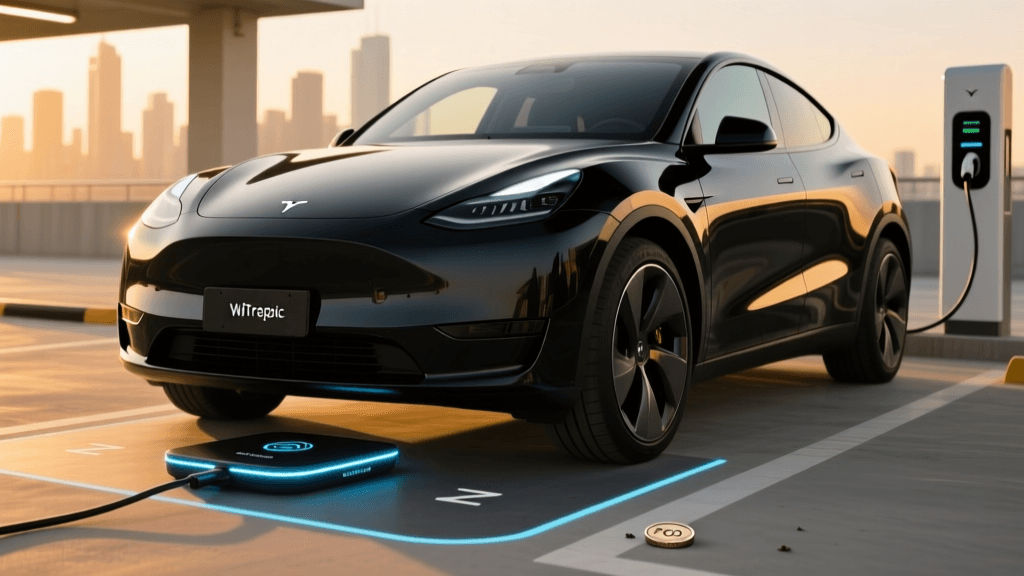
To troubleshoot effectively, one must understand the underlying hardware. Commercial wireless systems rely on magnetic resonance rather than basic inductive coupling. According to SAE International's J2954 standard, the system operates at a nominal frequency of 85 kHz. The architecture is split into two main components: the Ground Assembly (GA), which is the pad installed on the floor, and the Vehicle Assembly (VA), the receiver mounted to the vehicle's undercarriage. Power is transferred wirelessly across an air gap (Z-class) that typically ranges from 100mm to 250mm.
Unlike early inductive charging prototypes that required direct contact and millimeter-perfect placement, magnetic resonance allows for spatial freedom. However, this freedom is bounded by strict lateral and longitudinal alignment tolerances. When commercial systems like WiTricity's magnetic resonance technology are deployed, the system uses digital handshakes over Wi-Fi or Bluetooth to negotiate power levels, monitor thermal thresholds, and ensure safety protocols are active before energizing the coils. Understanding how these subsystems interact is the first step in solving deployment and operational errors.
Common Wireless Charging Faults and Troubleshooting Steps
1. Misalignment and Coupling Coefficient Errors
The most frequent error encountered by early adopters of the WiTricity Halo system is a "Coupling Fault" or "Alignment Error." The SAE J2954 standard defines specific alignment tolerances, typically allowing +/- 100mm lateral and +/- 75mm longitudinal deviation from the center point. If the vehicle is parked outside this "sweet spot," the magnetic coupling coefficient drops below the threshold required for efficient power transfer, causing the system to abort the charge to protect the inverter.
Troubleshooting Steps:
- Verify the Dashboard Alignment UI: Most SAE J2954-compliant vehicles feature a digital alignment guide on the infotainment screen or instrument cluster. Ensure the driver assistance cameras or undercarriage RFID sensors are calibrated. A misaligned camera will provide false parking guidance.
- Inspect Physical Wheel Guides: For fleet deployments, physical wheel chocks or painted parking guides are essential. Measure the distance from the wheel stop to the center of the GA pad. If a vehicle's wheelbase varies, the VA pad will miss the GA pad's optimal magnetic flux zone.
- Check Suspension Z-Class Height: The Z-class defines the vertical air gap. If a vehicle is heavily loaded with cargo, or if the air suspension has been manually lowered/raised, the air gap may exceed the maximum 250mm limit, triggering a Z-class fault. Reset the suspension to standard ride height before initiating the charge.
2. Foreign Object Detection (FOD) False Positives
Foreign Object Detection (FOD) is a critical safety requirement. When a metallic object (like a soda can, coin, or piece of foil) rests on the GA pad, the alternating magnetic field induces eddy currents in the metal. This causes the object to heat up rapidly, posing a fire hazard. The GA pad contains a matrix of sensing coils to detect these anomalies and shut down the system. However, FOD systems can suffer from false positives, refusing to start a charge even when the pad is clear.
Troubleshooting Steps:
- Deep Clean the GA Pad Surface: Even small metallic flakes from brake dust or discarded chewing gum wrappers can trigger the FOD sensor matrix. Use a non-metallic brush and a specialized EV pad cleaner to wipe down the surface.
- Check for Sub-Surface Debris: In outdoor installations, metallic debris can become lodged in the expansion joints or drainage channels surrounding the GA pad. Clear the perimeter of any wire mesh, rebar fragments, or loose gravel containing metallic ore.
- Recalibrate the FOD Matrix: If the system continually throws FOD errors on a clean pad, the sensing coils may require a baseline recalibration via the installer's diagnostic software to account for environmental temperature shifts or minor hardware degradation.
3. Living Object Protection (LOP) Interruptions
While FOD protects against metal heating, Living Object Protection (LOP) ensures that humans and pets do not linger in the electromagnetic field during active charging. LOP relies on a combination of radar, ultrasonic sensors, and capacitive sensing. A common complaint is the charging session aborting intermittently when no living beings are present.
Troubleshooting Steps:
- Clear the Sensor Perimeter: Ensure that tall grass, snowbanks, or stacked boxes are not encroaching on the LOP sensor's field of view. Radar sensors can interpret swaying branches or blowing snow as living movement.
- Inspect for Sensor Blinding: Mud, ice, or heavy road salt buildup on the ultrasonic LOP sensors mounted to the edges of the GA pad will blind the system. Wipe the sensor housings with a microfiber cloth and warm water.
- Update Firmware for Radar Filtering: Early commercial LOP firmware struggled with distinguishing between small animals and environmental noise. Check with the manufacturer for over-the-air (OTA) firmware updates that improve the machine-learning algorithms used for LOP classification.
4. Thermal Throttling and Efficiency Degradation
Wireless charging is highly efficient (often 90-93% from grid to battery), but the remaining 7-10% of energy is lost primarily as heat in the copper coils and ferrite shielding. If the system detects excessive heat, it will thermally throttle, dropping the charge rate from 11kW down to 3kW or halting entirely.
Troubleshooting Steps:
- Verify GA Cooling Fans: The Ground Assembly contains active cooling fans to dissipate heat. Listen for fan operation during the initial handshake. If the fans are silent, check for tripped breakers on the pad's secondary power circuit or physical blockages like leaves and dirt.
- Assess Ambient Conditions: If the GA pad is installed in direct sunlight on dark asphalt, the baseline temperature of the pad may already be near the thermal threshold. Consider installing a shading structure or applying a UV-reflective, non-metallic coating to the concrete surrounding the pad.
SAE J2954 vs. Traditional Plug-In Charging: Troubleshooting Comparison
Transitioning from plug-in infrastructure to wireless requires a shift in diagnostic thinking. The table below contrasts the troubleshooting paradigms between traditional CCS/NACS connectors and the new WiTricity Halo wireless standard.
| Fault Category | Plug-In (CCS/NACS) Cause | Wireless (SAE J2954) Cause | Wireless Resolution Strategy |
|---|---|---|---|
| Session Fails to Start | Broken latch, dirty pins, network timeout | Alignment out of tolerance, digital handshake failure | Re-park using dash UI; verify Wi-Fi/Bluetooth pairing |
| Mid-Session Abort | Cable tension, vehicle-side BMS rejection | FOD/LOP trigger, thermal throttling, Z-class shift | Clear pad debris; check suspension height; clear LOP zone |
| Slow Charging Speed | Station power sharing, battery cold-soak | Poor magnetic coupling, high ambient heat throttling | Center vehicle perfectly; check GA pad active cooling fans |
| Physical Damage | Cable fraying, connector crush, pin corrosion | Pad surface cracking, snowplow shear, sensor blinding | Inspect pad housing; clean ultrasonic sensors; update firmware |
Best Practices for Fleet Managers and Early Adopters
As commercial wireless charging scales across ride-share fleets and municipal bus depots, proactive maintenance is key to maximizing uptime. Unlike plug-in cables that require physical replacement when damaged, wireless pads are largely solid-state. However, the Alternative Fuels Data Center notes that EV infrastructure requires rigorous software and environmental management to maintain peak efficiency.
Fleet managers should implement weekly pad-cleaning protocols using non-abrasive, non-metallic tools to prevent FOD false positives. Furthermore, maintaining an active log of OTA firmware updates is crucial; manufacturers frequently release patches that refine alignment tolerances and improve LOP radar filtering. By treating the GA pad not just as a piece of concrete, but as a sophisticated, sensor-laden piece of IT equipment, operators can eliminate the vast majority of wireless charging faults and fully realize the promise of autonomous, cord-free EV powering.