The Dawn of Commercial Wireless EV Charging
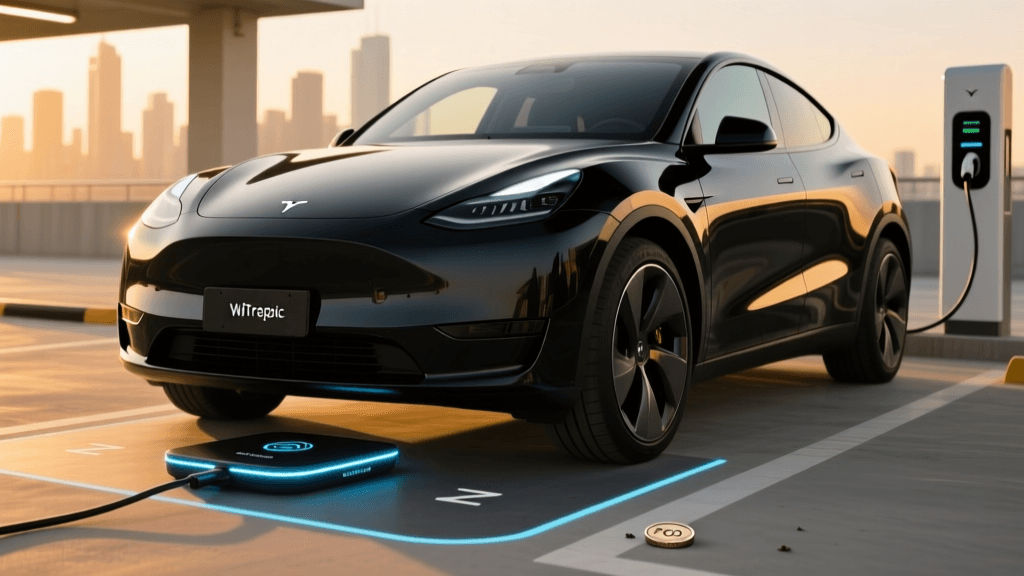
The electric vehicle industry has crossed a monumental threshold. Following the official ratification of the SAE International J2954 standard, wireless inductive charging has transitioned from controlled laboratory pilots to full-scale commercial deployments. Companies pioneering WiTricity magnetic resonance technology and Plugless Power commercial systems are now installing ground-based transmitter pads in commercial fleets, luxury dealerships, and early-adopter driveways. These systems allow vehicles to charge simply by parking over a pad, eliminating the need for heavy, cumbersome cables.
However, as this cutting-edge technology enters the real world, a new category of troubleshooting and problem-solving has emerged for fleet managers and EV technicians. Unlike a physical CCS or NACS connector that guarantees a solid electrical connection upon insertion, wireless charging relies on precise electromagnetic alignment, strict ground clearance tolerances, and complex sensor arrays. When efficiency drops or communication handshakes fail, the root causes are often invisible to the naked eye. This comprehensive guide explores the most common issues plaguing new commercial wireless EV chargers and provides actionable troubleshooting steps to restore peak performance.
Understanding the Core Mechanism: Magnetic Resonance and the Z-Gap
Before diving into troubleshooting, it is critical to understand how commercial wireless charging operates. These systems utilize magnetic resonance coupling. A ground-based transmitter pad (Tx) generates an alternating magnetic field at a specific frequency (typically 85 kHz as mandated by SAE J2954). A receiver pad (Rx) mounted to the vehicle's undercarriage captures this magnetic field and converts it back into direct current to charge the battery.
The most critical physical metric in this process is the Z-gap—the vertical distance between the ground pad and the vehicle pad. The SAE J2954 standard defines specific Z-classes (Z1, Z2, and Z3) to accommodate everything from low-slung sports cars to high-clearance SUVs. If the Z-gap falls outside the engineered tolerance, the magnetic coupling weakens drastically, leading to severe efficiency losses or a complete failure to initiate charging.
Problem 1: Alignment and Efficiency Drop-Offs
One of the most frequent complaints from early commercial adopters is a sluggish charge rate. A system rated for 11 kW might only pull 4 kW or 5 kW, drastically increasing dwell times for fleet vehicles.
The Root Cause
Wireless charging requires the vehicle to be parked within a specific lateral and longitudinal tolerance zone, typically plus or minus 75mm from the absolute center. While magnetic resonance is more forgiving than basic inductive charging, parking too far off-center causes the magnetic flux lines to miss the receiver coil, resulting in massive energy loss as heat rather than transferred power.
Actionable Troubleshooting Steps
- Utilize the Dashboard Alignment UI: Most EVs equipped with wireless charging feature a digital alignment guide on the infotainment screen. Instruct drivers to use this visual aid, making micro-adjustments until the UI indicates a perfect center lock.
- Inspect Tire Pressure and Suspension: Uneven tire pressure alters the vehicle's pitch and roll, skewing the receiver pad at an angle relative to the ground pad. Ensure all tires are inflated to the exact manufacturer specification.
- Evaluate Cargo Load Distribution: In commercial fleet vans, heavy cargo loaded entirely in the rear can cause the front suspension to lift, altering the Z-gap and lateral alignment. Redistribute weight evenly to maintain factory ride height.
Problem 2: Foreign Object Debris (FOD) and Living Object Protection (LOP) Halts
Safety is paramount in high-power wireless charging. Commercial pads are equipped with sophisticated sensor arrays designed to detect Foreign Object Debris (FOD) and Living Object Protection (LOP). If a metallic object is left on the pad, the alternating magnetic field will induce eddy currents in the metal, causing it to heat up rapidly. Similarly, LOP sensors use radar or capacitive sensing to ensure no pets or humans are resting near the energized pad.
The Root Cause
If the charger flashes a red error code, refuses to energize, or starts and immediately halts, the FOD or LOP sensors have likely been triggered. This is often caused by environmental debris, metallic stickers on the vehicle's undercarriage, or even a discarded aluminum can resting near the pad's edge.
Actionable Troubleshooting Steps
- Perform a Visual and Physical Sweep: Inspect the ground pad for coins, foil wrappers, bottle caps, or metallic tools. Clean the pad surface with a non-abrasive cloth to remove caked-on mud or metallic dust.
- Inspect the Vehicle Undercarriage: If the pad is clean, the issue may be on the vehicle. Check for loose metallic heat shields, aftermarket metallic skid plates, or even metallic parking passes stuck to the lower bumper fascia that might be dipping into the sensor zone.
- Recalibrate the Sensor Array: If false positives persist, access the ground pad's maintenance menu via the installer app to run a baseline FOD recalibration, allowing the system to map out permanent, non-hazardous environmental features.
Wireless Charging Troubleshooting Matrix
Use the following diagnostic matrix to quickly identify and resolve common commercial wireless charging faults.
| Symptom | Actionable Solution | Target Metric | |
|---|---|---|---|
| Low kW Draw | Lateral Misalignment | Use dash UI to center vehicle; check tire pressure | Greater than 90% efficiency |
| Charging Halts Immediately | FOD / LOP Sensor Trigger | Clear pad of metallic debris; inspect undercarriage | Zero sensor fault codes |
| Fails to Initiate | Z-Gap Out of Tolerance | Adjust air suspension; redistribute heavy cargo | 100mm to 250mm gap |
| Handshake Timeout | Network Interference | Reboot pad controller; switch to 5GHz Wi-Fi | Sub-2 second handshake |
Problem 3: Communication Handshake and Network Failures
Before any high-voltage power flows, the ground pad and the vehicle receiver must perform a digital handshake. They communicate via Wi-Fi, Bluetooth, or RFID to negotiate power levels, confirm the Z-gap is safe, and verify that the vehicle's battery management system (BMS) is ready to accept a charge.
The Root Cause
If the vehicle is perfectly aligned and the Z-gap is correct, but the system remains stuck in a 'Ready to Park' state and never transitions to 'Charging,' you are likely experiencing a communication handshake failure. In busy commercial depots or smart garages, 2.4GHz Wi-Fi congestion and Bluetooth interference from dozens of nearby devices can drown out the low-energy signals required for the initial handshake.
Actionable Troubleshooting Steps
- Power Cycle the Ground Pad Controller: A simple reboot of the pad's local controller clears cached network errors and forces a fresh DHCP request on the local network.
- Migrate to 5GHz or Dedicated VLAN: For fleet installations, ensure the wireless charging pads are operating on a dedicated 5GHz Wi-Fi band or a hardwired Ethernet backhaul to eliminate interference from depot logistics scanners and public Wi-Fi networks.
- Verify Firmware Parity: Ensure the ground pad's firmware matches the latest protocols required by the vehicle's OEM receiver. Push over-the-air (OTA) updates via the manufacturer's fleet management portal.
Problem 4: Environmental Interference and Thermal Throttling
While magnetic fields easily penetrate non-conductive materials like snow, ice, and plastic, extreme environmental conditions can still disrupt commercial charging operations.
The Root Cause
In winter climates, thick layers of packed ice or frozen mud can physically elevate the vehicle, pushing the Z-gap beyond the maximum allowable threshold. Furthermore, in the heat of summer, the power electronics inside the ground pad can overheat, triggering thermal throttling that artificially caps the charging speed to protect the internal capacitors and coils.
Actionable Troubleshooting Steps
- Implement Pad Heating Elements: For commercial installations in freezing climates, specify ground pads with integrated, low-wattage thermal heating elements designed to melt ice and snow directly off the charging surface.
- Check for Air Suspension Auto-Lower: Many modern EVs feature an 'entry/exit' mode that lowers the air suspension when parked. This can crush the Z-gap to below 100mm, triggering a safety fault. Disable this feature in the vehicle settings when parking over a wireless pad.
- Ensure Adequate Pad Ventilation: If thermal throttling occurs frequently in summer, ensure the ground pad is not installed over dark asphalt that absorbs excess heat. Consider installing the pad over a light-colored concrete base or integrating a passive cooling trench beneath the unit.
Best Practices for Fleet Managers and Installers
As wireless charging becomes a staple in commercial EV infrastructure, proactive maintenance is key to maximizing uptime. Fleet managers should establish a monthly inspection routine that includes cleaning the pad surfaces, verifying the structural integrity of the receiver mounting brackets on the vehicles, and downloading diagnostic logs to spot recurring alignment trends. By treating the invisible magnetic field with the same respect and precision as a physical connector, operators can unlock the true, frictionless potential of the SAE J2954 commercial standard.