Rivian's Charging Ecosystem: What Makes It Different
Rivian owners don't just plug into any wall outlet and hope for the best. The R1T and R1S (2025–2026 model years) come with one of the most integrated charging software stacks in the EV market — combining vehicle-side scheduling, home charger communication, and access to the Tesla Supercharger network via a factory-included NACS adapter. Understanding how Rivian smart charging integration works across home, destination, and DC fast charging is the difference between effortless ownership and constant app-juggling.
This guide covers the exact hardware, electrical requirements, costs, and connector realities you need to charge a Rivian R1T or R1S efficiently in 2026 — whether you're installing a Wall Charger in your garage or planning a cross-country road trip.
Charging Levels Explained: Speeds That Actually Matter
Before discussing Rivian-specific integration, let's establish the three charging levels with real numbers. A critical distinction: kW (kilowatts) measures power — how fast energy flows into your battery. kWh (kilowatt-hours) measures energy capacity — the total amount stored. Think of kW as the width of a hose and kWh as the size of the bucket.
| Level | Voltage | Power (kW) | Miles of Range Added/Hour | Typical Use Case |
|---|---|---|---|---|
| Level 1 | 120V AC | ~1.4 kW | ~3–5 mi/hr | Emergency/trickle only |
| Level 2 (Home) | 240V AC | 11.5 kW (Rivian Wall Charger) | ~28–34 mi/hr | Daily home charging |
| DC Fast Charging | 400V+ DC | Up to 200+ kW peak | ~250+ mi in first 20 min | Road trips, Superchargers |
Rivian Wall Charger: Smart Integration at Home
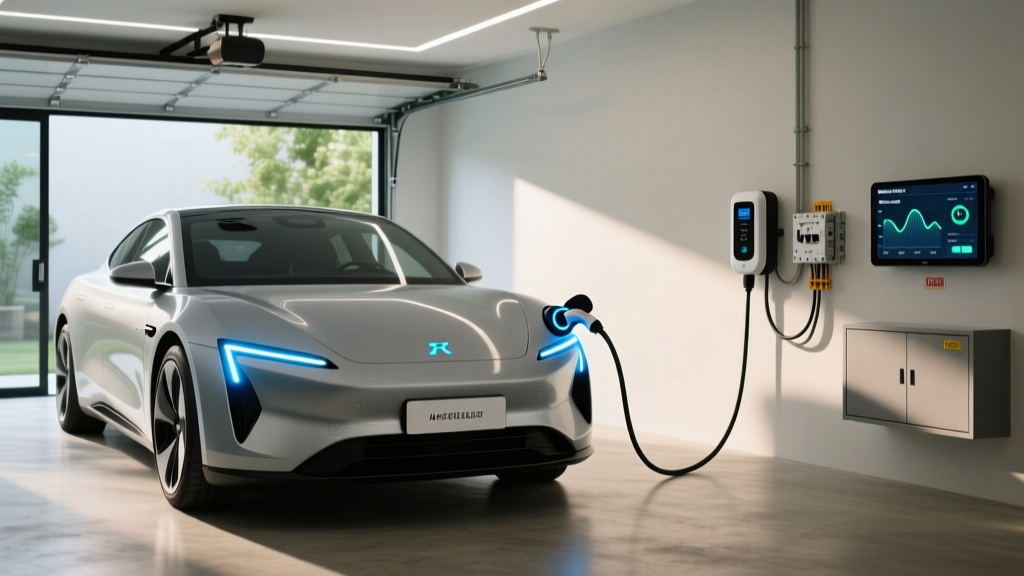
The Rivian Wall Charger is the centerpiece of Rivian smart charging integration for home use. Here are the exact specifications:
- Power output: 11.5 kW (48 amps continuous on a 60-amp dedicated circuit)
- Connector: NACS (North American Charging Standard) — native on 2025+ Rivian models
- Cable length: 25 feet
- Smart features: Wi-Fi connected, communicates directly with the Rivian app and vehicle for scheduled charging, off-peak rate optimization, and charging history
- Price: ~$500 (available through Rivian's shop)
- Outdoor rating: NEMA 4 rated for indoor/outdoor installation
How Smart Scheduling Works
When you pair the Rivian Wall Charger with your R1T or R1S, the vehicle and charger communicate over Wi-Fi. Through the Rivian app, you can set:
- Charge windows: Restrict charging to off-peak utility hours (e.g., 11 PM – 6 AM) to take advantage of lower $/kWh rates
- Target SoC: Set a daily maximum (e.g., 80%) to preserve long-term battery health, with the option to override to 100% for road trips
- Departure preconditioning: The vehicle warms or cools the battery and cabin while still plugged in, using grid power instead of battery energy — critical for cold-weather range preservation
- Energy dashboard: Track kWh consumed, cost estimates, and charging session history
This integration eliminates the need for third-party smart chargers with separate apps. The vehicle is the brain; the Wall Charger is the conduit.
Home Installation: Electrical Requirements and Costs
Installing a Rivian Wall Charger is not a DIY project. It requires a licensed electrician, a permit, and potentially a panel upgrade depending on your home's existing electrical service.
Electrical Requirements
- Circuit: 60-amp dedicated breaker (240V)
- Wire gauge: 6 AWG copper (or 4 AWG aluminum) for runs up to ~100 feet; thicker gauge needed for longer runs
- Panel capacity: Your home's main service panel must have sufficient spare capacity. A 200-amp panel is typical for modern homes; older homes with 100-amp service will almost certainly need an upgrade
- GFCI protection: NEC 2023+ requires GFCI protection for EV charging circuits in garages — your electrician will handle this via the breaker
| Component | Low Estimate | High Estimate | Notes |
|---|---|---|---|
| Rivian Wall Charger (equipment) | $500 | $500 | Fixed price through Rivian |
| Electrician labor (standard install) | $600 | $1,500 | Depends on run length, wall type, conduit needs |
| Electrical permit | $50 | $250 | Varies by municipality |
| Panel upgrade (if needed) | $1,500 | $4,000+ | 100A → 200A service; older homes |
| Utility meter upgrade (if required) | $0 | $1,200 | Some utilities require a separate meter for EV TOU rates |
| Total (no panel upgrade) | $1,150 | $2,250 | Most homes with 200A service |
| Total (with panel upgrade) | $2,650 | $6,250+ | Older homes, longer wire runs |
Connector Compatibility: NACS, CCS, and the Supercharger Network
Starting with the 2025 model year, Rivian transitioned to the NACS (North American Charging Standard) connector — the same connector used by Tesla. This was a significant shift from the CCS1 port used on 2022–2024 models. Here's what this means for charging access:
| Model Year | Native Port | Tesla Supercharger Access | CCS Network Access | Adapter Needed? |
|---|---|---|---|---|
| 2022–2024 R1T/R1S | CCS1 | Yes (via Rivian-provided NACS adapter) | Native — no adapter | NACS adapter for Superchargers |
| 2025–2026 R1T/R1S | NACS | Native — no adapter | Yes (via CCS adapter) | CCS adapter for Electrify America, etc. |
Key takeaway for 2025–2026 owners: Your Rivian plugs natively into any Tesla Supercharger V3 or V4 stall — no adapter required. For CCS-based networks like Electrify America or EVgo, you'll need a NACS-to-CCS adapter (available from Rivian and third-party manufacturers for ~$200–$250).
The Rivian app integrates Supercharger stall availability and routing directly into the vehicle's navigation, so road trip planning accounts for charging stops automatically — a major benefit of the NACS transition.
Cost to Charge: Rivian vs. Gas, by the Numbers
One of the strongest ownership arguments for the R1T and R1S is fuel cost savings, particularly if you can charge at home on off-peak utility rates. Here's a realistic breakdown based on 2026 energy and fuel prices.
| Scenario | Cost per kWh / Gallon | Rivian R1T (2.0–2.5 kWh/mi) | Gas Truck (17 MPG combined) |
|---|---|---|---|
| Home charging (off-peak TOU) | $0.12/kWh | $0.24–$0.30/mi | — |
| Home charging (standard rate) | $0.18/kWh | $0.36–$0.45/mi | — |
| Public Level 2 (ChargePoint, etc.) | $0.30/kWh | $0.60–$0.75/mi | — |
| DC Fast Charging (EA, EVgo) | $0.40–$0.55/kWh | $0.80–$1.38/mi | — |
| Tesla Supercharger V3/V4 | $0.28–$0.38/kWh | $0.56–$0.95/mi | — |
| Gasoline (national avg.) | $3.40/gal | — | $0.20/mi |
Alternative Level 2 Chargers for Rivian Owners
While the Rivian Wall Charger offers the deepest smart integration, some owners opt for third-party chargers for specific reasons — longer cable runs, load-sharing between two EVs, or existing ecosystem investment. Here are compatible alternatives:
ChargePoint Home Flex
- Power: Up to 12 kW (50A) on a 60A circuit
- Connector: NACS or J1772 (select at purchase)
- Cable: 23 feet
- Smart features: Wi-Fi, ChargePoint app scheduling, Alexa integration
- Price: ~$550–$650
- Trade-off: No direct Rivian vehicle communication; scheduling managed via ChargePoint app, not Rivian app
Emporia Vue Level 2 Charger
- Power: Up to 11.5 kW (48A) on a 60A circuit
- Connector: J1772 (NACS adapter required for 2025+ Rivians) or NACS version available
- Cable: 24 feet
- Smart features: Integrates with Emporia energy monitoring for whole-home load management
- Price: ~$400–$500
- Trade-off: Less seamless than Rivian Wall Charger; best for solar/home-energy-monitoring households
For most Rivian owners, the first-party Wall Charger remains the recommended choice due to its native app integration, preconditioning coordination, and guaranteed NACS compatibility. Third-party chargers are best when you need load-sharing (two EVs on one circuit) or have an existing smart-home energy ecosystem.
Safety, Code, and Installation Best Practices
EV charging draws sustained high current for hours — this is fundamentally different from intermittent loads like an oven or dryer. Proper installation is non-negotiable.
- Dedicated circuit: Your Level 2 charger must be on its own dedicated breaker — never shared with other appliances
- Continuous load derating: NEC requires EV chargers (classified as continuous loads, 3+ hours) to be derated to 80% of breaker capacity. A 48A charger requires a 60A breaker; a 40A charger requires a 50A breaker
- GFCI breaker: Required for garage installations under NEC 2023 and later — your electrician will install a GFCI-compatible breaker in the panel
- Outdoor installations: Ensure the charger is rated NEMA 4 or higher for weather resistance; the Rivian Wall Charger meets this standard
- Permit and inspection: Nearly all jurisdictions require an electrical permit and post-installation inspection for EV charger circuits. Skipping this can void homeowner's insurance coverage for electrical fires
- Wire sizing: Undersized wire on long runs causes voltage drop, slower charging, and heat buildup. Your electrician should calculate wire gauge based on run distance
Frequently Asked Questions
How much does it cost to install a home EV charger for a Rivian?
Expect $1,150–$2,250 for a standard installation (Rivian Wall Charger + electrician labor + permit) if your home already has a 200-amp electrical panel with spare capacity. If you need a panel upgrade from 100A to 200A, total costs rise to $2,650–$6,250+. Always get a load calculation from a licensed electrician before committing.
How fast will each charging level add range to my Rivian R1T?
Level 1 (120V) adds roughly 3–5 miles per hour — useful only for overnight trickle or emergencies. Level 2 (240V, 11.5 kW via the Rivian Wall Charger) adds approximately 28–34 miles per hour, fully replenishing a depleted Max Pack overnight. DC fast charging at 200 kW peak can add 140+ miles in 15–20 minutes, though the charge curve tapers substantially above 80% SoC.
Which connector does my 2025 or 2026 Rivian use?
Model year 2025 and newer Rivian R1T and R1S vehicles use the NACS connector natively. This plugs directly into Tesla Superchargers without an adapter. For CCS-based public chargers (Electrify America, EVgo), you'll need a NACS-to-CCS adapter. Model years 2022–2024 use CCS1 natively and require a NACS adapter for Supercharger access.
How much does charging a Rivian cost per mile versus gas?
At home on off-peak utility rates (~$0.12/kWh), a Rivian R1T costs approximately $0.24–$0.30 per mile. A comparable gas truck at 17 MPG with $3.40/gallon fuel costs about $0.20 per mile. Home charging on standard rates (~$0.18/kWh) pushes the Rivian to $0.36–$0.45/mile. Public DC fast charging at $0.40–$0.55/kWh can exceed gas costs — home charging is where the economics work best.
What electrical upgrades might my home need for a Rivian charger?
The Rivian Wall Charger requires a dedicated 60-amp, 240V circuit. If your home has a 200-amp panel with available capacity, you likely need only the new breaker and wiring. Homes with 100-amp service or panels near capacity will need a service upgrade ($1,500–$4,000+). Some utilities also require a separate meter for time-of-use EV rates, adding $0–$1,200. A licensed electrician's load calculation will determine your exact needs.
Does Rivian smart charging integration work with solar panels?
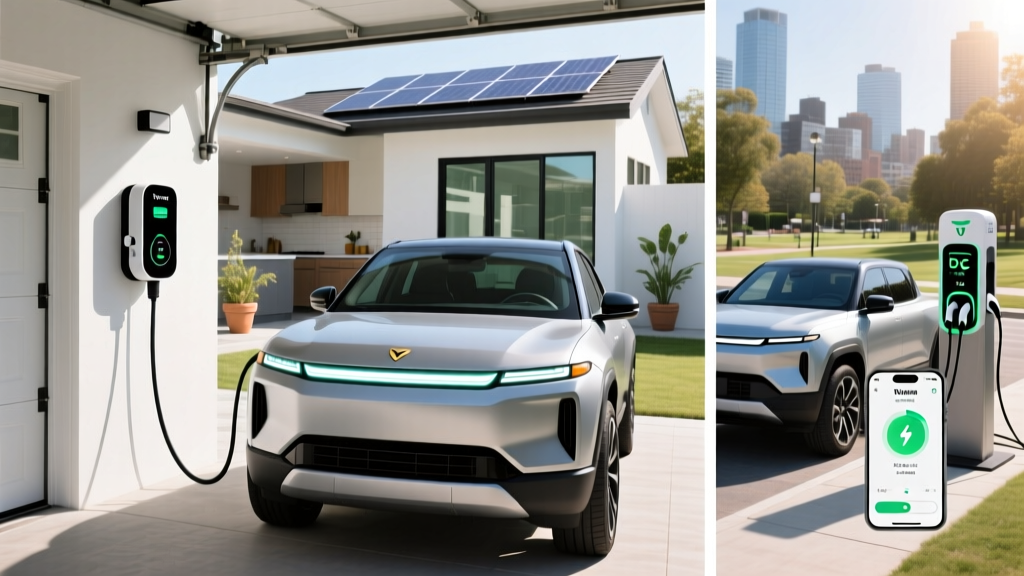
Yes, but indirectly. The Rivian app's scheduled charging can be timed to coincide with peak solar production hours (typically 10 AM – 3 PM) if your utility offers a solar TOU rate plan. For direct solar-to-EV load management, pairing the Rivian Wall Charger with an Emporia or Enphase energy monitoring system gives you real-time visibility into solar production versus charging consumption. Rivian does not currently offer a native solar-integration feature in its app, though this may evolve in future OTA updates.