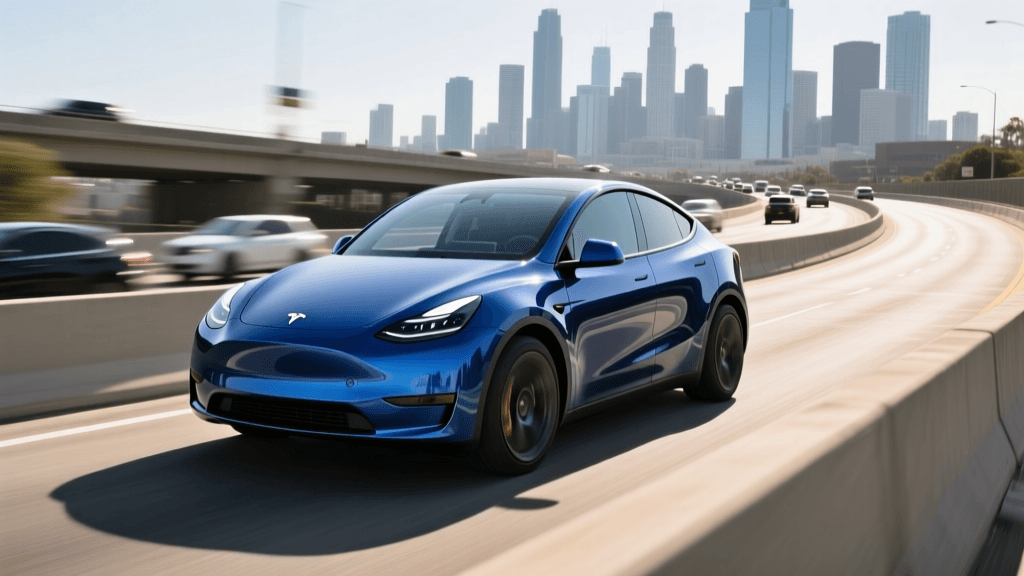
The Great EV Battery Health Confusion
As electric vehicle adoption accelerates, so does the anxiety surrounding battery degradation. It is the single most expensive component in your EV, and understanding its true condition is paramount. Unfortunately, the internet is flooded with outdated advice, forum rumors, and outright myths about how to check and maintain EV battery health. According to the U.S. Environmental Protection Agency, many common beliefs about EV batteries are simply false, leading owners to make mistakes that can actually accelerate wear.
In this guide, we are busting the most pervasive EV battery health myths and providing a concrete, actionable guide to using OBD2 diagnostic tools to measure your battery's true State of Health (SoH).
Myth 1: The Dashboard Range Estimate Reflects Battery Health
The Myth: If your EV says it has 250 miles of range at a 100% charge, but it originally had 300 miles, your battery has degraded by 16%.
The Reality: The dashboard range estimator (often jokingly called the "guess-o-meter") calculates range based on recent driving efficiency, weather conditions, and elevation changes. It is a measure of State of Charge (SoC) combined with algorithmic consumption estimates, not State of Health (SoH). SoH is the actual maximum energy capacity of the battery pack compared to its original factory capacity. Relying on the dashboard range to determine battery health is a critical mistake. You must query the Battery Management System (BMS) directly via the OBD2 port to get the true SoH percentage.
Myth 2: You Must Drain the Battery to 0% to "Calibrate" It
The Myth: To keep the battery gauge accurate and the cells healthy, you should occasionally drain the EV to 0% and charge it to 100%.
The Reality: This advice stems from the era of nickel-cadmium (NiCd) batteries, which suffered from "memory effect." Modern EVs use lithium-ion chemistry, which does not have a memory effect. In fact, regularly draining a lithium-ion battery to 0% causes severe stress on the anode and cathode structures. The Argonne National Laboratory notes that extreme states of charge (both 0% and 100%) accelerate chemical degradation in lithium-ion cells. The BMS automatically buffers the top and bottom of the battery to prevent true 0% or 100% states, but intentionally driving until the car shuts down is a terrible idea that risks stranding you and damaging the low-voltage systems.
Myth 3: Only the Dealership Can Read True State of Health (SoH)
The Myth: You need to pay the dealership for a proprietary diagnostic check to find out your battery's health.
The Reality: While dealerships do have proprietary software, the EV's BMS broadcasts vital health data over the standard Controller Area Network (CAN bus). By using an aftermarket OBD2 scanner paired with a specialized smartphone app, you can read the exact same SoH data, cell voltage deviations, and battery temperatures that the dealer sees. This empowers you to monitor your battery weekly, verify warranty eligibility, and check the health of a used EV before purchasing.
The Right Tools: OBD2 Scanners and Diagnostic Apps
To bypass the myths and read the raw data, you need two things: a reliable Bluetooth OBD2 adapter and an EV-specific diagnostic application.
Hardware: Which OBD2 Adapter to Buy
Not all OBD2 scanners work with EVs. EVs do not have internal combustion engines, so standard emissions-focused OBD2 readers will return zero useful data. You need an adapter capable of reading manufacturer-specific CAN bus PIDs (Parameter IDs).
- OBDLink CX: The gold standard for modern EVs. It is specifically designed to handle the high-speed CAN networks found in newer Teslas, Hyundai/Kia E-GMP platforms, and Ford EVs. It costs around $120 but offers rock-solid connectivity.
- Vgate iCar Pro Bluetooth 4.0: A budget-friendly option (around $30) that works exceptionally well for older Nissan Leafs, early BMW i3s, and first-generation Chevy Volts/Bolts.
- OBDLink MX+: A premium, rugged option that supports a wide array of proprietary protocols, making it ideal for VW Group EVs (ID.4, e-tron) and older Tesla Model S/X.
Software: Top Apps for EV Diagnostics
Once your hardware is plugged into the OBD2 port (usually located under the dashboard near the driver's left knee), you need software to translate the raw hex data into readable metrics.
- LeafSpy / LeafSpy Pro: The undisputed king for Nissan Leaf owners. It reads SoH, cell shunts, and the infamous "rapidgate" temperature thresholds.
- Car Scanner ELM OBD2: The best universal app. It features specific coding profiles for Tesla, Hyundai, Kia, Volkswagen, and BMW, allowing deep dives into battery pack data.
- OBDeleven: Essential for VW Group vehicles (Porsche Taycan, Audi e-tron, VW ID.4). It reads advanced battery module balances and high-voltage isolation faults.
Diagnostic App Comparison Chart
| App Name | Best For | Key Metrics Read | Cost |
|---|---|---|---|
| LeafSpy Pro | Nissan Leaf | SoH%, Cell mV, Hx, QC Count | ~$20 |
| Car Scanner ELM OBD2 | Universal / Tesla / Hyundai | SoH%, Max/Min Cell Voltage, Temp | Free / $10 Pro |
| OBDeleven | VW / Audi / Porsche | Module SoH, Isolation, Balancing | Free / $30/yr Pro |
| ABRP (w/ OBD2) | Route Planning / Live SoC | Live SoC, Battery Temp, Degradation | $10/mo |
Common Mistakes When Reading OBD2 EV Data
Having the tools is only half the battle. Misinterpreting the data is where many EV owners fall into the trap of unnecessary panic.
Mistake 1: Ignoring Cell Voltage Deviation
State of Health (SoH) is an aggregate number, but it hides the truth about individual cell groups. You must look at the Cell Voltage Delta (the difference in millivolts between the highest and lowest cell groups). A healthy pack should have a delta of less than 20mV at rest. If you see a delta consistently over 50mV to 100mV, you have a weak cell group. According to research on battery management systems highlighted by the Department of Energy, the BMS will limit the entire pack's usable capacity to protect that single weak cell, resulting in sudden range drops even if the overall SoH percentage looks acceptable.
Mistake 2: Checking SoH at Extreme Temperatures
Lithium-ion chemistry is highly sensitive to temperature. If you plug in your OBD2 scanner on a freezing winter morning, the BMS may artificially lower the reported SoH or restrict the available capacity reading due to increased internal resistance. Always check your SoH when the battery pack is at a moderate temperature (between 60°F and 80°F) and after the car has been resting for a few hours to allow the BMS to complete its cell-balancing routines.
Mistake 3: Panicking Over Minor SoH Fluctuations
Battery degradation is not a perfectly linear, downward slope. The BMS algorithm constantly refines its SoH calculation based on recent charging cycles. It is entirely normal to see your SoH read 94% on Tuesday, 93% on Thursday, and 94.5% the following week. Look at the macro trend over months, not the micro fluctuations over days.
Final Verdict: Trust the Data, Not the Myths
Busting EV battery myths starts with ignoring anecdotal forum advice and relying on hard, empirical data. Your dashboard range estimator is for trip planning, not health diagnostics. Deep discharges harm modern lithium-ion chemistry rather than helping it. And you certainly do not need to rely solely on a dealership to tell you the condition of your most valuable automotive asset.
By investing $50 to $120 in a quality OBD2 adapter and a specialized app like Car Scanner or LeafSpy, you take control of your EV's lifecycle. Monitor your State of Health quarterly, keep an eye on cell voltage deviations, and maintain your battery within the 20% to 80% daily SoC window. Armed with the right diagnostic tools and the truth behind the myths, you can drive with confidence for hundreds of thousands of miles.