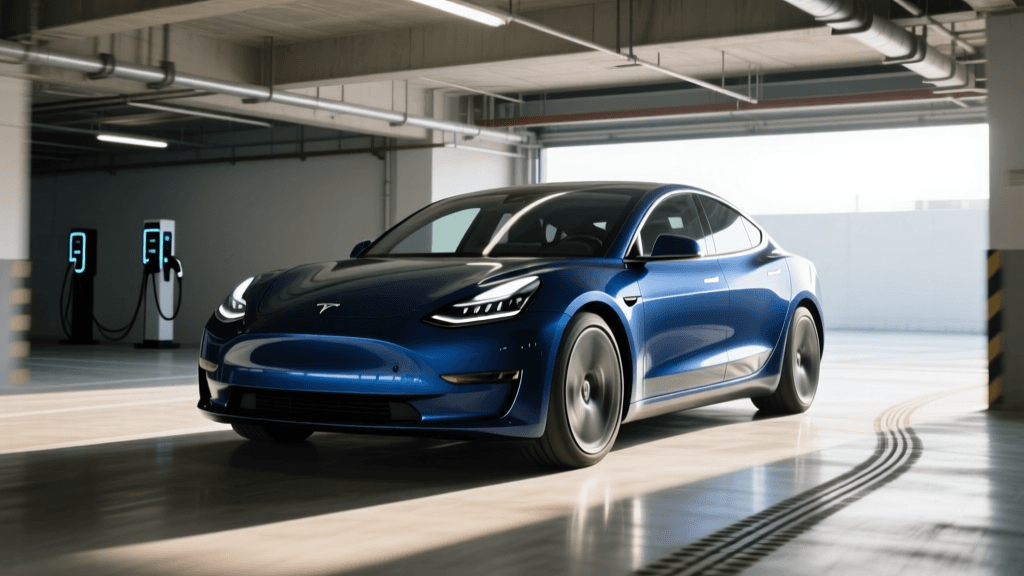
The Troubleshooter's Dilemma: Dashboard SoH vs. Real-World Range
Your electric vehicle's dashboard displays a reassuring 92% Battery State of Health (SoH), yet your real-world range has plummeted by over 15% in the last three months. Is your battery pack suffering from rapid, defective degradation, or is the Battery Management System (BMS) simply lying to you? When troubleshooting EV battery health, the percentage shown on the screen is only the beginning of the diagnostic process.
State of Health (SoH) is a calculated metric, not a direct physical measurement. It represents the current maximum energy capacity of the battery pack compared to its original factory capacity. However, because the BMS estimates this value using voltage readings, temperature sensors, and coulomb counting, the reported SoH can easily fall out of sync with the battery's actual chemical state. According to the U.S. Department of Energy, modern EV batteries are designed to outlast the vehicles themselves, meaning sudden, drastic drops in reported SoH or range are frequently the result of software calibration drift rather than catastrophic cell failure.
This guide will walk you through the exact troubleshooting steps required to diagnose EV battery SoH discrepancies, verify true degradation, and determine if your vehicle requires a BMS reset, cell balancing, or a warranty replacement.
Step 1: Bypass the Dashboard with OBD2 Diagnostics
The first rule of troubleshooting EV battery health is to never rely solely on the infotainment screen or mobile app. Automakers intentionally smooth out SoH reporting to prevent consumer panic, often masking early-stage degradation or cell imbalances. To see the raw data, you need an OBD2 scanner and an EV-specific diagnostic application.
Recommended Diagnostic Tools by Brand
- Tesla (Model 3/Y/S/X): Use an OBDLink CX or vLinker FD paired with apps like Scan My Tesla or TeslaFi. These tools read the raw 'nominal full pack' and 'energy buffer' PIDs (Parameter IDs).
- Nissan LEAF: LeafSpy Pro is the undisputed industry standard. It reads the raw SoH percentage directly from the BMS, alongside individual cell voltages and the 'Hx' internal resistance metric.
- Hyundai/Kia (E-GMP Platform): Car Scanner ELM OBD2 or EVnotify can pull the BMS module data, including the total pack voltage and individual cell group deltas.
- Chevrolet Bolt EV/EUV: Torque Pro with custom EV PIDs or the ABRP (A Better Routeplanner) OBD integration to monitor live battery health telemetry.
Troubleshooting Action: Connect your OBD2 scanner and record the 'Calculated SoH' versus the 'Measured Capacity (kWh)'. If the OBD2 app shows an SoH of 85% while the dashboard claims 94%, your BMS has lost its calibration baseline and requires a manual reset (detailed in Step 3).
Step 2: Analyze Cell Voltage Delta (The True Health Indicator)
If your OBD2 scanner confirms a low SoH, or if your range is dropping despite a high SoH reading, you must check the Cell Voltage Delta. A battery pack is made of dozens of individual cell groups wired in series and parallel. The BMS monitors the voltage of every single group.
The 'Delta' is the difference in voltage between the highest and lowest cell groups in the pack. In a healthy, balanced EV battery, the resting Delta should be incredibly tight—typically under 0.02V (20mV).
Diagnosing the Delta
- Delta under 0.05V: The pack is healthy and balanced. Any range loss is likely due to tire pressure, aerodynamic drag, or 12V battery issues.
- Delta between 0.05V and 0.15V: Normal cell drift. The BMS will typically bleed off the high cells during the balancing phase at the top of a charge cycle.
- Delta above 0.20V: Critical Fault. You have a defective cell module, a failing cell sense wire, or severe thermal degradation in one specific area of the pack. The BMS will limit total pack capacity to protect the weak cell from over-discharging, which artificially tanks your SoH percentage and triggers 'limp mode' or range warnings.
Research from the National Renewable Energy Laboratory (NREL) highlights that cell imbalance is a primary driver of premature pack retirement. If your OBD2 tool shows a high Delta, no amount of BMS calibration will fix your SoH. This is a hardware failure that requires a dealership warranty claim for cell module replacement.
Step 3: Fixing BMS Calibration Drift (The Manual Reset)
If your cell Delta is tight (under 0.05V) but your SoH percentage or estimated range still seems inaccurate, you are likely experiencing BMS calibration drift. This is incredibly common in EVs equipped with LFP (Lithium Iron Phosphate) batteries, such as the Tesla Model 3 RWD or BYD Atto 3.
LFP batteries have a remarkably flat voltage curve. A cell might sit at 3.2V whether it is 80% full or 20% full. Because the BMS uses voltage to estimate capacity, it easily loses track of the 'bottom' and 'top' of the battery if the owner habitually charges to 80% and never lets it drop below 30%.
The Universal BMS Calibration Procedure
To troubleshoot and correct phantom SoH drops, perform this manual calibration cycle:
- Discharge to the Buffer: Drive the vehicle until the battery reaches 5% or lower. (Do not let it hit 0% and strand yourself, but get it as low as safely possible). This teaches the BMS exactly where the bottom voltage limit is.
- Rest the Pack: Let the car sit unplugged for at least 3 hours. This allows the cell voltages to stabilize and the BMS to take an accurate open-circuit voltage (OCV) reading.
- Charge to 100% Uninterrupted: Plug into a Level 2 charger and charge to 100%. Crucial: Leave the car plugged in for at least 2 to 4 hours after it reaches 100%. This triggers the passive cell balancing phase, where the BMS bleeds excess voltage from the highest cells to match the lowest cells.
After completing this cycle, your dashboard SoH and range estimates should recalibrate, often 'recovering' lost percentage points that were merely hidden by software drift.
Understanding Normal Degradation Curves vs. Warranty Thresholds
When troubleshooting SoH, it is vital to know what constitutes a 'normal' drop versus a warrantable defect. Data aggregated by Recurrent Auto, which tracks over 15,000 EVs in real-world conditions, shows that battery degradation is not linear. Most EVs experience a 2% to 5% drop in SoH within the first 20,000 miles as the solid electrolyte interphase (SEI) layer stabilizes inside the cells. After this initial drop, degradation slows to a crawl, averaging less than 1% per year.
Below is a troubleshooting reference table to help you determine if your EV's SoH percentage is normal for its mileage, or if it has crossed the threshold for a warranty replacement.
| Manufacturer / Model | Battery Chemistry | Warranty Threshold (SoH) | Avg. Real-World SoH at 100k Miles | Troubleshooting Note |
|---|---|---|---|---|
| Tesla Model 3/Y (Long Range) | NMC / NCA | 70% / 8 yrs / 120k mi | 88% - 92% | Highly accurate BMS; low Delta variance. |
| Tesla Model 3 (RWD) / BYD | LFP | 70% / 8 yrs / 100k-120k mi | 94% - 97% | Requires monthly 100% charges to prevent BMS drift. |
| Chevrolet Bolt EV / EUV | NMC | 60% / 8 yrs / 100k mi | 90% - 94% | Conservative buffer; true SoH often higher than displayed. |
| Nissan LEAF (40/62 kWh) | NMC (Passive Air) | 9 Bars (~70%) / 8 yrs / 100k mi | 82% - 88% | Lacks active thermal management; high heat accelerates SoH loss. |
| Hyundai Ioniq 5 / Kia EV6 | NMC (800V) | 70% / 8 yrs / 100k mi | 91% - 95% | Excellent thermal management; SoH drops are usually BMS errors. |
When to Escalate to Dealership Diagnostics
If you have performed an OBD2 scan, verified a tight cell Delta, executed a full BMS calibration cycle, and your State of Health percentage is still plummeting—or if it sits at 95% while the car violently limits your charging speeds and acceleration—it is time to escalate to the dealership.
Dealerships have access to proprietary manufacturer software that can perform an 'active cell balancing' routine, forcing the BMS to equalize cells using the vehicle's thermal management system. Furthermore, they can read the internal resistance logs of individual modules. If a specific module is showing a spike in internal resistance (impedance), the dealership can replace that single module under warranty, instantly restoring your pack's SoH and range without requiring a full, environmentally taxing battery replacement.
Summary: Trust the Data, Not the Dashboard
Troubleshooting EV battery State of Health requires a shift in mindset. The SoH percentage is a dynamic, software-calculated estimate that is highly susceptible to calibration drift, temperature variations, and charging habits. By investing in an OBD2 scanner, monitoring your cell voltage Delta, and understanding the specific chemical traits of your battery (NMC vs. LFP), you can accurately diagnose whether your EV is suffering from genuine chemical degradation or simply experiencing a software miscalculation. Proactive monitoring not only gives you peace of mind but ensures you have the hard data required to successfully navigate a warranty claim if a true hardware defect arises.