Can You Actually Catch a Waymo to SFO Airport?
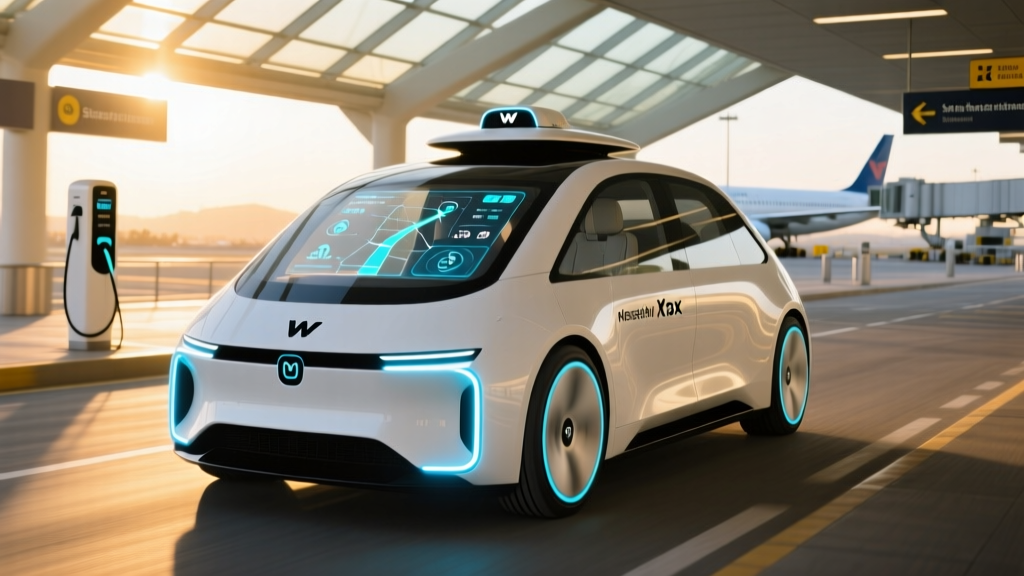
If you've watched Waymo's white Jaguar I-PACE SUVs navigate San Francisco's hills without a driver, you've probably asked: does Waymo go to SFO Airport? The short answer is yes — Waymo launched airport service to San Francisco International Airport (SFO) in late 2024, and it remains an active part of their Bay Area geofence as of early 2026. But the practical answer requires more nuance: pickup/dropoff locations, wait times, pricing, and the exact boundaries of where your ride can start or end all matter when you're catching a flight.
This guide breaks down exactly how Waymo's SFO airport service works, what it costs compared to Uber and Lyft, the safety data behind the wheel, and the limitations you should know before booking a ride to the terminal.
Automation Level: SAE Level 4
Waymo operates at SAE Level 4 — high automation within a defined operational design domain (geofenced areas). The vehicle handles all driving tasks with no human behind the wheel. This is fundamentally different from Level 2 driver-assist systems like Tesla Autopilot or GM Super Cruise, which require continuous driver supervision. In a Waymo, there is no steering wheel for passengers and no expectation you'll intervene.
Where Can You Use Waymo Right Now?
Waymo's commercial robotaxi service, branded as Waymo One, operates in select metro areas. Expansion has been deliberate — the company geofences each zone, maps it at high resolution, and validates performance before opening it to riders. Here's the current footprint:
| Metro Area | Status | Key Coverage Zones | Airport Service |
|---|---|---|---|
| San Francisco Bay Area | Live (24/7) | SF, Oakland, parts of Peninsula, SFO airport zone | Yes — SFO |
| Los Angeles | Live (24/7) | Downtown LA, Santa Monica, Hollywood, Westside, LAX zone | Yes — LAX |
| Phoenix (Metro) | Live (24/7) | Chandler, Tempe, Mesa, Scottsdale, parts of Phoenix proper, PHX airport zone | Yes — PHX |
| Austin, TX | Live (expanding) | Central Austin, downtown, South Austin | Limited / TBD |
For SFO specifically, Waymo serves a designated ride-hail pickup area on the Departures/Ticketing level. You request the ride in the Waymo app, and the vehicle navigates to the geofenced airport pickup zone. Dropoffs work similarly — the car delivers you to the terminal departure lane.
Geofence reality check: Waymo's Bay Area service area covers most of San Francisco, parts of the Peninsula corridor, and Oakland, but it doesn't extend to the full Bay Area. If your origin point is in Marin County, the East Bay beyond Oakland, or the far South Bay, you may be outside the service zone. Always enter your exact address in the app to confirm availability before planning around it.
How to Ride Waymo to SFO (Step-by-Step)
- Download the Waymo One app (iOS/Android) and create an account. You'll need a valid payment method on file.
- Enter SFO as your destination (or your SF/Bay Area address if heading from the airport). The app confirms whether your origin and destination are within the geofence.
- Request your ride. Wait times vary — in central SF, expect 2–7 minutes during normal hours; airport pickups can be slightly longer during peak travel times.
- Meet the vehicle at the designated pickup pin shown in the app. The Jaguar I-PACE will pull up, and you unlock it via the app by tapping a button or scanning a code on the window.
- Start the ride. Once inside, tap "Start Ride" on the in-seat screen. The vehicle handles everything from there. You can adjust climate controls and choose music, but you cannot alter the route.
- Arrive and exit. The car pulls to the designated dropoff point, and the doors unlock automatically when the ride ends.
Waymo Pricing vs. Uber and Lyft to SFO
Waymo prices its rides to be competitive with UberX and Lyft Standard — not premium services like Uber Black. Pricing is upfront (shown before you confirm the ride) and does not surge the way Uber and Lyft do during peak demand. Here's a comparison based on typical Bay Area routes:
| Route | Waymo One | UberX (est.) | Lyft Standard (est.) |
|---|---|---|---|
| Downtown SF → SFO | $30–$38 | $28–$45 | $26–$42 |
| Mission District → SFO | $32–$40 | $30–$48 | $28–$44 |
| Oakland (Downtown) → SFO | $38–$48 | $35–$55 | $33–$50 |
| SoMa → SFO | $28–$36 | $25–$42 | $24–$40 |
Key pricing differences:
- No surge pricing. Waymo uses fixed upfront pricing. During high-demand periods, wait times may increase, but the quoted fare doesn't spike 2x or 3x the way rideshare surge pricing can.
- No tipping. There's no driver to tip. This typically saves $3–$8 per ride compared to a comparable Uber/Lyft ride where tipping is customary.
- Comparable base fares. Outside of surge events, Waymo's prices are within a few dollars of UberX and Lyft. During surge, Waymo is often cheaper.
For airport runs specifically, Waymo's no-surge model is a real advantage. A 6 AM flight departure or a holiday weekend return — exactly when Uber/Lyft surge — is when Waymo pricing stays flat.
How Safe Are Waymo Robotaxis? The Real Data
Safety is the most common question from first-time riders. Waymo publishes safety performance data and has been scrutinized by the National Highway Traffic Safety Administration (NHTSA) and the California DMV. Here's what the numbers show:
Waymo Safety Record (Through Early 2026)
- Total autonomous miles driven: Over 40 million fully driverless miles across all markets (Waymo's published cumulative figure).
- Injury-relevant crash rate: Waymo's own analysis, validated against NHTSA benchmarks, shows an approximately 85% reduction in injury-causing crashes per million miles compared to human-driven vehicle benchmarks in comparable urban environments.
- Contact rate: Waymo vehicles make contact with other objects (other vehicles, cyclists, pedestrians) at a significantly lower rate than human drivers in the same operating areas, per the company's published safety framework data.
- NHTSA Standing General Order: Waymo reports incidents as required under NHTSA's Standing General Order for automated driving systems. Most reported incidents involve minor low-speed contact where the Waymo vehicle was rear-ended or sideswiped by a human driver — not the robotaxi initiating the collision.
For context, human drivers in the US average roughly 1.8 police-reported crashes per million miles driven (per NHTSA data), though many minor incidents go unreported. Waymo's sensor suite and 360-degree awareness give it advantages in intersection management and reaction time, though the vehicle can be overly cautious in ways that occasionally frustrate human drivers sharing the road — such as extended stops at four-way stops or conservative merging behavior.
Waymo's safety data has also been reviewed by the Insurance Institute for Highway Safety (IIHS), which has noted the potential for significant crash reduction as Level 4 services scale, while emphasizing that long-term, multi-year data across diverse conditions is still being accumulated.
Waymo's Technology Stack: Lidar, Cameras, and HD Maps
Waymo's approach to autonomous driving is sensor-heavy and redundancy-driven — a deliberate contrast to camera-only systems used by some competitors. Here's what's on the roof and body of the Jaguar I-PACE robotaxi:
Sensor Suite (5th-Generation Waymo Driver)
- Lidar: Custom-built 360° lidar arrays mounted on the roof provide high-resolution depth mapping up to 500+ meters. Lidar works independently of lighting conditions, giving the system reliable spatial awareness at night and in glare.
- Cameras: Multiple high-resolution cameras (visible spectrum) cover 360° around the vehicle, reading traffic signals, detecting brake lights, identifying pedestrians, and parsing lane markings.
- Radar: Short- and long-range radar units supplement lidar for velocity detection of moving objects, particularly in conditions where lidar or camera performance may be reduced.
- HD Maps: Waymo pre-maps every inch of its geofenced service area at centimeter-level resolution. The vehicle knows the exact position of every curb, lane, signal, and crosswalk before it arrives. This is why Waymo can only operate in mapped zones — the HD map is a core part of the system's understanding of the world.
- Compute: Custom processing hardware in the trunk handles sensor fusion, object tracking, prediction, and path planning in real time.
This multi-sensor approach is more expensive than a camera-only system (which is one reason Waymo vehicles are costly to build), but it provides redundancy. If one sensor modality is degraded — say, camera washout from direct sun — lidar and radar continue providing reliable data.
Regulatory Landscape: Who Approves Robotaxi Operations?
Robotaxi operations in the US are regulated primarily at the state level, with federal oversight from NHTSA on vehicle safety standards:
- California: The California DMV issues autonomous vehicle testing and deployment permits. The California Public Utilities Commission (CPUC) regulates commercial passenger service. Waymo holds both a DMV deployment permit and CPUC authorization for commercial robotaxi service in San Francisco and other Bay Area zones.
- Arizona: Arizona has a permissive regulatory framework with no specific state-level autonomous vehicle permit requirement beyond standard business and vehicle registration. Waymo has operated commercially in Phoenix since 2020.
- Federal (NHTSA): NHTSA oversees vehicle safety standards and requires automated driving system operators to report crashes under the Standing General Order. NHTSA does not currently "approve" or "certify" autonomous driving software, but it has investigatory authority and can issue recalls or safety orders.
The regulatory environment continues to evolve. Some cities and advocacy groups have pushed for tighter oversight following isolated incidents involving robotaxis (particularly in San Francisco in 2023–2024 involving Cruise, a competitor that subsequently restructured its operations). Waymo has generally maintained a more cautious expansion strategy and has not faced the same regulatory suspensions.
Current Limitations: What Waymo Cannot Do
Level 4 autonomy is powerful within its domain, but the domain has boundaries. Here are the practical limitations to understand before booking:
- Geofence boundaries: Waymo only operates within its pre-mapped service area. If your origin or destination falls outside the geofence, the app won't let you book the ride. SFO is inside the geofence; SJO (San Jose) and OAK (Oakland) may have limited or no service depending on current zone boundaries.
- Weather constraints: Heavy rain, fog, or unusual road conditions can cause the system to pull over or decline a ride. Waymo's Phoenix operations face fewer weather challenges than San Francisco, where fog and rain events occasionally limit service.
- Construction zones: Major, unmapped road construction can confuse the system or cause the vehicle to take a conservative detour. Waymo updates its HD maps regularly, but rapidly changing construction zones remain an edge case.
- No highway driving (in most markets): Waymo's service primarily covers surface streets and lower-speed roads. Highway-speed merges and freeway driving are limited or excluded in most operational areas, though the company has been testing highway-capable routes.
- Passenger limitations: You cannot eat or drink in the vehicle, you must wear a seatbelt, and you cannot bring unsecured large items. There's no driver to negotiate special requests with.
- Accessibility: Waymo has been working on wheelchair-accessible vehicle options, but the current fleet (Jaguar I-PACE) requires passengers to be able to enter a standard vehicle seat. This is a meaningful limitation for riders with mobility needs.
- No multi-stop rides: You cannot add intermediate stops the way you can with Uber/Lyft. One origin, one destination.
Is Waymo Truly Self-Driving or Just Driver-Assist?
This distinction is critical, and it's where consumer confusion runs highest. Waymo is genuinely self-driving — SAE Level 4 — within its operational domain. There is no human driver in the vehicle, no steering wheel accessible to passengers, and no expectation that you monitor the road or intervene.
Compare this to consumer vehicles with advanced driver-assist features:
| System | SAE Level | Human Driver Required? | Operational Domain |
|---|---|---|---|
| Waymo One (robotaxi) | Level 4 | No | Geofenced metro areas |
| Tesla FSD (Supervised) | Level 2 | Yes — full attention | Any road (driver monitors) |
| GM Super Cruise | Level 2 | Yes — attention monitored | Mapped divided highways |
| Ford BlueCruise | Level 2 | Yes — attention monitored | Approved divided highways |
| Mercedes Drive Pilot | Level 3 | Conditional (limited scenarios) | Specific highways, low speed, good weather |
With Level 2 systems, the human is always the driver — legally and practically responsible. With Waymo's Level 4 service, Waymo is the driver. If something goes wrong, the vehicle is designed to execute a minimal-risk maneuver (pull over safely) rather than hand control to a passenger.
Frequently Asked Questions
Does Waymo go to SFO Airport from anywhere in San Francisco?
Waymo serves SFO from anywhere within its Bay Area geofence — which covers most of San Francisco, parts of the Peninsula, and Oakland. If your starting point is within the geofence, you can book a ride to SFO. Enter your exact address in the Waymo One app to confirm availability.
Can I take a Waymo from SFO to downtown San Francisco?
Yes. SFO airport is within Waymo's Bay Area service zone. After landing, open the app, enter your destination, and request a ride. The vehicle will navigate to the airport's designated ride-hail pickup area. Wait times vary from 3–10 minutes depending on demand.
How much does a Waymo ride to SFO cost?
From downtown San Francisco, expect $30–$38. From the Mission, roughly $32–$40. Pricing is upfront and does not surge. Compare that to Uber/Lyft, which can spike to $50–$80+ during peak demand or surge events.
Is Waymo safer than a human driver?
Waymo's published data shows significantly lower rates of injury-causing crashes per million miles compared to human-driven benchmarks in comparable urban settings. The vehicle has 360° sensor awareness, doesn't get distracted or fatigued, and reacts faster than a human. That said, the long-term dataset is still being built, and the system operates only in well-mapped, mostly lower-speed urban environments.
What happens if the Waymo vehicle gets confused or breaks down?
Waymo vehicles have remote support. If the system encounters a scenario it can't resolve, it pulls over safely and connects to a remote assistance team that can guide the vehicle or dispatch roadside support. You're never stranded without recourse — there's an in-app help button and in-vehicle communication to reach support.
Does Waymo operate 24 hours at SFO?
Waymo's Bay Area service operates 24/7, including airport rides. However, availability of nearby vehicles may be lower in the very early morning hours (2–5 AM), which can increase wait times.
Can I use Waymo to get to Oakland Airport (OAK) or San Jose Airport (SJC)?
Service to OAK and SJC depends on current geofence boundaries. Oakland is partially covered, but the airport zone specifically may or may not be included. San Jose is generally outside the current Bay Area geofence. Always check the app with your specific destination.
Bottom Line: Should You Take Waymo to SFO?
If your starting point is within Waymo's Bay Area geofence, taking a Waymo to SFO is a practical, often cost-competitive alternative to Uber or Lyft — especially during surge pricing events. The experience is smooth, the safety data is strong, and the novelty of a genuinely driverless ride to the airport still hasn't worn off.
The main caveats: confirm your origin is in the geofence, allow a few extra minutes for airport pickup logistics, and understand that the system is conservative by design. It won't take risks a human rideshare driver might, which means slightly longer routes or more cautious merging. For most airport runs, that's a worthwhile tradeoff for a ride where nobody's texting behind the wheel — because there's nobody behind the wheel at all.