What Tesla FSD Visualization Actually Shows You
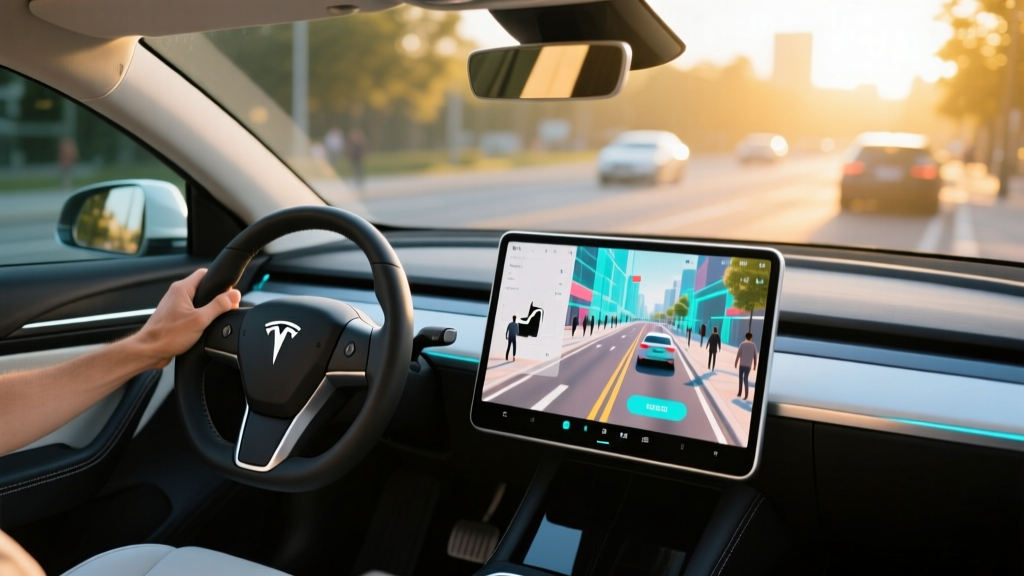
Slide into a Tesla with FSD (Supervised) engaged, and the instrument cluster or central touchscreen paints a real-time 3D rendering of the world around the car: lane lines curve and straighten, neighboring vehicles appear as detailed sedan or semi-truck models, pedestrians show up as stylized figures, and even curb edges and road debris get approximated. This is Tesla FSD visualization — the graphical output of the car's neural network interpreting live camera data and projecting it back to the driver as a simplified driving scene.
The visualization is not a camera feed. It is a reconstruction. Tesla's perception stack, running on the Hardware 4 (HW4) computer, processes input from up to eight exterior cameras and outputs a vector-space understanding of the environment. What you see on screen is the car's best guess of the world, rendered in near real time. Understanding the gap between that guess and ground truth is essential for any driver using FSD (Supervised) in 2026.
Tesla FSD (Supervised) is an SAE Level 2 driver-assistance system. The driver must remain attentive, keep hands on the wheel (or demonstrate engagement via torque or camera monitoring), and be prepared to take over instantly. It is not autonomous or self-driving. Only Level 4 services like Waymo operate without a human driver in defined geofenced areas.
How Tesla Vision Powers the Visualization
Since late 2022, Tesla has relied exclusively on Tesla Vision — a camera-only perception system — after removing ultrasonic sensors (USS) and radar from production vehicles. The HW4 suite includes higher-resolution cameras with wider fields of view compared to the earlier HW3 hardware, giving the neural network more pixel data to work with at distance.
| Camera Position | Approximate FOV | Primary Role in Visualization |
|---|---|---|
| Front main (windshield) | ~120° | Lane lines, traffic lights, vehicles ahead, road curvature |
| Front narrow (windshield) | ~25° | Distant objects, highway cut-in detection |
| Front wide (windshield) | ~150° | Cross-traffic at intersections, close-range obstacles |
| Left/Right repeaters (fenders) | ~80° each | Adjacent lanes, merging vehicles, blind-spot rendering |
| Left/Right rear (B-pillars) | ~80° each | Rear-quarter traffic, lane-change gap detection |
| Rear backup | ~140° | Reverse maneuvering, rear-approach vehicles |
The neural network fuses these feeds into what Tesla calls an "occupancy network" — a volumetric grid that classifies space as drivable, occupied, or unknown. The visualization you see is a 2D projection of that 3D occupancy grid, simplified into recognizable icons. A fire truck parked at an odd angle might render as a generic box-shaped vehicle. A plastic bag in the road may appear as a small obstacle or may not appear at all if the network classifies it as non-hazardous.
FSD Visualization vs. Basic Autopilot: What's Different on Screen
All Teslas ship with Basic Autopilot (Traffic-Aware Cruise Control and Autosteer), which also produces a driving visualization. The difference is scope and fidelity.
| Feature Tier | Visualization Detail | Driving Capability | Availability |
|---|---|---|---|
| Basic Autopilot | Lane lines, 1–2 vehicles ahead, speed limit | Single-lane highway cruise + steer | Standard on all new Teslas |
| Enhanced Autopilot (EAP) | Adjacent lanes, merge-gap indicators | Auto lane change, Navigate on Autopilot, Smart Summon, Autopark | $6,000 one-time (discontinued for new purchases mid-2025; legacy owners retain) |
| FSD (Supervised) | Full occupancy rendering: curbs, pedestrians, traffic lights, stop signs, road debris, construction cones, complex intersections | City-street driving, traffic-light/stop-sign recognition, autonomous turns, roundabout navigation | $8,000 one-time or $99/month subscription (as of 2026) |
On FSD (Supervised), the visualization becomes dramatically richer. You will see the car render crosswalks, detect pedestrians waiting at corners, display the state of traffic lights (red/yellow/green with arrow direction), and even show construction-zone cone placement. This additional fidelity is the visual representation of the full perception stack working — but richer visualization does not equal infallibility.
Real-World Accuracy: Where the Visualization Gets It Right and Wrong
In routine suburban and highway driving, Tesla FSD visualization is impressively accurate. Lane lines track smoothly, lead vehicles are identified within 1–2 seconds of appearing in frame, and the occupancy network catches most curbs and barriers. On well-marked highways in daylight, the rendered scene often matches reality closely enough to build driver confidence.
- Weather degradation: Heavy rain, fog, snow, or direct sun glare can blind cameras. The visualization may show phantom objects, drop lane lines entirely, or fail to render stopped vehicles. FSD (Supervised) will typically issue a takeover request, but response time may be insufficient at highway speed.
- Faded or missing lane markings: Rural roads, construction zones with conflicting temporary lines, and worn urban intersections can cause lane-line hallucination — the car may render lines that do not exist or follow ghost markings.
- Phantom objects: Shadows, road tar patches, and overhead signage reflections can briefly appear as obstacles in the visualization, sometimes triggering unexpected braking events (phantom braking).
- Close-proximity gaps: Without ultrasonic sensors, the car estimates distance to nearby objects purely from camera depth inference. Narrow bollards, thin poles, and low curbs within ~6 feet of the bumper may not render or may render with inaccurate distance.
- Complex intersections: Five-way intersections, unprotected left turns across multiple lanes, and offset cross streets remain edge cases where the visualization may simplify geometry in ways that do not match the actual drivable path.
Cold-weather drivers should note that camera lens icing — particularly on the front repeater cameras mounted in the fenders — can knock out side-lane rendering entirely. Tesla's camera heaters mitigate this but do not always clear ice fast enough in sub-20°F conditions with road-salt spray.
Cost and Availability: What You Pay for FSD Visualization
The full FSD visualization experience requires the FSD (Supervised) software tier. Here is the current pricing structure for 2026:
| Option | Cost | Notes |
|---|---|---|
| One-time purchase | $8,000 | Transfers to new Tesla if purchased after April 2024 promotional transfer window; otherwise vehicle-locked |
| Monthly subscription | $99/month | Cancel anytime; no long-term commitment; ideal for testing |
| Included with vehicle | $0 additional | Some used Teslas sold by Tesla include transferred FSD; verify in vehicle software menu before purchase |
All current-production Tesla models (Model 3, Model Y, Model S, Model X, Cybertruck, and the refreshed Model S/X) ship with HW4 and are FSD-capable. The basic visualization from Autopilot is included at no extra cost on every vehicle.
How FSD Visualization Compares to Competing Systems
Tesla is not the only automaker rendering a driving-scene visualization. Several competitors offer comparable — and in some cases more conservative — visual displays paired with their Level 2 systems.
| System | Brand | Visualization Fidelity | Sensor Approach | Hands-Free? |
|---|---|---|---|---|
| FSD (Supervised) | Tesla | Highest detail: occupancy network, pedestrians, traffic lights, debris | Camera-only (Tesla Vision) | No — hands-on or engagement monitoring |
| Super Cruise | GM (Cadillac/Chevy) | Moderate: lane lines, lead vehicles, limited roadside objects | LiDAR-mapped HD maps + cameras + radar | Yes — on pre-mapped divided highways (~750,000 miles of road) |
| BlueCruise | Ford/Lincoln | Moderate: lane lines, vehicles, basic road-edge detection | Cameras + radar | Yes — on pre-approved divided highways (~130,000+ miles) |
| ProPILOT Assist 2.0 | Nissan | Basic: lane lines, lead vehicle, adjacent vehicles | Cameras + radar | Yes — on mapped divided highways |
| Toyota Safety Sense 3.0 | Toyota | Basic: lane lines, lead vehicle | Cameras + radar | No — hands-on required |
Tesla's visualization is the most detailed of any consumer Level 2 system in 2026, largely because Tesla's occupancy network attempts to model the entire drivable environment rather than relying on pre-mapped routes. The trade-off: GM Super Cruise and Ford BlueCruise restrict hands-free operation to mapped highways where they have high confidence, while Tesla's system attempts to operate everywhere — with a corresponding increase in edge-case frequency. The richer visualization can build a false sense of capability; drivers must internalize that what the screen shows is the car's interpretation, not a verified ground-truth map.
Practical Tips for Interpreting FSD Visualization as a Driver
The visualization is a useful supervisory tool when used correctly. Here is how experienced Tesla drivers leverage it without over-trusting it:
- Watch for phantom lane lines. If the visualization renders a lane line where you see none on the road, the car may be following ghost markings. Be ready to disengage.
- Monitor lead-vehicle identification lag. When a car cuts in sharply, there can be a 0.5–1.5 second delay before it appears in the visualization. The car usually detects it in time, but at close following distances this gap matters.
- Use visualization as a confidence check. If the rendered scene matches what you see with your eyes, the system is likely performing well. When they diverge — missing vehicles, wrong lane count, phantom obstacles — increase your own vigilance immediately.
- Don't rely on pedestrian rendering for safety. The occupancy network does detect pedestrians, but small figures (children, partially occluded people) may not render until very close. Your eyes remain the primary safety system.
Tesla's cabin camera monitors driver attention and will issue escalating warnings if you look away from the road. FSD (Supervised) logs every disengagement, and NHTSA continues to investigate crashes involving Tesla's driver-assist systems. The visualization is an aid to your supervision, not a replacement for it.
Frequently Asked Questions
Is Tesla FSD visualization the same as a camera feed?
No. The visualization is a real-time 3D reconstruction generated by Tesla's neural network from camera data. It shows what the car's software believes is around you — rendered as simplified vehicle models, lane lines, and objects — not raw video.
Does the visualization work at night and in rain?
Yes, but with reduced fidelity. HW4 cameras perform well in low light, but heavy rain, fog, and snow can cause the system to miss objects, hallucinate lane lines, or issue a takeover request. Camera lens contamination from road grime also degrades rendering.
Can I get FSD visualization without paying for FSD?
Basic Autopilot (included on all Teslas) shows a simpler visualization with lane lines and the lead vehicle. The full occupancy-network rendering with traffic lights, pedestrians, curbs, and complex intersection geometry requires the FSD (Supervised) tier ($8,000 one-time or $99/month).
Is FSD (Supervised) self-driving?
No. FSD (Supervised) is SAE Level 2, meaning the human driver must remain fully engaged and ready to take over at any moment. The "Supervised" in the name is deliberate. Only Level 4 robotaxi services like Waymo operate without a human driver, and those are limited to specific geofenced cities.
Will the visualization improve with software updates?
Tesla regularly ships over-the-air updates that refine perception accuracy and visualization rendering. However, camera-only physics impose hard limits: no software update can overcome a camera blinded by direct sun glare or caked in ice. Expect incremental gains, not a step-change to reliability in all conditions.
Does FSD visualization work on all Tesla models?
Yes, on any Tesla with HW3 or HW4 hardware running current software. However, HW4 vehicles (2023+ production for Model S/X, 2024+ for Model 3/Y, all Cybertrucks) render with higher fidelity due to higher-resolution camera input feeding the occupancy network.