What Tesla's FSD v13 Visualization Overhaul Actually Shows You
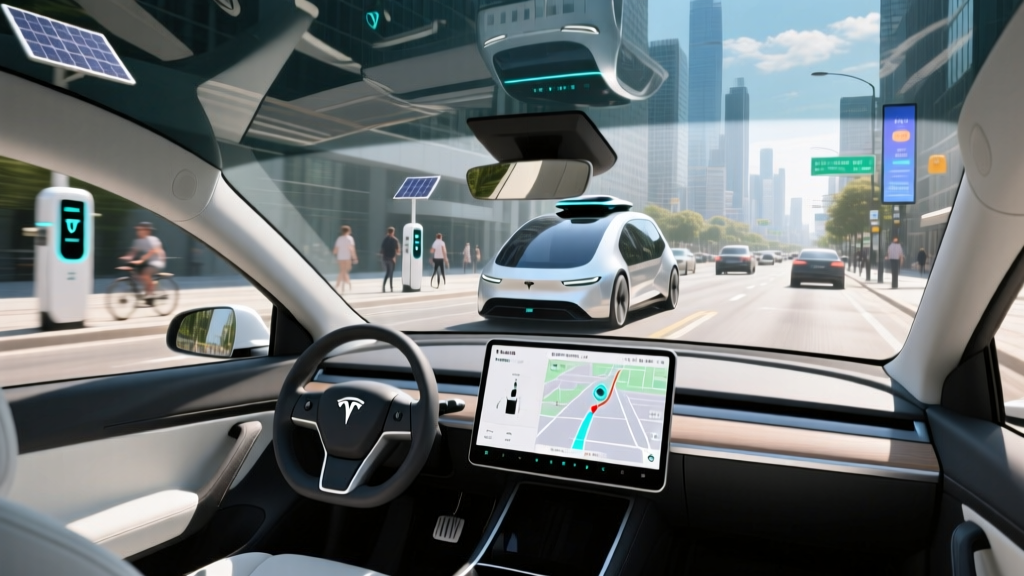
When Tesla pushed Full Self-Driving (Supervised) v13 to its fleet, the headline improvement wasn't a single new driving behavior — it was a wholesale upgrade to the vehicle's real-time visualization layer. The FSD v13 new visualization assets replace the comparatively flat, low-polygon rendering that characterized v12.x with a denser, more granular 3D scene reconstruction. Lane markings now carry curvature and elevation data. Pedestrians render with approximate limb positions rather than generic bounding cylinders. Road furniture — cones, bollards, temporary construction barriers — appears with more geometric fidelity and at greater detection distance.
This isn't cosmetic. The visualization on your center display is a direct window into the neural network's perception stack. When the rendered world looks richer, it signals that the vision system is extracting more structured data from the eight-camera surround array. For the driver monitoring the system, that additional visual detail translates into faster intuition about what the car "sees" and, critically, what it might be about to miss.
SAE Level 2 — Supervised Driving, Not Autonomy
Despite the "Full Self-Driving" branding, Tesla FSD (Supervised) remains an SAE Level 2 driver-assistance system. You are the driver. You must keep your hands on the wheel (or demonstrate attentiveness via the cabin camera), monitor the road, and be prepared to take over instantly. Level 4 robotaxi services like Waymo operate without a human driver in geofenced areas. FSD does not do this. Treat every FSD mile as a supervised mile.
Breaking Down the FSD v13 New Visualization Assets
Tesla does not publish a changelog with the granularity an engineer would want, but from community testing, release-note parsing, and side-by-side comparison with v12.5.x builds, the visualization upgrade spans several categories:
| Visualization Element | v12.x Rendering | v13 Rendering |
|---|---|---|
| Lane lines | Flat painted strips, limited curvature | 3D ribbons with elevation, width, and fade data |
| Pedestrians | Generic upright cylinders | Approximate skeletal pose, direction of travel |
| Other vehicles | Bounding boxes with type classification | More detailed body-style mesh, wheel articulation visible |
| Road edge / curbs | Inferred, often missing | Explicit 3D curb geometry, drivable-area boundary |
| Construction zones | Cone detection, limited context | Cones, barrels, temporary barriers with spatial grouping |
| Traffic signals | Light state (red/yellow/green) | Light state plus arrow indication, crosswalk signal detection |
| Ground surface | Flat plane assumption | Road camber, speed bumps, pothole-adjacent surface anomalies |
The technical underpinning is Tesla's continued shift toward an end-to-end neural network architecture that outputs both driving policy decisions and a structured scene representation simultaneously. The visualization you see is essentially a byproduct of the network's internal world model — not a separately rendered overlay drawn by hand-coded rules. This is why the v13 assets feel more "alive": they reflect a perception system with higher-resolution latent representations.
How the System Works: Cameras, Compute, and No LiDAR
Tesla's approach remains vision-only. The hardware suite on current-production Model 3, Model Y, Model S, and Model X vehicles (Hardware 4 / AI4) includes:
- 8 surround cameras — front narrow, front wide, front main, left/right forward-pillar, left/right rear-fender, rear. Combined they deliver ~360° coverage up to roughly 250 meters forward on the narrow lens.
- No radar, no ultrasonics — Tesla removed ultrasonic sensors (USS) starting with late-2022 production vehicles and radar before that. Proximity estimation at low speed is camera-derived.
- Onboard compute — the HW4 computer runs dual FSD chips with significantly higher inference throughput than HW3, enabling the denser neural-network outputs that power the v13 visualization.
The absence of LiDAR and radar is a philosophical and cost bet. LiDAR-equipped competitors (Waymo's robotaxi fleet, and some Chinese-market ADAS stacks from Huawei and XPeng) get direct depth measurements. Tesla infers depth from learned monocular and multi-camera geometry. The v13 visualization improvements suggest Tesla's depth-estimation networks have closed some of that gap — but physics still constrains the system in low-contrast, low-light, and heavy-precipitation scenarios.
Real-World Capabilities and Where the System Falls Short
The richer visualization is genuinely useful in practice. When you can see that FSD has correctly identified a pedestrian stepping off a curb two lanes over, or has mapped a temporary construction lane shift with proper cone grouping, your trust calibration improves. You intervene less often when the system is performing well, and — importantly — you intervene more promptly when you can see it struggling.
That said, real-world limitations persist:
What FSD v13 Still Cannot Do Reliably
- Heavy rain, fog, and snow — camera occlusion and reduced contrast degrade perception. The visualization will show you the system losing track of lane lines and distant objects. Take over.
- Faded or conflicting lane markings — construction zones with old paint visible under new tape can confuse the path planner. The v13 assets show both the old and new markings, which is helpful for you but sometimes problematic for the planner.
- Unprotected left turns across heavy traffic — improved but still occasionally hesitant or overly aggressive depending on traffic density and gap estimation.
- Nighttime unlit roads — headlight-limited camera range means detection distance drops substantially below the car's stopping distance at highway speed.
- Edge-case road users — unusual vehicles (oversized loads, horse trailers, bicycle trailers), animals, and debris remain inconsistently classified.
- Complex multi-lane roundabouts — v13 handles single-lane circles better than v12, but multi-lane roundabouts with simultaneous entries/exits still benefit from driver confirmation.
A practical rule I use after thousands of supervised FSD miles: if the visualization looks confused — lane lines flickering, phantom objects appearing, the path arrow oscillating — your hands should already be on the wheel and your foot hovering over the brake. The visualization is your best early-warning system.
Pricing: FSD Purchase vs. Subscription in 2026
Tesla's FSD pricing structure has evolved. As of the current 2026 model year, here is where the cost stands for U.S. customers:
| Option | Cost | Notes |
|---|---|---|
| FSD (Supervised) — one-time purchase | $8,000 | Transfers to the vehicle, not the owner. Tesla occasionally runs promotional price reductions. |
| FSD (Supervised) — monthly subscription | $99/month | Cancel anytime. Best for drivers who want to trial the system or only use it on road trips. |
| Basic Autopilot | Included | Standard on all new Teslas. Provides lane-centering and adaptive cruise on marked highways only. |
| Enhanced Autopilot | $6,000 (discontinued in some markets) | Added lane change, navigate-on-autopilot, smart summon, auto park. Being phased into FSD tier. |
At $99/month, you would need to subscribe for roughly 81 months (nearly 7 years) before the cumulative cost exceeds the one-time $8,000 purchase. For most owners who plan to keep their Tesla 3–5 years, the subscription is the economically rational choice — especially because FSD capability and pricing may shift substantially before a purchase would "pay off." Note that FSD does not currently transfer between vehicles on resale, though Tesla has offered limited-time transfer promotions in the past.
Which Tesla Models and Trims Support FSD v13
FSD (Supervised) v13 is available on any Tesla running Hardware 3 or Hardware 4 that has purchased or subscribed to the FSD package. However, visualization fidelity is higher on HW4/AI4 vehicles due to the upgraded camera resolution (5 MP vs. 1.2 MP on HW3 front cameras) and compute headroom.
| Model | Current HW | FSD v13 Support | Visualization Quality |
|---|---|---|---|
| Model 3 (2024+ Highland/refresh) | HW4 | Yes | Full fidelity |
| Model Y (2025+ Juniper refresh) | HW4 | Yes | Full fidelity |
| Model S / Model X (2023+) | HW4 | Yes | Full fidelity |
| Cybertruck | HW4 | Yes | Full fidelity |
| Model 3 / Y (2022–2023, HW3) | HW3 | Yes | Reduced resolution, lower detection range |
If you are purchasing a used Tesla specifically for FSD, confirm the hardware generation. Tesla's window sticker and the Software menu on the car's display will show "Hardware 3" or "Hardware 4." The visualization assets in v13 render on both, but the HW3 feed is lower-resolution and the network has less compute budget, resulting in sparser object detail and shorter effective detection range.
FSD v13 vs. Competing ADAS: BlueCruise, Super Cruise, and the Field
Tesla's visualization is arguably the most detailed real-time scene rendering available to a consumer driver-assist system. But visualization quality is not the same as driving capability. Here is how FSD v13 stacks up against the major Level 2 competitors in the U.S. market:
| System | Automaker | Operational Domain | Hands-Free? | Cost |
|---|---|---|---|---|
| FSD (Supervised) v13 | Tesla | All roads (city + highway) | No — hands-on or attentiveness monitored | $8,000 or $99/mo |
| Super Cruise | GM (Cadillac, Chevy, GMC) | 400,000+ mi of mapped divided highways | Yes — on mapped roads, eye monitoring required | ~$2,200–$2,500 (3-yr included on some trims) |
| BlueCruise | Ford / Lincoln | 130,000+ mi of mapped divided highways | Yes — on mapped roads, eye monitoring required | $2,100 (2-yr) or $75/mo |
| ProPILOT Assist 2.0 | Nissan | Mapped divided highways, hands-free | Yes — on mapped roads | Included on higher trims |
| Toyota Safety Sense / Teammate Drive | Toyota / Lexus | Highway lane-center + ACC | No — hands-on | Included (TSS); subscription for advanced features |
The tradeoff is clear: Tesla offers the broadest operational domain (any road, not just pre-mapped highways) but requires continuous driver engagement with no true hands-free mode. GM's Super Cruise and Ford's BlueCruise offer genuine hands-free driving on mapped divided highways, with infrared driver-monitoring cameras ensuring your eyes stay on the road. If your commute is primarily interstate highway miles, Super Cruise or BlueCruise may deliver a more relaxed experience with less supervision burden. If you want a system that attempts to handle suburban streets, parking lots, and navigation turns, FSD v13 is the only consumer system that operates in that domain — with the caveat that its supervision demands are higher precisely because the environments are more complex.
For deeper safety context on Level 2 systems, the National Highway Traffic Safety Administration (NHTSA) maintains guidance on driver-assistance system expectations and reporting requirements.
Safety Context: What the Visualization Helps With — and What It Doesn't
The FSD v13 new visualization assets improve your situational awareness as a supervisor, but they do not change the underlying system's safety certification. Tesla's FSD (Supervised) operates under the same SAE Level 2 framework as every other consumer ADAS: the human driver is legally and practically responsible for the vehicle at all times.
What the improved visualization does improve:
- Trust calibration — you can see when the system has correctly perceived a complex scene, reducing unnecessary interventions.
- Failure detection — phantom objects, flickering lane lines, and missing pedestrians are visually apparent, giving you earlier warning to take over.
- Construction-zone confidence — seeing cones and barriers rendered with spatial grouping helps you confirm the car understands the temporary lane geometry.
What it does not improve:
- Reaction time in genuine emergencies — the visualization updates at display refresh rates. A child stepping into the road is still a scenario where your foot needs to be ready on the brake regardless of what the screen shows.
- Liability — in any collision, the driver is responsible. NHTSA's Standing General Order on crash reporting applies to Tesla's ADAS systems, and incident data is tracked.
- Weather and lighting physics — the neural network cannot see what the camera cannot capture. Heavy rain on the lens, direct sun wash-out, and unlit rural roads remain hard limits.
Frequently Asked Questions About FSD v13 Visualization
Does the FSD v13 visualization update change how the car drives?
Not directly. The visualization is a readout of the perception system's output. However, because v13's neural network produces richer structured scene data, the driving policy that consumes that data also benefits. Users report smoother lane changes and more confident navigation through construction zones — improvements driven by the underlying network, with the visualization serving as visible confirmation.
Can I get the FSD v13 new visualization assets without paying for FSD?
No. The full visualization layer — including detailed pedestrian rendering, traffic signal arrow detection, and road-surface modeling — is exclusive to the FSD (Supervised) package. Basic Autopilot shows a simplified view with lane lines and the lead vehicle only.
Is Tesla FSD v13 self-driving?
No. FSD (Supervised) is an SAE Level 2 system. The driver must remain attentive, keep hands available for steering, and be prepared to take over at any moment. The "Supervised" label Tesla added to the product name is a deliberate acknowledgment of this. Only Level 4 services like Waymo operate without a human driver, and they do so only in geofenced urban areas with extensive mapping and remote-assistance infrastructure.
Do HW3 cars get the same visualization quality as HW4?
No. HW3 cameras operate at 1.2 megapixels versus HW4's 5 megapixels, and the HW4 compute platform has substantially more inference throughput. HW3 vehicles running FSD v13 will display the same asset types (pedestrians, cones, lane ribbons) but at lower geometric detail and with shorter effective detection range. If visualization fidelity is a priority, HW4 is the hardware to target.
How does FSD v13 visualization compare to Waymo's system?
Waymo's Level 4 robotaxi uses a LiDAR-primary sensor suite with camera and radar fusion, producing a highly accurate 3D world model that does not rely on learned depth estimation. However, Waymo's visualization is not available to a consumer driver — it exists for remote-assistance operators and engineering analysis. Tesla's consumer visualization is the most detailed scene rendering available to a retail buyer, but it operates within a fundamentally different (and lower) automation tier.
The FSD v13 new visualization assets represent a meaningful step in how Tesla communicates its neural network's understanding of the world to the driver. They make supervision easier and more intuitive — which matters, because supervision remains entirely your responsibility. If you are considering FSD, the $99/month subscription is the low-risk way to evaluate whether the system's current capabilities, as transparently shown through that upgraded visualization, justify the cost for your driving patterns.