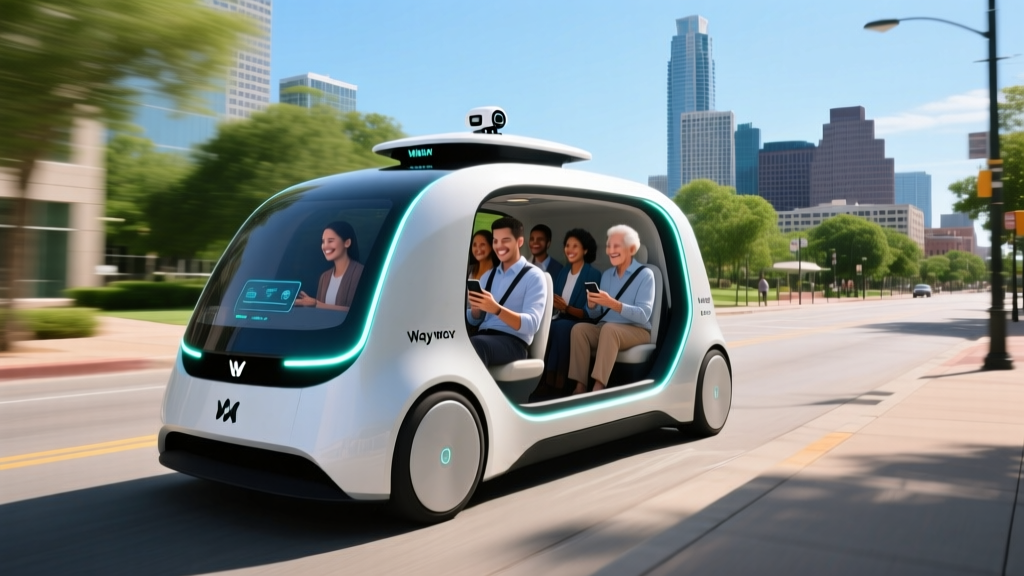
If you've watched a white Jaguar I-PACE with a roof-mounted sensor array glide through South Congress traffic with nobody behind the wheel, you've seen a Waymo robotaxi. Austin is one of the few U.S. cities where fully driverless commercial rides are available to the public. This guide explains exactly how to use Waymo in Austin — from downloading the app and understanding the geofence to comparing fares against Uber and reviewing the safety data that matters.
What Waymo Actually Is: SAE Level 4, Not Driver-Assist
Before booking a ride, it's critical to understand what level of automation you're experiencing. Consumer vehicles like Teslas with FSD (Supervised) or GM vehicles with Super Cruise operate at SAE Level 2 — the human driver must remain engaged and is legally responsible for the vehicle. Waymo's robotaxis operate at SAE Level 4 within their defined operational design domain (ODD). There is no human driver, no steering wheel in the current fleet, and no expectation that a passenger will intervene.
| Level | Name | Who Drives | Example |
|---|---|---|---|
| Level 2 | Partial Automation | Human (always) | Tesla Autopilot, FSD Supervised, BlueCruise, Super Cruise |
| Level 3 | Conditional Automation | System in narrow conditions; human on standby | Mercedes DRIVE PILOT (limited markets) |
| Level 4 | High Automation | System within geofenced ODD; no human needed | Waymo One, Zoox (limited pilots) |
| Level 5 | Full Automation | System everywhere, all conditions | Does not exist commercially |
This distinction matters for safety expectations, regulatory treatment, and liability. When you ride in a Waymo in Austin, the vehicle and its remote-assistance infrastructure are responsible for the trip — not you.
Where Can I Use Waymo in Austin Right Now?
Waymo's Austin service area is geofenced — the vehicles will only operate within a mapped and approved zone. As of early 2026, the active service area covers roughly 45 square miles of central and south Austin, including:
- Downtown Austin — the Capitol Complex, Rainey Street, and the Warehouse District
- South Congress (SoCo) and Bouldin Creek
- East Austin — from I-35 east to roughly Pleasant Valley Road
- South Lamar (SoLa) corridor down to Oltorf Street
- University of Texas at Austin campus perimeter
- Austin-Bergstrom International Airport (AUS) — designated pickup/dropoff zones
Areas outside the geofence — including most of Round Rock, Cedar Park, Pflugerville, and far West Austin beyond Loop 360 — are not currently serviced. If your destination falls outside the boundary, the Waymo app will not allow you to complete the booking.
| Zone | Status | Notes |
|---|---|---|
| Downtown / Capitol | Active | Full coverage, airport runs included |
| South Congress / Bouldin | Active | High-density pickup area |
| East Austin (I-35 to Pleasant Valley) | Active | Expanding eastward |
| South Lamar | Active | Down to Oltorf St |
| UT Campus perimeter | Active | Game-day routing restrictions may apply |
| AUS Airport | Active | Designated zones only |
| Round Rock / Cedar Park | Not available | Outside geofence |
| Far West / Lakeway | Not available | Outside geofence |
Waymo has historically expanded geofences incrementally after validating new road segments. Check the in-app map for real-time boundaries — they update more frequently than press announcements.
How to Book and Ride: Step by Step
The process mirrors Uber or Lyft with a few robotaxi-specific differences:
- Download the Waymo One app (iOS/Android). Create an account with a valid payment method.
- Enter your pickup and dropoff. The app validates both are within the Austin geofence.
- Confirm the fare upfront. Waymo displays a fixed price before you confirm — no surge multiplier surprises mid-ride.
- Walk to the exact pickup pin. The vehicle will not deviate from the designated stop. Look for the white Jaguar I-PACE with the Waymo branding and roof sensor array.
- Unlock via the app. Once the vehicle arrives, tap "Start Ride" in the app to unlock the doors. There is no driver to greet you.
- Buckle up and confirm departure on the rear-seat screen. The vehicle will only move once all passengers are belted.
- Monitor the route on the in-car display, which shows the vehicle's perception of surrounding traffic, pedestrians, and cyclists in real time.
- End the ride at the designated dropoff point. Payment processes automatically.
A few things first-time riders notice: the vehicle drives conservatively, obeys speed limits strictly, and will pull over safely if it encounters a scenario it cannot resolve — at which point a remote assistance operator may guide it through the situation.
Waymo Austin Pricing vs. Uber and Lyft
Waymo positions its fares to be competitive with standard rideshare — not premium. In Austin, pricing generally tracks UberX and Lyft Standard, though it varies by distance, time of day, and demand. Waymo does not currently use surge pricing in the same dynamic way Uber does, which makes costs more predictable.
| Route | Distance | Waymo One | UberX | Lyft Standard |
|---|---|---|---|---|
| Downtown → AUS Airport | ~8 mi | $22–$28 | $20–$32 | $19–$30 |
| South Congress → East Austin | ~3 mi | $10–$14 | $9–$16 | $9–$15 |
| UT Campus → Rainey St | ~2 mi | $8–$12 | $8–$14 | $8–$13 |
| Downtown → South Lamar | ~4 mi | $13–$18 | $12–$20 | $12–$19 |
Key differences: Waymo fares are fixed at booking — no en-route surge. Uber and Lyft can spike 1.5x–3x during peak events (ACL Festival, F1 weekend at COTA). However, Waymo wait times can be longer in low-density zones or during peak demand because the fleet size is smaller than Uber's human-driver pool. Expect 3–8 minute waits in core zones, 10–15 minutes at the edges of the geofence.
Safety Data: What the Numbers Actually Show
Safety is the most scrutinized aspect of robotaxi operations. Waymo publishes periodic safety reports and is subject to NHTSA incident reporting requirements. Here's what the data shows as of late 2025 reporting periods:
- Total autonomous miles driven (all cities): Over 50 million fully driverless miles as of late 2025, per Waymo's safety reports.
- Injury-causing crash rate: Waymo's driverless vehicles showed a 85% lower rate of injury-causing crashes compared to human-driven benchmarks in the same operating areas, according to Waymo's published comparison using police-reportable crash data.
- NHTSA Standing General Order: Waymo reports all incidents involving its ADS-equipped vehicles as required. Most reported incidents involve other human-driven vehicles making contact with the Waymo vehicle at low speed — not the robotaxi initiating the collision.
- Contact rate with pedestrians/cyclists: Significantly below human-driver baselines in Waymo's published comparison studies.
Context matters: Waymo operates in dense urban environments at moderate speeds (mostly under 45 mph), avoids highways in most markets, and uses redundant sensor systems. This is not a like-for-like comparison with rural highway driving. However, within its ODD, the data supports a safety record competitive with — and by several metrics, superior to — human drivers.
For the most current data, the NHTSA automated vehicle reporting portal maintains publicly accessible incident records for all ADS operators.
Technology Stack: How the 5th-Gen Waymo Driver Works
The current Austin fleet uses Waymo's 5th-generation "Waymo Driver" system mounted on the Jaguar I-PACE platform. Unlike Tesla's camera-only approach, Waymo uses a redundant, multi-sensor suite:
- LiDAR: Multiple roof-mounted and bumper-mounted LiDAR units providing 360° 3D point-cloud mapping. LiDAR operates independently of lighting conditions — critical for night driving and sun-glare scenarios.
- Cameras: High-resolution cameras at multiple focal lengths for traffic-light state detection, signage reading, and object classification.
- Radar: Millimeter-wave radar for velocity detection of surrounding vehicles and operation in rain or fog where camera and LiDAR performance can degrade.
- Audio sensors: External microphones capable of detecting emergency vehicle sirens from multiple directions.
- HD mapping: Pre-mapped, centimeter-accurate base maps of every road in the geofence, updated regularly. The vehicle localizes itself against this map in real time.
- Compute: Custom-designed onboard computing platform with redundant processors — if one fails, the vehicle executes a safe pullover maneuver.
The Jaguar I-PACE itself provides an 84 kWh usable battery (NMC chemistry), which Waymo manages with dedicated charging logistics — vehicles cycle back to depot chargers (DC fast charging at up to 100 kW) when state of charge drops below operational thresholds. Riders never interact with charging logistics.
Regulatory Landscape: Who Approves Waymo in Austin?
Robotaxi operations in Texas involve multiple regulatory layers:
- Texas Department of Motor Vehicles (TxDMV): Texas passed autonomous vehicle legislation (SB 2205, effective 2017) allowing driverless vehicles on public roads provided they comply with all traffic laws and carry appropriate insurance. No special state-level "robotaxi permit" is required beyond standard vehicle registration and compliance.
- City of Austin: The Austin Transportation Department coordinates with Waymo on pickup/dropoff zones, curb management, and data sharing. Austin has been broadly receptive to AV testing and commercial operations.
- NHTSA (Federal): All ADS-equipped vehicles must comply with Federal Motor Vehicle Safety Standards (FMVSS). NHTSA's Standing General Order requires crash reporting for all Level 2+ and Level 4 systems. NHTSA retains recall and investigation authority.
- Austin-Bergstrom International Airport: Operates under its own ground-transportation permitting rules; Waymo holds an authorized operator permit for designated zones.
Texas's regulatory environment is notably permissive compared to California (where the CPUC and DMV both issue permits) or Arizona (where the state DOT oversees testing). This has made Austin an attractive expansion market.
Current Limitations: Where Waymo Won't (or Can't) Go
Level 4 autonomy within a geofence is impressive — but the limitations are real and worth understanding before you rely on the service:
- Geofence boundaries: If your origin or destination falls outside the mapped zone, the app will not book the ride. No exceptions, no manual override.
- Severe weather: Heavy rain, flooding, or icy road conditions can cause service suspension. The sensor suite degrades in heavy precipitation, and Waymo takes a conservative approach to weather-related operational design limits.
- Construction zones: Major, unmapped road construction can cause the vehicle to reroute or, in some cases, safely pull over and wait for remote-assistance guidance.
- Unprotected left turns in heavy traffic: The system handles these, but may take longer than a human driver to find a gap, especially during rush hour on corridors like Lamar Boulevard.
- Special events: During SXSW, ACL Festival, or UT football game days, Waymo may restrict service in certain zones or adjust routing due to pedestrian density and road closures.
- No highway driving: The Austin service currently operates on surface streets. You cannot take a Waymo from Austin to San Antonio or onto limited-access highways like I-35 at speed.
- Luggage and cargo: The I-PACE has a usable rear cargo area, but there's no driver to help with loading. Large items or multiple suitcases may not fit comfortably alongside passengers.
- Accessibility: Waymo has been working on wheelchair-accessible vehicle options, but availability in Austin remains limited compared to standard vehicles. Check the app for WAV availability.
Frequently Asked Questions
Can I use Waymo at Austin-Bergstrom Airport (AUS)?
Yes. Waymo serves AUS with designated pickup and dropoff zones. The app will guide you to the correct area. Fares from the airport to downtown typically run $22–$28, competitive with Uber/Lyft airport runs.
Is Waymo really self-driving — is there a hidden driver?
There is no driver in the vehicle. The front seats are empty (or occasionally occupied by a Waymo safety operator during specific testing phases, but commercial Waymo One rides in Austin are fully driverless). This is SAE Level 4 — fundamentally different from Level 2 systems like Tesla FSD Supervised, which require an attentive human behind the wheel at all times.
How long do I wait for a Waymo in Austin?
In core zones (Downtown, South Congress), expect 3–8 minutes. At the edges of the geofence or during peak hours, waits can extend to 10–15 minutes. The fleet is smaller than Uber's driver pool, so availability is less consistent.
What happens if the Waymo gets confused or stuck?
The vehicle will execute a safe pullover or stop and contact Waymo's remote assistance team. A trained operator can assess the situation and, if needed, provide high-level guidance (not direct steering control). Once resolved, the vehicle resumes autonomous driving.
Can I request a specific route?
No. The Waymo system selects the route based on its real-time traffic and road-condition data. You cannot override the route as you might with a human rideshare driver.
Does Waymo offer shared/pool rides in Austin?
As of 2026, Waymo One in Austin offers single-party rides only. Shared/pool options that Waymo has tested in other markets are not currently active in Austin.
How does Waymo handle tipping?
There is no driver to tip. The fare is all-inclusive. The app does not prompt for a tip, and the concept doesn't apply to a driverless service.
What if I leave something in the Waymo vehicle?
The app provides a post-ride support flow to report lost items. Waymo's fleet operations team retrieves items during vehicle turnaround at depot locations. Recovery timelines are generally 24–48 hours depending on when the item is discovered during cleaning cycles.