Waymo in Austin: What You Need to Know Before You Ride
If you've been searching for how to order Waymo in Austin, you're not alone. The Texas capital has become one of the key battlegrounds for commercial robotaxi services, and Alphabet's autonomous driving division has been steadily building its presence there. But unlike hailing an Uber, summoning a driverless Waymo vehicle involves specific apps, geofenced zones, and a very different set of expectations around what the technology can and cannot do.
This guide covers exactly how to access Waymo's Austin service as of 2026, what it costs, how safe the vehicles are based on real operational data, and the practical limitations every rider should understand before pressing "confirm ride."
Is Waymo Truly Self-Driving? Understanding SAE Automation Levels
Before you step into a vehicle with nobody behind the wheel, it's essential to understand what level of automation you're experiencing — and how it differs fundamentally from the driver-assist systems in consumer EVs you might own.
Waymo's commercial robotaxi service operates at SAE Level 4. This means the vehicle handles all driving tasks within its defined operational design domain (geofenced areas, approved weather conditions, mapped routes) with no human driver required. There is no steering wheel interaction, no "be ready to take over" warning. If the system encounters a scenario it cannot handle, it performs a minimal risk maneuver — typically pulling over safely — rather than transferring control to a passenger.
This is categorically different from SAE Level 2 systems like Tesla Autopilot, Ford BlueCruise, or GM Super Cruise found in consumer vehicles, where the driver must remain attentive and is legally responsible for the vehicle at all times.
| Level | Name | Driver Required? | Examples |
|---|---|---|---|
| Level 0 | No Automation | Yes, full-time | Conventional vehicles |
| Level 1 | Driver Assistance | Yes, full-time | Adaptive cruise control, lane-keep |
| Level 2 | Partial Automation | Yes, must supervise | Tesla Autopilot, BlueCruise, Super Cruise |
| Level 3 | Conditional Automation | Yes, on standby | Mercedes Drive Pilot (limited markets) |
| Level 4 | High Automation | No (in geofenced ODD) | Waymo One, Zoox |
| Level 5 | Full Automation | No (anywhere) | Does not exist commercially |
Where Can I Use Waymo in Austin Right Now?
Waymo's Austin service area is not citywide. Like all Level 4 robotaxi operations, it runs within a carefully mapped and approved operational design domain (ODD) — a geofenced zone where the company has completed extensive testing, mapping, and regulatory approval.
| City | Service Name | Status | Approximate Coverage Area |
|---|---|---|---|
| Phoenix, AZ | Waymo One | Fully commercial, 24/7 | ~315 sq mi (East Valley, Metro Phoenix) |
| San Francisco, CA | Waymo One | Fully commercial, 24/7 | ~47 sq mi (city core + expansion zones) |
| Los Angeles, CA | Waymo One | Commercial (phased expansion) | ~80+ sq mi (Santa Monica, Hollywood, Downtown, expanding) |
| Austin, TX | Waymo One | Commercial (limited zone) | Central Austin core (Downtown, South Congress, East Austin, portions of Domain area) |
In Austin, the service zone centers on the densest, most ride-demand-heavy corridors: Downtown, the Capitol Complex, South Congress Avenue, East Austin entertainment districts, and parts of the North Austin tech corridor. If your origin or destination falls outside the geofence, the Waymo app will not allow you to confirm the ride.
The geofence boundary is not static. Waymo expands it incrementally as it validates new road segments, but riders should not assume that a neighborhood adjacent to the current zone is accessible. Always check the app for real-time availability.
How to Order Waymo in Austin: Step-by-Step
The process of ordering a Waymo in Austin is straightforward once you understand the access model. Here's how it works:
- Download the Waymo One app — Available on iOS and Android. This is the only way to request a ride; Waymo does not operate through Uber or Lyft's platforms in most markets.
- Create an account and verify identity — You'll need a valid payment method and to agree to Waymo's rider terms. Age restrictions apply (riders must be 18+).
- Check service availability — Open the app and enter your pickup location. If you're inside the Austin geofence, you'll see available vehicles and estimated wait times. If you're outside, the app will display a "service not available in this area" message.
- Confirm your ride — Select your destination (must also be within the geofence), confirm the upfront price, and request the vehicle.
- Locate and unlock your vehicle — The app shows the approaching vehicle on a map. When it arrives, you'll unlock it through the app — typically by tapping a button or using a PIN displayed on the vehicle's exterior screen.
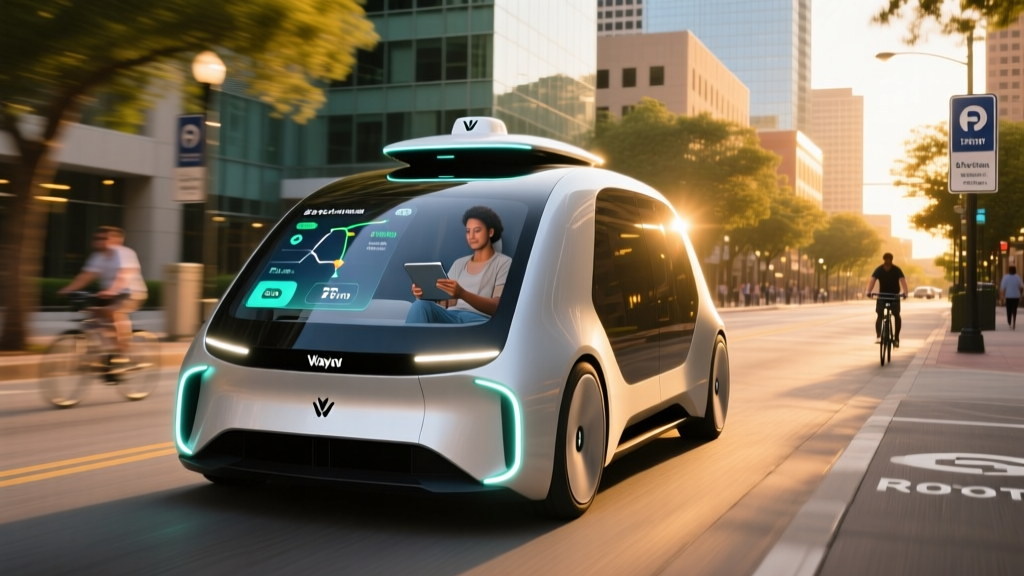
- Ride and monitor — Inside, screens show your route, speed, and the vehicle's perception of surrounding traffic. You can adjust climate controls and music, but you cannot alter the route mid-trip.
- Exit at your destination — The vehicle will pull to a designated stop. Check for belongings, exit, and the ride ends automatically.
As a Waymo rider, you are a passenger — not a driver. There are no controls to steer, brake, or accelerate. If the vehicle stops unexpectedly (e.g., due to a sensor obstruction, construction zone, or edge case), you cannot take over. An in-app support button connects you to a remote assistance team, but they guide the vehicle remotely rather than transferring control to you. Plan accordingly: if you're on a tight schedule, understand that robotaxis may pause or reroute in complex scenarios.
Waymo Austin Pricing vs. Uber and Lyft
One of the most common questions from prospective robotaxi riders is cost. Waymo uses upfront, fixed pricing — similar to Uber's upfront fare model — but the actual numbers depend on distance, time of day, and demand.
| Route (Approximate) | Distance | Waymo One | UberX | Lyft Standard |
|---|---|---|---|---|
| Downtown → South Congress | ~2.5 mi | $8–$12 | $9–$14 | $8–$13 |
| Downtown → Austin-Bergstrom Airport | ~8 mi | $22–$30 | $20–$28 | $19–$27 |
| East Austin → The Domain | ~10 mi | $25–$35 | $22–$32 | $21–$30 |
| Short hop (within Downtown) | ~1 mi | $5–$8 | $7–$10 | $6–$9 |
Key pricing observations from real-world use:
- No surge pricing in the traditional sense — Waymo does not apply the dramatic surge multipliers that Uber and Lyft use during peak demand. However, wait times increase when fleet capacity is strained, and prices may edge higher during busy periods.
- Comparable to standard rideshare — For most trips within the Austin geofence, Waymo pricing lands within a few dollars of UberX or Lyft Standard. It is not a premium-priced luxury service.
- No tipping — Since there's no driver, there's no tip prompt. This can make the effective cost lower than a comparable Uber ride where you'd add a 15–20% tip.
- Promotional credits — Waymo frequently offers first-rider credits and referral bonuses in newer markets like Austin. Check the app's promotions tab.
How Safe Are Waymo Robotaxis? The Real Data
Safety is the defining question for robotaxi adoption. Waymo has published peer-reviewed safety data and submitted incident reports to the National Highway Traffic Safety Administration (NHTSA) as required for autonomous vehicle operators. Here's what the data shows:
- Total autonomous miles driven: Over 30 million fully driverless miles across all markets (Phoenix, San Francisco, Los Angeles, Austin)
- Injury-causing crash rate: Waymo's published safety data indicates an approximately 85% reduction in injury-causing crashes compared to human benchmark drivers in comparable urban environments
- Police-reported crash rate: Approximately 57% fewer police-reported crashes per million miles vs. human benchmarks
- Contact incidents: The vast majority of contact events are low-speed, minor-impact scenarios (e.g., being rear-ended at a stop, sideswipe in dense traffic) — consistent with urban driving exposure
Context matters enormously here. Waymo vehicles operate in dense urban cores with high traffic volumes, construction zones, pedestrians, and cyclists — environments where crash exposure is inherently higher than suburban or highway driving. The relevant comparison is against human drivers in the same urban conditions, not against rural or highway baselines.
Notable incidents have occurred. In San Francisco, Waymo vehicles were involved in collisions with pedestrians in crosswalks and with stationary objects during the 2023–2024 period. The company responded with software updates to its prediction and planning models. In Phoenix, a Waymo vehicle was struck by a wrong-way driver — a scenario no current autonomous system can fully prevent.
For Austin specifically, Waymo's fleet is smaller and has accumulated fewer miles than in Phoenix or San Francisco. Riders should understand that the safety record in Austin is still being built, though the underlying software stack and vehicle platform (the 6th-generation Waymo Driver on the Geely/Zeekr RT1 vehicle) is identical across markets.
Under the Hood: Waymo's Technology Stack
Understanding what makes a Waymo vehicle drive itself helps set realistic expectations for what it can and can't do. Waymo's approach is sensor-rich and redundant — a deliberate contrast to camera-only systems.
- LiDAR: Multiple high-resolution LiDAR units providing 360° 3D point-cloud mapping of the environment, effective to 500+ meters. LiDAR works independently of lighting conditions — critical for night driving and glare scenarios.
- Cameras: A suite of high-dynamic-range cameras covering 360° with overlapping fields of view for redundancy. Cameras read traffic signals, signage, and lane markings.
- Radar: Imaging radar units for velocity detection of moving objects and performance in rain or fog where LiDAR and cameras degrade.
- Audio detection: External microphones detect emergency vehicle sirens, triggering the vehicle to pull over or yield.
- HD Maps: Centimeter-precision pre-built maps of every road in the geofence. The vehicle localizes itself against these maps in real time.
- Compute: Custom-designed onboard computing platform running Waymo's perception, prediction, and planning software stack.
The reliance on LiDAR and HD maps is both a strength and a constraint. The strength: the vehicle has a rich, redundant understanding of its environment that doesn't depend on any single sensor modality. The constraint: the vehicle can only operate where it has been mapped and where its sensors perform reliably. This is why geofencing is non-negotiable for Level 4 operations.
Compare this to Tesla's camera-only FSD (Supervised) approach, which aims for generalizability without LiDAR or pre-built maps. That approach targets Level 2 driver-assist (with the human as backup), while Waymo's sensor-heavy stack targets full Level 4 driverless operation within its domain. These are fundamentally different engineering philosophies optimizing for different goals.
Current Limitations: What Waymo Can't Do in Austin
Every robotaxi service has an operational design domain, and the edges of that domain define where the technology falls short. Here are the current limitations riders in Austin should understand:
- Geofence boundaries — You cannot ride to destinations outside the mapped service area. Suburbs like Round Rock, Cedar Park, Pflugerville, and Bee Cave are not accessible.
- Heavy rain and flooding — Austin's spring and fall storms can ground the fleet. Waymo's sensors degrade in heavy precipitation, and the company will suspend service rather than operate at reduced capability. Light rain is generally fine; torrential downpours are not.
- Construction zones — While Waymo can navigate many construction scenarios, complex or newly established work zones with altered lane markings may cause the vehicle to stop and request remote assistance, adding delay.
- Airport service — Austin-Bergstrom International Airport access depends on whether the airport is within the current geofence and whether the airport authority has approved robotaxi pickups. Check the app for real-time availability — airport service has been phased in but may not cover all terminals.
- No multi-stop trips — You cannot add intermediate stops. Each ride is point A to point B within the geofence.
- Limited cargo and no car seats — The vehicles are standard passenger configurations. You cannot request a vehicle with a child safety seat, and large cargo (bicycles, furniture) is not practical.
- Wait times — Austin's fleet is smaller than Phoenix or San Francisco. During peak hours (weekday evenings, event nights near ACL Live or Moody Center), expect 8–15 minute waits rather than the 3–5 minutes common in mature markets.
- Accessibility — Waymo has deployed wheelchair-accessible vehicles in some markets, but availability in Austin is limited. Check the app's accessibility options.
Regulatory Landscape: Who Approves Robotaxis in Texas?
Robotaxi operations in Austin sit within a regulatory framework that involves state law, city ordinances, and federal oversight:
- State level: Texas passed autonomous vehicle legislation (SB 2205, effective 2017) that permits driverless vehicles on public roads without a human operator present, provided the vehicle is registered, insured, and compliant with all traffic laws. Texas does not require a special state-level operating permit for robotaxi services, making it one of the more permissive states for AV deployment.
- City level: The City of Austin and the Austin Transportation Department coordinate with AV operators on geofencing, curb management, and incident reporting. The city has generally been receptive to AV testing and commercial operations, though local ordinances govern where vehicles can stop and how they interact with bike lanes and pedestrian zones.
- Federal level: NHTSA maintains authority over vehicle safety standards and requires autonomous vehicle operators to submit crash reports through the Standing General Order. The agency does not currently "approve" robotaxi services — it oversees safety compliance and can issue recalls or investigations.
This regulatory environment is notably different from California, where the California Public Utilities Commission (CPUC) and the DMV maintain direct permitting authority over robotaxi services. Texas's lighter-touch approach has allowed Waymo to scale in Austin with fewer bureaucratic hurdles, though it also means less public oversight of operational metrics.
Frequently Asked Questions
Can I use Waymo in Austin without a waitlist?
As of 2026, Waymo One in Austin is open to the general public without a waitlist. Download the Waymo One app, create an account, and if you're within the service area, you can request a ride immediately. Early access programs that required waitlists have been phased out as the service has matured.
Does Waymo operate 24/7 in Austin?
Waymo's Austin service operates across most hours but may not run a full 24/7 schedule like its Phoenix operation. Late-night availability (2 AM–5 AM) may be limited depending on fleet deployment and demand patterns. Check the app for real-time availability.
How many passengers can ride in a Waymo vehicle?
Waymo's vehicles in Austin (the Zeekr RT1 platform) accommodate up to 3 passengers in the rear seats. There is no front passenger seat — that area is occupied by compute hardware. All riders must be 18+ unless accompanied by an adult, and child safety seats are not available.
What happens if the Waymo vehicle stops unexpectedly during my ride?
If the vehicle encounters a scenario it cannot resolve (an unusual construction setup, a stalled vehicle blocking the lane, sensor degradation), it will perform a controlled stop and connect to Waymo's remote assistance team. You can also tap the in-app support button at any time. Remote assistants can guide the vehicle through the situation or dispatch roadside support. You cannot take control of the vehicle.
Is Waymo cheaper than Uber in Austin?
For most trips, Waymo and UberX pricing is within a few dollars of each other. Waymo's advantage is the absence of a tip expectation and more predictable pricing without aggressive surge multipliers. For longer trips outside the geofence, Uber remains the only option.
Can I ride Waymo from Austin-Bergstrom Airport?
Airport service availability depends on the current geofence boundaries and airport authority agreements. Waymo has been expanding airport access in its markets. Check the Waymo One app with the airport as your pickup location to confirm real-time availability.