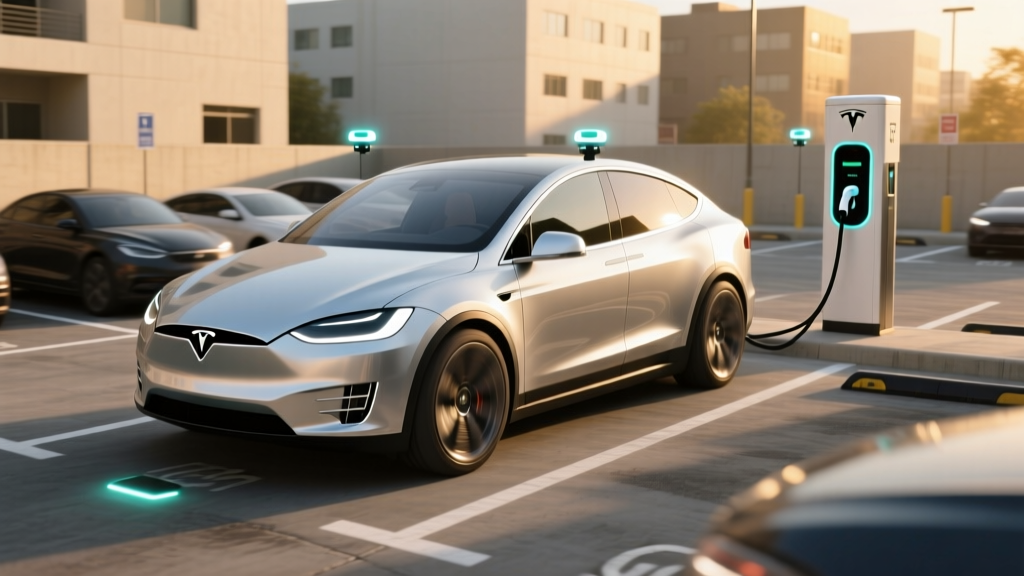
If you've ever circled a tight parking garage in a Model Y and wished the car could just handle the last 30 feet, Tesla AutoPark is the feature designed for that moment. But after spending extensive time with the system across multiple Tesla models and software versions, the reality is more nuanced than the marketing suggests. AutoPark works well in specific, well-marked scenarios — and struggles in others. Here's exactly what you're getting, what it costs, and where it falls short.
What Tesla AutoPark Actually Does
Tesla AutoPark is a semi-automated parking assist feature that identifies available parking spaces and steers the vehicle into them with minimal driver input. The system handles both parallel parking (along a curb) and perpendicular parking (pulling into a space head-first or backing in). When active, AutoPark controls steering, acceleration, braking, and gear shifting while the driver monitors the maneuver from the driver's seat — or, on newer software builds with the "Actually Smart Summon" and enhanced AutoPark features, from outside the vehicle via the Tesla app.
Technically, AutoPark relies on Tesla's Tesla Vision camera-only perception stack. Since the removal of ultrasonic sensors (USS) from production starting in late 2022, Tesla vehicles use eight surround cameras (front, front-side, rear-side, and rear) combined with neural network processing to detect parking space boundaries, curbs, adjacent vehicles, and obstacles. The system generates a real-time 3D occupancy map of the parking environment and plans a trajectory accordingly.
| Capability | Details |
|---|---|
| Parking Types | Parallel, perpendicular (pull-in and back-in) |
| Sensor Suite | 8-camera Tesla Vision (no ultrasonic sensors since late 2022) |
| Processing | Neural network-based occupancy network on HW4/AI5 computer |
| Driver Location | In-seat (standard) or outside vehicle (FSD Supervised / app-controlled) |
| Speed Range | Active below ~15 mph during detection; maneuver performed at walking speed |
| Space Detection | Requires visible painted lines or detectable curb + adequate gap between objects |
SAE Automation Level: This Is Not Self-Parking Without You
Tesla AutoPark, even when bundled within Full Self-Driving (Supervised), operates at SAE Level 2. This means the driver remains fully responsible for the vehicle at all times. You must monitor the parking maneuver, be ready to tap the brake or cancel the operation instantly, and maintain situational awareness. The system does not classify as Level 4 autonomous parking. No consumer vehicle sold in the U.S. currently offers unsupervised self-parking that absolves the driver of responsibility.
This distinction matters legally and practically. If AutoPark clips a curb, scratches a neighboring car, or misjudges a bollard, the liability falls on you — the driver. Tesla's owner documentation makes this explicit: the driver is responsible for supervising all automated maneuvers.
Which Tesla Models Include AutoPark and What It Costs
AutoPark's availability depends on both the hardware generation and the software package you've purchased. Here's the current breakdown for 2026 model-year vehicles:
| Package | AutoPark Included? | Cost | Models Available |
|---|---|---|---|
| Basic Autopilot (standard) | No — basic Autopilot includes Traffic-Aware Cruise Control and Autosteer only | $0 (included) | All models |
| Enhanced Autopilot (EAP) | Yes — AutoPark + Summon + Auto Lane Change + Navigate on Autopilot | $6,000 one-time | Model 3, Model Y, Model S, Model X |
| Full Self-Driving (Supervised) | Yes — AutoPark + all EAP features + traffic light/stop sign control + FSD street driving | $8,000 one-time or $99/month subscription | Model 3, Model Y, Model S, Model X, Cybertruck |
As of early 2026, Tesla continues to offer FSD (Supervised) as both a one-time $8,000 purchase and a $99/month subscription. The subscription option is particularly relevant for AutoPark — if you only need parking assistance seasonally or want to trial the feature, the monthly plan avoids the large upfront commitment. Enhanced Autopilot at $6,000 one-time remains available but does not include the subscription option.
Hardware matters: vehicles equipped with Hardware 4 (HW4) cameras (introduced 2023 onward) and the newer AI5 computer (rolling out in 2025–2026 production) offer noticeably improved parking space detection and smoother trajectory execution compared to older HW3 vehicles. If you're buying a used Tesla with HW3, expect slower detection and more frequent "space not found" messages.
Real-World Performance: Where AutoPark Succeeds and Fails
After testing AutoPark across grocery store lots, urban parking garages, suburban curbsides, and tight downtown parallel-parking situations, a clear pattern emerges:
Where It Works Well
- Well-marked perpendicular spaces in open-air lots with fresh paint lines and adequate lighting. Detection is fast — usually within 2–3 seconds of creeping past at under 10 mph.
- Parallel parking on residential streets with a clear curb line and at least 3 feet of extra space beyond the vehicle length. AutoPark typically completes the maneuver in 2–3 steering corrections.
- Pull-in perpendicular parking when spaces are wide (9+ feet) and unobstructed. The system centers the vehicle competently.
Where It Struggles
- Faded or missing parking lines. Without visible painted boundaries, Tesla Vision often fails to identify spaces. This is a significant regression from the ultrasonic sensor era, where physical proximity — not paint — guided detection.
- Tight parking garages with pillars. Narrow ramps, low-hanging pipes, and concrete columns that don't resemble "vehicles" can confuse the occupancy network. We've observed AutoPark abort maneuvers or refuse to detect spaces between pillars.
- Rain, snow, and dirty cameras. Camera-only perception degrades noticeably in heavy rain, snow accumulation on lenses, or even road-spray grime. The system will display "AutoPark unavailable" when camera visibility drops below its confidence threshold.
- Low curbs and flat lots. In lots without painted lines and without raised curbs (e.g., gravel overflow lots, some older shopping centers), the system frequently cannot identify parking boundaries at all.
- Diagonal/angled spaces. Support for angled parking (common in grocery store express rows) remains inconsistent — the system sometimes misidentifies the entry angle and attempts a perpendicular approach.
- AutoPark does NOT reliably detect low-profile obstacles: parking blocks, wheel stops, bicycle racks, or short bollards.
- The system may not recognize children, pets, or shopping carts moving between parked vehicles during the maneuver.
- Camera obstruction (rain, mud, snow, condensation) will disable the feature entirely — there is no ultrasonic fallback.
- AutoPark is NOT available at highway speeds or in moving traffic; it activates only below ~15 mph in parking contexts.
- Driver must remain attentive and ready to brake — the car will not always stop for suddenly appearing obstacles.
Tesla AutoPark vs. Competing Parking Assist Systems
Tesla isn't alone in offering automated parking. Several rivals provide competing systems — some with different sensor approaches that handle edge cases Tesla Vision struggles with:
| Brand / System Name | Sensor Approach | SAE Level | Cost | Key Advantage vs. Tesla |
|---|---|---|---|---|
| Tesla AutoPark (FSD / EAP) | Camera-only (Tesla Vision) | Level 2 | $6,000–$8,000 or $99/mo | OTA updates improve over time; remote park via app |
| BMW Parking Assistant Professional | Cameras + ultrasonic sensors | Level 2 | Included in Premium/Parking packages (~$1,200–$1,800) | Ultrasonic backup handles faded lines and low obstacles better |
| Hyundai/Kia Remote Smart Parking Assist (RSPA) | Cameras + ultrasonic sensors | Level 2 | Included on Limited/GT-Line trims | Remote park/unpark via key fob; reliable curb detection |
| Mercedes-Benz Active Parking Assist | Cameras + ultrasonic sensors | Level 2 | Included in Premium packages | Handles tight garages well with 360° sensor fusion |
| Ford Active Park Assist Plus | Cameras + ultrasonic sensors | Level 2 | Included on Lariat/Platinum trims (F-150, Mach-E) | Handles parallel + perpendicular; strong low-obstacle detection |
The key takeaway: most competitors retain ultrasonic sensors alongside cameras, giving them an edge in low-visibility and poorly-marked parking scenarios. Tesla's decision to remove ultrasonic sensors (USS) in favor of pure vision remains the most debated engineering choice in the ADAS space. In well-marked, well-lit environments, Tesla Vision performs comparably. In messy real-world lots — the kind most of us actually park in — ultrasonic-equipped rivals tend to be more consistent.
The Summon Connection: Remote Parking via the Tesla App
AutoPark is closely related to Smart Summon (rebranded as "Actually Smart Summon" in late-2024 software updates), which allows you to summon the vehicle to your location in a parking lot or direct it to drive to a specific pin on the app map. While Summon isn't strictly AutoPark, the two features share the same Tesla Vision perception stack and SAE Level 2 supervision requirements.
In practice, Smart Summon works best in open, well-marked lots with clear driving lanes. It remains unreliable in crowded garages, around pedestrians, or in lots with complex traffic patterns. Tesla requires the user to maintain visual line-of-sight with the vehicle and keep their finger on the app's control button — release it, and the car stops immediately.
Practical Ownership Advice: Is AutoPark Worth Paying For?
Whether AutoPark justifies the cost of Enhanced Autopilot or FSD depends entirely on your parking environment:
- You frequently parallel park on city streets with clear curbs and markings
- You want to trial AutoPark and Smart Summon before committing $8,000
- You value the broader FSD feature set (Navigate on Autopilot, traffic light recognition) alongside parking
- Your daily parking is a garage or driveway where you don't need assist
- Your local lots are poorly marked, gravel, or frequently snow-covered
- You don't trust camera-only parking and prefer to park manually
- You want AutoPark + Navigate on Autopilot for highway driving without the FSD price tag
- You plan to keep the vehicle 4+ years (amortizes the cost below subscription)
One important note: AutoPark capability has improved substantially through over-the-air (OTA) software updates since the USS removal. Tesla's occupancy network — the neural net that replaces ultrasonic proximity sensing — has gotten measurably better at detecting curbs, parking blocks, and adjacent vehicles with each major release (v12.x and v13.x branches). If you're evaluating AutoPark based on a 2023 experience, the 2026 version is meaningfully more capable. That said, it still cannot match the consistency of ultrasonic-equipped competitors in degraded conditions.
Frequently Asked Questions
Is Tesla AutoPark truly self-parking?
No. AutoPark is an SAE Level 2 driver-assist feature. The driver must remain in or beside the vehicle, monitor the maneuver, and be prepared to intervene instantly. Tesla explicitly states the driver bears full responsibility for the vehicle's actions during automated parking. No consumer Tesla — or any consumer vehicle currently sold in the U.S. — offers unsupervised autonomous parking.
Does AutoPark work without purchasing FSD or Enhanced Autopilot?
No. Basic Autopilot, which comes standard on every new Tesla, does not include AutoPark. You need either Enhanced Autopilot ($6,000 one-time) or Full Self-Driving Supervised ($8,000 one-time or $99/month subscription) to access AutoPark functionality.
Why did Tesla remove ultrasonic sensors, and does it hurt AutoPark?
Tesla transitioned to a camera-only "Tesla Vision" approach starting in late 2022, citing the superiority of neural network-based perception over sensor fusion. In practice, the removal of ultrasonic sensors reduced AutoPark's reliability in low-visibility conditions (rain, snow, dirty cameras) and poorly-marked parking spaces. Tesla's occupancy network has improved through OTA updates but still cannot fully replicate the physical proximity sensing that ultrasonics provided for low-profile obstacles like parking blocks and curbs.
Can AutoPark park in a garage with tight pillars?
It depends. AutoPark handles well-marked, spacious garage spots competently. However, tight spaces near concrete pillars, low-hanging infrastructure, or narrow ramp transitions frequently cause the system to abort or fail to detect the space. For challenging garage environments, ultrasonic-equipped competitors (BMW, Mercedes, Hyundai) tend to perform more reliably.
Does AutoPark work on a Cybertruck?
Yes. The Cybertruck launched with HW4 hardware and supports AutoPark through the FSD (Supervised) package. Enhanced Autopilot availability for Cybertruck has been limited — check Tesla's current configurator for the latest options, as packaging has shifted since the truck's late-2023 launch.
How does AutoPark handle snow and ice?
Poorly. Camera-based perception requires clear lens visibility. Snow accumulation, ice frosting, heavy road salt spray, or even condensation on camera housings will trigger "AutoPark unavailable" warnings. You must clear all camera lenses before the system will function. This is a meaningful limitation for owners in northern climates during winter months — another area where ultrasonic sensors had an advantage.
Can I cancel an AutoPark maneuver mid-park?
Yes. Tapping the brake pedal, touching the screen's cancel button, or (when using the app for remote parking) releasing the control button will immediately halt the maneuver. You then take full manual control of the vehicle. Tesla recommends keeping your foot hovering over the brake during any in-seat AutoPark operation.
Sources: Tesla Autopilot & FSD official page; NHTSA Automated Vehicle Safety guidelines; SAE International J3016 — Levels of Driving Automation.