The Verdict: Best USB Drives for Tesla Dashcam and Sentry Mode
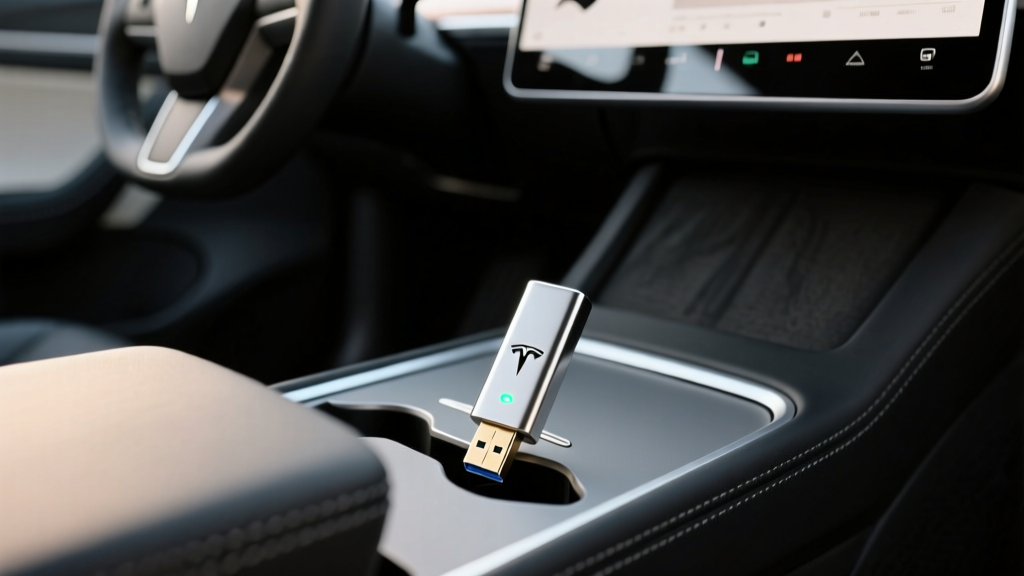
If you own a Tesla in 2026, the dashcam and Sentry Mode features are only as good as the storage drive you plug into the glovebox or center console USB port. Unlike a typical flash drive used for occasional file transfers, a Tesla dashcam USB drive must endure continuous write cycles, extreme cabin temperatures, and vibration — all while capturing 4-camera video streams simultaneously. Pick the wrong drive, and you'll find corrupted footage, dropped clips, or a drive that silently fails within months.
After testing multiple options across Model 3, Model Y, Model S, and Model X platforms (including the refreshed Highland and Juniper generations), here's what works reliably and what doesn't.
Why Tesla's Dashcam Demands a Different Kind of USB Drive
Tesla's dashcam system records from up to four cameras (front, rear, left repeater, right repeater) simultaneously. Sentry Mode adds continuous monitoring when parked, which can generate hundreds of gigabytes of writes per week if you park in busy areas. This is a fundamentally different workload than copying documents to a thumb drive.
Consumer-grade USB flash drives use low-endurance NAND flash that typically survives 1,000–3,000 program/erase (P/E) cycles. A Tesla dashcam workload can burn through that in 6–12 months. You need a drive built for high endurance — ideally one rated for continuous video recording or surveillance use.
Top Tesla USB Drive Picks for Dashcam (2026 Tested)
Here are the drives that have proven reliable in real-world Tesla ownership, ranked by overall value and durability:
| Drive | Capacity | Endurance Rating | Read Speed | Write Speed | Operating Temp | Typical Price |
|---|---|---|---|---|---|---|
| Samsung PRO Endurance (microSD + adapter) | 128GB / 256GB | Up to 140,000 hrs (256GB) | ~100 MB/s | ~30 MB/s | -13°F to 185°F | $18–$35 |
| SanDisk High Endurance (microSD + adapter) | 128GB / 256GB | Up to 120,000 hrs (256GB) | ~100 MB/s | ~40 MB/s | -13°F to 185°F | $16–$30 |
| Samsung BAR Plus USB 3.1 | 128GB / 256GB | Moderate (consumer) | ~400 MB/s | ~110 MB/s | 32°F to 158°F | $18–$30 |
| OWC Envoy Pro Mini | 240GB / 480GB | High (SSD controller) | ~420 MB/s | ~380 MB/s | 32°F to 158°F | $60–$110 |
Best Overall: Samsung PRO Endurance microSD + USB Adapter
The Samsung PRO Endurance line is purpose-built for dashcams and surveillance. The 256GB variant is rated for up to 140,000 hours of continuous recording — that's over 16 years of 24/7 writes. Pair it with a quality USB-C or USB-A adapter (depending on your Tesla's port configuration), and you get the most reliable dashcam storage available for under $40.
Best Performance: OWC Envoy Pro Mini
If you frequently pull footage to a laptop or want the fastest possible write speeds to handle all four camera streams without frame drops, the OWC Envoy Pro Mini is a miniature SSD in a USB stick form factor. It's overkill for most owners, but it's bulletproof.
Budget Pick: SanDisk High Endurance microSD
Nearly as durable as the Samsung PRO Endurance at a slightly lower price. The 128GB version gives you roughly 48–72 hours of four-camera recording before the oldest clips are overwritten.
How to Format and Set Up Your USB Drive for Tesla
Tesla requires the drive to be formatted as exFAT (or FAT32 for drives under 32GB) with a folder named TeslaCam in the root directory. Here's the process:
- Insert the drive into a computer and format it as exFAT.
- Create a top-level folder named exactly
TeslaCam(case-sensitive). - Insert the drive into the glovebox USB port (2021+ vehicles) or center console USB port (older vehicles).
- On the Tesla touchscreen, go to Controls > Safety > Dashcam and confirm the drive is recognized.
- Enable Sentry Mode under Controls > Safety > Sentry Mode.
If the car doesn't recognize the drive, try reformatting it directly from the touchscreen (Controls > Safety > Dashcam > Format USB Drive on newer software versions).
Capacity Guide: How Much Storage Do You Need?
Tesla's four-camera system records at roughly 3–4 Mbps per camera. Here's how that translates to storage:
| Drive Capacity | Approx. Recording Hours (4 cameras) | Best For |
|---|---|---|
| 64GB | ~12–16 hours | Minimal — not recommended |
| 128GB | ~24–32 hours | Daily commuters with overnight home parking |
| 256GB | ~48–64 hours | Heavy Sentry Mode use, street parking, road trips |
| 512GB+ | ~96–128 hours | Fleet vehicles, extended trips, maximum retention |
For most owners, 128GB is the sweet spot. It retains about two days of continuous recording, and the circular buffer ensures you always have the most recent footage. If you rely heavily on Sentry Mode while parked in high-traffic areas, go 256GB.
Common Mistakes Tesla Owners Make with Dashcam USB Drives
- Using a standard consumer flash drive. Drives like the SanDisk Cruzer or generic Amazon-basics sticks will fail within months under dashcam write loads.
- Ignoring temperature ratings. A Tesla cabin in a Phoenix summer can exceed 150°F. Surveillance-rated microSD cards handle this; consumer drives don't.
- Forgetting the TeslaCam folder. Without this exact folder name, the car won't save clips.
- Not checking the drive periodically. Even high-endurance drives degrade. Check your dashcam footage every few months to confirm the drive is still writing properly.
- Using USB hubs or extension cables. These can introduce connection instability. Plug directly into the glovebox port.
Does Your Tesla's Port Configuration Matter?
Yes. Tesla's port layout has evolved:
- 2021+ Model 3 / Model Y (refresh and Juniper): USB-C ports in the center console and a USB-A port in the glovebox. The glovebox port is the designated dashcam/Sentry Mode port.
- Pre-2021 Model 3 / Model Y: USB-A ports in the center console. Use one of the front-facing ports for dashcam.
- Model S / Model X (2021+ Plaid refresh): USB-C in the front console, USB-A in the glovebox for dashcam.
For USB-C glovebox ports, you'll need either a USB-C flash drive or a USB-C to USB-A adapter with a standard microSD adapter. Samsung and SanDisk both sell USB-C microSD readers that work well.
Frequently Asked Questions
Can I use an SSD instead of a USB drive for Tesla dashcam?
Yes. A compact portable SSD like the Samsung T7 or SanDisk Extreme Portable connected via USB-C works excellently and offers far higher endurance and speed. The trade-off is bulk and cost ($70–$100 for 500GB). Most owners find a high-endurance microSD in an adapter is more practical.
Why does my Tesla say "USB drive not supported" or "too slow"?
This typically means the drive's sustained write speed is below Tesla's minimum threshold (~10 MB/s). Cheap or aging drives often can't keep up with four simultaneous video streams. Switch to a high-endurance microSD or a drive with a known-good controller.
Does Sentry Mode drain my Tesla's battery significantly?
Sentry Mode consumes roughly 1–2 miles of range per hour of active monitoring, depending on how often it triggers recordings and whether the cabin climate system activates. Over a 24-hour parked period, expect 24–48 miles of range loss in extreme cases, though typical use is closer to 15–25 miles. Tesla automatically disables Sentry Mode when the battery drops below 20% to protect range.
How do I view or export Tesla dashcam footage?
You can view recent clips directly on the Tesla touchscreen via the Dashcam Viewer app. To export, remove the USB drive and plug it into a computer. Footage is organized into folders: RecentClips, SavedClips, and SentryClips. Each event contains four video files (one per camera) in .mp4 format.
Do I need to format the drive in the car or on a computer?
Either works, but formatting on a computer gives you more control. If you format on the computer, remember to create the TeslaCam folder manually. Newer Tesla software versions (v12+) offer a one-tap format option in the Safety menu that handles everything automatically.
What's the best USB drive for a 2026 Tesla Model Y Juniper?
The Juniper-generation Model Y uses a USB-A glovebox port for dashcam. The Samsung PRO Endurance 256GB microSD in a USB-A adapter remains the best value. If you want maximum speed for quick footage pulls, the OWC Envoy Pro Mini 240GB is the premium pick.