For years, Tesla owners who wanted dealer-level diagnostics had one option: book a service center appointment. That changed when Tesla opened its professional-grade diagnostic software — Tesla Toolbox — to independent shops and individual owners via a paid subscription. If you've been searching for details on the Tesla Toolbox subscription, you're likely weighing whether this software justifies its cost for at-home troubleshooting, firmware management, or advanced configuration on a Model 3, Model Y, Model S, or Model X.
This guide breaks down exactly what the Tesla Toolbox subscription offers in 2026, what it costs, what you can (and cannot) do with it, and whether it makes financial sense compared to relying on Tesla Mobile Service or third-party tools.
What Is Tesla Toolbox?
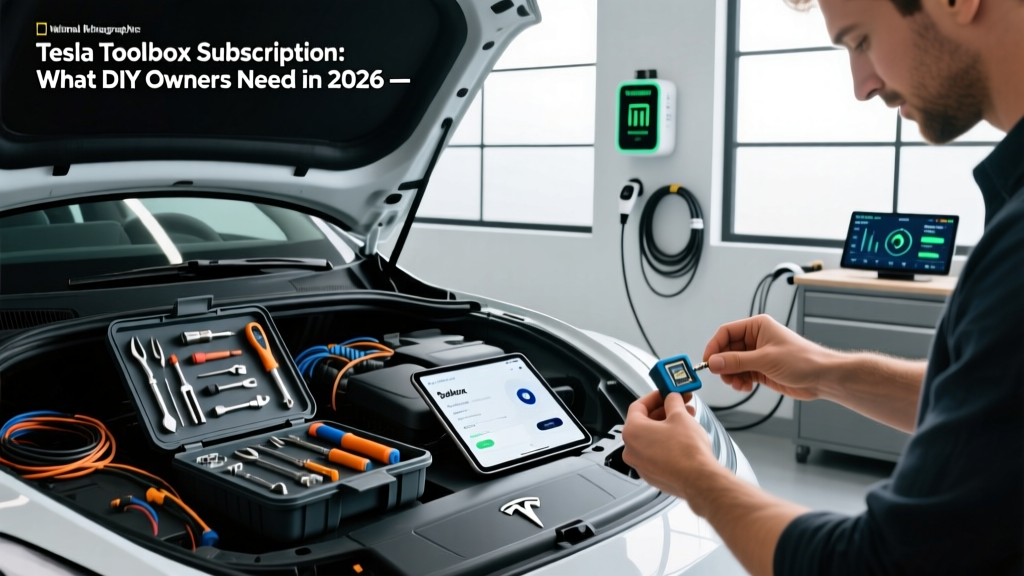
Tesla Toolbox is the same diagnostic and configuration platform that Tesla Service Centers and authorized body shops use internally. It connects to a vehicle's onboard computers via a dedicated cable (typically through the OBD-II-like diagnostic port found in newer Tesla models or the older gateway connector) and provides access to:
- Live sensor data and module-level diagnostics
- Active fault code reading and clearing
- Firmware version verification and update management
- Component calibration (cameras, radar, steering angle sensors)
- Battery State of Health (SoH) deep-read data
- Thermal management system diagnostics
- Drive unit and inverter telemetry
- Configuration changes for certain vehicle settings not exposed in the app
Tesla began offering Toolbox access to third-party repair facilities around 2022-2023 as part of its right-to-repair commitments, and individual owner subscriptions followed. As of 2026, the subscription is available directly through Tesla's official Toolbox portal.
Tesla Toolbox Subscription Pricing and Plans
The Toolbox subscription structure is straightforward, but it's not cheap for casual users. Here's how Tesla prices access in 2026:
| Plan | Duration | Approximate Cost | Best For |
|---|---|---|---|
| Single-Day Pass | 24 hours | ~$100 | One-off diagnostic session |
| Monthly Subscription | 30 days | ~$250 | Active project or repair |
| Annual Subscription | 12 months | ~$1,500–$2,000 | Independent shops, serious DIYers |
Important caveat: Pricing has shifted periodically, and Tesla does not always publish current rates prominently. Always confirm the exact price on the Toolbox portal before purchasing. The required diagnostic cable (often called the "Tesla Diagnostic Cable" or third-party equivalent like the Open Vehicle Diagnostic Cable) is a separate one-time purchase, typically $50–$150.
What Can You Actually Do With a Tesla Toolbox Subscription?
Diagnostics and Fault Code Management
The primary value of Toolbox is its ability to read fault codes at the module level — far beyond what the Tesla mobile app or the in-car service mode reveals. If your Model Y throws an amber warning about a seat heater, the app might say "Contact Service." Toolbox will tell you exactly which thermistor in which seat pad is reading out of spec, along with the raw resistance values.
For battery-related concerns, Toolbox provides granular cell-level voltage data across all modules, contactor status, isolation resistance readings, and the detailed State of Health (SoH) percentage that Tesla doesn't surface in the standard owner interface. This is the same data a service center technician reviews before approving a battery warranty claim.
Calibration and Configuration
After a windshield replacement, camera recalibration for Autopilot and FSD (Supervised) requires Toolbox or an equivalent authorized tool. Independent glass shops that service Teslas rely on this capability. For owners, it means you can verify whether a calibration was performed correctly or re-initiate one if you notice Autopilot lane-centering drift after glasswork.
Toolbox also allows configuration changes such as enabling/disabling certain features, adjusting suspension settings on Model S/X with adaptive air suspension, and modifying some thermal management parameters — though Tesla restricts the most safety-critical configurations.
Firmware and Software Insight
While Toolbox does not let you "downgrade" firmware or install unauthorized software, it does show the exact firmware build number, pending update status, and update logs. For owners tracking whether their vehicle has received a specific firmware version (which can affect charging speed, regen behavior, or FSD capability), this visibility is valuable.
- Unlock paid features (Acceleration Boost, FSD) without purchasing them from Tesla
- Modify battery chemistry or bypass thermal limits
- Perform over-the-air firmware flashing outside Tesla's signed update process
- Replace the need for physical repairs — it diagnoses, it doesn't fix
Who Benefits Most From a Tesla Toolbox Subscription?
The subscription makes sense for specific owner profiles — and it's overkill for others.
Worth It For:
- Out-of-warranty Tesla owners (older Model S/X) who want to diagnose issues before paying a service center $200+ for a diagnostic fee alone
- DIY-oriented owners comfortable replacing components like 12V/16V lithium auxiliary batteries, cabin air filters, HEPA filters, or brake calipers and wanting to clear fault codes afterward
- Independent Tesla mechanics and body shops who service multiple vehicles and need recurring access
- Fleet operators managing multiple Teslas who want proactive diagnostic monitoring
Not Worth It For:
- Newer vehicles under full warranty — Tesla Mobile Service and service center visits are covered or low-cost for warranty work
- Owners who only want basic info — the Tesla app, in-car service mode, and free third-party apps like Tessie or Teslamate (with a Raspberry Pi setup) provide substantial data without a subscription
- One-time curiosity — unless you have a specific diagnostic need, a single-day pass is a more efficient spend than a monthly plan
Tesla Toolbox vs. Free Alternatives and Third-Party Tools
Before committing to the subscription, understand what free and lower-cost alternatives offer:
| Tool | Cost | Capabilities | Limitations |
|---|---|---|---|
| Tesla Mobile App | Free | Basic vehicle status, remote commands, service scheduling | No fault codes, no module-level data |
| In-Car Service Mode | Free (hidden menu) | Some diagnostics, alignment info, basic tests | Limited scope, no calibration tools |
| Teslamate (self-hosted) | Free + hardware | Driving/charging logs, efficiency tracking, degradation curves | No fault code access, no configuration |
| Tessie / Stats (apps) | Free–$50/yr | API-based monitoring, battery health estimates | Relies on Tesla API, no module diagnostics |
| Scan My Tesla (app + OBD dongle) | ~$30–$60 | Live CAN bus data, cell voltages, basic metrics | Read-only, no calibration, no fault clearing |
| Tesla Toolbox | $100–$2,000 | Full dealer-level diagnostics, calibration, config | Costly, requires cable, no repair capability |
For most owners tracking long-term battery degradation or daily efficiency, a Teslamate setup (roughly $50 in hardware, free software) running on a Raspberry Pi provides exceptional value. It won't replace Toolbox for fault diagnosis, but it answers the "how is my battery aging?" question continuously without any subscription.
Practical Considerations Before Subscribing
If you've decided a Tesla Toolbox subscription makes sense for your situation, keep these practical realities in mind:
Hardware requirements: You need a laptop running Windows 10/11 (Toolbox does not run natively on macOS or Linux, though some users report success via virtualization). The diagnostic cable connects via USB on the laptop end and to the vehicle's diagnostic port on the other. Newer Model 3/Y vehicles (2024+ refresh) use a standard OBD-II-style port; older vehicles may require an adapter or direct gateway connection.
Time investment: Toolbox is professional software. The interface is functional but not intuitive for first-time users. Expect a learning curve — Tesla does not provide consumer-grade tutorials. Independent forums, YouTube walkthroughs, and Tesla Motors Club threads are your best training resources.
Vehicle compatibility: Toolbox supports Model S, Model 3, Model X, and Model Y across most production years, but feature depth varies. Newer vehicles on the latest hardware (HW4/AI4 computers) may have additional diagnostic endpoints. Cybertruck support has been expanding but confirm compatibility for your specific model year before subscribing.
Right-to-repair context: Tesla's Toolbox availability is partly a response to right-to-repair legislation and industry pressure. The Automotive Care Association and various state legislatures have pushed for OEM diagnostic tool access. Tesla's subscription model satisfies the access requirement, though critics argue the pricing limits practical availability for average consumers.
Is the Tesla Toolbox Subscription Worth the Cost?
The Verdict
If you're an independent shop or a serious DIY owner with an out-of-warranty Tesla: Yes. A single diagnostic session at a Tesla Service Center can cost $200–$300 in labor charges before any repair begins. If Toolbox helps you identify a failed $40 sensor instead of paying for a $1,200 "diagnostic and repair" visit, the subscription pays for itself quickly.
If your vehicle is under warranty and you're simply curious: No. Use the free tools available (Service Mode, Teslamate, Scan My Tesla) to satisfy your curiosity. Save the Toolbox subscription for when you actually need module-level fault diagnosis or post-repair calibration.
If you're considering it for Autopilot/FSD camera calibration after windshield work: A single-day pass ($100) is likely sufficient. Confirm with your glass installer whether they have their own Toolbox access before purchasing.
Frequently Asked Questions
Can a Tesla Toolbox subscription void my warranty?
Using Tesla's own officially offered diagnostic tool should not void your warranty — Tesla sells the subscription directly. However, if you use Toolbox to make unauthorized configuration changes that cause damage, those specific repairs may not be covered. The Federal Trade Commission has clarified that manufacturers cannot void warranties simply for using third-party tools or performing your own maintenance (Magnuson-Moss Warranty Act), but damage caused by improper use is a different matter.
Does Toolbox work on all Tesla models?
Toolbox supports Model S, Model 3, Model X, and Model Y across most years. Cybertruck support is available but expanding. Semi and older Roadster models have limited or no Toolbox compatibility. Always check the Toolbox portal's compatibility list for your specific VIN before subscribing.
Can I share my Toolbox subscription with friends or a shop?
Tesla's terms of service typically tie the subscription to a single user account. Sharing credentials violates the terms and risks account termination. Independent shops should purchase their own commercial subscription.
Do I need an internet connection to use Toolbox?
Yes. Toolbox authenticates your subscription status with Tesla's servers and may need to download vehicle-specific configuration data. A stable internet connection (Wi-Fi or tethered mobile) is required during use.
What's the difference between Toolbox and Tesla's Service Mode?
Service Mode is a hidden menu accessible directly on the vehicle's touchscreen (activated by tapping the "Model" text on the Software page). It provides basic diagnostic info, alignment data, and some test routines. Toolbox is a full professional platform accessed via a laptop and cable, offering module-level fault codes, calibration tools, and configuration options that Service Mode does not expose.
Are there any risks to using Tesla Toolbox?
The primary risk is making configuration changes you don't fully understand, which could affect vehicle behavior or safety systems. Reading diagnostic data is low-risk. Writing configuration changes or initiating calibrations requires care — follow documented procedures and avoid experimenting with safety-critical modules (brakes, steering, airbags).