If you own a Tesla—or are about to buy one—you'll eventually face a decision that has nothing to do with range or horsepower: should you pay for the Tesla Premium Connectivity subscription? It's a question that surfaces on forums, Reddit threads, and delivery-day conversations more than you'd expect. At $9.99 per month or $99 per year (pricing current as of early 2026), it's not a massive expense, but it does add to the total cost of Tesla ownership. In this guide, we'll break down exactly what you get, what you lose if you skip it, and whether the subscription makes sense for your driving habits.
What Is Tesla Premium Connectivity?
Every new Tesla comes with Standard Connectivity at no extra charge. This includes basic navigation, traffic-aware routing, and the ability to use Wi-Fi (when connected) for streaming music, watching videos while parked, and over-the-air (OTA) software updates. Premium Connectivity unlocks those same streaming and data-heavy features over Tesla's built-in cellular connection, so they work anywhere you have cell coverage—not just on Wi-Fi.
Here's exactly what Premium Connectivity adds on top of the Standard tier:
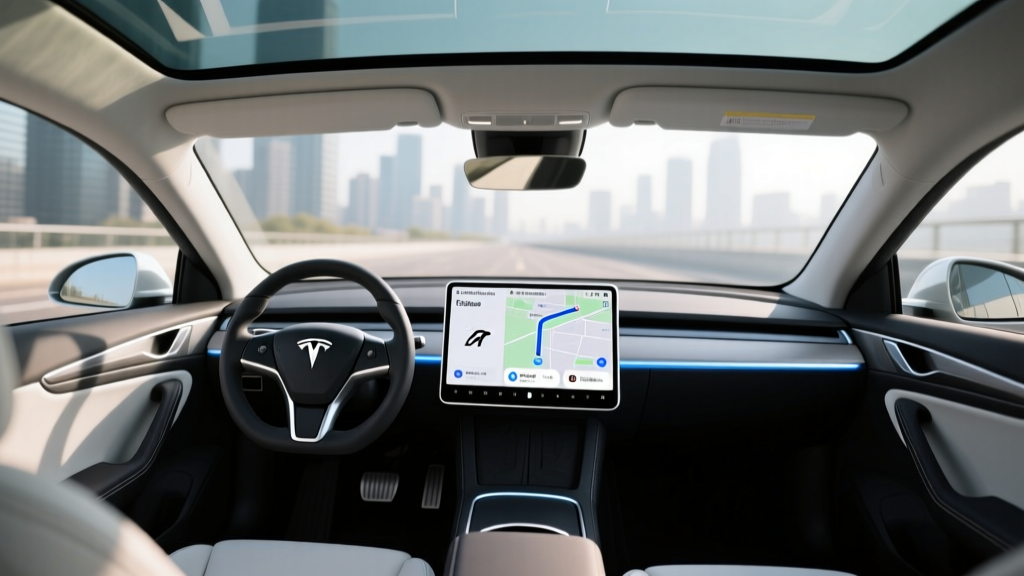
- Live traffic visualization on the navigation map (real-time congestion color-coding on all roads, not just your route)
- Satellite-view maps with real-time traffic overlay
- Video streaming (Netflix, YouTube, Twitch, Disney+, etc.) while parked—over cellular, not just Wi-Fi
- Music streaming (Spotify, Tidal, etc.) over cellular without needing your phone's hotspot
- Caraoke over cellular
- Internet browser access over cellular
- OTA updates over Wi-Fi (both tiers get these, but Premium allows large updates over cellular if Wi-Fi is unavailable)
What it does not include: Premium Connectivity is separate from Full Self-Driving (Supervised), which is a $8,000 one-time purchase or $99/month subscription for Tesla's Level 2 driver-assistance suite. Connectivity is about infotainment and data, not autonomous driving capability.
Tesla Premium Connectivity: Feature Comparison Table
| Feature | Standard Connectivity | Premium Connectivity |
|---|---|---|
| Basic navigation & routing | ✅ Included | ✅ Included |
| Traffic-aware route guidance | ✅ Included | ✅ Included |
| Live traffic map visualization | ❌ | ✅ Included |
| Satellite-view maps | ❌ | ✅ Included |
| Music streaming over cellular | ❌ (Wi-Fi only) | ✅ Included |
| Video streaming while parked | ❌ (Wi-Fi only) | ✅ Included |
| Caraoke | ❌ (Wi-Fi only) | ✅ Included |
| Web browser over cellular | ❌ (Wi-Fi only) | ✅ Included |
| OTA software updates | ✅ (Wi-Fi required) | ✅ (Wi-Fi or cellular) |
| Cost | Free (included) | $9.99/mo or $99/yr |
Who Actually Needs Premium Connectivity?
The honest answer depends on how you use your car and whether you have a reliable phone hotspot or home Wi-Fi setup. Let's break it down by driver profile.
You probably DON'T need it if:
- You have an unlimited phone hotspot and don't mind tethering. You can connect your Tesla to your phone's hotspot for streaming, browsing, and Caraoke. It's a few extra taps, but it works.
- Your car is always on Wi-Fi at home or work. Music streams fine over Bluetooth from your phone, and OTA updates happen overnight on your home network.
- You rarely watch video in the car. If you don't sit in your Tesla while charging and watch Netflix, the main entertainment feature is irrelevant.
- You use Apple Music or Spotify on your phone via Bluetooth. This works perfectly on Standard Connectivity and doesn't require any Tesla subscription.
You probably DO want it if:
- You Supercharge frequently and want entertainment. A 20-30 minute fast-charge session is a lot more pleasant with Netflix or YouTube on the center screen—no phone tethering required.
- You want live traffic visualization. Seeing congestion color-coded on the full map (not just your route) helps you make better lane and route decisions in real time. This is arguably the most practical daily feature.
- You don't have unlimited phone data and don't want to burn through your plan tethering your car.
- You're a passenger in your own car (waiting at school pickup, sitting in a parking lot) and want quick access to streaming without pulling out a phone.
The Real Cost of Ownership Context
To put the subscription in perspective, here's how it fits into the broader Tesla ownership picture. We'll use the 2026 Model Y Long Range AWD as an example, since it's Tesla's highest-volume seller.
| Cost Item | Amount |
|---|---|
| 2026 Model Y Long Range AWD MSRP | $48,990 |
| Federal §30D tax credit (if eligible) | Up to $7,500 (see rules below) |
| Estimated price after credit | ~$41,490 |
| Premium Connectivity (annual) | $99/year |
| FSD Supervised (optional) | $8,000 one-time or $99/mo |
| Estimated annual insurance (national avg) | $2,200–$2,800/yr |
| Estimated annual electricity cost (12,000 mi/yr) | $480–$720/yr |
At $99 per year, Premium Connectivity is roughly the cost of one Supercharging session. It's a minor line item compared to insurance, depreciation, or FSD. The real question isn't whether you can afford it—it's whether the convenience justifies a recurring subscription.
Federal Tax Credit Note: §30D Eligibility in 2026
The IRS §30D federal tax credit can reduce the effective price of a new Tesla by up to $7,500, but eligibility is not automatic. Key requirements for 2026:
- MSRP cap: SUVs (Model Y) must be under $80,000; sedans (Model 3) under $55,000
- Buyer income cap: Modified AGI ≤ $150,000 (single), $225,000 (head of household), $300,000 (joint)
- Battery sourcing: Increasingly strict critical-mineral and battery-component requirements phased in annually; check Tesla's website and fueleconomy.gov for the latest eligible configurations
- Point-of-sale transfer: You can transfer the credit to the dealer at purchase, reducing your out-of-pocket cost immediately rather than waiting for tax filing
Premium Connectivity itself is not a factor in tax credit eligibility—it's a post-purchase subscription. Consult a tax professional for your specific situation.
Workarounds: Getting Most Features Without Paying
If you're on the fence, here's how to replicate the Premium Connectivity experience on Standard tier:
- Music: Use Bluetooth audio from your phone. Spotify, Apple Music, Tidal—all work seamlessly. This is what most Tesla owners do anyway.
- Video streaming: Enable your phone's hotspot, connect the car's Wi-Fi to it, and stream Netflix/YouTube. If you have a 5G phone with unlimited data, this works well during charging stops.
- Live traffic: Use Waze or Google Maps on your phone for traffic visualization. Not ideal on the center screen, but functional.
- OTA updates: Ensure your home Wi-Fi reaches your parking spot, or use a Wi-Fi extender in your garage. Tesla strongly recommends Wi-Fi for updates regardless of connectivity tier.
- Browser: Tether your phone hotspot. The in-car browser works fine over a tethered connection.
The one feature you genuinely cannot replicate on Standard Connectivity is the satellite-view map with live traffic overlay built into the navigation screen. If you find that indispensable for daily commuting, the subscription starts to look more worthwhile.
Common Questions About Tesla Premium Connectivity
Does every new Tesla come with a free trial?
Yes. New Tesla vehicles typically include a trial period of Premium Connectivity (often 30 days, though promotional periods have varied). After the trial, the car reverts to Standard Connectivity unless you subscribe. You can activate the subscription at any time through the Tesla app or your Tesla account online.
Can I subscribe monthly and cancel anytime?
Yes. The $9.99/month option has no contract—you can cancel through your Tesla account. The $99/year option saves roughly $20 annually (equivalent to two months free) but locks you in for 12 months.
Does Premium Connectivity affect Autopilot or FSD?
No. Autopilot (standard on all Teslas) and Full Self-Driving Supervised ($8,000 or $99/mo) are completely separate from connectivity. Premium Connectivity is purely about infotainment data access. FSD's map and navigation features work on Standard Connectivity.
What happens to my subscription if I sell the car?
Premium Connectivity is tied to your Tesla account, not the vehicle. If you cancel, the next owner gets Standard Connectivity. If you have an active annual subscription, it does not transfer to the new owner—it stays on your account. New owners must start their own subscription (or trial).
Is the satellite map view really useful?
For daily commuting in congested areas, yes—seeing real-time traffic color-coded across the entire map (not just your route) gives you better situational awareness than Standard Connectivity's text-based traffic alerts. For highway road trips or rural driving, it's less impactful.
How much cellular data does Premium Connectivity use?
Tesla does not publish a hard data cap for Premium Connectivity, and most owners report no throttling for normal use (music streaming, occasional video, navigation). Heavy video streaming (multiple hours daily) could theoretically be deprioritized, but this is uncommon in practice.
Final Verdict: Subscribe or Skip?
The Tesla Premium Connectivity subscription is a convenience purchase, not a necessity. If you regularly Supercharge and want built-in entertainment without phone tethering, or if you commute in heavy traffic and value satellite-view maps with live overlay, the $99 annual plan is a reasonable upgrade. If you mostly drive with Bluetooth music, have home Wi-Fi for updates, and don't watch video in the car, Standard Connectivity covers 90% of what you need.
Our recommendation: take the free trial, use the car on Standard Connectivity for a month, and see if you actually miss the features. Most owners who skip it don't look back. Most who subscribe do it for the live traffic map and never use the video streaming.