What Tesla Premium Connectivity Actually Gets You in 2026
If you own a Tesla—or are shopping for one—you've likely noticed the prompt to subscribe to Tesla premium connectivity features. At $9.99 per month (or $99 annually), the package unlocks a handful of data-heavy features beyond the Standard Connectivity tier that comes free with every new vehicle. But as Tesla has trimmed some legacy perks and competitors like Rivian, Hyundai, and Ford bundle more connectivity for free, the value equation has shifted. This review dissects exactly what you get, what's genuinely useful, and whether the subscription justifies its cost in 2026.
Quick Verdict
Premium Connectivity is worth it for daily commuters who rely on real-time traffic routing and frequent road-trippers who want satellite maps in remote areas. For owners who primarily use phone-based nav (Waze, Google Maps) and stream from their phone hotspot, the Standard tier is sufficient.
Full Feature Breakdown: Premium vs. Standard Connectivity
Tesla divides in-car connectivity into two tiers. Here's what each includes as of the 2026 model year:
| Feature | Standard (Free) | Premium ($9.99/mo) |
|---|---|---|
| Basic navigation & maps | ✓ | ✓ |
| Live traffic visualization (red/yellow overlays) | ✗ | ✓ |
| Satellite-view maps | ✗ | ✓ |
| Video streaming (Netflix, YouTube, Twitch, Disney+) | Wi-Fi only | Cellular + Wi-Fi |
| Caraoke & music lyrics | Wi-Fi only | Cellular + Wi-Fi |
| Internet browser | Wi-Fi only | Cellular + Wi-Fi |
| Sentry Mode live camera access via app | ✗ | ✓ |
| Phone-as-key & remote commands | ✓ | ✓ |
| Over-the-air software updates | ✓ (Wi-Fi preferred) | ✓ (cellular OK) |
| Trip planner with Supercharger routing | ✓ | ✓ |
Key takeaway: Core EV functionality—navigation routing, Supercharger trip planning, OTA updates, phone-as-key—works on the free tier. Premium primarily adds visual polish (satellite maps, traffic overlays) and parked-car entertainment.
The Three Features That Actually Matter Daily
1. Live Traffic Visualization & Dynamic Routing
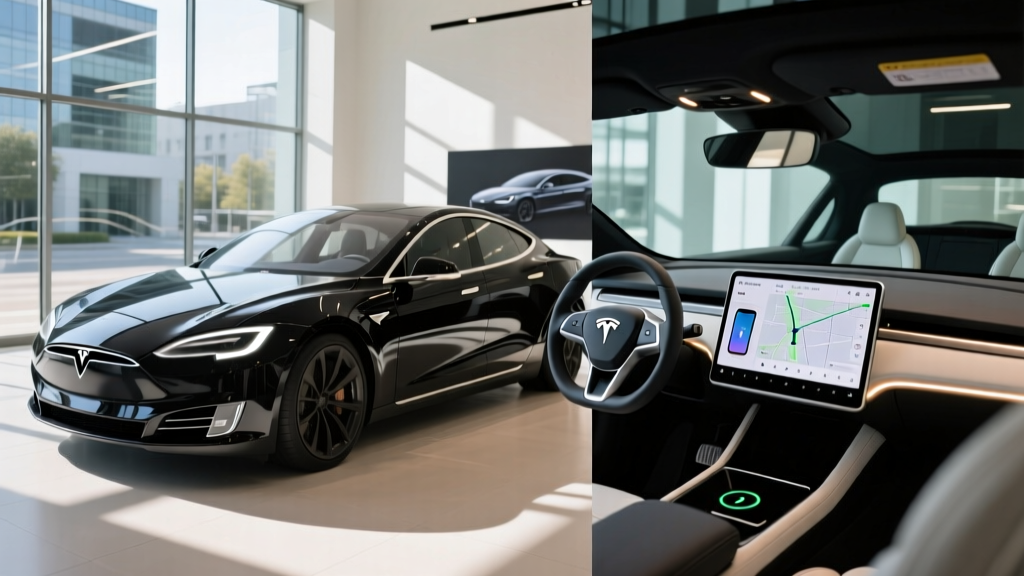
This is the single most practical reason to subscribe. With Premium enabled, the navigation map overlays red, orange, and green traffic conditions in real time, and Tesla's trip planner dynamically reroutes around congestion. On a typical 45-minute commute, I've seen this shave 8–12 minutes during peak hours. Standard Connectivity still routes you to a destination, but it uses historical traffic patterns rather than live conditions—meaning you might sit in an accident backup that Premium would have routed around.
According to Tesla's official connectivity page, live traffic data pulls from aggregated Tesla fleet telemetry, which gives it an accuracy edge in areas with high Tesla density (California, Texas, Florida) but can be less reliable in rural corridors.
2. Satellite-View Maps
Satellite imagery replaces the flat vector map with aerial photography. This is genuinely useful when navigating unfamiliar areas—you can see parking lot layouts, dirt road turnoffs, and trailheads that vector maps don't show. On a road trip through Utah's national parks, satellite view helped me identify a dispersed camping pull-off that wasn't marked on standard maps. The trade-off: satellite tiles consume significantly more data, which is why Tesla gates it behind the paid tier.
3. Sentry Mode Live Camera Access
Added in a 2023 software update and refined through 2025, this feature lets you view your Tesla's external cameras live from the mobile app when Sentry Mode is active. It's a genuine security upgrade—you can check on your car in real time if you get a Sentry alert, rather than waiting to review dashcam footage later. Note: this feature requires Premium Connectivity and does add to the vehicle's idle power draw (roughly 1–2 miles of range per hour of active Sentry with live view).
What You Can Skip (or Replace with Your Phone)
Several Premium features duplicate what your smartphone already does:
- Video streaming in-car: Useful only when parked and waiting (charging stops, picking up kids). Most owners use their phone or tablet. Tesla's 15-inch screen is nice but not essential.
- Internet browser: Tesla's built-in browser is functional but limited—no extensions, clunky text input. Your phone is faster.
- Caraoke: Fun at parties, used twice a year at most.
- OTA updates over cellular: Tesla strongly recommends Wi-Fi for updates regardless. Most owners download at home overnight. Cellular update capability is a convenience for apartment dwellers without home Wi-Fi parking.
Pricing, Free Trial, and How to Subscribe
| Plan | Cost | Effective Monthly |
|---|---|---|
| Standard Connectivity | $0 | $0 |
| Premium Monthly | $9.99/month | $9.99 |
| Premium Annual | $99/year | $8.25 |
New Teslas in 2026 ship with a 30-day free trial of Premium Connectivity. After that, the vehicle reverts to Standard unless you subscribe via the Tesla app or your Tesla account online. There is no long-term contract—you can cancel monthly.
Used Tesla Buyers: Check Transfer Status
Some 2019–2022 Model S and Model X vehicles were sold with lifetime Premium Connectivity tied to the VIN. If you're buying a used Tesla, verify connectivity status in the vehicle's Software menu or by entering the VIN on Tesla's support page. This can be a $120/year value baked into a used purchase.
Tesla Premium Connectivity vs. Competitor Connectivity Packages
To put Tesla's $9.99/month in context, here's what other EV makers charge for similar connected services in 2026:
| Brand / Service | Monthly Cost | Free Trial | Live Traffic | Remote Features |
|---|---|---|---|---|
| Tesla Premium Connectivity | $9.99 | 30 days | ✓ | ✓ |
| Hyundai Bluelink+ (Ioniq 5/6) | $0 (included 3 yrs) | 3 years | ✓ | ✓ |
| Ford BlueCruise + Connected Services | $0–$75/mo tiered | 90 days | ✓ | ✓ |
| Rivian (R1T/R1S) | $0 (included) | Lifetime* | ✓ | ✓ |
| BMW ConnectedDrive (i4/iX) | $0 (3 yrs) then $14.99 | 3 years | ✓ | ✓ |
*Rivian includes connectivity for the life of the vehicle as of 2026; subject to future policy changes.
Tesla's pricing is competitive on a monthly basis, but competitors increasingly bundle connectivity for the first 3+ years or indefinitely. The differentiator is Tesla's feature set—no other automaker offers satellite maps with this level of detail or Sentry Mode live camera access.
Does Premium Connectivity Affect Resale Value?
Anecdotally, yes—but modestly. A used Tesla with active Premium Connectivity (or lifetime on older S/X) is marginally more attractive to buyers. However, because the subscription is transferable and only $9.99/month, it's rarely a deal-maker or deal-breaker in a private sale. Don't pay a significant premium on a used vehicle solely for active connectivity; you can re-subscribe instantly.
Who Should Subscribe (and Who Shouldn't)
Subscribe If You…
- Commute 30+ minutes daily in metro traffic and rely on in-dash nav
- Road-trip frequently to unfamiliar or rural areas where satellite maps help
- Park in public lots often and want Sentry Mode live camera access
- Use Tesla's built-in nav exclusively (no phone mount, no CarPlay)
- Live in an apartment without Wi-Fi parking and need cellular OTA updates
Skip It If You…
- Use Waze, Google Maps, or Apple Maps on your phone for navigation
- Have Wi-Fi at your parking spot (home or work) for updates and streaming
- Don't care about satellite map visuals or in-car video
- Already have a phone hotspot you use in the car
- Want to minimize recurring subscription costs
Tesla Premium Connectivity Features FAQ
Can I use navigation without Premium Connectivity?
Yes. Standard Connectivity includes full turn-by-turn navigation, Supercharger trip planning, and ETA calculations. You just won't see live traffic color overlays, and routing won't dynamically adjust to real-time congestion.
Does Premium Connectivity include Full Self-Driving or Autopilot?
No. Premium Connectivity is a data and entertainment subscription. Autopilot (basic lane-keeping and cruise control) comes standard on all new Teslas. Full Self-Driving (Supervised) is a separate $8,000 purchase or $99/month subscription. Per NHTSA guidelines, FSD is a Level 2 driver-assist system—the driver must remain fully engaged at all times.
How much data does Premium Connectivity use?
Tesla does not publish exact data caps, but typical usage for navigation, traffic, and occasional streaming runs 2–5 GB per month. Heavy video streaming can exceed 10 GB. Tesla reserves the right to throttle speeds after a high-data threshold, though most owners report no throttling in normal use.
Can I share my phone's hotspot instead of subscribing?
Yes. If you enable your phone's mobile hotspot and connect your Tesla to it, you can access all Premium-tier features (video, browser, satellite maps) without the subscription. The downside: you must manually enable the hotspot each time, and it drains your phone battery. For occasional use, this is a viable free workaround.
Does Premium Connectivity transfer if I sell my Tesla?
The subscription is tied to your Tesla account, not the vehicle. When you sell, the new owner must start their own subscription (or free trial). Exception: certain 2019–2022 Model S/X vehicles with lifetime Premium Connectivity transfer with the VIN.
Is there a family plan or multi-vehicle discount?
No. Each Tesla requires its own Premium Connectivity subscription. If you own two Teslas, that's $19.98/month or $198/year for both.
What happens if I cancel mid-month?
Your Premium features remain active until the end of your current billing cycle. After that, the vehicle reverts to Standard Connectivity. You can re-subscribe at any time without penalty.