What Is Tesla Pin to Drive and Why Do Owners Use It?
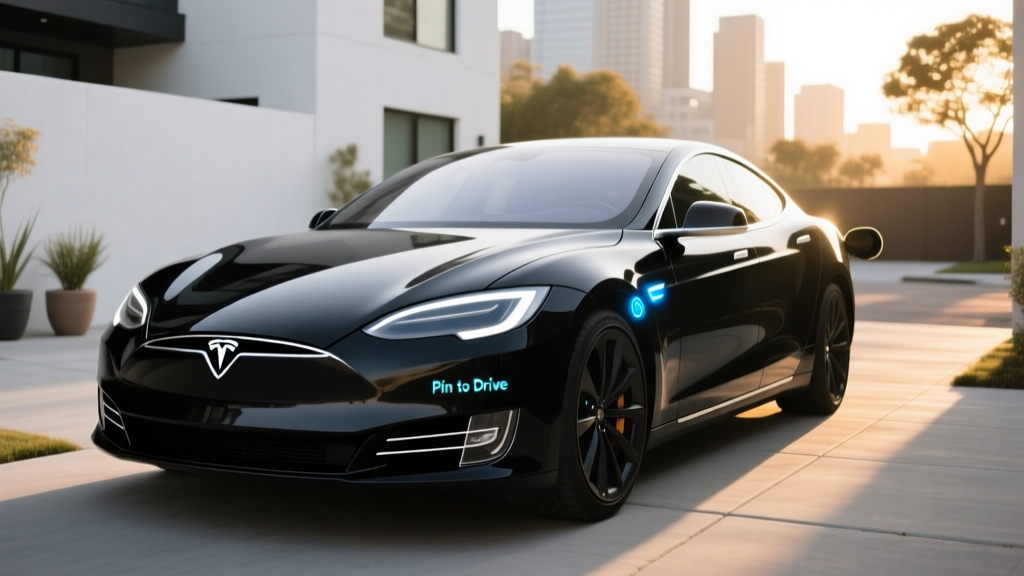
Tesla Pin to Drive is a built-in anti-theft security feature that requires a user-defined four-digit PIN to be entered on the vehicle's touchscreen before the car can be shifted into Drive. Even if a thief obtains your key fob, phone key, or key card, the vehicle remains immobilized until the correct PIN is input. For Tesla owners in 2026, it's one of the simplest and most effective layers of defense against keyless relay attacks and unauthorized vehicle access.
Unlike traditional car alarms that react to break-ins, Pin to Drive proactively prevents the vehicle from being driven away. It works across all current Tesla models — Model 3, Model Y, Model S, and Model X — and is enabled through the vehicle's security settings menu. Once activated, the PIN prompt appears every time someone attempts to put the car in gear, regardless of which key method is used.
How to Set Up and Use Tesla Pin to Drive
Enabling Pin to Drive takes under a minute and requires no app updates or service center visits. Here's the step-by-step process for 2026 Tesla software:
- Sit in your Tesla and tap the car icon on the bottom-left of the touchscreen.
- Navigate to Safety > Pin to Drive.
- Toggle Pin to Drive to ON.
- Enter a four-digit PIN of your choice and confirm it.
- The system will prompt you to also set a separate PIN override code (used if you forget the primary PIN).
Once enabled, every time you press the brake pedal and attempt to shift into Drive, the touchscreen displays a numeric keypad. Enter your four-digit PIN, and the car shifts normally. The PIN is stored locally on the vehicle — it is not transmitted to Tesla's servers.
When Pin to Drive Does and Doesn't Prompt
Tesla's software includes a location-based exemption. If you enable "Exclude Home" (or other saved Favorite locations), the PIN prompt is suppressed when the vehicle is parked at those GPS coordinates. This is convenient for daily use at your residence but means a thief who steals your car from your driveway could potentially drive it away if they have your key. Many security-conscious owners disable the home exemption for maximum protection.
The PIN is also not required when:
- The vehicle is already in Drive (e.g., a quick stop at a store).
- Using Valet Mode (which has its own separate restrictions).
- Remote start via the Tesla app (the app itself requires authentication).
How Tesla Pin to Drive Prevents Theft: Real-World Security Data
The primary threat Pin to Drive addresses is the keyless relay attack, where thieves use signal-amplifying devices to trick a car into thinking the owner's phone key or fob is nearby. This technique has been documented across all major EV and ICE brands. Because Teslas rely heavily on phone-as-key functionality (Bluetooth Low Energy), they are theoretically vulnerable to relay-style exploits, though Tesla has progressively hardened BLE authentication in recent firmware updates.
According to NHTSA vehicle theft databases and insurance industry reports, Teslas have historically had lower theft rates than comparable luxury vehicles, partly due to GPS tracking, Sentry Mode camera recording, and remote immobilization capabilities. However, no vehicle is theft-proof, and Pin to Drive adds a knowledge-based authentication layer that relay devices cannot bypass.
Pin to Drive vs. Other Tesla Security Features
| Feature | What It Does | Limitation |
|---|---|---|
| Pin to Drive | Requires 4-digit PIN to shift into Drive | Does not prevent entry or towing |
| Sentry Mode | Records video via external cameras when parked | Uses ~1 mile of range per hour; deterrence, not prevention |
| Walk-Away Door Lock | Auto-locks doors when phone key moves away | Relies on BLE detection; can be spoofed |
| Valet Mode | Restricts speed, glovebox, and personal data | Designed for valet use, not theft prevention |
| GPS Tracking | Allows real-time location via Tesla app | Recovery tool, not a preventive measure |
Tesla Model Lineup Quick Specs: What Pin to Drive Protects
Pin to Drive works identically across all Tesla models, but if you're evaluating which Tesla to buy in 2026, here's a spec snapshot of the current lineup with the security feature context:
| Spec | Model 3 (Long Range AWD) | Model Y (Long Range AWD) | Model S (Dual Motor) | Model X (Dual Motor) |
|---|---|---|---|---|
| EPA Range | 363 mi | 320 mi | 402 mi | 335 mi |
| Battery (usable) | ~75 kWh (NMC) | ~75 kWh (NMC) | ~95 kWh (NMC) | ~95 kWh (NMC) |
| Max DC Fast Charge | 250 kW | 250 kW | 250 kW | 250 kW |
| 10–80% DC Time | ~25 min | ~27 min | ~30 min | ~32 min |
| Level 2 Home Charge | 11.5 kW (~44 mi/hr) | 11.5 kW (~44 mi/hr) | 11.5 kW (~44 mi/hr) | 11.5 kW (~44 mi/hr) |
| 0–60 mph | 4.2 sec | 4.8 sec | 3.1 sec | 3.8 sec |
| Horsepower | ~346 hp | ~384 hp | ~670 hp | ~670 hp |
| Drivetrain | Dual Motor AWD | Dual Motor AWD | Dual Motor AWD | Dual Motor AWD |
| MPGe (combined) | 131 MPGe | 122 MPGe | 120 MPGe | 108 MPGe |
| Cargo (rear + frunk) | 23 + 3.1 cu ft | 76 + 4.1 cu ft | 28 + 3.1 cu ft | 88 + 6.6 cu ft |
| Base MSRP (2026) | $47,740 | $48,240 | $79,990 | $84,990 |
| Battery Warranty | 8 yr / 120,000 mi | 8 yr / 120,000 mi | 8 yr / 150,000 mi | 8 yr / 150,000 mi |
Sources: fueleconomy.gov, Tesla.com spec pages. Real-world highway range typically runs 10–15% below EPA; cold-weather (below 32°F) can reduce range by 20–30% depending on cabin heating demand and battery preconditioning.
Tesla Pricing, Tax Credits, and Total Cost in 2026
Tesla's pricing has shifted multiple times, so verify current MSRP at Tesla.com before purchasing. As of early 2026, the Model 3 Long Range AWD starts around $47,740 (including destination), while the Model Y Long Range AWD begins near $48,240. The Model S and Model X remain premium offerings above $79,000.
Federal Tax Credit Eligibility (§30D)
Under current IRS §30D rules, the federal clean vehicle credit offers up to $7,500 — split into two $3,750 halves based on battery critical-mineral sourcing and battery-component manufacturing requirements. Eligibility depends on:
- MSRP caps: Sedans (Model 3) must be ≤$55,000; SUVs/pickups/vans (Model Y, Model X) must be ≤$80,000.
- Buyer income limits: Modified AGI must not exceed $150,000 (single), $225,000 (head of household), or $300,000 (joint filers).
- Battery sourcing: Critical minerals and battery components must meet phased-in domestic/FTR-partner sourcing thresholds that tighten annually through 2029.
- Point-of-sale transfer: Buyers can elect to transfer the credit to the dealer at purchase, reducing the out-of-pocket price immediately rather than waiting for tax filing.
| Model | Base MSRP | Under MSRP Cap? | Est. Credit (if eligible) | Effective Price |
|---|---|---|---|---|
| Model 3 LR AWD | $47,740 | Yes ($55K cap) | Up to $7,500 | ~$40,240 |
| Model Y LR AWD | $48,240 | Yes ($80K cap, SUV) | Up to $7,500 | ~$40,740 |
| Model S Dual Motor | $79,990 | No (sedan $55K cap) | $0 | $79,990 |
| Model X Dual Motor | $84,990 | No (exceeds $80K) | $0 | $84,990 |
Note: Battery-sourcing requirements may reduce the credit to $3,750 or $0 for some build dates. Always confirm eligibility with your tax professional and check the latest DOE/Fueleconomy.gov sourcing tracker before purchasing.
Charging Infrastructure: Supercharger Network and Home Charging
One of Tesla's strongest ownership advantages remains the Supercharger network, which in 2026 includes over 20,000 stalls across North America. All current Teslas use the NACS (North American Charging Standard) connector natively, which has been adopted by Ford, GM, Rivian, Hyundai, and most other automakers — meaning Tesla owners benefit from a mature, purpose-built network without adapters.
Charging Speeds Breakdown
| Charging Level | Power | Approx. Miles Added per Hour | Best Use Case |
|---|---|---|---|
| Level 1 (120V outlet) | ~1.4 kW | ~3–5 mi/hr | Emergency / overnight trickle |
| Level 2 (240V home) | 11.5 kW | ~44 mi/hr | Daily home charging |
| DC Fast (Supercharger V3) | Up to 250 kW | ~1,000 mi/hr (peak) | Road trips; 10–80% in ~25 min |
| DC Fast (Supercharger V4) | Up to 350 kW (future) | TBD | Next-gen stalls rolling out |
Charging-curve reality: The 250 kW peak rate applies only at low state-of-charge (typically 10–30% SoC) and with proper battery preconditioning (navigating to a Supercharger in the Tesla nav triggers automatic thermal prep). Above 50% SoC, the rate tapers significantly — expect ~100 kW at 60% and ~50 kW above 80%. This is why Tesla and most EV analysts quote 10–80% time rather than 0–100%.
For home Level 2 charging, Tesla's Wall Connector ($420) delivers up to 11.5 kW on a 60-amp circuit (48-amp continuous draw). Installation costs vary widely: expect $800–$2,500 for a straightforward install near your electrical panel, or $3,000–$5,000+ if a panel upgrade (100A to 200A service) is needed. Always get a quote from a licensed electrician.
Who Should Enable Pin to Drive (and Who Can Skip It)?
Pin to Drive adds a few seconds to every trip start. Whether that's worth it depends on your threat model and parking environment:
Enable Pin to Drive If:
- You park on the street or in unsecured lots regularly.
- You live in an area with elevated vehicle theft rates.
- You share your phone key or have multiple drivers with access.
- You leave your Tesla at airports, trailheads, or overnight in unfamiliar areas.
- You want defense-in-depth alongside Sentry Mode.
You Can Likely Skip It If:
- Your Tesla is always parked in a locked private garage.
- You live in a low-theft area and exclusively use home/work parking.
- The extra 3–5 seconds per trip feels burdensome for your commute rhythm.
- You rely on the "Exclude Home" exemption and rarely park elsewhere overnight.
For most urban and suburban owners, the consensus in Tesla owner communities is to enable Pin to Drive with the home exemption disabled. The minor inconvenience of entering four digits is negligible compared to the protection it provides against relay attacks and unauthorized use.
Driver Assistance Context: Autopilot and FSD
Frequently Asked Questions About Tesla Pin to Drive
What happens if I forget my Tesla Pin to Drive PIN?
During setup, Tesla requires you to create a secondary override code. If you forget both the primary PIN and the override, you'll need to contact Tesla Support with proof of ownership to reset the PIN. The vehicle cannot be driven until the PIN is reset — there is no bypass.
Does Pin to Drive drain the battery or affect range?
No. Pin to Drive is a software lock that engages only at the moment of shifting into Drive. It has zero impact on battery consumption, range, or standby energy draw. Sentry Mode, by contrast, does consume energy (~1 mile of range per hour of activation) because it keeps cameras and the onboard computer active.
Can a thief bypass Pin to Drive by disconnecting the battery?
Disconnecting the 12V auxiliary battery or the high-voltage traction battery would disable the vehicle entirely — it cannot be driven without electrical systems. Pin to Drive is stored in the vehicle's secure firmware and cannot be cleared by a simple power cycle. A sophisticated attacker with Tesla-internal diagnostic tools could theoretically reset the system, but this would require equipment not available to typical thieves and would leave forensic traces.
Does Pin to Drive work with Valet Mode?
Valet Mode and Pin to Drive operate independently. When Valet Mode is active, the vehicle has its own restrictions (speed limiting, locked glovebox, hidden personal data). Pin to Drive still applies on top of Valet Mode unless you specifically disable it. If you hand your car to a valet, you'll need to provide the PIN or disable Pin to Drive before handing over the key.
Is Pin to Drive available on all Tesla models and model years?
Pin to Drive was introduced via an over-the-air software update in 2019 and is available on all Tesla vehicles running software version 2019.36 or later. This includes essentially every Model 3, Model Y, Model S (refresh), and Model X on the road in 2026. If your vehicle doesn't show the option, ensure your software is up to date.
Does enabling Pin to Drive affect my insurance premium?
Most insurers do not offer a specific discount for Pin to Drive, but some recognize Tesla's integrated security suite (Sentry Mode + GPS tracking + Pin to Drive) as an anti-theft package. Check with your provider — Tesla Insurance and several major carriers factor Tesla's security features into their rate calculations.