What Is the Tesla MCU2 Upgrade and Who Needs It?
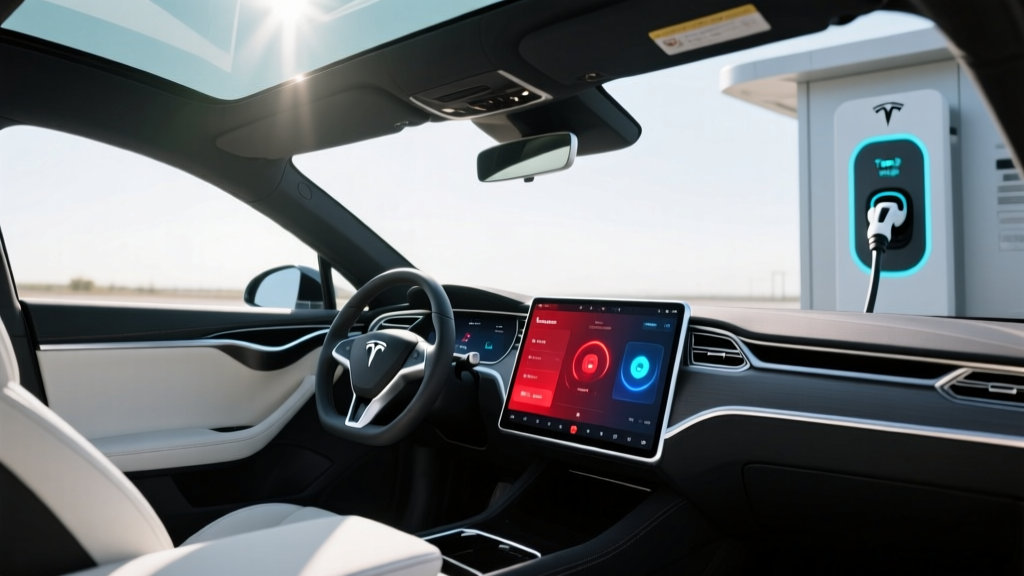
The Tesla Media Control Unit 2 (MCU2) upgrade replaces the original Intel Atom–based infotainment processor (MCU1) found in Model S and Model X vehicles built before March 2018 with the newer Intel E3961 Apollo Lake chip. For owners of 2012–2017 Model S and 2012–early 2018 Model X vehicles, the MCU2 upgrade is the single most impactful interior retrofit Tesla offers, transforming a sluggish, dated touchscreen into a responsive system capable of running modern Tesla software features.
As of 2026, Tesla continues to offer the MCU2 retrofit through Service Centers and mobile service, though availability has fluctuated as parts supply for legacy vehicles tightens. If you own a pre-2018 Model S or Model X with the original MCU1, this upgrade directly affects your daily usability — from navigation rendering speed to whether you can access features like Theater mode, Sentry Mode viewer, and the latest Tesla app integrations.
MCU1 vs MCU2: Technical Differences That Matter
Before evaluating whether the upgrade is worthwhile, it helps to understand exactly what changes under the glass. The MCU controls the center touchscreen, instrument cluster, navigation, media playback, and vehicle settings interface. It does not affect the drivetrain, battery, Autopilot hardware, or range.
| Attribute | MCU1 (Pre-2018) | MCU2 (Post-2018 / Retrofit) |
|---|---|---|
| Processor | NVIDIA Tegra 3 | Intel E3961 (Apollo Lake) |
| RAM | 2 GB | 4 GB |
| eMMC Storage | 8 GB (prone to failure) | 64 GB |
| Screen Resolution Support | 1280×800 | 1920×1200 |
| FM/DAB Radio | Yes (hardware tuner) | Streaming only (tuner removed) |
| Theater / Camp Mode UI | No | Yes |
| Sentry Mode Viewer | No | Yes |
| Navigation Rendering | Slow, laggy zoom/pan | Smooth, near-instant |
| Bluetooth | 4.0 | 5.0 |
The eMMC failure issue on MCU1 units is a well-documented pain point. The 8 GB flash memory chips in original units experience wear from constant logging, eventually causing the touchscreen to go black or become unresponsive. Tesla acknowledged this with a recall campaign covering certain 2012–2018 Model S and Model X vehicles. If your MCU1 has already failed or is showing symptoms (flickering, slow boot, unresponsive touch), the MCU2 upgrade resolves the root cause rather than patching it.
How Much Does the Tesla MCU2 Upgrade Cost in 2026?
Tesla's pricing for the MCU2 retrofit has shifted over the years. As of early 2026, the standard out-of-warranty cost through Tesla Service is approximately $2,250–$2,500 including parts and labor. This price can vary slightly depending on whether your vehicle requires additional work — for example, some 2012–2015 Model S vehicles need a wiring harness adapter or instrument cluster update bundled into the service visit.
| Item | Estimated Cost |
|---|---|
| MCU2 hardware (Intel E3961 unit) | $1,500–$1,750 |
| Labor (2–3 hours at Service Center) | $450–$600 |
| Wiring harness / adapter (if required) | $100–$200 |
| Total (out of warranty) | $2,250–$2,500 |
| Recall-covered (eligible VINs, MCU1 failure) | $0 |
Critical note on recall eligibility: If your vehicle's VIN falls within the NHTSA recall scope and your MCU1 has exhibited failure symptoms (blank screen, reboot loops), Tesla may perform the replacement at no cost. Check your VIN at nhtsa.gov/recalls or through the Tesla app under Service → Recall Campaigns. However, Tesla has generally limited free recall replacements to MCU1 units showing active failure — if your MCU1 is still functional and you simply want the performance upgrade, expect to pay out of pocket.
What You Gain: Performance, Features, and Daily Usability
The practical differences after upgrading are immediately noticeable. Here's what owners consistently report:
- Navigation: Map rendering goes from a 3–5 second lag on zoom/pan to near-instantaneous. Route recalculation is faster, and the map displays more detail without stuttering.
- Boot time: The MCU2 system boots in roughly 15–20 seconds versus 45–60+ seconds on a healthy MCU1.
- Media and streaming: Spotify, Tidal, and Tesla's native media player load and skip tracks without the multi-second delays common on MCU1.
- Theater mode: You gain the ability to watch YouTube, Netflix, and Disney+ on the center screen while parked — a feature that requires the MCU2's processing power.
- Sentry Mode clip viewing: Dashcam and Sentry footage can be reviewed directly on the touchscreen instead of requiring a USB pull to a laptop.
- Software update compatibility: Tesla's latest firmware releases are optimized for MCU2 hardware. While MCU1 vehicles still receive safety-critical updates, feature additions have increasingly been MCU2-only.
- Driving range, battery capacity, or efficiency
- Autopilot hardware or capabilities (AP2.0/AP2.5/HW3/HW4 are separate systems)
- 0–60 times, motor output, or suspension behavior
- FM radio — you lose the hardware FM tuner and gain streaming radio only
Compatibility: Which Vehicles Qualify for the MCU2 Upgrade?
The MCU2 retrofit is available for the following vehicles:
- Model S: 2012–2017 (all variants: 60, 70, 75, 85, 90, 100, P85, P90D, P100D)
- Model X: 2012–early 2018 (all variants: 60D, 75D, 90D, 100D, P90D, P100D)
Vehicles built from approximately March 2018 onward shipped with MCU2 from the factory and do not need (and cannot receive) this retrofit. The 2021+ refreshed Model S and Model X use a different horizontal-screen architecture (sometimes called MCU3 or the AMD Ryzen–based system) which is an entirely separate platform.
If you're considering purchasing a used pre-2018 Model S or Model X, check the vehicle's Service History in the Tesla app or ask the seller whether the MCU2 upgrade has already been performed. A completed upgrade adds meaningful value to these older vehicles — typically recouping $1,500–$2,000 of the cost at resale.
The MCU2 Upgrade vs. Buying a Newer Tesla: Which Makes Sense?
This is the real decision framework for most owners. You're weighing a $2,250–$2,500 investment in a 7–14 year old vehicle against trading up to a modern EV. Let's put the numbers in context.
| Factor | MCU2 Upgrade (Keep Current Car) | Trade to 2026 Model Y LR |
|---|---|---|
| Upfront cost | $2,250–$2,500 | $47,990 MSRP (before trade-in/credit) |
| Federal tax credit (§30D) | N/A (retrofit, not vehicle purchase) | Up to $7,500 if income/MSRP/sourcing rules met |
| EPA range | Unchanged (your existing battery) | 330 mi (EPA est.) |
| Infotainment hardware | MCU2 (Intel, 2018-era tech) | AMD Ryzen (current-gen, significantly faster) |
| Autopilot hardware | Unchanged (AP2/2.5 or HW3 depending on year) | HW4 (latest) |
| Warranty remaining | Varies (battery: may be near expiry on 2012–2015) | 4 yr/50k basic, 8 yr/120k battery |
Keep your current car and upgrade to MCU2 if:
- Your battery State of Health (SoH) is above 80% and range still meets your daily needs
- You've maintained the vehicle well and suspension/cooling components are in good shape
- Your budget doesn't support a $40K+ new vehicle purchase right now
- You value the Model S/X ride quality, air suspension, and build characteristics that newer Model Y doesn't replicate
Trade up to a newer Tesla (or competitor) if:
- Your battery is degraded below 75% SoH and replacement ($12,000–$18,000) is looming
- You need modern Autopilot hardware (HW4) for FSD Supervised functionality
- Your MCU1 has already failed and you're weighing the $2,500 upgrade against a trade-in credit
- You want current-gen charging speeds (2026 Model Y supports peak ~250 kW; older Model S/X peak at ~150–200 kW depending on pack)
How to Get the MCU2 Upgrade: Ordering and Installation
The process is straightforward but requires scheduling through Tesla's service network:
- Open the Tesla app → Service → Request Service → Infotainment/Touchscreen.
- Describe your request: "Requesting MCU2 upgrade retrofit for MCU1-equipped vehicle." Include your VIN.
- Tesla will confirm compatibility and provide a quote (typically $2,250–$2,500). Approve the estimate.
- Parts ordering: Tesla may need 1–4 weeks to source the MCU2 unit, especially for 2012–2014 Model S vehicles requiring specific harness adapters.
- Installation: Expect 2–4 hours at a Service Center. Mobile service is sometimes available. The vehicle must remain at the center for software provisioning after hardware installation.
- Post-install: Your vehicle will reboot with the new MCU2 system. You'll need to re-pair Bluetooth devices, re-enter navigation favorites, and reconfigure driver profiles. All vehicle settings stored on Tesla's servers (odometer, service history, Supercharger access) remain intact.
Real-World Ownership Context: What Legacy Model S/X Owners Should Budget For
The MCU2 upgrade is one line item in the broader maintenance picture for a pre-2018 Model S or Model X. Here's a realistic look at what these vehicles need in the 2026 timeframe:
- Battery degradation: Early 85 kWh packs (2012–2015) are now 11–14 years old. Typical degradation is 12–20% depending on charging habits. An original 85 kWh pack with ~265 mi EPA new may now deliver 210–235 mi real-world.
- Drive unit replacements: Large-drive-unit (LDU) failures on pre-2015 Model S are common at 80,000–120,000 miles. Replacement runs $5,000–$8,000 out of warranty.
- Air suspension: Air struts on Model S/X typically need replacement at 70,000–100,000 miles. Budget $1,500–$2,500 per corner.
- 12V battery: These vehicles use a standard 12V lead-acid auxiliary battery. Replace every 3–4 years (~$300–$400) to avoid phantom-drain bricking.
If your vehicle is mechanically sound and the battery is healthy, the MCU2 upgrade extends the car's usable life and daily enjoyment significantly. If multiple major systems are nearing end-of-life simultaneously, the financial case shifts toward replacement.
Frequently Asked Questions
Does the MCU2 upgrade improve my Tesla's range or charging speed?
No. The MCU is purely the infotainment and interface computer. Range, efficiency, charging speed, and drivetrain performance are controlled by the battery management system (BMS), drive inverters, and thermal management — none of which are affected by the MCU swap.
Can I install the MCU2 upgrade myself with an aftermarket unit?
Tesla does not sell MCU2 units as standalone parts to consumers, and the unit requires Tesla-proprietary software provisioning to pair with your vehicle's VIN and gateway. Third-party "Android head unit" swaps exist in the aftermarket but typically lose native Tesla features (vehicle settings, energy graphs, Supercharger navigation integration). The official Tesla Service retrofit is the recommended path.
Will I lose FM radio after the MCU2 upgrade?
Yes. The MCU2 hardware does not include an FM/DAB tuner. You'll rely on streaming radio (TuneIn, internet radio) via Wi-Fi or your phone's tethered connection. For most owners this is a minor trade-off, but if you frequently drive in areas with poor cellular coverage and rely on FM radio, be aware of this change.
Is the MCU2 upgrade covered under any extended warranty or service plan?
The retrofit itself carries a standard Tesla service warranty (typically 12 months / 12,000 miles on the replacement part). It does not extend your vehicle's original battery or drivetrain warranty. If your vehicle is within the NHTSA recall scope and exhibiting MCU1 failure, the replacement may be performed at no cost — contact Tesla Service with your VIN to confirm.
How does the MCU2 compare to the AMD Ryzen system in 2021+ Model S/X?
The AMD Ryzen–based infotainment system (2021+ refresh) is substantially faster than MCU2 — it handles gaming (Cyberpunk 2077 at playable framerates), renders maps with GPU-accelerated 3D buildings, and supports the horizontal 17-inch display. The MCU2 is a meaningful improvement over MCU1 but is now itself a generation behind Tesla's current hardware. For a 2012–2017 vehicle, MCU2 is the maximum available upgrade.
Does the MCU2 upgrade affect my vehicle's Autopilot or FSD capability?
No. Autopilot and FSD (Supervised) run on separate hardware — the Autopilot ECU (AP2.0, AP2.5, HW3, or HW4 depending on your vehicle's production date and any prior upgrades). The MCU displays the Autopilot visualization but does not process driving decisions. Your Autopilot capabilities remain exactly as they were before the upgrade.