If you own a Tesla or are shopping for a used one, you have almost certainly encountered the acronym MCU in forums, service centers, and spec sheets. But unlike horsepower or EPA range, Tesla's MCU (Media Control Unit) designation is one of the most misunderstood hardware variables in the EV world. It dictates everything from your touchscreen responsiveness and streaming capability to which version of Full Self-Driving (Supervised) your car can actually run.
In 2026, understanding MCU Tesla hardware is no longer optional for informed buyers. The gap between an MCU1-era Model S and a current-refresh Model 3 running MCU2 with Hardware 4 (HW4) Autopilot compute is enormous — and it affects resale value, software longevity, and safety-feature access. This guide breaks down exactly what each MCU generation delivers, how it interacts with Tesla's Autopilot/FSD hardware stack, and whether a retrofit upgrade makes financial sense.
What Is the Tesla MCU and Why Does It Matter?
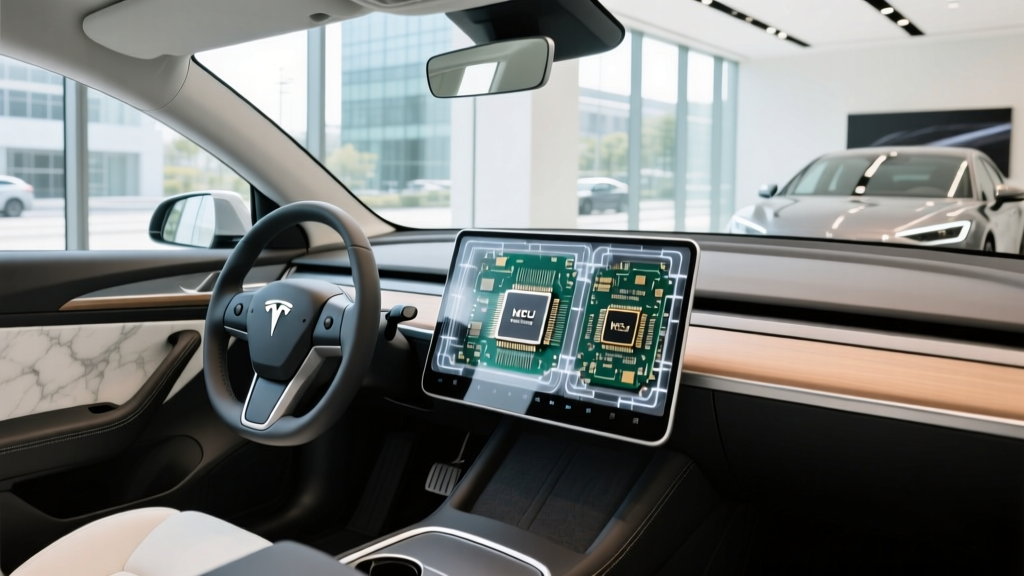
The Media Control Unit (MCU) is the computer that runs Tesla's central touchscreen — the 15-inch (or 17-inch in refreshed Model S/X) display that controls navigation, media, climate, vehicle settings, and the visualization of Autopilot/FSD. It is separate from the Autopilot computer (which Tesla designates as HW2.5, HW3, or HW4). Think of the MCU as the infotainment brain and the Autopilot hardware as the driving brain. They communicate, but they are distinct systems.
This distinction matters because a Tesla's software capabilities depend on both systems. You might have an MCU2 touchscreen capable of running Netflix and the latest UI, but if your Autopilot hardware is still HW2.5, you cannot run FSD (Supervised) v13. Conversely, a car with HW4 cameras and compute but an older MCU1 screen will bottleneck on visualization smoothness and miss newer UI features.
| Generation | Processor | RAM | Years Installed | Key Capabilities |
|---|---|---|---|---|
| MCU1 (Intel Atom) | NVIDIA Tegra 3 / Intel Atom E3950 | 2 GB | 2012–early 2018 | Basic nav, media, no streaming apps, slower UI |
| MCU2 (Intel Atom) | Intel Atom E3950 (Apollo Lake) | 4 GB | March 2018–2021 | Theater (Netflix/YouTube), smoother map rendering, CarPlay-like features not supported |
| MCU2 Refresh / Ryzen | AMD Ryzen Embedded | 16 GB | 2022–present (Model S/X/3/Y) | Gaming (Cyberpunk 2077), fastest UI, full Theater, best long-term software support |
MCU vs. Autopilot Hardware: The Two-System Reality
A common mistake among used-Tesla shoppers is conflating MCU with Autopilot hardware. Here is the precise breakdown:
- MCU = infotainment processor (touchscreen, apps, UI rendering)
- HW2.5 / HW3 / HW4 = Autopilot compute platform (camera processing, neural-net inference for Autopilot and FSD)
Tesla introduced Hardware 3 (HW3) in April 2019, replacing HW2.5 with dual custom FSD chips capable of 2,300 frames per second. Hardware 4 (HW4), rolled out starting in 2023 across Model S, X, 3 (Highland), and Y (Juniper), uses higher-resolution cameras (up to 5MP vs. 1.2MP) and a more powerful FSD computer with roughly 2–3× the inference throughput of HW3.
As of 2026, FSD (Supervised) v13.x requires HW3 minimum, but Tesla has begun gating certain advanced features — such as higher-fidelity occupancy-network visualization and end-to-end neural-net processing — behind HW4. This means an MCU2 car with HW3 can run FSD, but it will not access the full capability ceiling that HW4 vehicles enjoy.
Real-World Impact: How MCU Generation Affects Daily Driving
The MCU generation you live with every day shapes the ownership experience in ways that spec sheets understate:
Navigation and Map Rendering
MCU1 renders maps with visible lag during zooming and panning. Turn-by-turn directions load slowly, and satellite-view tiles can take 3–5 seconds to populate. MCU2 (Intel Atom) improved this substantially, while the AMD Ryzen MCU in current Teslas renders 3D building visualization and live-traffic overlays with near-smartphone fluidity.
Streaming and Entertainment
MCU1 cannot run Netflix, YouTube, or Disney+ — the hardware lacks the GPU decode capability. MCU2 introduced Theater mode, enabling video streaming while parked. The Ryzen MCU handles 4K video decode and AAA gaming (Cyberpunk 2077 runs at playable frame rates on the 17-inch Model S/X screen).
FSD Visualization
When FSD (Supervised) is active, the touchscreen renders a real-time 3D model of detected vehicles, pedestrians, lane markings, and traffic lights. On MCU1, this visualization stutters and drops objects. On MCU2, it runs acceptably but with occasional frame-rate dips in complex intersections. On the Ryzen MCU paired with HW4, the visualization is smooth and detailed, rendering curb edges, construction cones, and even road-surface markings.
Tesla MCU Retrofit Upgrade: Cost, Eligibility, and Is It Worth It?
Tesla has periodically offered MCU1-to-MCU2 retrofit upgrades through service centers. As of early 2026, here is the current landscape:
| Upgrade Path | Eligible Vehicles | Cost (Parts + Labor) | Availability |
|---|---|---|---|
| MCU1 → MCU2 (Intel Atom) | Model S/X built before March 2018 | ~$1,500–$2,000 | Limited; parts availability declining |
| MCU2 (Intel) → Ryzen MCU | Model S/X (2018–2021) | ~$2,500–$3,000 | Available via service center, subject to parts |
| HW2.5 → HW3 | Model S/X/3 built 2016–2019 with FSD purchase | Free (if FSD purchased) | Completed for most eligible vehicles |
| HW3 → HW4 | Not officially offered as retrofit | N/A | Not available; HW4 requires new camera harness and windshield |
Is the MCU1-to-MCU2 upgrade worth it? If you plan to keep a 2016–2017 Model S or X for several more years, the $1,500 investment meaningfully extends the car's usability: you gain Theater, faster navigation, and compatibility with newer software releases. However, it does not upgrade your Autopilot hardware. If your car still has HW2.5 and you did not purchase FSD, you will remain limited to basic Autopilot regardless of the MCU upgrade.
The HW3-to-HW4 gap is more consequential for FSD users but currently has no official retrofit path. Tesla's camera architecture changed significantly with HW4 (different mounting points, higher-resolution sensors, new wiring harness), making a field upgrade impractical. Buyers who want HW4 must purchase a vehicle that shipped with it from the factory.
Which Tesla Models in 2026 Have the Latest MCU and HW4?
Every new Tesla sold in 2026 ships with the AMD Ryzen MCU and HW4 Autopilot hardware. Here is the model-by-model status:
- Model 3 Highland (2024–present): Ryzen MCU + HW4. All trims.
- Model Y Juniper (2025–present): Ryzen MCU + HW4. All trims.
- Model S (2023+ refresh): Ryzen MCU + HW4. 17-inch touchscreen.
- Model X (2023+ refresh): Ryzen MCU + HW4. 17-inch front + 8-inch rear screen.
- Cybertruck (2024–present): Ryzen MCU + HW4. Custom 18.5-inch front + 9.4-inch rear.
If you are buying a used Tesla, the cutoff dates above are your guide. A 2022 Model 3 likely has the Intel Atom MCU2 and HW3 — still capable, but not the latest. A 2021 Model S with the pre-refresh interior will have MCU2 (Intel) and HW3 unless it received a retrofit.
Buying Advice: How to Verify MCU and Autopilot Hardware in a Used Tesla
Before purchasing any used Tesla, verify both systems:
- Check MCU: On the touchscreen, go to Controls → Software → Additional Vehicle Information. Look for "Infotainment Processor." It will read "Intel Atom" (MCU2) or "AMD Ryzen" (latest). MCU1 vehicles will show an older Tegra designation or no entry at all on very early builds.
- Check Autopilot Hardware: In the same menu, look for "Autopilot Computer." It will read "Hardware 2.5," "Hardware 3," or "Hardware 4." Alternatively, HW4 vehicles have a camera housing above the rear license plate that is visibly different (larger, with a red-tinted lens) and the side-repeater cameras on the front fenders are higher resolution with a slightly different housing shape.
- Check FSD status: Under Controls → Software, verify whether "Full Self-Driving Capability" is listed as active. FSD transfers with the car only if it was purchased outright — not if it was on a subscription that lapses at sale.
Frequently Asked Questions
What does MCU stand for in a Tesla?
MCU stands for Media Control Unit — the computer that powers the central touchscreen infotainment system. It handles navigation, media, climate controls, vehicle settings, and the visualization display for Autopilot/FSD. It is separate from the Autopilot hardware computer (HW2.5/HW3/HW4).
Can I upgrade my Tesla MCU1 to MCU2 or Ryzen?
Yes, Tesla has offered MCU1-to-MCU2 retrofits for Model S and X built before March 2018, typically costing $1,500–$2,000. Upgrading from Intel Atom MCU2 to the AMD Ryzen MCU is possible for some Model S/X vehicles at approximately $2,500–$3,000. Availability depends on parts supply — contact your local Tesla service center for a quote. Model 3 and Y have not had official MCU retrofit programs, as they shipped with MCU2 or Ryzen from the factory.
Does MCU affect Autopilot or FSD performance?
Indirectly. The MCU does not process driving data — that is the Autopilot computer's job. However, the MCU renders the FSD visualization on screen. A slower MCU (MCU1) will stutter and drop objects in the visualization, making the system feel less capable than it is. For actual driving performance, the Autopilot hardware generation (HW3 vs. HW4) is the determining factor.
Is HW3 still good in 2026, or do I need HW4?
HW3 remains fully capable of running FSD (Supervised) v13.x in 2026 and provides a strong Level 2 driver-assist experience. HW4 offers higher-resolution camera input and greater inference throughput, which translates to better object detection in edge cases (low light, partially obscured signs, complex construction zones). If you are buying new, you will get HW4 automatically. If buying used, HW3 is still a solid platform, but HW4 provides a higher capability ceiling for future FSD updates.
Does Tesla still offer the MCU upgrade program?
The MCU1-to-MCU2 upgrade program for Model S/X was officially offered through Tesla service centers, though Tesla has periodically paused it based on parts availability. As of 2026, the program is still accessible on a limited basis. Contact Tesla service directly for current status and pricing. There is no official program to retrofit HW4 onto HW3 vehicles.
How do I know if a used Tesla has HW3 or HW4?
Check the "Additional Vehicle Information" screen under Controls → Software. It will list the Autopilot Computer version. You can also visually inspect: HW4 vehicles have a slightly different camera housing above the rear license plate (larger, with a subtle red lens tint) and updated side-repeater cameras on the front fenders. When in doubt, have a Tesla service center verify before purchase.
Pros: Latest MCU (Ryzen) + HW4
- Fastest, most fluid touchscreen UI in any production EV
- Full FSD (Supervised) capability with best available sensor suite
- AAA gaming and 4K streaming while parked
- Longest projected software-support runway
- Higher resale value vs. MCU1/MCU2 equivalents
Cons: Older MCU1/HW2.5 Vehicles
- Sluggish map rendering and UI lag
- No Netflix, YouTube, or Theater streaming
- No path to HW4 — stuck on older Autopilot compute
- FSD visualization stutters, reducing confidence
- Declining resale value as software requirements increase
Understanding MCU Tesla hardware is essential for any current owner evaluating an upgrade or any used-car buyer trying to avoid a bottlenecked vehicle. The MCU generation determines your daily interface experience, while the Autopilot hardware generation determines your active-safety and FSD ceiling. In 2026, the smartest buy is a vehicle with the AMD Ryzen MCU and HW4 — but a well-priced MCU2/HW3 car remains a capable, future-proofed platform for most drivers.