Why Tesla's Internet Service Matters More Than You Think
When most buyers research a Tesla, they obsess over EPA range, 0-60 times, and Supercharger access. But once you own one, the vehicle's always-on connectivity becomes one of its most-used features — powering navigation with live traffic, over-the-air (OTA) software updates, Sentry Mode clip uploads, music and video streaming, and the data pipeline that Tesla's Full Self-Driving (Supervised) relies on. Tesla's internet service is not an optional luxury; it's woven into how the car functions.
This guide breaks down exactly what Tesla's Standard and Premium Connectivity plans deliver in the 2026 model year, what the in-car connection can and cannot do as a Wi-Fi hotspot substitute, and how it intersects with the Model Y and Model 3 ownership experience — including real numbers on data usage, latency, and streaming quality.
Standard vs. Premium Connectivity: What You Actually Get
Every new Tesla ships with Standard Connectivity at no extra cost. This includes:
- Basic navigation (map display, routing, ETA)
- Over-the-air software updates (via Wi-Fi or cellular)
- Bluetooth and USB media playback
- Basic voice commands
Premium Connectivity (currently $9.99/month or $99/year as of the 2026 model year) unlocks:
- Live traffic visualization on the map
- Satellite-view maps with imagery overlay
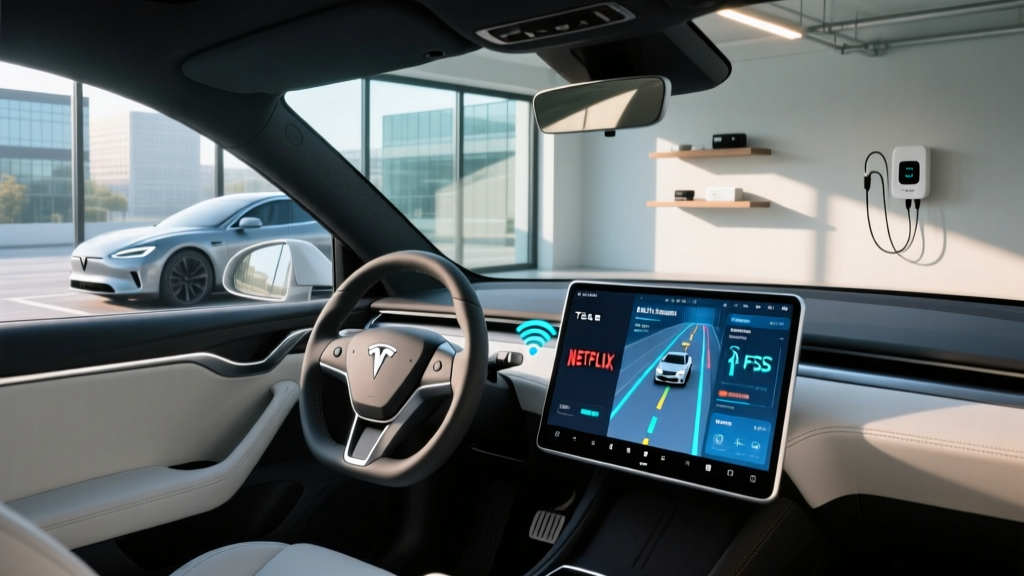
- In-car media streaming (Spotify, Apple Music, Tidal, YouTube, Netflix, Disney+, Twitch, TikTok)
- Caraoke with lyric sync
- Web browser with full HTML5 support
- Sentry Mode clip viewing and upload via the Tesla app
- Live weather radar overlay
- OTA updates over cellular (no home Wi-Fi required)
For most owners, the decision hinges on two things: whether you stream media in the car regularly, and whether you have reliable home Wi-Fi for OTA updates. If you park in a garage with weak Wi-Fi and want updates to download overnight on cellular, Premium pays for itself quickly.
How Tesla's Cellular Connection Works (Hardware & Network)
Modern Teslas (2021 and newer, including the refreshed Model 3 Highland and current Model Y Juniper) use an embedded LTE-Advanced modem with a multi-carrier SIM profile. In the U.S., Tesla primarily routes traffic through AT&T's network with fallback agreements on T-Mobile, though the specific carrier is not user-selectable.
The modem supports:
- Download speeds typically between 10–40 Mbps in strong LTE-A coverage areas
- Upload speeds of 5–15 Mbps
- Latency in the 40–80ms range — adequate for streaming and navigation but not for real-time gaming
Tesla does not publish a hard data cap for Premium Connectivity. In practice, the company's acceptable-use policy restricts sustained high-bandwidth activity (like tethering a laptop for large downloads). Streaming music for hours daily and watching video while parked are both well within normal use. Owners who've tested it report pulling 30–80 GB per month of vehicle-side data without throttling.
Can You Use Tesla as a Wi-Fi Hotspot?
This is one of the most common questions tied to Tesla internet service, and the answer is nuanced: Tesla does not officially support Wi-Fi hotspot tethering from the vehicle to external devices like your phone or laptop.
The car's Wi-Fi radio is configured as a client (it connects to your home network), not an access point. There is no settings menu to broadcast a hotspot the way a dedicated mobile hotspot device or many smartphones can.
Workarounds some owners use:
- Using a dedicated mobile hotspot (e.g., Verizon Jetpack, T-Mobile Inseego) and connecting the Tesla to it for better OTA download speeds in rural areas
- Tethering from a smartphone to the Tesla's Wi-Fi client for faster map preloading on road trips
- Using the Tesla's browser to check email or do light work while parked and charging — but not as a replacement for a laptop connection
If reliable in-car internet for passengers' devices is a priority, budget for a dedicated 5G hotspot device. Tesla's embedded connection is designed for the car's own systems, not for sharing.
Tesla Internet Service and FSD (Supervised): The Data Pipeline
Full Self-Driving (Supervised) is a SAE Level 2 driver-assistance system — meaning the driver must remain engaged and responsible at all times. What's relevant to connectivity is the data FSD generates and consumes:
- Map and route data: FSD uses Tesla's lane-level navigation maps, which are updated periodically via OTA.
- Driving log uploads: When FSD encounters edge cases or disengagements, short video clips and telemetry are uploaded to Tesla's servers for training — typically when the car is on Wi-Fi to avoid cellular load.
- Neural network weight updates: Major FSD version bumps (e.g., v13.x to v14.x) arrive as OTA downloads, often 2–5 GB in size.
Owners on Standard Connectivity can still use FSD; the car will queue large downloads until it connects to Wi-Fi. Premium Connectivity allows these to download over cellular, which matters if you don't have home Wi-Fi where you park.
Real-World Streaming Quality: Music, Video, and Gaming
On a strong LTE-A signal (3+ bars in most metro and suburban areas), Tesla's internet service handles:
- Music streaming: Spotify, Apple Music, and Tidal all stream at high quality (256–320 kbps or lossless on Tidal) without buffering.
- Video (parked only): YouTube at 720p–1080p, Netflix and Disney+ at 720p. The 15.4-inch center screen (Model 3 Highland) or 15.4-inch center plus optional rear screen (Model Y Juniper) makes this genuinely usable for charging-stop entertainment.
- Cloud gaming: Tesla's built-in gaming platform runs local games well, but cloud-streamed gaming (e.g., GeForce Now via the browser) suffers from the 40–80ms latency floor — playable for turn-based games, not for fast-paced titles.
- Web browsing: The Chromium-based browser handles most modern sites. Google Docs, news sites, and email work fine; heavy JavaScript apps can lag.
In rural areas with only 1–2 bars of LTE, expect music to buffer occasionally and video to drop to 480p or stall. This is a carrier-coverage issue, not a Tesla-specific limitation.
Cost Breakdown: Premium Connectivity vs. Alternatives
| Option | Monthly Cost | Annual Cost | What It Covers |
|---|---|---|---|
| Standard Connectivity (included) | $0 | $0 | Basic nav, OTA via Wi-Fi, Bluetooth media |
| Premium Connectivity | $9.99 | $99 | Live traffic, streaming, satellite maps, cellular OTA |
| Dedicated 5G Hotspot (e.g., Verizon Inseego) | $20–$50 | $240–$600 | Wi-Fi for all passenger devices + Tesla |
| Smartphone Hotspot (existing plan add-on) | $10–$30 | $120–$360 | Phone as hotspot for Tesla + devices |
For most single drivers or couples who stream music and want live traffic, Premium Connectivity at $99/year is the most cost-effective path. Families with kids who want tablets and laptops connected on road trips will need a separate hotspot regardless.
Model 3 and Model Y: Connectivity in Context
To ground this in the vehicles most buyers are considering, here's how connectivity fits into the 2026 Model 3 and Model Y ownership picture:
| Spec | Model 3 Long Range AWD | Model Y Long Range AWD |
|---|---|---|
| EPA Range | 363 miles | 320 miles |
| Battery (usable) | ~79 kWh, NMC | ~78 kWh, NMC |
| Peak DC Charge Rate | 250 kW | 250 kW |
| 10–80% DC Fast Charge | ~27 min | ~27 min |
| Level 2 Home Charge (48A) | ~44 mi/hr | ~42 mi/hr |
| 0–60 mph | 4.2 sec | 4.8 sec |
| Horsepower | ~346 hp | ~384 hp |
| MPGe (combined) | 132 MPGe | 122 MPGe |
| Base MSRP | $47,740 | $48,740 |
| Battery Warranty | 8 yr / 120,000 mi | 8 yr / 120,000 mi |
| Connectivity Modem | LTE-Advanced embedded | LTE-Advanced embedded |
Both vehicles share the same connectivity hardware and software stack. The difference in your experience will come from signal strength in your area and whether you opt for Premium.
Federal Tax Credit Eligibility (§30D)
As of the 2026 tax year, the IRS §30D Clean Vehicle Credit offers up to $7,500 for qualifying new EVs, but eligibility depends on several factors:
- MSRP caps: Sedans (Model 3) must be under $55,000; SUVs/trucks (Model Y) under $80,000. Both base trims qualify; loaded Performance trims may exceed the sedan cap.
- Buyer income limits: Modified AGI must not exceed $150,000 (single), $225,000 (head of household), or $300,000 (joint).
- Battery sourcing: Critical minerals and battery component requirements phase in annually. Verify current-year compliance on fueleconomy.gov before purchasing.
- Point-of-sale transfer: Qualified buyers can transfer the credit to the dealer at purchase, reducing the out-of-pocket price immediately.
A Model 3 Long Range at $47,740 MSRP, with full §30D eligibility and point-of-sale transfer, effectively drops to ~$40,240 — which is where the value proposition becomes very compelling against competitors like the BMW i4 or Hyundai Ioniq 6.
Biggest Pros and Cons of Tesla's Internet Service
Pros
- Always-on connection means nav, Sentry Mode, and OTA work without phone tethering
- $99/year for Premium is inexpensive vs. dedicated hotspots
- Streaming quality on LTE-A is genuinely good for music and parked video
- OTA updates over cellular eliminate the need for home Wi-Fi in many cases
- Sentry Mode clip uploads happen automatically — critical for incident documentation
Cons
- No official Wi-Fi hotspot tethering to external devices
- Carrier is not user-selectable — you're stuck with Tesla's network partner in your area
- Rural coverage gaps can leave streaming and live traffic unavailable
- No 5G modem yet (as of 2026 model year) — LTE-A is adequate but not future-proof
- Browser is functional but not a laptop replacement for productivity
Frequently Asked Questions
Does Tesla internet service work in rural areas?
It depends on AT&T LTE coverage in your area. In regions with 1–2 bars of signal, expect degraded streaming and slower OTA downloads. Check AT&T's coverage map for your typical routes before relying on the connection.
Can I cancel Premium Connectivity and keep FSD?
Yes. FSD (Supervised) works on Standard Connectivity. Large FSD updates will queue until you connect to Wi-Fi. You'll lose live traffic, streaming, and satellite maps.
How much data does Tesla use per month?
Typical owners report 15–40 GB/month with music streaming and navigation. Heavy video users while parked and charging can push 60–100 GB. Tesla has not publicly enforced hard caps on Premium Connectivity as of 2026.
Will Tesla add 5G connectivity?
Tesla has not announced a 5G modem retrofit or timeline. Current LTE-A hardware is sufficient for the car's use cases (streaming, nav, OTA) but falls short for hotspot-style tethering. A 5G upgrade would likely debut in a next-generation vehicle platform.
Is Tesla's internet service worth it vs. using my phone?
For music streaming, live traffic, and Sentry Mode uploads, the built-in connection is more seamless than phone tethering. For passenger Wi-Fi needs, your phone's hotspot or a dedicated device is still required. At $99/year, Premium Connectivity is a low-friction add-on for most owners.
Final Take: Who Needs Tesla's Internet Service?
If you're a daily commuter who streams music, values live traffic routing, and parks somewhere with limited Wi-Fi for OTA updates, Premium Connectivity is a no-brainer at $99/year. It's one of the least expensive connectivity options in the automotive market and deeply integrated into Tesla's software experience.
If you primarily use your phone for media (Bluetooth audio) and have strong home Wi-Fi, Standard Connectivity is perfectly adequate. You won't miss anything safety- or function-critical — just convenience features.
And if you need Wi-Fi for passengers' laptops and tablets on road trips, plan for a dedicated 5G hotspot regardless of your Tesla connectivity tier. Tesla's embedded internet service is built for the car, not for sharing — and understanding that distinction upfront prevents the most common ownership disappointment.