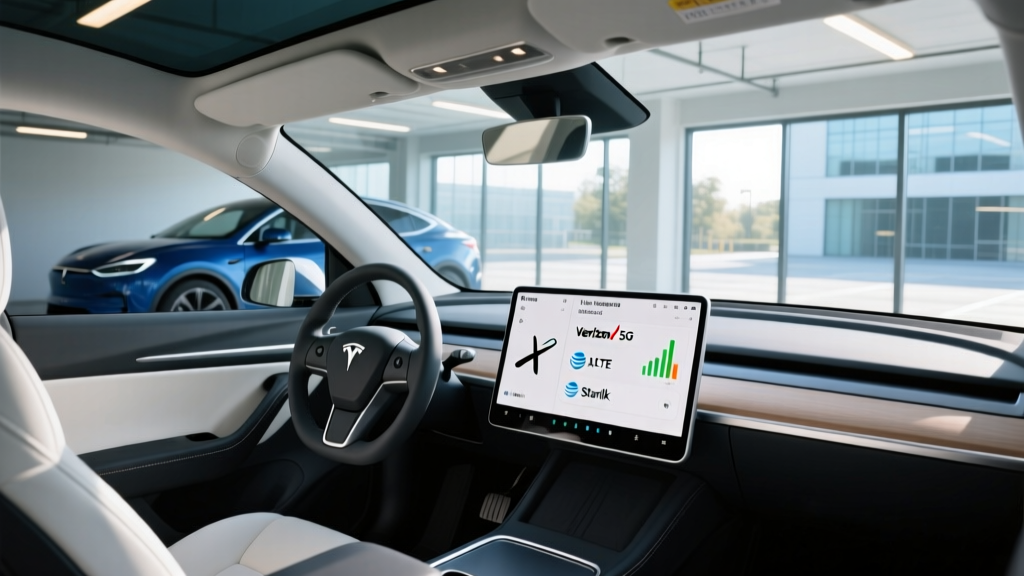
How Tesla's Built-In Connectivity Actually Works
Every Tesla sold in the United States ships with an embedded cellular modem that connects to a major carrier network — but Tesla does not publicly disclose which carrier acts as its primary Tesla internet provider for any given model year. What we do know from teardowns, FCC filings, and service-center observations is that Tesla has historically partnered with AT&T in North America, with some vehicles also utilizing T-Mobile infrastructure depending on region and production batch. The automaker manages the connection end-to-end, meaning owners never interact directly with the carrier.
This matters because your Tesla's internet connection governs navigation map updates, live traffic visualization, music and podcast streaming, Sentry Mode clip uploads, over-the-air (OTA) software updates, and — if you subscribe to Premium Connectivity — the in-car Wi-Fi hotspot. Understanding what you get at each tier, and what the connection can actually handle, is essential before you rely on it as a daily productivity tool or entertainment hub.
Below, we'll walk through exactly what Standard (free) and Premium ($9.99/month or $99/year as of 2026) connectivity deliver, the real-world performance you can expect from the embedded modem, and how Tesla's connectivity stack compares to simply tethering your phone.
Standard vs. Premium Connectivity: What You Actually Get
Tesla divides its connectivity into two tiers. Every vehicle receives Standard Connectivity at no additional cost for the life of the car. Premium Connectivity is an add-on subscription that unlocks higher-bandwidth features.
| Feature | Standard (Free) | Premium ($9.99/mo) |
|---|---|---|
| Basic navigation & routing | ✅ | ✅ |
| Live traffic visualization on map | ❌ | ✅ |
| Satellite-view maps | ❌ | ✅ |
| Video streaming (Netflix, YouTube, Disney+) | ❌ (Wi-Fi only) | ✅ (cellular) |
| Music streaming (Spotify, Tidal) over cellular | Limited / degraded | ✅ |
| Caraoke lyrics over cellular | ❌ | ✅ |
| Web browser over cellular | ❌ | ✅ |
| Sentry Mode clip remote viewing | ❌ | ✅ |
| OTA updates over cellular | ✅ (smaller packages) | ✅ (full-speed) |
The most consequential difference for daily drivers is live traffic data. Without it, your navigation will still route you, but it won't dynamically avoid congestion — a meaningful downgrade in metro areas. For road-trippers and families, video streaming at Superchargers is the Premium feature that justifies the cost most quickly.
Real-World Cellular Performance by Tesla Model
Tesla's embedded modem has improved substantially since the original Intel-based units used in pre-2021 vehicles. Current 2026 Model 3, Model Y, Model S, and Model X vehicles use a more modern LTE-Advanced modem (with limited 5G capability in newer production runs). Real-world throughput depends heavily on your location and the underlying carrier's tower density.
In urban and suburban areas with strong AT&T or T-Mobile coverage, expect 15–40 Mbps down on LTE-Advanced — sufficient for HD video streaming, Spotify HiFi, and responsive map rendering. In rural corridors, speeds can drop to 2–5 Mbps, which handles navigation and music but will stutter on video. Tesla does not publish a guaranteed minimum bandwidth, and there is no user-facing signal-strength meter beyond a simple bar indicator.
For context, the Tesla internet provider's network delivers its best performance in the same areas where your smartphone gets strong LTE. If AT&T coverage is poor in your commute zone, your Tesla's connection will be similarly affected. Owners in the Mountain West and rural South report the most frequent dead zones, consistent with broader carrier coverage maps.
Does Tesla Throttle Data?
Tesla's Premium Connectivity terms of service reserve the right to manage data during periods of network congestion. In practice, most owners report no perceptible throttling during normal use. However, sustained high-bandwidth activity — such as downloading a multi-gigabyte game or streaming 4K video for hours — may trigger deprioritization. Tesla does not publish a monthly data cap, and the connection is intended for in-vehicle use only, not as a general mobile hotspot for laptops or other devices (though the Wi-Fi sharing feature does allow limited tethering to personal devices at reduced speeds).
Using Your Tesla as a Mobile Hotspot
With Premium Connectivity active, Tesla offers a Wi-Fi hotspot feature that allows passenger devices to connect through the car's cellular modem. This is useful for passengers who need to work on laptops or tablets during road trips. However, this feature comes with important limitations:
- Bandwidth sharing: The hotspot shares the same LTE connection as the car's infotainment system. Streaming video on the car's screen while a passenger runs a Zoom call will degrade both experiences.
- Speed ceiling: Expect 10–25 Mbps to connected devices in good coverage areas — adequate for email, web browsing, and standard-definition video calls, but not a replacement for home broadband.
- No external antenna advantage: Unlike dedicated mobile hotspots (e.g., Netgear Nighthawk M6), the Tesla modem's antenna is optimized for the vehicle's infotainment needs, not maximum throughput to tethered devices.
For owners who need reliable mobile internet for remote work, a dedicated 5G hotspot device or smartphone tethering typically delivers more consistent performance. The Tesla hotspot is best viewed as a convenience feature for passengers, not a primary connectivity solution.
Tesla Connectivity vs. Phone Tethering: Which Is Better?
A common question is whether Premium Connectivity is worth it if you already have an unlimited phone plan. Here's how the two approaches compare for key use cases:
| Use Case | Premium Connectivity | Phone Tethering (Wi-Fi) |
|---|---|---|
| Live traffic navigation | ✅ Automatic, no setup | ❌ Not supported via tethering |
| Video streaming at Superchargers | ✅ One tap, always ready | ✅ Requires phone connection each time |
| Sentry Mode remote viewing | ✅ Works automatically | ❌ Requires tethered connection |
| OTA software updates | ✅ Downloads over cellular | ✅ Works but requires phone nearby |
| Music streaming (Spotify/Tidal) | ✅ Built-in, no phone needed | ✅ Works but drains phone battery |
| Monthly cost | $9.99/mo or $99/yr | $0 (if on unlimited plan) |
The deciding factor for most owners is live traffic and the frictionless experience. Phone tethering works, but it requires you to enable the hotspot, wait for the car to connect, and keep your phone charged and in the vehicle. Premium Connectivity eliminates that friction entirely. If you value convenience and use navigation daily, the $99 annual cost is competitive with a single month of most streaming services.
Troubleshooting Tesla Connectivity Issues
Even with a strong carrier network, Tesla owners occasionally experience connectivity problems. Here are the most common issues and their fixes:
No Cellular Signal or "Searching" Status
This typically occurs in underground parking structures, remote rural areas, or regions with known carrier outages. If the issue persists in areas with known good coverage, try the following:
- Perform a soft reset: Hold both scroll wheels on the steering wheel until the screen goes black and the Tesla logo appears.
- Check for pending OTA updates — sometimes a stalled update can affect modem firmware.
- If the problem continues across multiple locations, schedule a service appointment. Modem hardware failures are rare but covered under the vehicle's basic warranty.
Slow Streaming or Buffering on Premium Connectivity
Video buffering on Netflix or YouTube usually indicates weak signal (fewer than 2 bars) or temporary network congestion. Try moving the vehicle a short distance — even 50 feet can change which cell tower the modem connects to, especially in urban canyons. Also verify that no large OTA update is downloading in the background, which will consume bandwidth.
Premium Connectivity Not Activating After Purchase
If you've subscribed through the Tesla app but features like satellite maps or video streaming remain locked, try signing out and back into your Tesla account within the vehicle. In rare cases, a provisioning delay of up to 24 hours can occur on the carrier side. If the issue persists beyond 48 hours, contact Tesla support through the app.
Is Premium Connectivity Worth It for Your Use Case?
Get Premium Connectivity if: You use Tesla navigation daily and want live traffic rerouting; you frequently wait at Superchargers and want video entertainment; you rely on Sentry Mode and want remote clip access; you value a phone-free music streaming experience.
Skip Premium Connectivity if: You primarily drive locally and know your routes; you always have your phone and don't mind tethering for occasional video; you use Apple CarPlay or Android Auto alternatives (though Tesla does not natively support these) via third-party hardware; you're on a tight budget and prefer to allocate funds to home charging upgrades.
For most Tesla owners who road-trip more than a few times per year, the $99 annual fee pays for itself in convenience and time saved. The live traffic feature alone prevents enough wrong turns and traffic delays to justify the cost in any major metro area.
Frequently Asked Questions
Can I change Tesla's internet provider or use my own SIM card?
No. Tesla's embedded modem uses an integrated eSIM that is provisioned and managed entirely by Tesla. There is no SIM slot accessible to owners, and you cannot substitute your own carrier plan. The connection is tied to the vehicle's VIN and managed through Tesla's backend systems. This is by design — it ensures seamless OTA updates and remote diagnostics without requiring owner intervention.
Does Tesla connectivity work in Canada, Mexico, or internationally?
Tesla's connectivity works in Canada and Mexico through roaming agreements with local carriers, though speeds and feature availability may vary. In Europe and Asia, Tesla uses regional carrier partnerships (e.g., various providers across EU member states). Premium Connectivity features generally roam, but video streaming and hotspot capabilities may be restricted in certain countries due to licensing or data regulations. Check Tesla's official connectivity support page for region-specific details before traveling internationally.
Will Tesla's internet connection work during a power outage at home?
Yes. The cellular modem operates independently of your home Wi-Fi or power grid. As long as the vehicle has battery charge and is within carrier coverage, navigation, streaming, and remote features will function normally. This makes your Tesla a useful communication and entertainment hub during extended outages — provided you can access the vehicle.
How much data does Tesla use per month?
Tesla does not publish exact data-usage figures, and consumption varies enormously based on usage patterns. Owners who stream music daily, use live traffic, and download OTA updates typically consume 5–15 GB per month. Heavy video streaming can push usage to 30–50 GB or more. Tesla's terms reserve the right to manage connections that show "excessive" usage, but the company has not publicly defined a hard cap. For most owners, normal use does not trigger any throttling.
Is Tesla's Wi-Fi hotspot secure for sensitive work?
Tesla's hotspot uses WPA2 encryption, which is the same standard used by most home and public Wi-Fi networks. For typical business use — email, document editing, video conferencing — it is adequately secure. However, for highly sensitive financial or legal work, a dedicated VPN is recommended, just as you would use on any public or shared network.