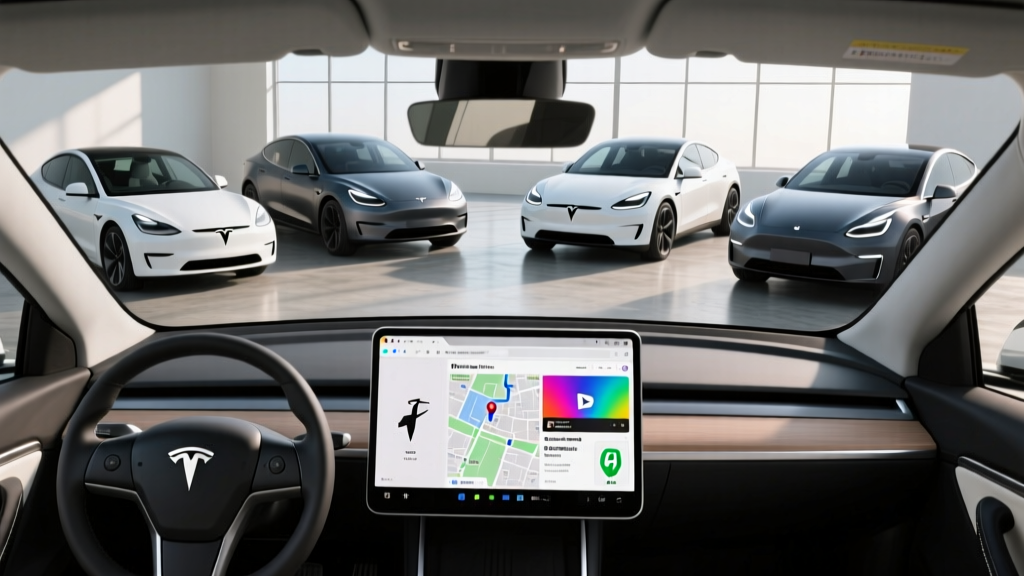
The Tesla internet browser is one of the most distinctive — and frequently misunderstood — features in any electric vehicle. Unlike CarPlay or Android Auto, which mirror your phone to the car's screen, Tesla runs a native Chromium-based browser directly on the 15.4-inch center touchscreen (or the 17-inch display in Model S and X). In 2026, that browser handles everything from pulling up a restaurant menu at a Supercharger stop to streaming YouTube while parked and charging.
But how useful is it really, and does it change the ownership equation for Tesla's current lineup? Below, we break down exactly what the Tesla internet browser can and cannot do in 2026, then pair that with the hard EV specs buyers actually need — EPA range, charging speed, battery chemistry, pricing, and federal tax credit eligibility — across the Model 3, Model Y, Model S, and Model X.
What the Tesla Internet Browser Actually Does
Accessed via the app launcher on the touchscreen, the Tesla browser is a full web browser — not a walled-garden app store. You can type any URL, use Google Search, and navigate most modern websites. It is built on a Chromium engine, so rendering is comparable to Chrome on a desktop, with pinch-to-zoom, tab support, and bookmark saving.
What works well: Reading news articles, looking up charging station reviews on PlugShare, checking restaurant menus, browsing Reddit or Wikipedia, pulling up Google Maps directions to copy into the car's native navigation, and accessing web-based email.
What is limited: The browser intentionally restricts certain media and interactive content while the vehicle is in Drive. Video streaming (Netflix, YouTube, Disney+) is available, but only when parked — Tesla locks it out above 0 mph for safety. Complex web apps (Google Docs, heavy JavaScript dashboards) can be sluggish compared to a laptop. There is no support for browser extensions, and file downloads are limited to the car's local media player.
Tesla 2026 Lineup: Core EV Specs at a Glance
The browser experience is essentially identical across all current Tesla models — what changes is the hardware around it. Here are the 2026 specs that actually matter for purchase decisions.
| Spec | Model 3 Long Range AWD | Model Y Long Range AWD | Model S Long Range | Model X Long Range |
|---|---|---|---|---|
| EPA Range | 341 mi | 320 mi | 402 mi | 335 mi |
| Battery (usable) | ~75 kWh (NMC) | ~75 kWh (NMC) | ~95 kWh (NMC) | ~95 kWh (NMC) |
| Max DC Fast Charge | 250 kW | 250 kW | 250 kW | 250 kW |
| 10–80% DCFC Time | ~25 min | ~27 min | ~30 min | ~32 min |
| Level 2 Home Rate | 11.5 kW (~44 mi/hr) | 11.5 kW (~44 mi/hr) | 11.5 kW (~34 mi/hr) | 11.5 kW (~30 mi/hr) |
| 0–60 mph | 4.2 sec | 4.8 sec | 3.1 sec | 3.8 sec |
| Horsepower | ~346 hp | ~384 hp | ~670 hp | ~670 hp |
| Drivetrain | Dual-Motor AWD | Dual-Motor AWD | Dual-Motor AWD | Dual-Motor AWD |
| MPGe (combined) | 134 MPGe | 122 MPGe | 120 MPGe | 109 MPGe |
| Cargo (rear seats up) | 23 cu ft | 30 cu ft | 28 cu ft | 15 cu ft (+ frunk) |
| Base MSRP | $47,740 | $48,990 | $79,990 | $84,990 |
| Battery Warranty | 8 yr / 120,000 mi | 8 yr / 120,000 mi | 8 yr / 150,000 mi | 8 yr / 150,000 mi |
Sources: fueleconomy.gov (EPA), Tesla.com spec pages. Pricing reflects 2026 MSRP before destination; specs subject to mid-year updates.
Real-World Range: What to Actually Expect
Model 3 Long Range: EPA 341 mi — expect ~290–310 mi on mixed highway driving (70–80 mph), dropping to ~230–260 mi in sustained sub-30°F winter conditions.
Model Y Long Range: EPA 320 mi — expect ~270–290 mi highway, ~210–240 mi in cold weather.
Model S Long Range: EPA 402 mi — expect ~340–370 mi highway, ~280–310 mi in cold weather.
Model X Long Range: EPA 335 mi — expect ~280–305 mi highway, ~220–250 mi in cold weather.
Highway speeds, cold temperatures, headwinds, and elevation gains all reduce range. Tesla's heat pump (standard on all 2026 models) mitigates but does not eliminate winter losses.
Tesla's energy efficiency remains among the best in the industry. The Model 3 Long Range achieves 134 MPGe combined, which translates to roughly 25 kWh per 100 miles — meaning you spend less per mile at a DC fast charger than most competing EVs at the same per-kWh rate. That efficiency is also why Tesla's real-world range tends to hold up better on road trips than heavier, less aerodynamic rivals.
Charging Speed: DC Fast Charge and Home Level 2
All 2026 Tesla models peak at 250 kW on V3 and V4 Superchargers using the native NACS connector. No adapter is needed at Tesla Superchargers, and Tesla vehicles can also charge at CCS stations using the optional CCS adapter (now included with new vehicles in many regions).
The charge curve matters more than the peak number. Teslas sustain roughly 200–250 kW from 10% to about 40% state of charge, then taper progressively. By 80% SoC, the rate drops to approximately 50–60 kW. This is why the 10–80% time is a more honest metric than peak kW alone.
| Charging Level | Power (kW) | Approx. Miles Added per Hour | Typical Use Case |
|---|---|---|---|
| Level 1 (120V outlet) | ~1.2 kW | ~3–5 mi/hr | Emergency / overnight trickle |
| Level 2 (240V, 48A Wall Connector) | 11.5 kW | 30–44 mi/hr | Home daily charging |
| DC Fast (V3 Supercharger) | Up to 250 kW | Up to ~1,000 mi/hr (peak) | Road trips, 10–80% in ~25–32 min |
| DC Fast (V4 Supercharger) | Up to 250 kW* | Up to ~1,000 mi/hr (peak) | Same — V4 cabinet, same vehicle limit |
*Some V4 Supercharger cabinets support up to 350 kW, but 2026 Tesla vehicles are limited to 250 kW peak intake. Preconditioning the battery via navigation routing to a Supercharger is essential for achieving peak charge rates — arriving at a charger with a cold battery can cut peak rates by 40–60%.
For home charging, Tesla's Wall Connector at 48 amps (11.5 kW) is the practical standard. A full overnight charge adds roughly 300+ miles for the Model 3 — more than enough for any daily commute. Installation typically runs $500–$1,500 depending on panel proximity and whether a 200A service upgrade is needed.
Tesla Browser vs. CarPlay and Android Auto: The Trade-Off
Tesla does not support Apple CarPlay or Android Auto in any 2026 model. The internet browser is Tesla's answer to that gap — and the trade-off is deliberate.
Where the Tesla browser wins: It runs natively on the car's hardware, so it is integrated with the vehicle's GPS, climate controls, and charging navigation. You can pull up a website and have it displayed on the full 15.4-inch (or 17-inch) screen without phone-pairing issues. Over-the-air updates periodically improve browser speed and rendering.
Where CarPlay/Android Auto win: Familiarity, voice assistant integration (Siri/Google Assistant), and seamless access to your phone's apps (Spotify, Apple Music, Waze, Messages). If you rely heavily on your phone's ecosystem, Tesla's browser will not fully replace it — you will still use your phone via Bluetooth for music and calls.
For most owners, the browser fills the gap adequately. The biggest complaint is not the browser itself, but the lack of native Spotify/Apple Music integration beyond Bluetooth streaming (Tesla has a native Spotify app, but Apple Music requires Bluetooth or the browser).
Pricing, Trims, and Federal Tax Credit Eligibility
| Model / Trim | Base MSRP | As-Tested (typical config) | §30D Credit Eligible? |
|---|---|---|---|
| Model 3 RWD | $38,990 | $39,990–$42,000 | Up to $7,500 (if sourcing/income rules met) |
| Model 3 Long Range AWD | $47,740 | $49,000–$54,000 | Up to $7,500 (if sourcing/income rules met) |
| Model Y Long Range AWD | $48,990 | $50,000–$56,000 | Up to $7,500 (if sourcing/income rules met) |
| Model S Long Range | $79,990 | $85,000–$95,000 | Not eligible — exceeds $55,000 sedan MSRP cap |
| Model X Long Range | $84,990 | $90,000–$105,000 | Not eligible — exceeds $80,000 SUV MSRP cap |
The IRS §30D clean vehicle credit offers up to $7,500, split between a critical-minerals requirement ($3,750) and a battery-components requirement ($3,750). Eligibility is not automatic. For 2026, the rules require:
- MSRP cap: $55,000 for sedans (Model 3), $80,000 for SUVs/pickups (Model Y qualifies; Model S and X do not).
- Buyer income cap: Adjusted gross income must not exceed $150,000 (single), $225,000 (head of household), or $300,000 (joint filers).
- Battery sourcing: Critical minerals and battery components must meet escalating domestic/free-trade-partner thresholds that tighten each year. Tesla's Fremont and Austin-built vehicles have historically met partial or full requirements, but the exact percentage changes by model year and production batch.
- Point-of-sale transfer: Eligible buyers can apply the credit as an instant rebate at purchase rather than waiting for tax filing.
Always verify current eligibility on fueleconomy.gov and consult a tax professional before relying on the credit. Rules have shifted annually since the Inflation Reduction Act took effect.
Interior, Tech, and the Full Browser Experience
The 2026 Model 3 "Highland" refresh and Model Y "Juniper" update brought significant interior improvements: ventilated front seats, ambient lighting, rear-seat touchscreen (Model 3), improved sound insulation, and a redesigned center console. The browser benefits directly from the faster AMD Ryzen processor that Tesla has standardized across the lineup — page loads are noticeably quicker than in pre-2022 models that used the older Intel Atom chip.
Infotainment highlights:
- 15.4-inch center touchscreen (Model 3/Y), 17-inch (Model S/X)
- Native Netflix, YouTube, Disney+, Twitch (parked only)
- Tesla Arcade gaming (Cyberpunk 2077, Stardew Valley, etc. — parked only)
- Native Spotify, Tidal, and TuneIn apps
- Dashcam and Sentry Mode with USB-C storage
- Dog Mode, Camp Mode, and Sentry Mode climate features
Driver assistance: All 2026 Teslas include Basic Autopilot (adaptive cruise + lane centering) as standard. Full Self-Driving (Supervised) remains an $8,000 add-on or $99/month subscription. FSD is an SAE Level 2 system — it is not autonomous driving, and the driver must remain fully engaged with hands on the wheel and eyes on the road at all times.
Who Should Buy a Tesla in 2026?
- You want access to the Supercharger network (20,000+ stalls in North America) — still the most reliable DC fast-charging ecosystem
- Over-the-air updates and a native browser/app ecosystem matter to you
- You value class-leading efficiency (kWh/100mi) and strong real-world range retention
- You prefer a minimalist interior with a single, powerful touchscreen
- You depend on Apple CarPlay or Android Auto for daily navigation and media
- You want physical buttons for climate, volume, and drive controls
- You need a sub-$35,000 EV (consider the used EV market or competitors like the Chevy Equinox EV)
- Panel gaps, minimal dealer service infrastructure, or Tesla's polarizing brand image concern you
Best use cases by model:
- Model 3: Solo commuters, couples, ride-share drivers — best efficiency and value in the lineup.
- Model Y: Families of 3–5, road-trippers — cargo space and optional third-row seat make it the best-selling EV for a reason.
- Model S: Performance sedan buyers who want 400+ miles of range and sub-3.5-second 0–60 without compromising luxury.
- Model X: Families needing falcon-wing rear doors, up to 7 seats, and towing capacity (up to 5,000 lbs).
Frequently Asked Questions
Can I use the Tesla internet browser while driving?
Yes, but with restrictions. You can browse text-based websites while in Drive, but Tesla blocks video playback, gaming, and many interactive elements above 0 mph. For safety, minimize browser use while the vehicle is moving. Basic Autopilot is Level 2 — you must remain fully attentive regardless.
Does the Tesla browser support video streaming?
Yes — Netflix, YouTube, Disney+, and Twitch are all available, but only when the vehicle is parked (shifted into Park). This makes the browser and native streaming apps ideal for Supercharger stops, where a 25-minute charge session is enough time for a YouTube deep dive or a Netflix episode.
Is the Tesla browser better than using my phone?
For quick lookups while parked — restaurant menus, charger reviews, news — the browser on the large center screen is more convenient than holding your phone. For anything requiring login credentials, two-factor authentication, or complex interaction, your phone is still faster. Think of the Tesla browser as a supplement, not a replacement.
Does the Tesla Model 3 or Model Y qualify for the $7,500 federal tax credit in 2026?
Both can qualify, but eligibility depends on battery-sourcing requirements, your income, and MSRP caps. The Model 3 (sedan, $55K cap) and Model Y (SUV, $80K cap) are within MSRP limits. Model S and X exceed their respective caps and do not qualify. Check fueleconomy.gov for the latest per-model sourcing status and consult a tax professional.
How fast is the Tesla browser compared to a laptop?
On the AMD Ryzen chip (standard in all 2026 models), the browser handles most websites at roughly 70–80% the speed of a mid-range laptop. Simple pages load in 1–2 seconds; heavier sites with complex JavaScript may take 3–5 seconds. It is a meaningful improvement over the older Intel Atom-based Teslas (pre-2022), which often felt sluggish.
What is the warranty on a 2026 Tesla battery?
Model 3 and Model Y: 8 years or 120,000 miles (whichever comes first), with a minimum 70% capacity retention guarantee. Model S and Model X: 8 years or 150,000 miles, same 70% threshold. Tesla's battery degradation data across its fleet shows most packs retain 85–90% capacity at 100,000 miles — well above the warranty floor.