Tesla's approach to vehicle features has always been software-first, but one hardware-dependent feature consistently confuses new owners: Tesla HomeLink. Unlike legacy automakers that have bundled HomeLink universal transmitters into overhead consoles for decades, Tesla has treated HomeLink as an optional accessory for much of its history — and as of the 2026 model year, the situation remains nuanced depending on which model and trim you choose.
If you're searching for how Tesla HomeLink works, whether your car has it, or how to finally get your garage door to open automatically when you pull into the driveway, this guide covers the hardware, the setup process, the limitations, and the alternatives available to Tesla owners in 2026.
What Is Tesla HomeLink and Which Models Have It?
HomeLink is a universal radio-frequency transmitter that lets your vehicle communicate with garage door openers, motorized gates, and some smart-home devices. It operates on common frequencies (300–400 MHz range) used by manufacturers like Chamberlain, LiftMaster, Genie, and others.
Here's how HomeLink availability breaks down across the 2026 Tesla lineup:
| Model | HomeLink Status | Notes |
|---|---|---|
| Model S (all trims) | Standard | Built into overhead console |
| Model X (all trims) | Standard | Built into overhead console |
| Model 3 (Long Range / Performance) | Optional accessory | Available via Tesla Shop; self-install or service center |
| Model 3 (RWD base) | Optional accessory | Same as above |
| Model Y (all trims) | Optional accessory | Available via Tesla Shop |
| Cybertruck (all trims) | Optional accessory | Available via Tesla Shop |
The key takeaway: if you own a Model 3, Model Y, or Cybertruck, HomeLink is not included from the factory. You'll need to purchase the HomeLink module separately from the Tesla Shop (typically around $175–$200) and have it installed. Tesla service centers can handle the installation, or some owners with technical confidence have completed it themselves using Tesla's published instructions.
How to Program Tesla HomeLink to Your Garage Door
Once the HomeLink hardware is installed (or if you're in a Model S/X where it's standard), programming is handled entirely through the Tesla touchscreen. Here's the process:
- Navigate to Controls > HomeLink on your touchscreen.
- Tap "Create HomeLink" and name the device (e.g., "Home Garage," "Office Gate").
- Choose your programming method:
- Standard mode: Press and hold the button on your existing garage door remote while the Tesla screen prompts you to learn the signal. Hold the remote 1–3 inches from the front bumper area (where the receiver is located on Model 3/Y).
- Quick-Sync / rolling-code mode: For newer openers with rolling-code security, you'll also need to press the "Learn" button on the garage door motor unit itself (usually located on the ceiling-mounted opener). Press it, then return to the car and tap "Start" within 30 seconds.
- Test the link by tapping the HomeLink icon on your touchscreen. The door should respond.
You can program up to three separate devices per HomeLink module — enough for a home garage, an office parking gate, and a vacation property, for example.
Auto-Open and Auto-Close: The Feature That Makes HomeLink Worth It
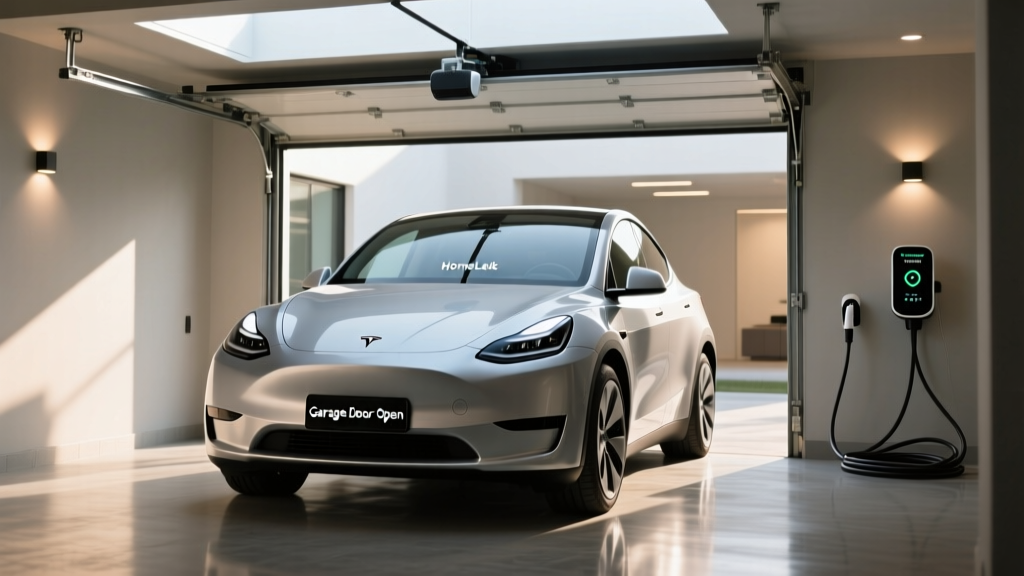
The real advantage of Tesla's HomeLink implementation over a traditional overhead-console button is location-based automation. Once programmed, you can enable:
- Auto-open when arriving: The car detects your GPS position approaching home and opens the garage door automatically.
- Auto-close when leaving: The door closes once you've driven a set distance away.
To enable this, go to Controls > HomeLink > [your device] > Auto-open when arriving and set your preferred trigger distance. Most owners find 50–100 feet works well for a standard residential driveway.
Tesla HomeLink vs. Alternatives: What Are Your Options?
If you drive a Model 3 or Model Y and don't want to spend $175+ on the official HomeLink module, there are several alternatives worth considering:
| Method | Cost | Pros | Cons |
|---|---|---|---|
| Official Tesla HomeLink module | ~$175–$200 | Native integration, auto-open/close, touchscreen control | Upfront cost, requires installation |
| Smart garage controller (myQ, Tailwind iQ3) | $30–$80 | Works via phone app, no car hardware needed, remote monitoring | Requires phone interaction, no native car integration |
| Garage door remote on visor | $15–$30 | Cheap, universal, no setup | Cluttered visor, no automation, need to press manually |
| Home Assistant + smart opener | $50–$150+ | Full smart-home integration, geofencing via phone | Technical setup, requires home server or hub |
For most Tesla owners who want a clean, integrated experience, the official HomeLink module is worth the investment. The auto-open feature alone — pulling into your driveway and watching the garage door rise without lifting a finger — is the kind of daily convenience that justifies the cost.
However, if you're comfortable with smart-home tech, a Tailwind iQ3 or Chamberlain myQ smart garage controller paired with your phone's geofencing can replicate much of the auto-open functionality at a lower cost. The trade-off is that it relies on your phone's GPS and a third-party app rather than native vehicle integration.
HomeLink Troubleshooting: Common Issues and Fixes
Even when properly installed, Tesla HomeLink can be finicky. Here are the most common problems and their solutions:
HomeLink Won't Learn the Remote Signal
This usually happens with older remotes or when the remote battery is weak. Replace the remote battery first. If that fails, try holding the remote at different positions near the front bumper — the receiver location varies slightly between Model 3 (behind the front bumper, driver's side) and Model Y (similar position). Some owners report better results holding the remote near the windshield base.
Rolling-Code Opener Won't Sync
Modern openers from LiftMaster, Chamberlain, and Genie use rolling-code security that changes the access code with every use. For these, you must use the Quick-Sync method: press the Learn button on the motor unit, then complete the pairing in the car within the time window (usually 30 seconds). If you miss the window, repeat the process.
Auto-Open Triggers Too Late or Too Early
Adjust the trigger distance in the HomeLink settings. If your driveway is short and the door opens too early (before you've turned in), reduce the distance. If it opens too late (you're already stopped at the door), increase it. GPS accuracy can vary — dense tree cover or tall buildings can delay the trigger.
HomeLink Icon Missing from Touchscreen
If you've purchased and installed the module but don't see HomeLink in Controls, the car may need a software refresh. Try a scroll-wheel reboot (hold both steering wheel buttons for ~10 seconds until the screen goes black and the Tesla logo appears). If that doesn't resolve it, schedule a service appointment — the module may not be properly recognized by the vehicle's computer.
HomeLink and Tesla's Broader Smart-Home Integration
As of 2026, Tesla's smart-home integration remains limited to HomeLink for garage doors and gates. There is no native integration with platforms like Apple HomeKit, Google Home, or Amazon Alexa for controlling lights, thermostats, or locks from the vehicle touchscreen.
That said, Tesla's app ecosystem continues to expand. The Tesla mobile app already supports features like Sentry Mode clips, climate preconditioning, and charging management — and third-party apps like TeslaMate and Stats (for macOS) provide deeper data logging for owners who want granular insight into their vehicle's behavior.
For smart-home enthusiasts, the workaround is to use Home Assistant or similar platforms that can interface with both your Tesla (via the unofficial Tesla API) and your home devices. This requires technical setup but enables scenarios like "turn on home lights when Tesla arrives in geofence" or "close garage door if left open for more than 10 minutes."
Is Tesla HomeLink Worth the Cost in 2026?
Pros
- Native touchscreen integration — no extra remotes or visor clutter
- Location-based auto-open and auto-close (with compatible opener)
- Supports up to 3 devices (home, office, vacation property)
- Works with most major garage door opener brands
- Clean, OEM-quality installation (when done by service center)
Cons
- $175–$200 accessory cost on top of vehicle price
- Not standard on Model 3, Model Y, or Cybertruck
- Installation may require service center visit
- Auto-close requires post-1993 safety sensors
- GPS-based triggering can be imprecise in some locations
For daily commuters with an attached garage, HomeLink is one of those features you use every single day without thinking about it — and you notice immediately when it's absent. If you're tired of fishing a remote out of the cupholder or pressing a visor button every time you come home, the investment pays for itself in convenience within weeks.
For renters, apartment dwellers, or owners who park on the street, HomeLink is unnecessary — save your money and skip it.
Frequently Asked Questions
Can I install Tesla HomeLink myself?
Yes, but it requires removing interior trim panels and connecting the module to the vehicle's wiring harness. Tesla publishes installation guides, and many owners have completed it successfully with basic tools. However, if you're not comfortable with automotive electrical work, a Tesla service center can handle it for a labor fee (typically 30–60 minutes of shop time).
Does HomeLink work with all garage door openers?
HomeLink is compatible with most major brands (Chamberlain, LiftMaster, Genie, Craftsman, and others) operating on standard frequencies. It supports both fixed-code and rolling-code openers. Very old openers (pre-1990s) or proprietary commercial systems may not be compatible.
Can HomeLink control more than just garage doors?
Yes. HomeLink can be programmed to operate motorized gates, some smart-home light switches, and other RF-controlled devices that operate on compatible frequencies. The three programmable buttons give you flexibility for multiple devices.
Why doesn't Tesla include HomeLink standard on Model 3 and Model Y?
Tesla's cost-reduction strategy on its volume models involves making certain features optional to keep base prices competitive. HomeLink, while convenient, is not essential for every owner (street parkers, apartment dwellers), so it's offered as an accessory rather than standard equipment.
Will HomeLink work if my Tesla loses GPS signal?
The manual HomeLink button on the touchscreen will always work regardless of GPS. However, the auto-open and auto-close features rely on GPS positioning. In tunnels, underground parking structures, or areas with poor satellite reception, the automated features may not trigger reliably.
Is there a subscription fee for Tesla HomeLink?
No. Once you purchase and install the hardware module, there are no ongoing subscription fees. All features, including auto-open and auto-close, are included.
Sources: Tesla HomeLink Support, Tesla Shop