Understanding Tesla's Geofence and Speed Limit Features
When Tesla owners search for "Tesla geofence," they're typically looking for one of two features: Speed Limit Mode (which restricts vehicle speed and acceleration within defined parameters) or the broader ecosystem of location-based vehicle controls. Unlike traditional fleet geofencing that tracks vehicles crossing virtual boundaries, Tesla's approach centers on driver-configurable speed restrictions and profile-based settings that activate based on driver identity.
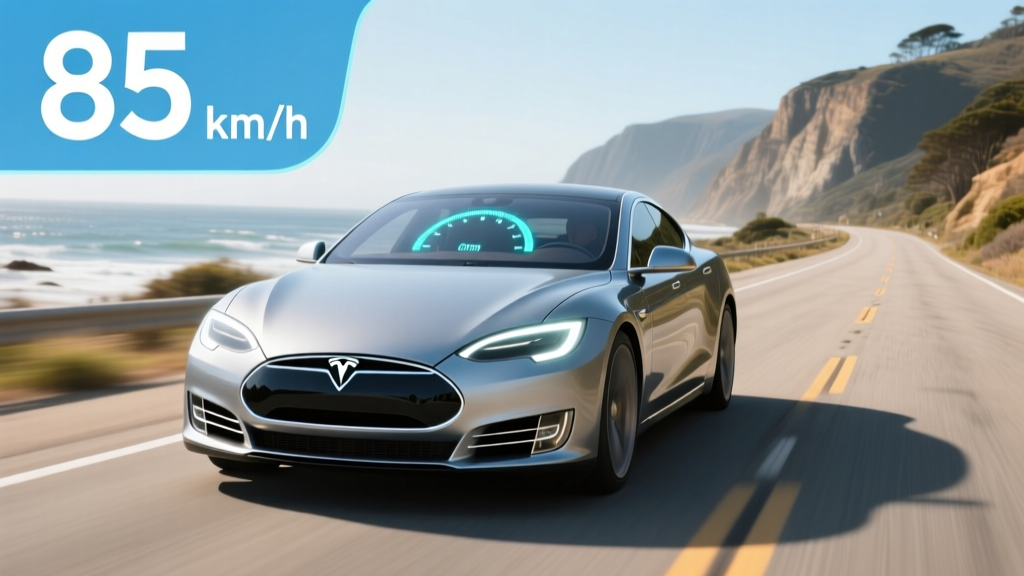
Speed Limit Mode allows primary account holders to set a maximum speed between 50 and 90 mph, require a PIN to override, and receive alerts when the limit is exceeded. This feature proves valuable for parents lending their Tesla to teen drivers, fleet managers controlling company vehicles, or anyone wanting an extra layer of speed governance.
Speed Limit Mode Setup and Real-World Application
To activate Speed Limit Mode in a 2026 Tesla Model 3 or Model Y, navigate to Controls > Safety > Speed Limit Mode on the touchscreen. Set your desired maximum speed using the slider (50-90 mph range), create a 4-digit PIN, and enable the feature. Once active, the vehicle will not exceed the set speed regardless of accelerator input, and the driver receives visual and audible warnings if they attempt to accelerate beyond the limit.
For parents, this feature addresses a genuine concern: Tesla's instant torque and rapid acceleration (even the base Model 3 RWD hits 60 mph in 5.8 seconds) can tempt inexperienced drivers. Speed Limit Mode caps both top speed and acceleration aggressiveness, creating a more controlled driving environment.
Fleet operators use similar restrictions through Tesla's Fleet API, which allows remote configuration of speed limits, charge limits, and location tracking for business vehicles. However, consumer vehicles rely on the in-car Speed Limit Mode interface rather than automatic geofence triggers.
Which Tesla Models Support Speed Limit Mode?
| Model | Speed Limit Mode | Profile-Based Settings | Teen Driver Restrictions |
|---|---|---|---|
| Model 3 (2024-2026) | ✓ Standard | ✓ Driver Profiles | ✓ Via Speed Limit Mode |
| Model Y (2024-2026) | ✓ Standard | ✓ Driver Profiles | ✓ Via Speed Limit Mode |
| Model S (2024-2026) | ✓ Standard | ✓ Driver Profiles | ✓ Via Speed Limit Mode |
| Model X (2024-2026) | ✓ Standard | ✓ Driver Profiles | ✓ Via Speed Limit Mode |
| Cybertruck (2024-2026) | ✓ Standard | ✓ Driver Profiles | ✓ Via Speed Limit Mode |
All current-production Tesla vehicles include Speed Limit Mode as part of the base software package—no subscription or premium tier required. The feature persists across software updates and can be toggled on/off with PIN authentication.
Real-World Range Impact of Speed Limiting
Physics dictates that aerodynamic drag force increases with the square of velocity, meaning a Tesla traveling at 80 mph encounters roughly 50% more drag than at 65 mph. By capping speed at 65-70 mph through Speed Limit Mode, drivers can achieve 5-10% better efficiency than unrestricted highway driving where speeds naturally drift upward.
In cold weather (below 40°F), expect 20-30% range reduction regardless of speed limiting due to battery chemistry limitations and cabin heating demands. A Model 3 Long Range that achieves 340 miles at 65°F may deliver only 240-270 miles at 20°F, even with Speed Limit Mode active.
Speed Limit Mode vs. Autopilot Speed Governance
Tesla's Autopilot and Full Self-Driving (Supervised) systems include their own speed governance layers that operate independently from Speed Limit Mode:
- Traffic-Aware Cruise Control (TACC): Automatically adjusts speed to match traffic flow and can be set to recognize posted speed limits, adding a configurable offset (e.g., always drive 5 mph over the detected limit)
- Autosteer: Maintains lane position while following TACC speed settings, with automatic speed reduction on highway curves
- FSD (Supervised): Navigates intersections, makes turns, and adjusts speed based on road conditions, but remains SAE Level 2—requiring constant driver supervision
Speed Limit Mode operates at a lower level than these driver-assist features, functioning as a hard cap that applies regardless of whether Autopilot is engaged. Think of it as a governor that prevents the vehicle from exceeding a threshold, while Autopilot manages speed dynamically based on traffic and road conditions.
Practical Use Cases for Tesla Speed Limiting
Parental Controls for Teen Drivers
The most common consumer application involves parents setting a 70-75 mph speed limit when lending their Tesla to newly licensed drivers. Combined with Tesla's driver profile system, parents can create a "Teen" profile with Speed Limit Mode pre-configured, ensuring the restriction activates automatically when that profile is selected.
Fleet Management and Business Vehicles
Companies operating Tesla fleets (delivery vans, corporate cars, rental vehicles) use Speed Limit Mode to reduce liability, improve efficiency, and control operating costs. While Tesla doesn't offer a dedicated fleet management dashboard like Ford Pro or GM's BrightDrop, third-party telematics providers can interface with Tesla's Fleet API to monitor and configure vehicles remotely.
Valet and Service Scenarios
When handing your Tesla to a valet or service technician, Speed Limit Mode provides peace of mind that the vehicle won't be driven aggressively. Set a 50 mph limit, activate Valet Mode (which also locks the glovebox, frunk, and restricts navigation access), and require PIN authentication to disable.
Limitations and Workarounds
- PIN-protected against casual tampering
- Applies to all driving modes (no Autopilot bypass)
- Improves efficiency by preventing speed creep
- Reduces insurance risk for teen/fleet drivers
- No subscription required—standard on all Teslas
- No automatic activation based on location (true geofence)
- Requires manual setup each time or profile switching
- PIN can be shared/compromised by determined drivers
- Doesn't prevent aggressive acceleration below the speed cap
- No remote activation via Tesla app (must be set in-car)
Some owners request a true geofence feature that automatically activates Speed Limit Mode when the vehicle enters specific zones (school zones, residential neighborhoods, work parking lots). As of 2026, Tesla has not implemented location-based automatic speed limiting in consumer vehicles, though the hardware and GPS precision exist to support such functionality.
Frequently Asked Questions About Tesla Geofence Features
Can I set up automatic speed limiting based on location?
No, Tesla's Speed Limit Mode requires manual activation or driver profile selection. The vehicle does not automatically engage speed restrictions when entering predefined geographic areas. Third-party fleet management solutions may offer location-based controls through Tesla's Fleet API, but consumer vehicles lack this automation.
Does Speed Limit Mode affect regenerative braking or one-pedal driving?
No, Speed Limit Mode only restricts maximum speed and acceleration aggressiveness. Regenerative braking strength, stop mode (Hold, Roll, or Creep), and one-pedal driving functionality remain unchanged.
Can a teen driver disable Speed Limit Mode without the PIN?
No, disabling Speed Limit Mode requires the 4-digit PIN set during activation. Without the PIN, the speed restriction persists across drive cycles and vehicle restarts. However, a determined user with access to the primary Tesla account credentials could reset the PIN through account recovery.
Does Tesla notify the account holder when Speed Limit Mode is overridden?
Speed Limit Mode cannot be overridden without the PIN, so no override notifications exist. However, Tesla's app and driver profiles track which profile was active during each drive, providing accountability for who was driving the vehicle.
Will Speed Limit Mode prevent the car from merging onto highways safely?
Speed Limit Mode caps top speed but allows normal acceleration up to that limit. A 70 mph speed limit still permits merging at highway speeds—most highway traffic flows at 65-75 mph. Setting the limit below 60 mph may create unsafe merging situations on high-speed highways.
Can I use Speed Limit Mode with Autopilot or FSD simultaneously?
Yes, Speed Limit Mode and Autopilot/FSD operate independently. Speed Limit Mode sets a hard ceiling that applies regardless of driver-assist engagement. If Autopilot is set to cruise at 75 mph but Speed Limit Mode is set to 70 mph, the vehicle will not exceed 70 mph.
Does Tesla plan to add true geofence-based speed limiting?
Tesla has not announced plans for automatic location-based speed restrictions in consumer vehicles. The company's focus remains on FSD development and neural network-based driving rather than rule-based geofencing. Fleet operators seeking location-based controls should explore third-party telematics solutions compatible with Tesla's Fleet API.
The Bottom Line on Tesla's Speed Governance Features
Tesla's Speed Limit Mode addresses real needs for parental controls, fleet management, and efficiency optimization, but it's not a true geofence system that automatically responds to location. The feature requires manual activation or driver profile management, lacks remote configuration through the Tesla app, and doesn't provide the automatic zone-based restrictions some owners expect.
For parents and fleet operators, Speed Limit Mode delivers meaningful speed governance when properly configured. For those seeking automatic location-based controls, current Tesla software doesn't provide that functionality—though the technical foundation exists for Tesla to implement it in future updates if market demand justifies the development investment.