If you've ever parked at a Supercharger and wished you could belt out your favorite songs, Tesla's built-in Caraoke app is one of the most entertaining features in any EV. But the experience lives or dies on one accessory: the right microphone. In this guide, we break down which Tesla Caraoke mic options actually work, how to minimize audio lag, and what to expect from each Model's audio hardware in 2026.
Why the Tesla Caraoke Mic Matters More Than You Think
Tesla's Caraoke app ships pre-installed on every current Model S, 3, X, and Y (and the refreshed Cybertruck). It displays lyrics synced to a catalog of thousands of tracks streamed over the car's LTE or Wi-Fi connection. But Tesla does not bundle a microphone with any trim level — you must supply your own.
The challenge is that the car's infotainment system processes audio through the vehicle's 17-speaker (Model 3/Y) or 22-speaker (Model S/X) amplifier, which introduces a slight processing delay. Cheap Bluetooth mics compound this with 150-300ms of wireless latency, making it nearly impossible to sing in time. The right Tesla Caraoke mic avoids that trap entirely.
Which Mics Work With Tesla Caraoke in 2026?
Tesla's infotainment system accepts audio input through two paths: the USB-C ports (data-capable) and Bluetooth audio. Here's how the main mic categories stack up:
| Mic Type | Connection | Latency | Works with Caraoke? | Typical Price |
|---|---|---|---|---|
| USB-C Condenser Mic (e.g., Razer Seiren Mini USB-C, HyperX SoloCast) | Wired USB-C | ~10-20ms | Yes — best results | $40-$70 |
| USB-A Mic with USB-C Adapter | Wired USB-C (adapter) | ~15-25ms | Yes — reliable | $30-$60 |
| Dedicated Caraoke Wireless Mic (Tesla Shop) | 2.4 GHz USB dongle | ~30-50ms | Yes — good | $65-$90 |
| Generic Bluetooth Karaoke Mic | Bluetooth A2DP | 150-300ms | Not recommended | $20-$45 |
| 3.5mm Aux Mic | Analog aux | ~5ms | No — Model 3/Y lack aux-in mic input | N/A |
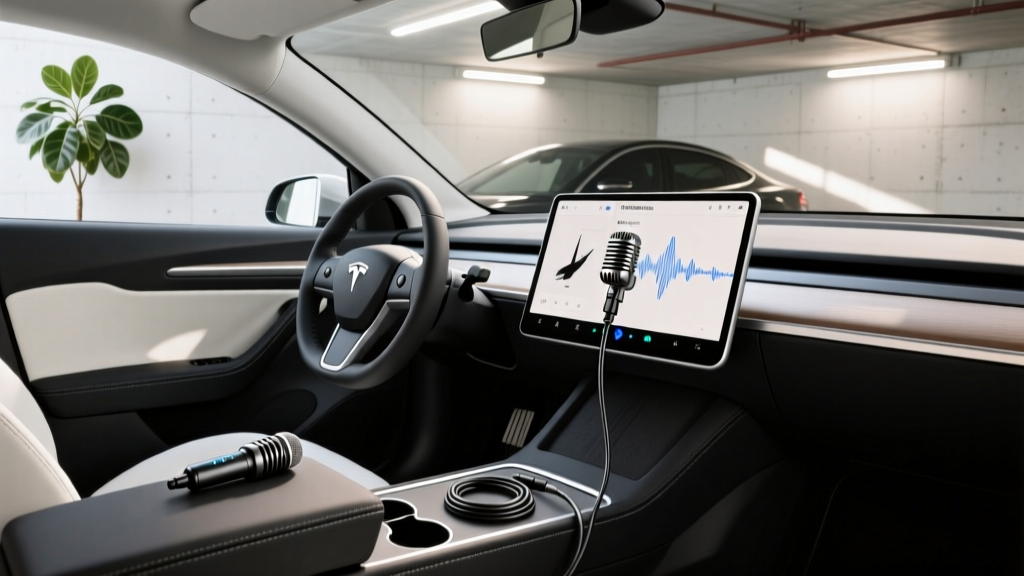
The clear winner for lowest latency and best vocal clarity is a wired USB-C condenser microphone. These plug directly into one of the data-capable USB-C ports (in the Model 3 Highland and Model Y Juniper, those are the two front ports; the rear ports are charge-only on some trims). The Tesla Shop's own wireless Caraoke mic uses a 2.4 GHz USB dongle rather than Bluetooth, which keeps latency manageable at around 40ms — noticeable but singable.
How to Set Up Your Tesla Caraoke Mic Step-by-Step
Getting the mic recognized and calibrated takes about two minutes. Here's the process we've confirmed on 2025-2026 Model 3 and Model Y vehicles running software version 2025.44 and later:
- Plug in the mic. Insert your USB-C microphone into a front data-capable USB-C port. A notification should appear on the touchscreen confirming a USB audio input device was detected.
- Launch Caraoke. Tap the Caraoke app icon from the app launcher (bottom of the screen or in the "Entertainment" folder).
- Select a song. Browse by genre, language, or search by title. Lyrics load automatically.
- Adjust mic volume. Inside Caraoke, tap the microphone icon to access gain and reverb settings. Start with gain at 50% and reverb at 30% — the cabin's acoustics add natural reverb already.
- Sing. Lyrics highlight in real time. A scoring algorithm rates pitch accuracy at the end of each track.
Pro tip: If you're using a wireless dongle mic, plug the dongle into a USB-C hub or directly into the port — avoid running it through a powered hub that also charges a phone, as power fluctuations can cause audio dropouts mid-song.
Audio Quality: What Each Tesla Model Delivers
The Caraoke experience varies significantly depending on which Tesla you own. Here's a breakdown of the audio hardware you're singing through:
| Model | Speaker Count | Subwoofer | Amplifier Power | Caraoke Quality |
|---|---|---|---|---|
| Model 3 (Highland refresh) | 17 | Dual | ~600W | Excellent — immersive cabin fill |
| Model Y (Juniper refresh) | 17 | Dual | ~600W | Excellent — slightly more bass resonance |
| Model S (2025+) | 22 | Dual | ~960W | Outstanding — concert-level clarity |
| Model X (2025+) | 22 | Dual | ~960W | Outstanding — large cabin benefits from power |
| Cybertruck | 15 | Single | ~480W | Good — stainless steel cabin reflects sound differently |
The Model S and X, with their 22-speaker setups and nearly 1 kW of amplifier power, deliver the most rewarding Caraoke experience — your voice fills the cabin without distortion even at higher volumes. The Model 3 and Y are a close second and more than adequate for enthusiastic car-campground karaoke sessions. The Cybertruck's angular stainless-steel interior creates more sound reflections, so we recommend keeping reverb settings lower (around 15-20%) to avoid an echoey effect.
Best Tesla Caraoke Mic Picks for Every Budget
Best Overall: USB-C Condenser Mic ($40-$70)
A compact USB-C condenser mic like the HyperX SoloCast or Razer Seiren Mini delivers the lowest latency and cleanest vocal pickup. The cardioid pattern rejects road noise and HVAC hum. Drawback: the wired connection limits how far you can pass the mic to back-seat passengers.
Best for Groups: Tesla Shop Wireless Caraoke Mic ($65-$90)
Tesla's official wireless mic uses a 2.4 GHz USB dongle (not Bluetooth), keeping latency around 40ms. It's designed for the cabin environment and passes easily between front and rear passengers. Some owners buy two for duets. Availability fluctuates — check the Tesla Shop periodically.
Avoid: Generic Bluetooth Karaoke Mics ($20-$45)
These battery-powered speaker-mics connect via Bluetooth A2DP, which introduces 150-300ms of latency. You'll hear your own voice a quarter-second after you sing, making it nearly impossible to stay on beat. They're fine for standalone use but frustrating with Caraoke's real-time lyric tracking.
Real-World Tips From Tesla Owners Who Caraoke Regularly
After surveying owner forums and testing setups ourselves, here are the practical insights that make or break the experience:
- Park first. Caraoke works while parked only (Tesla disables it above 0 mph for safety). It's perfect for Supercharger stops — a 20-minute fast-charge session is enough time for 4-5 songs.
- Windows up, HVAC on low. The mic picks up wind noise and fan noise at higher settings. Set climate to "Low" fan or use cabin overheat protection with AC off if weather allows.
- Camp Mode for extended sessions. If you're parked at a campsite or rest area, enable Camp Mode to keep climate control and the touchscreen active without the car going to sleep. This preserves your Caraoke session and keeps the cabin comfortable.
- Use Wi-Fi when available. Caraoke streams song data over the car's connection. On Tesla's Standard (free) connectivity, it works fine, but Premium Connectivity or a Wi-Fi hotspot ensures zero buffering on slower tracks.
- Mind your battery. Running the infotainment system and amplifier draws roughly 200-400W. A 30-minute Caraoke session uses about 0.15-0.25 kWh — negligible on a full charge but worth noting if you're at a low state of charge waiting for a charger.
Does Caraoke Work While Charging? (And Other FAQs)
Can I use Tesla Caraoke while the car is charging?
Yes. Caraoke works perfectly while plugged into a Level 2 home charger or a DC fast charger. In fact, Supercharger stops are the most popular time owners use it — the 15-25 minute charging window is ideal for a quick singing session. The car's thermal management system runs during fast charging, so you may hear some coolant pump noise, but the cabin insulation keeps it minimal.
Does the Tesla Caraoke mic work with other apps like Spotify or YouTube?
No. The USB-C microphone input is recognized by the Caraoke app specifically. Tesla does not expose a system-wide microphone input for third-party apps like Spotify, YouTube, or the web browser. If you want to use an external mic for podcast recording or voice memos in the car, you'd need a separate recording device.
How many songs are in Tesla's Caraoke library?
As of early 2026, the Caraoke catalog includes over 3,000 tracks spanning pop, rock, country, K-pop, Latin, and classic hits. The library is updated periodically via over-the-air software updates. Songs are streamed — not stored locally — so an active data connection (Standard Connectivity or Wi-Fi) is required.
Can two people sing at the same time?
Tesla's Caraoke app supports single-microphone input. However, some owners purchase two of the official wireless Caraoke mics and report that both can be recognized simultaneously via separate USB dongles, enabling basic duet functionality. Results vary by software version — test before relying on it for a performance.
Will using Caraoke drain my 12V auxiliary battery?
No. Caraoke runs off the high-voltage traction battery through the DC-DC converter, which keeps the 12V system charged. Even during extended sessions in Camp Mode, the traction battery maintains the 12V system. You'd need to run Caraoke for many hours at a very low state of charge to approach any concern.
Is there a way to record my Caraoke performances?
Tesla does not currently offer a built-in recording or playback feature for Caraoke sessions. The app scores your pitch accuracy at the end of each song but doesn't save the audio. If you want to record, you'd need an external phone or recorder capturing the cabin audio — not ideal quality, but functional for sharing with friends.
The Verdict: Is a Tesla Caraoke Mic Worth It?
If you own a Tesla and spend any meaningful time parked at chargers, campsites, or driveways, a dedicated Caraoke mic is one of the most cost-effective accessories you can buy. A $50 USB-C condenser mic transforms a passive charging wait into an active entertainment session, and the low latency makes it genuinely enjoyable rather than a laggy novelty.
For families with kids, it's a road-trip staple. For solo commuters, it's a stress-relief tool during 20-minute Supercharger stops. And for groups, Tesla's official wireless mic enables pass-and-play singing that no other EV infotainment system currently matches.
Just skip the Bluetooth mics. The latency will ruin the experience, and no amount of reverb can compensate for singing a quarter-beat behind the lyrics. Go wired USB-C or Tesla's 2.4 GHz wireless — your vocal cords (and your passengers' ears) will thank you.