Starlink and Tesla: Two Elon Musk Companies, One Connectivity Question
If you've ever driven a Tesla through a rural dead zone and watched the navigation lose its connection, you've probably wondered: can Starlink work with a Tesla? The short answer is yes — but not the way most people assume. Tesla vehicles don't come with built-in Starlink satellite receivers, and there's no native "Starlink mode" in the Tesla infotainment system. However, a growing number of EV owners are pairing portable Starlink hardware with their Teslas to solve connectivity gaps on road trips, at remote campsites, and during off-grid adventures.
This guide breaks down exactly how Starlink and Tesla connectivity intersect in 2026 — what works, what doesn't, the real power draw on your EV battery, and whether the setup is worth the investment for your driving lifestyle.
How Tesla's Built-In Connectivity Actually Works
Before layering Starlink into the equation, it's worth understanding what Tesla provides natively. Every Tesla sold in 2026 includes a built-in LTE/5G cellular modem that powers:
- Real-time navigation with traffic visualization
- Over-the-air (OTA) software updates
- Streaming music (Spotify, Tidal, Tesla's native player)
- Sentry Mode live camera access via the Tesla app
- Video streaming (Netflix, YouTube, Twitch) while parked
Tesla's Premium Connectivity package ($9.99/month or $99/year in 2026) unlocks satellite-view maps, live traffic, video streaming, and the in-car web browser. Without it, you still get basic navigation and OTA updates, but media streaming requires tethering to your phone's hotspot.
The limitation? Tesla's cellular modem depends entirely on terrestrial cell towers. In rural stretches of Montana, the deserts of Nevada, or mountain passes in Colorado, that connection drops — and no amount of Premium Connectivity will fix a dead zone.
Can You Actually Use Starlink Inside a Tesla?
Tesla does not manufacture or integrate Starlink terminals into its vehicles. There is no factory option, no software toggle, and no Tesla-branded Starlink dish. However, owners have developed three practical approaches to pairing the two systems:
1. Starlink Mini as a Portable Hotspot (Most Practical)
The Starlink Mini, released in mid-2024 and refined through 2025-2026, is a compact, DC-powered satellite dish roughly the size of a laptop. It draws approximately 25-40 watts during active use and can be powered from the Tesla's 12V auxiliary outlet (cigarette-lighter-style port) using a DC-to-DC adapter or from a portable power station in the trunk.
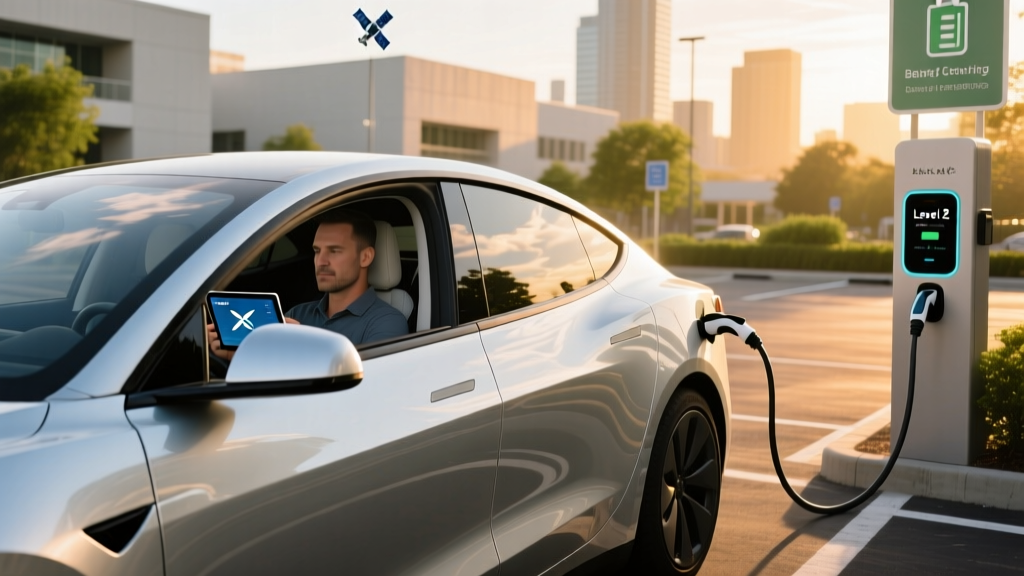
When set up on the roof (using a suction-cup or magnetic mount) or on a nearby table at a campsite, the Starlink Mini creates a Wi-Fi hotspot that your Tesla — and every other device you own — can connect to. You configure this the same way you'd join any Wi-Fi network: Settings > Wi-Fi in the Tesla touchscreen.
2. Starlink Standard (Residential) at Home or Camp
For owners with a Starlink Standard dish at home, the Tesla simply connects to your home Wi-Fi network for faster OTA downloads, media streaming, and pre-conditioning via the app. This is the simplest integration and the one most Tesla-Starlink households use daily.
3. Starlink Roam for RV and Overland Use
Tesla Cybertruck and Rivian owners doing serious overlanding sometimes mount a Starlink Flat High-Performance dish (designed for in-motion use) on a roof rack. This is a more complex, expensive setup ($2,500+ for hardware, plus the $150/month Roam plan) and is not something Tesla supports or warranties.
Power Draw: Will Starlink Drain Your Tesla's Battery?
This is the question every EV owner should ask before running satellite internet from their car's electrical system. Here's the math:
| Metric | Starlink Mini | Starlink Standard (Gen 3) |
|---|---|---|
| Average power draw | 25-40W | 50-75W |
| 8-hour use session | ~0.25 kWh | ~0.5 kWh |
| Impact on Model Y (75 kWh battery) | ~0.3% battery | ~0.7% battery |
| Range equivalent lost | ~1 mile | ~2 miles |
The bottom line: running a Starlink Mini from your Tesla's 12V system for a full day of remote work or streaming will consume less than 1% of a Model Y or Model 3 battery. The impact is negligible. For context, Tesla's Sentry Mode — which keeps cameras and the onboard computer active — draws roughly 200-300W equivalent and can consume 5-8% of battery over 24 hours. Starlink is a fraction of that load.
One caveat: the Tesla 12V auxiliary outlet is typically fused at 12-15 amps (roughly 150-180W max). The Starlink Mini's 25-40W draw is well within this limit, but running a full-size Starlink Standard dish (50-75W plus boot-up spikes) from the 12V port is closer to the margin. A dedicated portable power station (Jackery, EcoFlow, Bluetti) is a safer choice for the larger dish.
Real-World Use Cases: Who Benefits From Starlink + Tesla?
Remote Workers and Digital Nomads
If you work from your Tesla at trailheads, national forests, or rural Airbnbs, the Starlink Mini transforms the car into a mobile office. The Tesla's 15-inch (Model 3/Y) or 17-inch (Model S/X) touchscreen can serve as a second monitor via the browser, and the climate system keeps the cabin comfortable without idling an engine. Expect 25-100 Mbps download speeds from Starlink in most locations — sufficient for video calls, cloud document work, and streaming.
Overlanders and Campers
Cybertruck owners with the available bed power outlets (up to 9.6 kW of exportable power via Powershare) can run a Starlink Standard dish directly from the truck's main battery without any auxiliary equipment. For Model Y campers using Camp Mode — which maintains HVAC and USB power overnight — a Starlink Mini on the roof provides connectivity in areas where cell service is nonexistent.
Rural Homeowners
If you live in a rural area where Starlink is your primary home internet and your Tesla charges in the garage, the vehicle will automatically connect to your Starlink Wi-Fi for OTA updates, media, and app communication. This is the most seamless "Starlink Tesla" experience and requires zero extra hardware.
What Tesla Connectivity Features Starlink Can and Cannot Improve
| Feature | Tesla Cellular (Built-In) | Starlink (External Wi-Fi) |
|---|---|---|
| Navigation & routing | Yes (requires cell signal) | Yes (via Wi-Fi, stationary) |
| OTA software updates | Yes | Yes (much faster download) |
| Video streaming (parked) | Premium Connectivity only | Yes, via Wi-Fi |
| Sentry Mode live view | Yes (cellular upload) | Limited (requires home Wi-Fi) |
| Works in cellular dead zones | No | Yes (clear sky required) |
| In-motion use while driving | Yes | Mini: stationary only; Flat HP: in-motion capable |
| Autopilot/FSD data upload | Yes (cellular) | Wi-Fi upload when connected |
An important nuance: Tesla's Autopilot and Full Self-Driving (Supervised) systems do not require an active internet connection to operate. FSD uses onboard cameras and the Hardware 4 (AI4) computer for real-time processing. However, FSD does upload driving data and download map/weight updates via Wi-Fi or cellular when available — a Starlink connection at home can accelerate those downloads significantly.
Starlink Plans and Costs for Tesla Owners in 2026
| Option | Hardware Cost | Monthly Plan | Best For |
|---|---|---|---|
| Starlink Mini (Roam) | $599 | $50/mo (50 GB) or $165/mo (unlimited) | Road trips, camping, remote work |
| Starlink Standard (Residential) | $349 | $80/mo | Home charging + OTA updates |
| Starlink Roam (Standard dish) | $349 | $150/mo (unlimited, regional) | Full-time RV / overland |
| Starlink Flat High-Performance | $2,500 | $250+/mo (Priority/Mobile Priority) | In-motion use, commercial fleet |
For most Tesla owners exploring Starlink, the Starlink Mini with the 50 GB Roam plan ($50/month) is the sweet spot. Fifty gigabytes is enough for roughly 50 hours of video calls, 100+ hours of music streaming, or continuous navigation and messaging across a multi-week road trip. If you exceed 50 GB, you can upgrade to unlimited mid-billing-cycle.
Pros and Cons of Pairing Starlink With Your Tesla
✓ Pros
- Reliable internet in areas with zero cell coverage
- Faster OTA update downloads vs. Tesla's cellular modem
- Enables remote work from the cabin at off-grid locations
- Minimal battery drain (~1 mile of range per 8-hour session)
- Starlink Mini is portable and easy to set up
- Works for all Tesla models (Model 3, Y, S, X, Cybertruck)
- Cybertruck Powershare can run full-size Starlink dish natively
✗ Cons
- No native Tesla integration — external hardware required
- Starlink Mini requires clear view of sky (no garage, no dense tree cover)
- Not usable for in-car streaming while driving (dish must be stationary or roof-mounted HP)
- $599 hardware cost plus $50-165/month adds to ownership cost
- Latency (20-40ms) is fine for streaming but not competitive gaming
- Dish is an additional item to pack, mount, and secure
- Warranty: modifying your Tesla's roof or electrical system for permanent mounts may affect warranty claims
How This Compares to Alternatives
Before investing in Starlink hardware, consider what you're actually trying to solve:
- If your problem is in-car entertainment on road trips: Tesla's built-in Premium Connectivity ($9.99/month) handles Spotify, podcasts, and parked video streaming wherever cell service exists. A phone hotspot covers most gaps.
- If your problem is remote work from the car: Starlink Mini is the best current solution. Phone hotspots in dead zones simply won't work.
- If your problem is home internet for OTA updates: Any home broadband (fiber, cable, or Starlink Residential) works equally well. Tesla connects to Wi-Fi automatically when parked at a known network.
- If your problem is fleet/commercial connectivity: Tesla's commercial fleet API plus Starlink Flat HP is used by some fleet operators for real-time telemetry in remote areas.
Frequently Asked Questions
Does Tesla have a built-in Starlink receiver?
No. As of 2026, no Tesla vehicle includes a factory-installed Starlink satellite terminal. Tesla's built-in connectivity uses a cellular (LTE/5G) modem. Starlink works as an external Wi-Fi hotspot that the Tesla connects to like any other network.
Can I mount a Starlink dish on my Tesla's roof permanently?
Some owners have done this using aftermarket roof-rack mounts, particularly on the Cybertruck and Model Y with crossbars. However, permanent mounting involves drilling or clamping that could affect the vehicle's roof warranty and aerodynamics. Tesla does not endorse or support third-party roof modifications. A suction-cup or magnetic mount for temporary use is the safer approach.
Will using Starlink void my Tesla warranty?
Connecting to a Starlink Wi-Fi hotspot will not affect your warranty — it's identical to connecting to any Wi-Fi network. However, if you modify the vehicle's wiring, drill into the roof, or cause electrical damage through an improper 12V adapter, Tesla may deny warranty claims related to that damage. Use the 12V outlet within its rated capacity and avoid permanent modifications.
How much range do I lose running Starlink from my Tesla?
Effectively none. A Starlink Mini draws 25-40W. Over 8 hours, that's roughly 0.25 kWh — about 0.3% of a Model Y Long Range's 75 kWh battery, or roughly 1 mile of EPA-rated range. It's a negligible impact compared to HVAC use, which can draw 2,000-5,000W.
Can Starlink improve Tesla Autopilot or FSD performance?
No. Autopilot and FSD (Supervised) process data entirely on the vehicle's onboard Hardware 4 (AI4) computer using camera inputs. They do not require an internet connection to function. Starlink can help FSD download map updates and upload driving data faster when parked on Wi-Fi, but it has zero impact on real-time driving performance.
Is Starlink worth it if I mostly drive in cities?
Probably not. Urban and suburban areas have robust 5G/LTE coverage, and Tesla's built-in modem handles navigation, streaming, and updates reliably. Starlink's value proposition is specifically for areas where terrestrial cellular infrastructure is absent or unreliable — rural highways, national parks, remote job sites, and off-grid camping.
Sources: Starlink.com (hardware and plan specifications), Tesla Connectivity Support, FCC satellite licensing filings.