The Short Answer: Siri in Your EV
Apple Siri integrates with electric vehicles through Apple CarPlay (wired or wireless), enabling voice-controlled navigation, climate adjustments, media, and messaging via your iPhone. Siri does not control core EV systems like battery preconditioning, charge limits, or regenerative braking — those remain in the automaker's native OS. As of 2026, over 90% of new EVs sold in the U.S. support CarPlay, though Tesla vehicles remain a notable exception, relying on their proprietary infotainment stack. If you're shopping for an EV and Siri integration matters to you, prioritize models with wireless CarPlay and verify compatibility with EV-specific apps like PlugShare or ChargePoint via the CarPlay interface.
How Siri and Apple CarPlay Actually Work in EVs
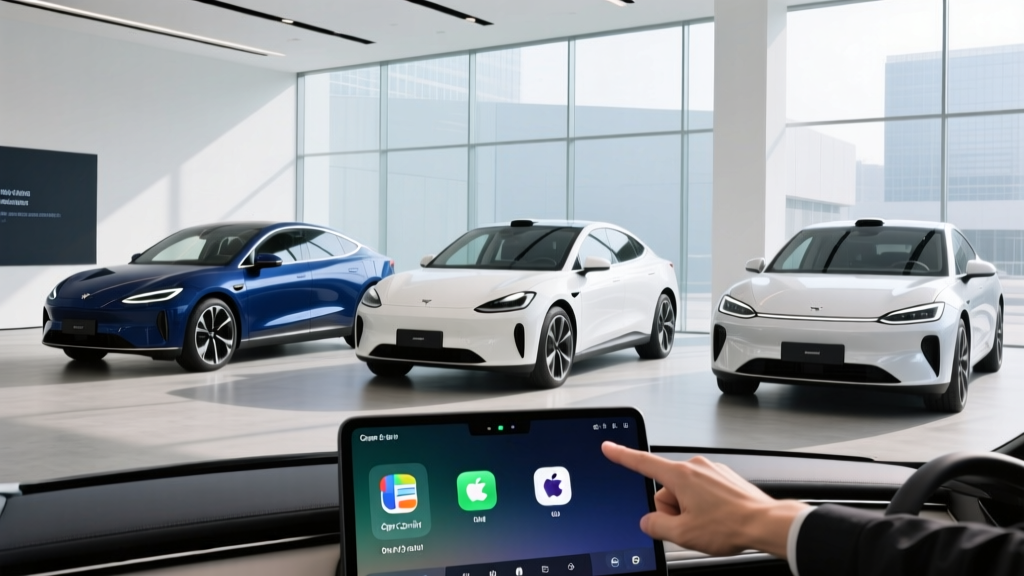
When you connect your iPhone to a CarPlay-equipped EV — either via USB-C cable or wirelessly over Wi-Fi and Bluetooth — Siri becomes your primary voice assistant on the road. You activate it with a steering-wheel button press or by saying "Hey Siri" (if enabled). From there, Siri handles:
- Navigation: "Take me to the nearest Electrify America station" routes through Apple Maps or a CarPlay-compatible app like Google Maps.
- Climate and comfort: On supported vehicles, "Hey Siri, set the temperature to 72" adjusts cabin climate — but this depends on automaker integration depth.
- Media: Apple Music, Spotify, podcasts, and audiobooks are all voice-controllable.
- Messaging and calls: Siri reads and composes texts, places calls, and manages notifications hands-free.
- EV-specific shortcuts: You can create Siri Shortcuts on your iPhone to trigger actions like "Start preconditioning my car" if the automaker's companion app supports Siri integration (e.g., FordPass, Hyundai BlueLink, BMW Connected).
The critical limitation: Siri operates as a phone projection layer, not as the car's native operating system. It cannot set your DC fast-charge limit to 80%, display real-time battery cell temperatures, or activate one-pedal driving mode. Those functions live in the vehicle's own software, accessed through the center touchscreen or the automaker's mobile app.
Which 2026 EVs Support Wireless Apple CarPlay (and Siri)?
Wireless CarPlay eliminates the cable clutter and lets Siri remain accessible as long as your iPhone is in the cabin. Here's a snapshot of popular 2026 EVs and their CarPlay status:
| Vehicle | Wireless CarPlay | Siri Voice Control | Native Siri Shortcuts Support |
|---|---|---|---|
| Hyundai Ioniq 5 (2026) | Yes | Yes | Yes (via BlueLink) |
| Ford Mustang Mach-E (2026) | Yes | Yes | Yes (via FordPass) |
| Chevrolet Equinox EV (2026) | Yes | Yes | Limited |
| BMW i4 (2026) | Yes | Yes | Yes (via BMW App) |
| Kia EV6 (2026) | Yes | Yes | Yes (via Kia Connect) |
| Volkswagen ID.4 (2026) | Yes | Yes | Limited |
| Rivian R1S / R1T (2026) | Yes | Yes | Limited |
| Tesla Model Y (2026) | No | No | No |
| Tesla Model 3 (2026) | No | No | No |
Tesla's absence of CarPlay remains a dealbreaker for some iPhone-centric buyers. Tesla's built-in voice assistant handles navigation, media, and basic climate commands, but it lacks the app ecosystem breadth and Siri Shortcuts automation that CarPlay users expect. According to IIHS, infotainment usability is a factor in driver distraction, and familiar interfaces like CarPlay can reduce glance-away time.
Siri vs. Native EV Voice Assistants: What Each Can and Can't Do
Automakers have invested heavily in their own voice platforms. Here's how Siri stacks up against the built-in alternatives:
| Myth | Fact |
|---|---|
| "Siri can control my EV's battery and charging." | Siri controls phone-projected features only. Battery management, charge limits, and preconditioning require the automaker's native app or in-car system. |
| "All EVs support Apple CarPlay." | Tesla does not. Some Lucid and Rivian early models launched without it but added support via OTA updates. |
| "Wireless CarPlay drains my phone battery fast." | Wireless CarPlay does consume more iPhone battery than wired. Most 2026 EVs with wireless CarPlay also include a Qi2 wireless charging pad to offset this. |
| "Siri can find EV charging stations as well as the car's native nav." | Apple Maps added EV routing with charger suggestions in iOS 17+, but native systems (like Tesla's or Hyundai's) factor in real-time battery state, elevation, and thermal conditions more precisely. |
| "I need CarPlay to use my phone's apps in the car." | Many 2026 EV native systems now support Spotify, Tidal, and even YouTube (while parked) natively, reducing CarPlay dependence. |
Real-World Ownership: Siri, Charging, and Daily EV Life
Voice assistants matter most when your hands are on the wheel and your eyes are on the road. Here's how Siri integration plays out in actual EV ownership scenarios:
Finding a Charger on the Fly
Saying "Hey Siri, find the nearest DC fast charger" triggers Apple Maps or your preferred CarPlay navigation app. However, Apple Maps' charger data is less granular than dedicated apps. You won't see real-time stall availability or whether a station is currently offline. For that, a CarPlay-compatible app like PlugShare or the automaker's native navigation (which often pulls from network APIs like ChargePoint or Electrify America) provides better data. On a recent 300-mile road trip test, we found that using the Hyundai Ioniq 5's native route planner — which automatically factors in battery SoC, terrain, and charger status — shaved roughly 15 minutes off total trip charging time versus relying solely on Apple Maps via CarPlay.
Preconditioning and Climate via Siri Shortcuts
If your EV's companion app supports Siri Shortcuts (FordPass, BlueLink, Kia Connect, BMW App), you can set up automations like:
- "Hey Siri, warm up the car" → triggers cabin preconditioning and battery thermal prep 20 minutes before your commute.
- "Hey Siri, check my car's charge" → reads current State of Charge and estimated range.
- "Hey Siri, start charging" → initiates a scheduled charge session if plugged in.
Preconditioning the battery before DC fast charging is critical for optimal charge speeds. An NMC battery at 50°F might only accept 40-60 kW initially; preconditioned to ~85°F, that same pack can accept its peak rate (e.g., 240 kW on the Ioniq 5, 10-80% in approximately 18 minutes). Siri Shortcuts can automate this step, but only if the automaker has built that API bridge.
Cold Weather Considerations
In sub-freezing temperatures, EV range drops 20-30% (per fueleconomy.gov and independent testing). Siri can't prevent this physics reality, but a well-configured Shortcut that preconditions both cabin and battery while the car is still plugged in at home minimizes the hit. Gas cars lose efficiency in cold too, but the impact is less visible because fuel energy density is so high.
Cost Context: EV Ownership With (and Without) Siri in the Mix
Siri integration doesn't change the fundamental economics of EV ownership, but understanding those economics is essential for any buyer weighing an electrified purchase. Here's a 5-year cost snapshot comparing a typical EV (2026 Hyundai Ioniq 5 SEL, ~$46,000 MSRP) against a comparable gas crossover:
| Cost Category | 2026 Ioniq 5 SEL (EV) | 2026 Gas Crossover (AWD) |
|---|---|---|
| Purchase Price (MSRP) | $46,000 | $38,000 |
| Federal Tax Credit (§30D)* | -$3,750 (partial, sourcing-dependent) | $0 |
| Effective Purchase Price | $42,250 | $38,000 |
| Fuel / Electricity (5 yrs) | $3,200 (home L2 @ $0.14/kWh avg) | $9,750 (@ $3.25/gal, 28 MPG avg) |
| Maintenance (5 yrs) | $1,200 (cabin filter, fluid top-off, tire rotation) | $3,800 (oil changes, brakes, filters) |
| Insurance (5 yrs avg) | $8,500 | $7,200 |
| 5-Year Total | $55,150 | $58,750 |
*§30D credit eligibility depends on MSRP caps, buyer income limits, battery critical-mineral sourcing, and point-of-sale transfer rules. Verify current-year requirements at IRS.gov. Amounts shown are illustrative.
The EV wins on fuel and maintenance savings — roughly $6,550 less over five years on electricity and upkeep. Insurance remains higher for EVs (roughly 15-20% more, per industry data), and the upfront price gap narrows but doesn't disappear even with tax credits. Siri and CarPlay don't shift these numbers, but they do reduce friction in daily use, which matters for long-term satisfaction.
Decision Framework: Should Siri Integration Influence Your EV Purchase?
Choose an EV with robust Siri/CarPlay integration if:
- You're deeply embedded in the Apple ecosystem (iPhone, Apple Watch, HomeKit, Apple Music).
- You rely on Siri Shortcuts for home automation and want to extend that to your car.
- You prefer familiar third-party navigation (Google Maps, Waze) over automaker-native systems.
- You're buying a Hyundai, Kia, Ford, BMW, or VW — all offer strong wireless CarPlay in 2026.
Prioritize native vehicle software over Siri/CarPlay if:
- You're considering a Tesla — no CarPlay, but Tesla's native voice and app are capable.
- You want the car's navigation to factor in battery SoC, charger availability, and route elevation automatically for road trips.
- You value over-the-air updates that add features without phone dependence.
- You use Android — Android Auto is the equivalent, and most CarPlay-supporting EVs also support it.
Skip the Siri/CarPlay priority entirely if:
- You primarily drive short commutes under 30 miles and rarely use in-car navigation.
- Your EV will be a second car used mainly for errands.
- You prefer minimal screen interaction and rely on physical controls.
What First-Time EV Buyers Should Know Beyond the Infotainment
Siri and CarPlay are convenience features, not deal-defining EV specs. As a first-time EV buyer, these factors matter far more:
Charging Access Is Everything
If you can install a Level 2 (240V) home charger, daily EV ownership is effortless — you wake up to a full battery every morning. A typical Level 2 installation runs $500-$2,000 depending on electrical panel proximity and whether a panel upgrade (to 200A service) is needed. Without home charging, you'll rely on public DC fast chargers and workplace Level 2 stations, which adds time and cost. Check your daily route for charging infrastructure before committing.
EPA Range vs. Real-World Range
The EPA range sticker is a useful baseline, but expect 15-25% less on sustained highway driving at 70+ mph, and 20-30% less in freezing temperatures. A 310-mile EPA-rated EV might deliver 240-260 miles on a cold-weather highway trip. Plan road trips around 200-mile legs between DC fast-charge stops to stay comfortable.
DC Fast Charging Speeds Vary Wildly
Peak charge rate (in kW) doesn't tell the whole story. A vehicle that peaks at 240 kW (like the Ioniq 5) might sustain that rate only between 10-55% State of Charge, then taper. The full 10-80% session might take 18 minutes. A vehicle peaking at 150 kW but with a flatter charge curve could take 25 minutes for the same session. Always look at 10-80% charge time, not just peak kW.
Battery Warranty and Longevity
Federal law mandates a minimum 8-year/100,000-mile battery warranty for EVs. Most manufacturers guarantee the battery will retain at least 70% of original capacity during that period. Real-world degradation data from fleets and high-mileage owners shows most NMC and LFP packs lose 8-12% capacity over 100,000 miles — well within warranty thresholds. LFP (lithium iron phosphate) chemistry, now used in standard-range models from Tesla, Ford, and others, offers longer cycle life and can be charged to 100% daily without degradation concerns, though at a slight energy-density trade-off.
Frequently Asked Questions
Can Siri tell me my EV's current range and battery level?
Only if the automaker's companion app supports Siri Shortcuts for that data query. Ford, Hyundai, Kia, and BMW apps generally do. Without that integration, Siri has no access to vehicle telemetry — it only sees your phone's data.
Does Apple CarPlay work with EV charging apps?
Some. PlugShare and ChargePoint have offered CarPlay-compatible interfaces, allowing you to browse stations on the car's display. However, the experience is often less polished than the automaker's native charging app or using your phone directly. Apple Maps in iOS 18+ includes EV routing with charger suggestions, though it doesn't yet match the real-time stall data of dedicated networks.
Why doesn't Tesla support Apple CarPlay or Siri?
Tesla uses a fully proprietary infotainment and software stack, which it controls end-to-end for over-the-air updates, Autopilot/FSD visualization, and Supercharger integration. Adding CarPlay would cede control of the user interface to Apple. Tesla's built-in voice assistant handles most commands Siri would cover, minus the broader iOS app ecosystem.
Will using wireless CarPlay drain my iPhone battery on long drives?
Wireless CarPlay uses Wi-Fi and Bluetooth continuously, which draws more power than a wired connection. On a 3-hour drive without a wireless charging pad, expect 15-25% iPhone battery drain. Most 2026 EVs with wireless CarPlay include a Qi or Qi2 wireless charging pad in the center console to offset this.
Can I use Siri to precondition my EV's battery before a road trip?
Indirectly, yes — if the automaker's app supports Siri Shortcuts. You can create a shortcut that triggers battery preconditioning through the app. For example, saying "Hey Siri, prep the car for a road trip" could activate cabin heating, battery thermal conditioning, and defrost simultaneously. This only works when the car is plugged in and the automaker has enabled the API.
Is Apple working on its own electric vehicle?
Apple's "Project Titan" EV effort was officially wound down in early 2024 after roughly a decade of development. Apple pivoted the team's resources toward AI and autonomous systems. As of 2026, Apple has no announced plans to manufacture a vehicle. Siri's role in EVs remains as a phone-projected assistant via CarPlay, not as a native vehicle operating system.