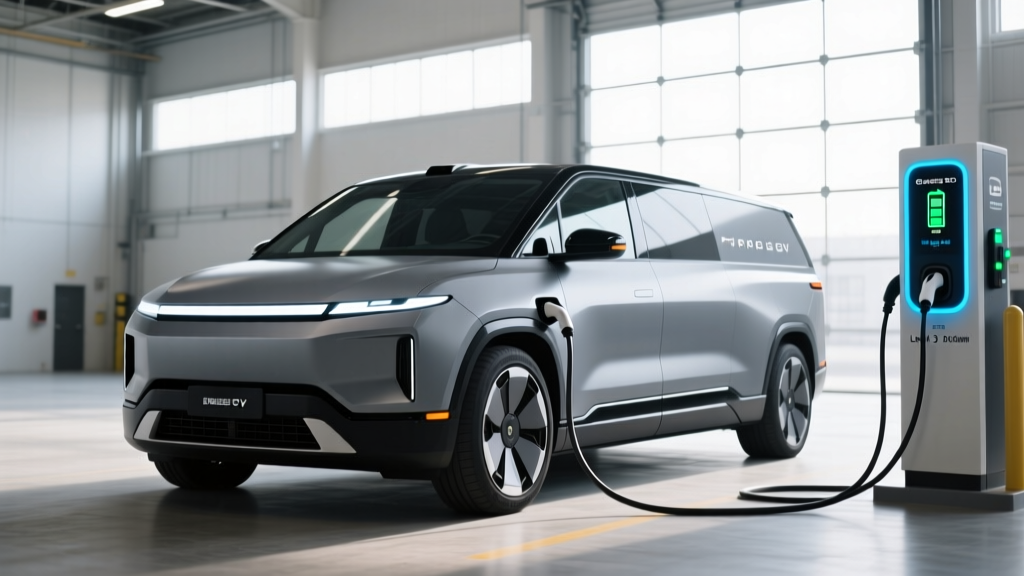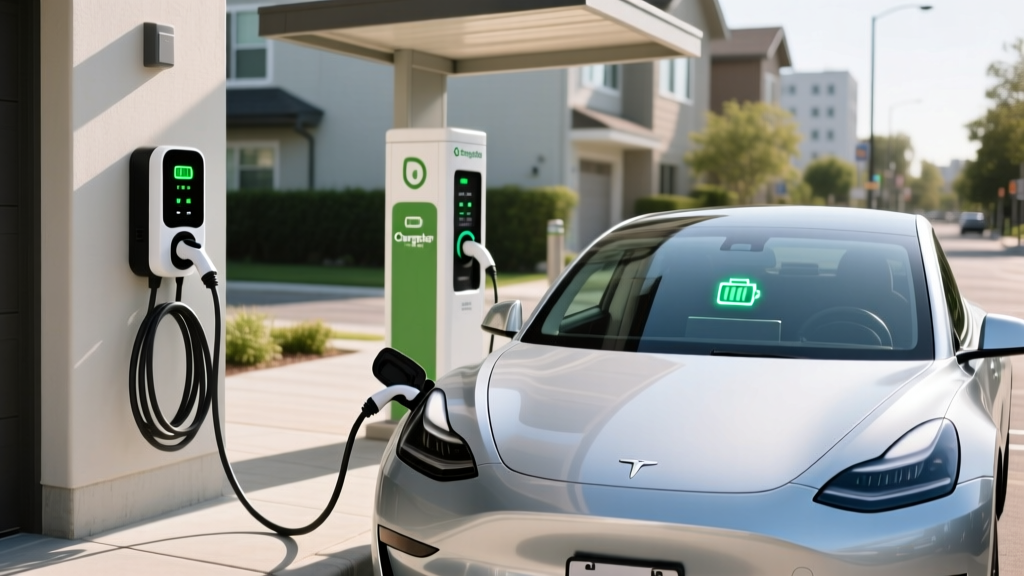
ChargePoint operates one of the largest EV charging networks in North America, with over 60,000 public connectors and a full line of home chargers. If you've just bought an EV or are pulling up to your first ChargePoint station, the process can feel opaque: Which plug fits? What does the app do? How much will it actually cost? This guide walks through exactly how to use a ChargePoint charger — at public Level 2 stations, DC fast sites, and at home — with the numbers you need to budget and plan.
Understanding Charging Levels: Speeds in kW and Miles Per Hour
Before activating any ChargePoint unit, you need to know what level of charger you're standing in front of — because the speed difference is massive. Power is measured in kW (kilowatts), which is the rate of energy delivery. Energy stored in your battery is measured in kWh (kilowatt-hours). Think of kW as the flow rate of a hose and kWh as the bucket size. Never confuse the two.
| Level | Voltage | Max Power (kW) | Miles of Range Added Per Hour | Typical Use Case |
|---|---|---|---|---|
| Level 1 | 120V AC | 1.4–1.9 kW | 3–5 miles | Overnight top-off, PHEV owners |
| Level 2 | 240V AC | 3.3–19.2 kW | 12–75 miles | Home, workplace, shopping destinations |
| DC Fast (Level 3) | 400–900V DC | 50–350 kW | 150–1,000+ miles (theoretical) | Road trips, highway corridors |
Most ChargePoint public stations are Level 2 (6.6–19.2 kW), ideal for topping off while you shop or work. ChargePoint also partners with networks offering DC fast charging (50–350 kW) at select highway locations. At home, ChargePoint's flagship Home Flex delivers up to 12 kW (50A) on a 240V circuit — enough to add roughly 37–45 miles of range per hour for a typical midsize EV like the Tesla Model Y or Hyundai Ioniq 5.
- 60 kWh battery (e.g., Nissan Leaf, Chevy Equinox EV) at 11.5 kW Level 2: ~6.5 hours
- 77 kWh battery (e.g., Tesla Model Y LR, Ford Mustang Mach-E) at 11.5 kW Level 2: ~7.5 hours
- 84 kWh battery (e.g., Hyundai Ioniq 5, Kia EV6) at 11.5 kW Level 2: ~8.5 hours
- Same 84 kWh pack at a 250 kW DC fast charger: 10–80% in ~18 minutes (note: charging slows significantly above 80% due to the charge curve taper to protect battery cells)
How to Use a ChargePoint Charger in Public: Step by Step
ChargePoint public stations are designed for simplicity once you know the workflow. Here's exactly what to do:
- Download the ChargePoint app (iOS/Android) and create an account. Add a payment method — credit card or PayPal.
- Locate a station using the app's map. Filters let you sort by connector type (NACS, CCS1, CHAdeMO), charging speed, availability, and price.
- Pull up and check the connector. ChargePoint Level 2 stations typically provide a J1772 connector (standard for all non-Tesla EVs). Tesla owners will need a J1772-to-NACS adapter (included with most Tesla vehicles or available aftermarket for ~$150–$250). Some newer ChargePoint stations now offer native NACS (Tesla) cables.
- Plug in. For Level 2, press the connector release latch, align the pins, and push firmly until it clicks. The station's LED ring will pulse blue to indicate a handshake is occurring.
- Activate the session. Tap your ChargePoint card on the RFID reader, or use the app to start the session by selecting the station and tapping "Start Charging." You can also enable Auto-Start in the app so charging begins the moment you plug in at any ChargePoint station.
- Monitor progress. The app shows real-time kW draw, kWh delivered, session cost, and estimated time to full. You'll get a push notification when your target SoC is reached.
- End the session. Tap "Stop" in the app or unplug the connector (most stations stop automatically when unplugged). Return the cable to its holster.
Pricing varies by station owner — ChargePoint sets the software platform, but property owners (malls, workplaces, municipalities) set the rate. Expect $0.25–$0.49/kWh at most public Level 2 stations, with some workplaces offering free charging. DC fast stations typically run $0.35–$0.55/kWh. Always check the app before plugging in; the per-kWh rate is displayed on the station detail page.
ChargePoint Home Charger Installation: Electrical Requirements and Costs
Installing a ChargePoint Home Flex at home is the single most impactful upgrade an EV owner can make. You'll wake up to a full battery every morning and pay the lowest per-kWh rates available. But installation costs vary widely depending on your home's electrical infrastructure.
Electrical Requirements
The ChargePoint Home Flex is a Level 2 charger rated for up to 12 kW (50 amps) on a 240V circuit. It can be hardwired or plugged into a NEMA 14-50 outlet. Key specs:
- Circuit breaker: 60A breaker required for full 50A output (NEC code requires a 125% safety margin: 50A × 1.25 = 62.5A, rounded to a 60A breaker)
- Wire gauge: 6 AWG copper (THHN in conduit) for runs up to 50 feet; 4 AWG for longer runs
- Panel capacity: Your home's main service panel must have spare capacity. A licensed electrician will perform a load calculation per NEC Article 220 to determine if your panel can handle the additional 50A draw
- GFCI protection: Required for outdoor installations and some jurisdictions for indoor outlets (NEC 2020/2023 updates); the Home Flex has built-in ground-fault protection for hardwired setups
- Permit: Most municipalities require an electrical permit ($50–$200) and a post-installation inspection
Installation Cost Breakdown
| Component | Low End | High End | Notes |
|---|---|---|---|
| ChargePoint Home Flex unit | $549 | $699 | NEMA 14-50 plug or hardwired; 23-ft cable |
| Electrician labor (standard install) | $400 | $1,200 | Short run from panel, same wall or adjacent |
| Electrician labor (complex install) | $1,200 | $3,500+ | Long conduit run, trenching, wall penetration |
| Electrical permit | $50 | $200 | Varies by municipality |
| Panel upgrade (if needed) | $1,500 | $4,500 | 100A to 200A service upgrade; older homes |
| Total (no panel upgrade) | $1,000 | $2,100 | Typical suburban home with 200A panel |
| Total (with panel upgrade) | $2,500 | $6,700 | Older homes with 100A service |
Connector Compatibility: Which Plug Fits Your EV?
ChargePoint stations use specific connectors depending on the charging level and the vehicle standard. Here's what you need to know:
| Connector | Standard | Used By | ChargePoint Availability | Adapter Needed? |
|---|---|---|---|---|
| J1772 | Level 1 & 2 AC | All non-Tesla EVs (Chevy, Hyundai, Ford, VW, BMW, etc.) | All ChargePoint Level 2 stations | No (native on most non-Tesla EVs) |
| NACS (Tesla) | Level 2 AC & DC Fast | Tesla (all models); Ford, GM, Rivian, Volvo, others (2025+ models) | Select newer ChargePoint stations; expanding | Tesla owners: J1772-to-NACS adapter for legacy stations (~$150–$250). Non-Tesla NACS vehicles: same adapter for J1772 stations |
| CCS1 (Combo) | DC Fast | Most non-Tesla EVs (2014–2024 models): VW, Hyundai, Kia, BMW, Ford, GM | ChargePoint DC fast partner stations | No (native) |
| CHAdeMO | DC Fast | Nissan Leaf, Mitsubishi Outlander PHEV (legacy) | Limited; being phased out | No native adapters available; CHAdeMO vehicles cannot use CCS or NACS DC chargers |
The NACS transition (2025–2026): Ford, GM, Rivian, Volvo, Mercedes, BMW, and others have adopted the NACS connector for new vehicles starting in model year 2025. If you're buying a 2025+ EV from these brands, your car will have a native NACS port. For existing CCS1-equipped EVs, adapters (such as the Ford-provided NACS adapter) allow access to Tesla Superchargers and NACS-equipped ChargePoint stations. According to fueleconomy.gov, verify your vehicle's connector type before purchasing any adapter.
Cost to Charge: Home vs. Public vs. Gas — The Real Per-Mile Math
Charging economics are where EVs deliver their biggest ownership advantage — but only if you charge smart. Here's how the costs break down across scenarios:
| Scenario | Rate | Cost per kWh | Cost per Mile (at 3.5 mi/kWh efficiency) | Annual Cost (12,000 miles) |
|---|---|---|---|---|
| Home (off-peak utility rate) | Time-of-use, overnight | $0.08–$0.14 | $0.023–$0.040 | $275–$480 |
| Home (standard flat rate) | No TOU plan | $0.13–$0.18 | $0.037–$0.051 | $445–$615 |
| ChargePoint public Level 2 | Varies by station owner | $0.25–$0.49 | $0.071–$0.140 | $855–$1,680 |
| DC Fast Charging | Highway corridor | $0.35–$0.55 | $0.100–$0.157 | $1,200–$1,885 |
| Gasoline car (27 MPG avg) | $3.40/gallon (2026 avg) | N/A | $0.126 | $1,511 |
Key takeaway: Home charging on an off-peak rate is 65–80% cheaper per mile than gasoline. Even public Level 2 charging is often comparable to or cheaper than gas. DC fast charging is the most expensive EV option — at the high end, it can exceed the per-mile cost of a fuel-efficient gas car. The financial case for an EV rests heavily on consistent home charging access.
To estimate your personal savings, find your utility's kWh rate on your electric bill (look for "price per kWh" or "delivery + supply charges combined"). Multiply that by your EV's kWh/100mi consumption figure (listed on the EPA's fueleconomy.gov window sticker data). For example, the 2026 Hyundai Ioniq 5 consumes roughly 28 kWh/100mi (3.57 mi/kWh). At $0.12/kWh, that's $0.034 per mile — roughly $405 per year for 12,000 miles.
ChargePoint Equipment Recommendations: Home Flex and Beyond
ChargePoint's home lineup centers on one flagship product, but it's a strong one:
ChargePoint Home Flex
- Power output: Up to 12 kW (50A) on 240V; adjustable from 16A to 50A via DIP switches to match your circuit
- Connector: J1772 (NACS adapter available separately for ~$200)
- Cable length: 23 feet (longest in class — reaches most garage parking positions)
- Smart features: Wi-Fi connected, ChargePoint app scheduling, Alexa/Google Home integration, energy-use tracking, off-peak scheduling to optimize utility TOU rates
- Indoor/outdoor: NEMA 4 rated (weatherproof for outdoor mounting)
- Price: $549–$699 (check for utility rebates that can reduce this by $100–$300)
- Warranty: 3 years
Best for: Most EV owners who want a reliable, app-connected Level 2 home charger with a long cable and flexible amperage settings.
Alternatives to Consider
- Grizzl-E Smart (40A, 9.6 kW): ~$449. Canadian-built, extremely durable, adjustable amperage. Less polished app than ChargePoint. Good for harsh climates.
- Emporia Level 2 (48A, 11.5 kW): ~$399. Budget-friendly, integrates with Emporia home energy monitor for solar-aware charging.
- Tesla Wall Connector (48A, 11.5 kW): ~$475. Native NACS connector, best for Tesla-only households. J1772 adapter required for non-Tesla EVs.
Why ChargePoint wins on software: The ChargePoint ecosystem (home + public network) means one app manages all your charging. If you frequently use public ChargePoint stations, the unified experience and Auto-Start feature are genuine quality-of-life advantages.
Safety and Electrical Code: What Your Installation Must Meet
EV charging draws sustained high current for hours — far more than any other household appliance. Cutting corners on installation is a fire risk. Here are the non-negotiable code requirements per the National Electrical Code (NEC):
- Dedicated circuit: Your EV charger must be on its own dedicated breaker — it cannot share a circuit with outlets, lights, or other appliances. A 50A charger requires a 60A breaker.
- GFCI protection: Required for all outdoor receptacles (NEMA 14-50 outlets) per NEC 2020 and later. Hardwired chargers like the Home Flex (when hardwired) have internal GFCI protection, which may satisfy the requirement depending on your local inspector's interpretation.
- Outdoor rating: If mounted outside, the charger must carry a NEMA 4 (or higher) weather rating. The ChargePoint Home Flex is NEMA 4 rated.
- Cable management: NEC does not permit charging cables to run across walkways or driveways where they create a trip hazard. Plan your charger location so the cable reaches your charge port without crossing a path.
- Permit and inspection: Virtually all jurisdictions require an electrical permit for a new 240V circuit. The inspection ensures wire gauge, breaker sizing, grounding, and bonding meet code. Do not skip this — unpermitted work can void home insurance claims and complicate future home sales.
ChargePoint App Tips and Troubleshooting
The ChargePoint app is your primary interface for both home and public charging. A few features that new users frequently overlook:
- Scheduled Charging (Home): Set your Home Flex to charge only during off-peak hours (e.g., 11 PM – 6 AM) to lock in your utility's lowest rate. Plug in when you get home; the charger waits for the scheduled window.
- Waitlist Feature (Public): At busy public stations, tap "Join Waitlist" in the app. You'll get a notification when a connector becomes available — no hovering in the parking lot.
- Charging History: The app logs every session with kWh delivered, cost, and duration. Export this data for tax or fleet-reimbursement purposes.
- Troubleshooting a stuck session: If the station LED stays red or the app shows "error," try: (1) unplugging and re-plugging the connector firmly, (2) force-closing and reopening the app, (3) tapping "Report a Problem" in the station detail page to alert ChargePoint support. Most public stations have a 1-800 support number printed on the unit.
Frequently Asked Questions
How much does it cost to install a home EV charger?
For a ChargePoint Home Flex on an existing 200A panel with a short conduit run, expect $1,000–$2,100 total (equipment + electrician + permit). If your home needs a panel upgrade from 100A to 200A service, add $1,500–$4,500, bringing the total to $2,500–$6,700. Always get a load calculation from a licensed electrician first.
How fast will each charging level add range?
Level 1 (120V): 3–5 miles per hour. Level 2 (240V, 50A/12 kW): roughly 37–45 miles per hour for a typical EV. DC Fast (150–250 kW): can add 150–250 miles in 15–20 minutes, but the charge curve tapers significantly above 80% SoC to protect battery health. Peak kW ratings are never sustained for the full session.
Which connector/charger is compatible with my EV?
Check your vehicle's charge port. Non-Tesla EVs built before 2025 use J1772 (Level 2) and CCS1 (DC fast). Tesla vehicles use NACS. Starting in 2025, Ford, GM, Rivian, and others are switching to NACS. CHAdeMO (Nissan Leaf) is a legacy standard being phased out. ChargePoint Level 2 stations provide J1772 connectors; Tesla owners need an adapter for those stations.
How much does charging cost per mile vs gas?
Home charging on off-peak rates costs roughly $0.02–$0.04 per mile. Public Level 2 runs $0.07–$0.14/mile. DC fast charging is $0.10–$0.16/mile. A comparable gas car at 27 MPG and $3.40/gallon costs about $0.13/mile. Home charging delivers 65–80% savings; public charging is roughly cost-neutral with gas.
What electrical upgrades might I need?
The most common upgrade is a panel capacity increase from 100A to 200A service ($1,500–$4,500). You may also need: a new dedicated 60A breaker and 6 AWG wiring run, a NEMA 14-50 outlet (if using a plug-in charger), or a hardwired junction box. In older homes with knob-and-tube or aluminum wiring, partial rewiring may be necessary. A licensed electrician's load calculation will identify all requirements before work begins.
Do I need the ChargePoint app to use a public station?
No. Most ChargePoint public stations accept an RFID card (order a free one through the app), a tap-to-pay credit card on the station's screen, or Apple Pay/Google Pay. However, the app provides the best experience — real-time availability, pricing, session monitoring, and charging history.